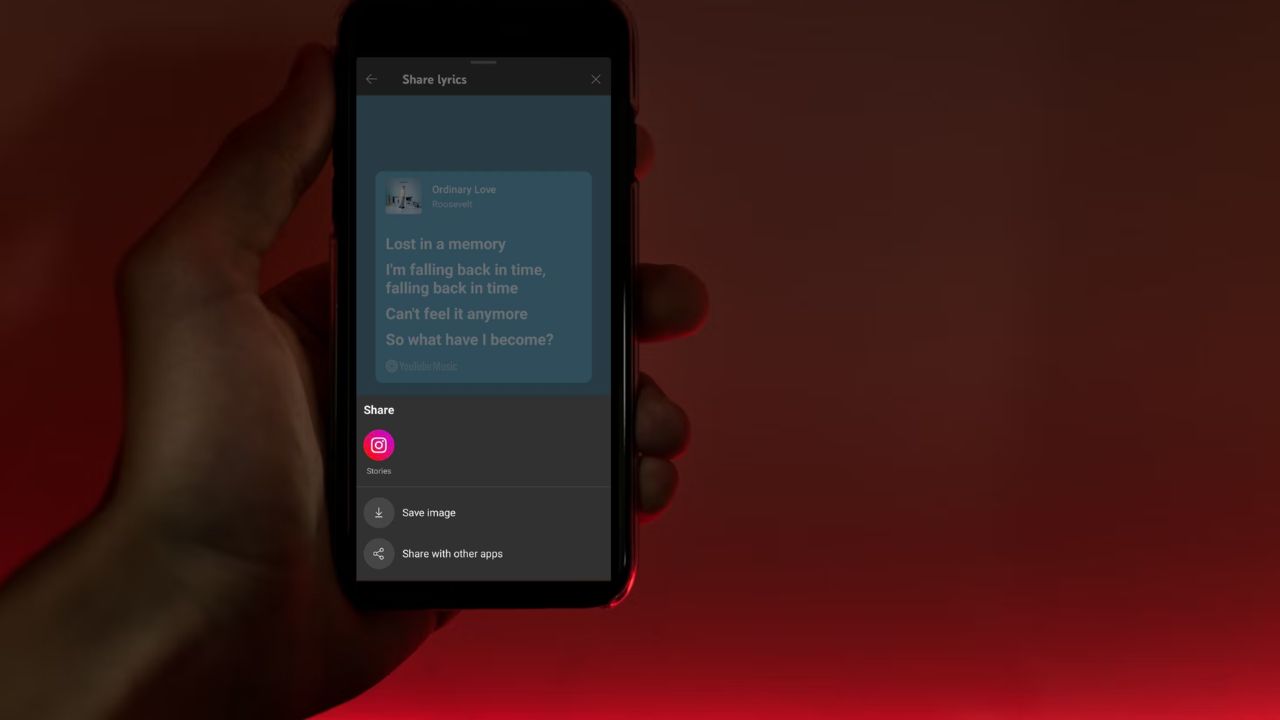
Have you ever wanted to share a song lyric that just hits right with your friends? YouTube Music’s new feature update lets you do just that. You can now pick your favorite lines, customize them, and post them on social media. This is YouTube’s response to Spotify and Apple Music, although it’s gradually rolling out to Android users. So, let’s explore how it works and why it’s worth trying.
How YouTube Music’s Lyrics Sharing Works
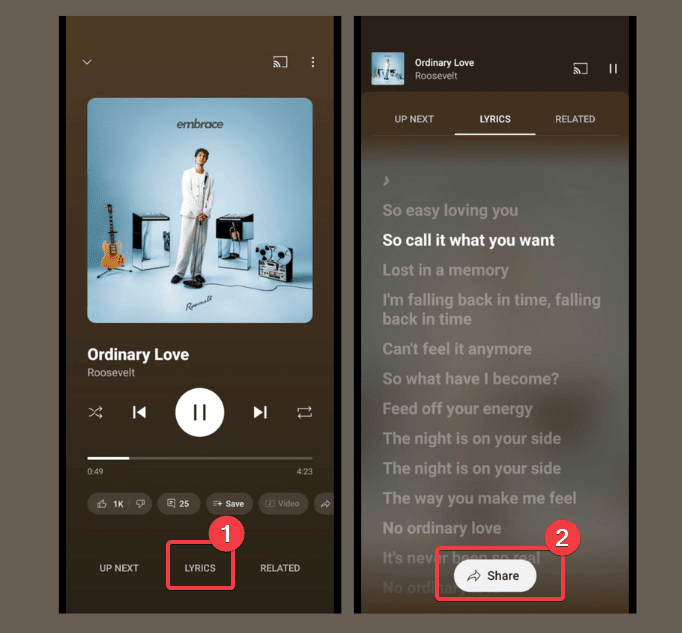
Using the YouTube Music lyrics sharing feature is a breeze. Simply launch your YouTube Music app. Play a song and tap the Lyrics tab below. Once you spot your favorite part, hit the Share button.
FYI: For newbies, try this guide on using YouTube Music on your device.
Select the specific lines on the Select Lyrics page, and hit Next. This feature allows you to share only part of the song.
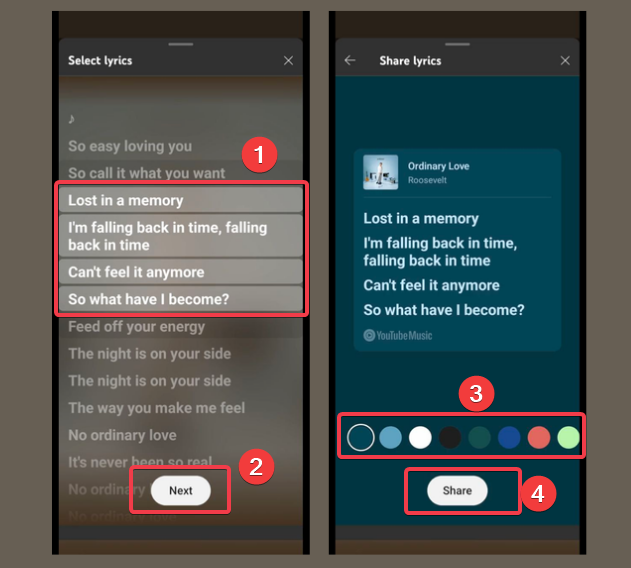
Then, customize the lyrics by adding a colorful background from the available options. Now, hit the Share button to post directly on Snapchat, Instagram, or other available platforms. Also, you can download the image for later.
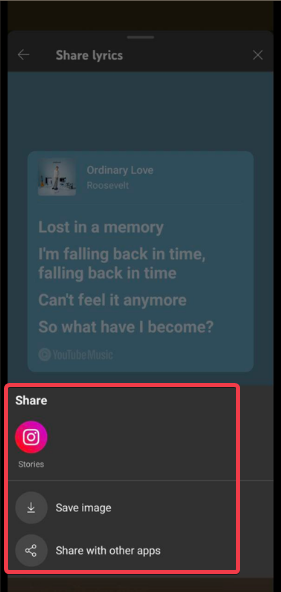
It’s easy and feels similar to Spotify’s lyrics-sharing feature too albeit, you can customize YouTube’s own, unlike other Android lyric apps.
Why does YouTube Music Lyrics Sharing Matter?
YouTube Music lyrics sharing isn’t just another feature, it’s a neat trick for YouTube Premium and Music to improve relevance. So, here’s why it’s a big deal:
- It helps YouTube Music compete with Spotify and Apple Music. They both have had this feature for some time, so this helps YouTube Music stay in the game.
- It helps to express your social vibe – express your mood or feelings through the lyrics to connect with friends.
- Helps with song discovery since shared lyrics links can bring friends directly to the track on YouTube Music.
- The customization is perfect for young users who like to post flashy cards on social media.
YouTube Music is growing fast and this update shows they are serious about keeping up with competitors.
What Else Do We Know About This Feature Rollout?
The YouTube Music lyrics sharing feature is just for Android right now, but iOS and desktop versions might get it soon. Also, note that it’s a gradual rollout, so it’s not available to all Android users yet. Those who have it use YouTube Music version 8.15.51 or newer on Android.
Also, YouTube Music recently added better volume controls to keep songs at the same loudness. So, no more jarring switches unlike before.
Hence, if you’re thinking about ditching Spotify, check out this quick process to move your Spotify playlists to YouTube Music.
Despite the limitations of YouTube Music lyrics sharing feature to Android, it’s showing enough style to make lyric sharing cool and fun. By the way, can also upload and listen to your song So, if you’ve got the feature on your app, launch it and show off your favorite music lyrics to the World in style.