
YouTube’s dealt with scams for years, but the YouTube Ghost Network may be one of the largest and most sophisticated. This recently uncovered network of scam videos has many YouTubers wondering what to do next if they were one of the hundreds of thousands fooled.
YouTube Ghost Network Existed For Years
It may sound like a ripped-off version of YouTube, but this ghost network existed within YouTube. It’s been around since 2021 and consists of over 3,000 malicious videos. Researchers at Check Point monitored this network for over a year, watching the number of videos triple in 2025 alone.
So how did this fly under YouTube’s radar? It wasn’t just one or two accounts. It’s an entire network of accounts all working together. These scam accounts comment, interact with real users, and post positive reviews to give the accounts more credibility.
Many of the scam accounts have thousands of followers and over a hundred thousand views. Naturally, YouTube’s algorithm sees all this engagement as a reason to show the videos more often.
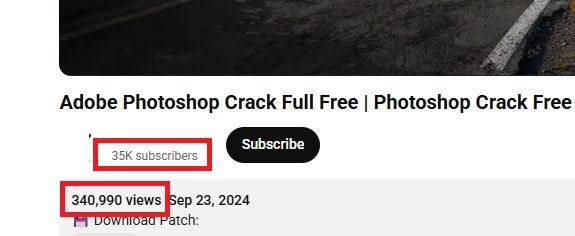
What’s even worse is the network also used Google Ads to help promote the videos. Between the ads and active YouTube accounts, even savvy users could fall prey to this scam.
Network Targets Users Looking for Cheats and Free Premium Apps
Most of the malicious videos have a common theme. They offer cracked software, game cheats, and free premium apps/software. Since we all want to save money, these videos are tempting. But, those hacks, cheats, and free software comes at a hefty price – all your sensitive information.
Once you download whatever the video promises you, you install malware instead. Some of the videos infected users with the Lumma infostealer, but most now use Rhadamanthys to steal your information.
While YouTube has removed many videos in the network, they’re still popping up. And, the videos are popular. According to Check Point, one video about getting Adobe Photoshop for free had over 290,000 views along with 54 comments.
Even if you haven’t gotten fooled by the YouTube Ghost Network scam, it’s still out there, and you’re still at risk if you’re not careful.
1. Enable Your Antivirus Immediately
Cracked software and game hacks are illegal. Many games will ban you from playing if they discover you’re using hacks or cheats.
The malicious YouTube videos typically tell users to turn off their antivirus to make the supposed hack or cracked software install work. That’s because your antivirus flags it as malware.
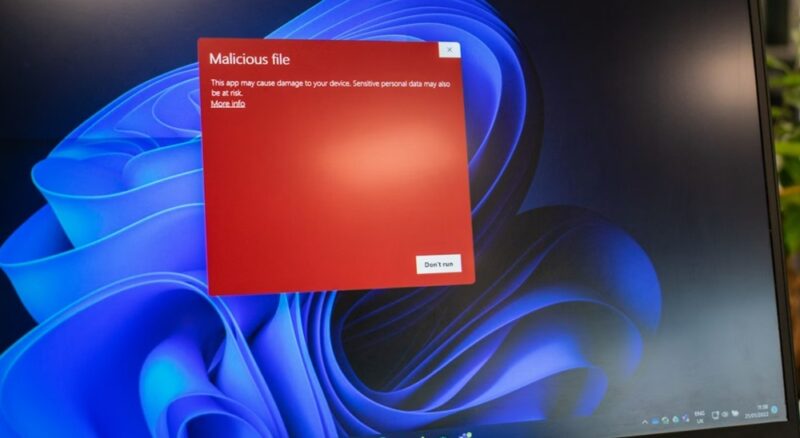
If you turned off your antivirus because one of these scammy YouTube videos told you to, turn it back on now. Let it run and check your system. Antivirus doesn’t just block threats, it also removes existing threats.
Depending on your antivirus, the malware may not let you re-enable your antivirus. If so, you’ll need to attack the malware while you’re offline.
2. Disconnect From the Internet
Prevent the malware from sending any more stolen data by disconnecting from the Internet. Your antivirus should still be able to detect the malware while you’re offline. For instance, you can run Microsoft Defender offline if you’re a Windows user. Just go to Settings -> Privacy & security -> Windows Security -> Virus & threat protection -> Scan Options -> Microsoft Defender Offline Scan.
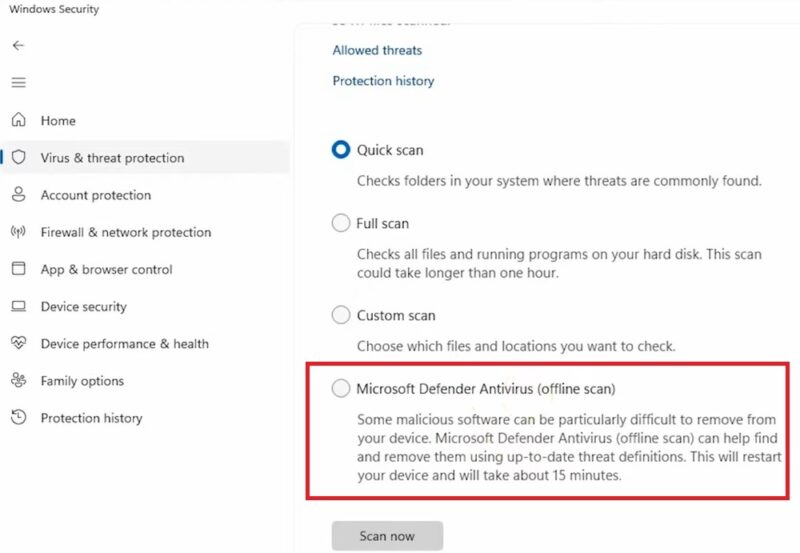
Depending on what you’re using and whether it’s up-to-date, you might need to use another device to download a free antivirus tool to help you remove the malware. There are also ways to remove malware without antivirus.
3. Scan Any Connected Devices for Malware
If you’ve connected USB drives or external drives to your infected computer, scan those devices too. You’ll also need to check any other machines that also used those connected devices.
Infostealers can spread to any physical or network attached computers or storage devices. Yes, it’s a headache to deal with, but the last thing you want is to reinfect all your devices over something as simple as an infected USB drive.
4. Uninstall the Illegal Software, Hacks, or Cheats
In many cases, you do actually get a real copy of the illegal software or hack. That’s what ensures people don’t get too suspicious. But, the software could still let hackers back into your computer, reinstalling their malware.
If your antivirus didn’t remove whatever the YouTube video asked you to download and install, uninstall it yourself and delete the installer file. If Windows refuses to let you delete any files, use these workarounds.
5. Don’t Log In to Anything
Infostealer malware does exactly what it says – steals your info. As you visit sites, it captures your usernames, passwords, credit card numbers, social security numbers, and any other sensitive information.
The moment you realize you’ve become a victim of the YouTube Ghost Network, don’t expose any more of your information.
6. Use a Different Device to Change Passwords
Obviously, don’t use your infected device to make any changes to your online accounts. Try to remember any sites you’ve logged into since installing cracked software or using sketchy game hacks.
The infostealer malware likely has your account details. Change them immediately to prevent anyone who buys the stolen data from using it.
7. Consider Getting New Credit Cards
If you’ve entered your credit card number while infected, contact your credit card company and inform them you may have been compromised. Most will send you a new card with a new number for free or for a small fee. Be prepared to be without your card for one to two weeks, though.
Avoid the YouTube Ghost Network Scam
Whether you fell victim to this scam or you just want to avoid it to begin with, there are several ways to avoid it and similar scams:
- Avoid anything promising you free premium apps/software. Unless it’s a valid promotion sponsored by the company behind the apps/software, it’s illegal and likely contains malware.
- Never proceed with installing something your antivirus blocks. Do some research first to make sure it’s safe.
- Stick with official sources for your downloads. It’s safer. Your identity is worth far more than what you save with cracked software.
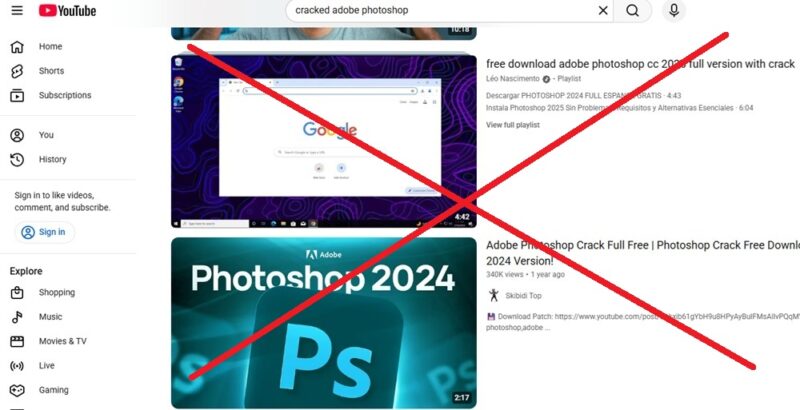
This scam, whether it’s YouTube or another platform, isn’t going away. Be cautious and act quickly if you think you might be infected with malware.








