
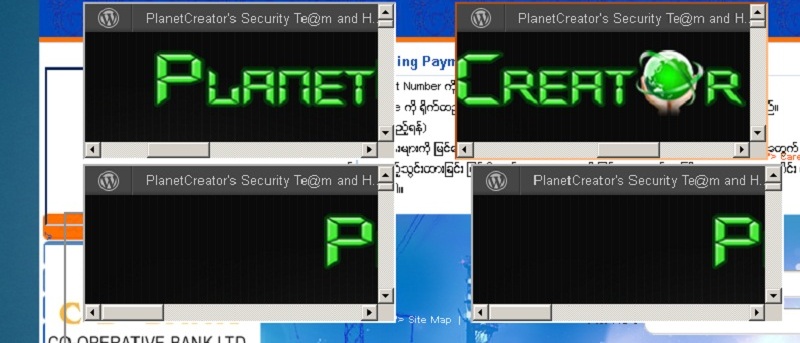

The world is starting to wake up to something known as a cross-site scripting (XSS) vulnerability. While I believe it’s a good thing that the issue is being addressed in websites around the globe, I don’t think it’s very good for us to be ignorant of what it is. After all, most XSS attacks are preventable by the potential victim. In the internet, it is your responsibility to arm yourself against any threat lest you become a victim. To understand how you can protect yourself against XSS, you must first know what XSS is and how it can affect you, then how to prevent it.
What Is XSS?
The definition is in its name. An XSS attack is executed by modifying a URL in a way that can allow certain scripts to be injected into it. For example, you can make an entirely different website show up within a frame of the URL’s destination.
Look at an example of the modified URL:
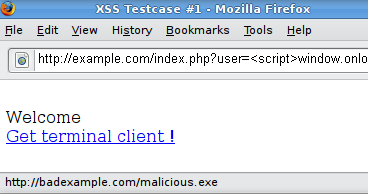
See where the script was injected? In this example, it’s rather easy because it starts with “
How Does XSS Affect You?
XSS can be used in a variety of ways. Some may just post a link on Twitter containing the malicious URL. Twitter does half the work for them by covering up the URL partially. Contextual links within untrustworthy blogs and websites may contain URLs that are masked by the “anchor text” (which is another fancy way of describing text that’s underlined and blue).
When you click on the link, a number of things can happen. In a best-case scenario, you’ll just experience a “prank”, per se. In other words, you’ll be directed to a page with a bunch of fake content, perhaps showing credit to the group that performed the XSS attack. In a worst-case scenario, your browser will experience nightmarish symptoms. You may have your home page changed, and several different annoyances can occur on your computer as a result of executed malware.
XSS can also be used to trace you by installing cookies on your computer without your consent. Gathering this data could allow hackers to better understand a “digital demographic” of the people they are targeting for future malware infections. In such a case, you might not even notice anything going on in your computer or mobile device at all.
How Dangerous Is XSS?
All things considered, XSS isn’t usually very dangerous. It may be annoying, but it won’t present any long term consequences, at least not in the short term. However, beware of combinations between XSS attacks and other sorts of malicious behavior!
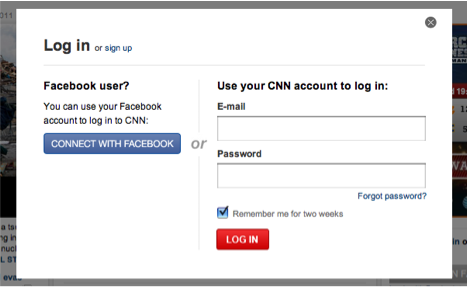
For example, let’s say that Facebook is vulnerable to XSS. A hacker can easily inject a fake log-in page to Facebook’s URL. You’d log in successfully (since the fake page can send your credentials to both Facebook and its own database), but the hacker will now have your username and password. This is where the true danger of XSS presents itself.
How To Protect Yourself Against XSS
One of these days, XSS will just be a thing of the past. But until then, you have to learn to prevent yourself from falling into the XSS trap. Every time you enter a page, have a look at the URL. If there’s anything indicating there’s a script in there (such as the “” characters surrounding a word), then it’s wise to use your discretion and perhaps leave. Also, watch the URLs to links. Right-click every link and copy it to your clipboard. Paste the URL into your notepad application and check it out before you even go in.
If you have a website you’re developing yourself, read this cheat sheet. This will protect you and your visitors from XSS. Be sure to mail the cheat sheet to any web developers you know. They’d appreciate it.
If you have any more questions about XSS, be sure to leave it in a comment below!