
X (formerly Twitter) has rolled out the ability to send end-to-end encrypted messages for everyone – meaning without requiring a Premium subscription. Want to give it a go? In this article, we take a closer look at X’s take on end-to-end encryption and weigh up whether it’s worth using.
Good to know: try this trick to remove ads when browsing X and Instagram.
What’s X’s End-to-End Encryption All About?
With the latest feature, X is responding to the rising demand for digital privacy by offering users a way to secure their conversations.
According to X, its end-to-end encryption system relies on two layers of security: a private-public key pair created for each user and a dedicated encryption key for every chat. These work together: the private-public pair allows the conversation key to be exchanged securely, so only participants can access messages.
The company claims to use a mix of advanced cryptographic techniques to secure every message you send, as well as links and reactions.
The privacy feature is available for senders and recipients in the latest X apps for Android/iOS and the web.
Although X paints a reassuring picture of its encryption feature, some security caveats are lurking beneath the surface, as we’ll discover in what follows. But first, let’s see how easy it is to send encrypted messages on X.
Sending Encrypted Messages on X Is Pretty Confusing
X has quietly rolled out this feature, making it easy to miss. In addition, the implementation is a bit confusing, especially in the mobile app. X splits your regular messages from the encrypted ones into separate inboxes/folders, and in the latter case, places them at different locations.
On your PC, open X in your favorite browser. In the menu on the left, tap on Messages.
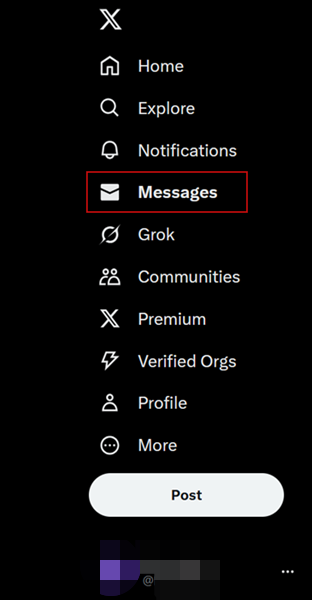
Your list of regular, non-encrypted chats should appear on the right.
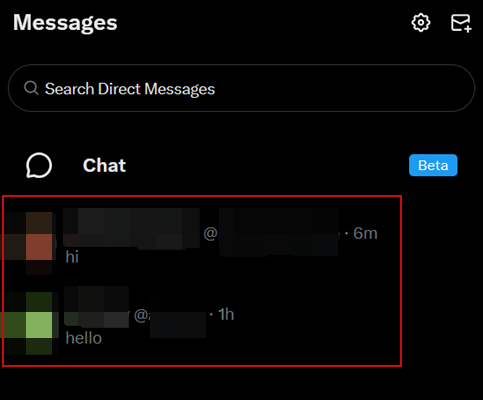
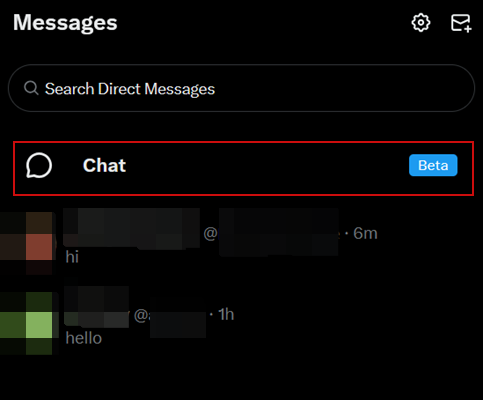
To send an encrypted message, however, you’ll need to click the Chat option just above.
A welcome message will introduce the new feature to you. Press Set up now to continue.
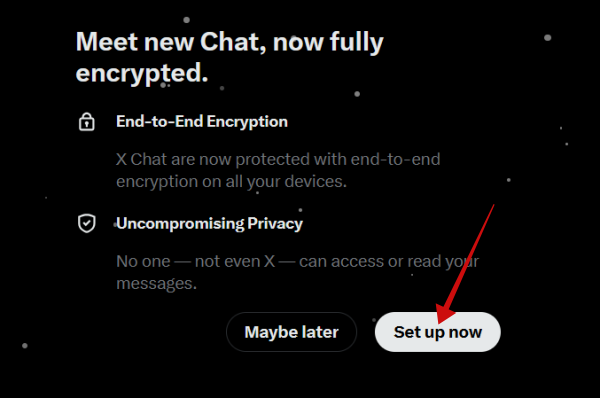
You will be asked to set a 4-digit PIN code to secure your message. You’ll need to enter it twice.
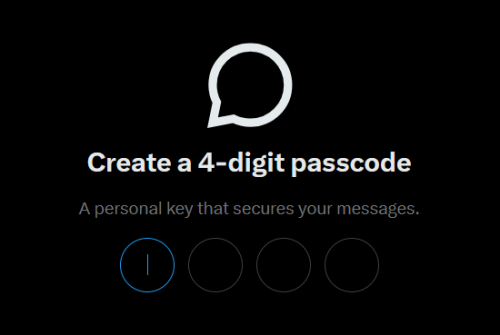
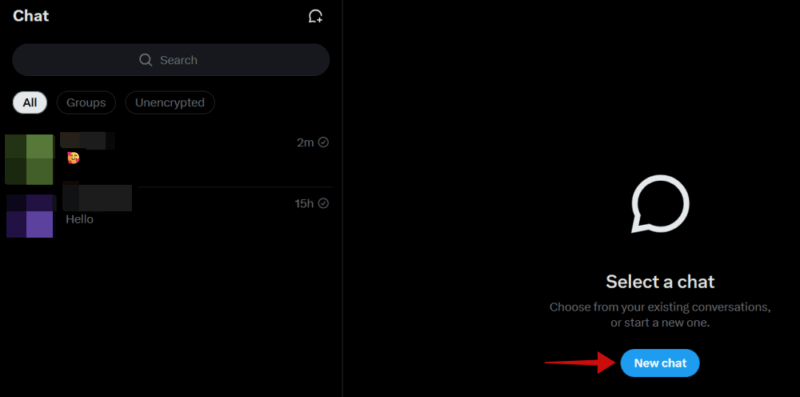
Now you can access your encrypted inbox. Tap on the New chat button to create your first secure message.
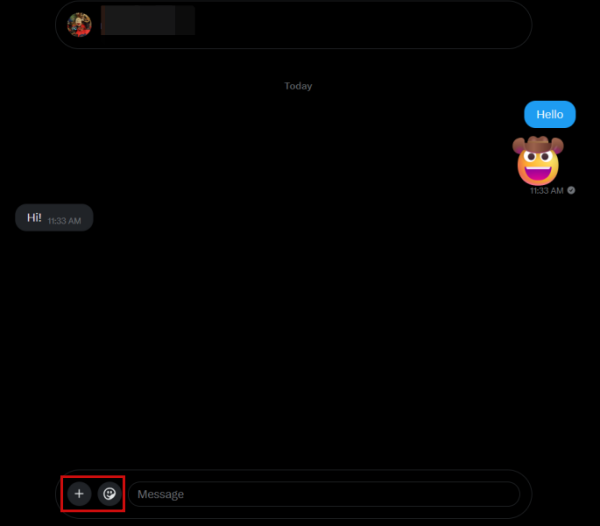
On PC, you can add emojis to your messages or upload photos/videos or files. X also lets you create encrypted group chats.
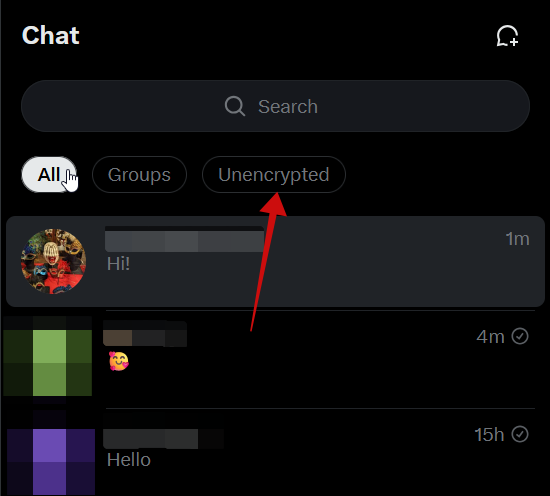
From your private inbox, you can switch to your regular inbox by clicking Unencrypted in the message list column.
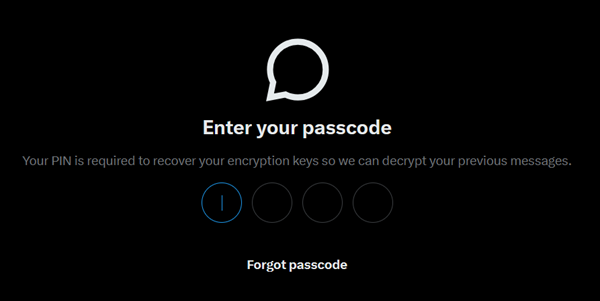
After you exit the app and return, X will ask you to enter your passcode.
On mobile, these two inboxes exist in different locations in the app. To access your regular messages, tap on the envelope icon at the bottom.

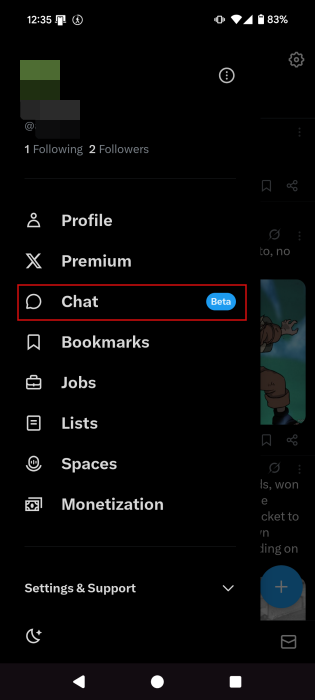
As for the encrypted ones, they are hiding somewhere else. Tap your profile image in the upper left corner.

Select Chat from the options and set your passcode (if you’re doing this for the first time).
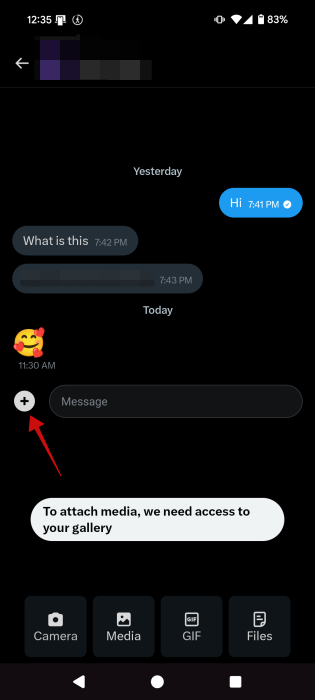
In the mobile app, you can also send GIFs in your private chats. Messages also display Read/Unread status. Note that you can’t place calls.
If you want to switch to your regular messages inbox, you’ll need to exit the encrypted inbox first. Then press the envelope icon in the bottom menu.
In short, X’s encrypted messaging works more smoothly in the web version, thanks to a unified inbox that lets you switch between regular and encrypted chats with ease. However, there’s still one big question: can you count on it to keep your sensitive messages safe?
Tip: learn how to mute words and hashtags on X.
How Secure is X’s End-to-End Encryption?
Compared to Signal’s robust solution, X’s end-to-end encryption approach raises more than a few eyebrows. Chief among the concerns is its reliance on a simple four-digit PIN for storing the private key, which experts say offers little resistance against serious intrusion attempts.
What’s more, others warn that X stores your private keys on its own servers, instead of on your device like Signal does, which could expose your chats to potential decryption risks.
Actually, X openly recognizes that its encryption doesn’t shield against man-in-the-middle attacks. In other words, your chats might get compromised by a third party, X included, all without your knowledge.
Adding more fuel to the fire, X’s end-to-end encryption is said to lack “perfect forward secrecy” – a cryptographic mechanism known as a best practice among secure platforms. This omission means that if a private key is ever exposed, older messages could be decrypted retroactively.
Taking all this into account, we recommend caution when using the feature. Avoid sharing sensitive details via X’s encrypted messages. Until X takes more steps to improve its solution, which it will at some point, it’s a good idea to reserve X’s encrypted messaging for low-stakes use or experimenting.
If you’ve had enough of X and its controversies, you might want to check out Bluesky, a promising alternative that offers some compelling advantages.








