When NVIDIA DLSS initially launched in February 2019, it was fairly controversial – in the years since, though, NVIDIA DLSS has become an industry-standard feature for PC games, with an expectation that any new release or reasonably modern title will support it. NVIDIA DLSS also spawned competing upscalers from AMD and Intel, and while it was set apart by being the only one to use AI-accelerated upscaling, the newest renditions of AMD FSR and Intel XeSS also leverage the AI hardware present in modern GPUs for upscaling operations, too.
But what exactly is Nvidia DLSS, or “upscaling” in general? What are the alternatives, how do they work, and how do they compare? How do you use them in your game of choice, and is there any reason you may prefer to use one or the other, even if you use a different brand GPU? Below, we’ll answer all these questions and more.
What is Nvidia DLSS? Upscaling Explained
NVIDIA DLSS, or NVIDIA Deep Learning Super Sampling, is an upscaling technology introduced by NVIDIA for its GPUs starting with the RTX 20 Series in 2018. As the first “RTX” GPUs, the RTX GPUs introduced both real-time ray tracing to PC gaming and the first version of DLSS. The new features were accelerated by new onboard hardware—RT cores for ray tracing, and Tensor cores for DLSS and other AI-related operations.
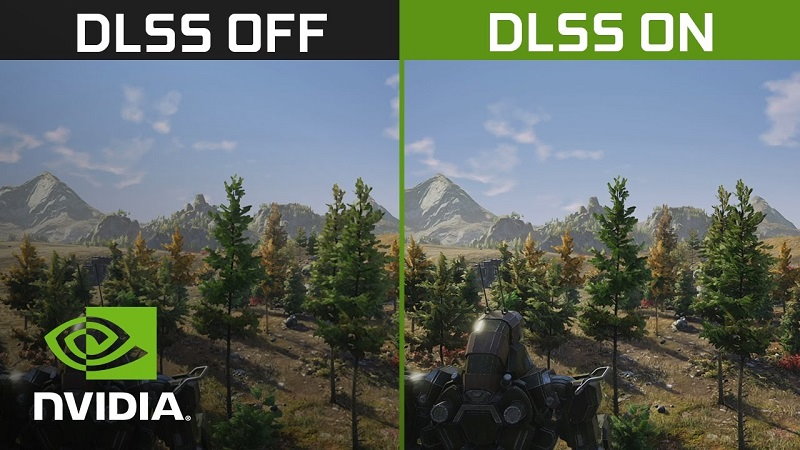
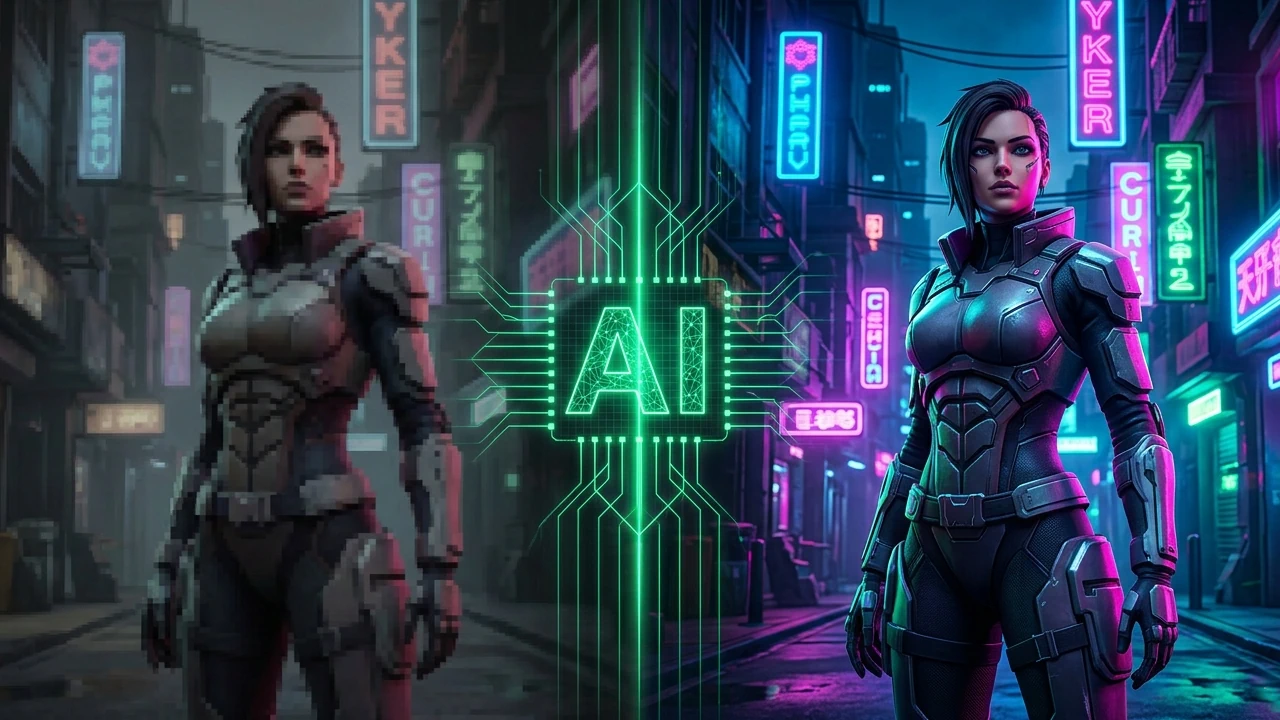
DLSS and other upscalers like it work by taking a low resolution frame—say, a 720p frame—and upscaling it to a higher output resolution, like 1080p, 1440p, or 4K. DLSS and other upscalers’ quality levels correspond to higher internal resolutions before the upscaling operations, with higher internal resolution giving a better final picture.
The first rendition of DLSS actually received a negative reception despite being an innovative way to improve PC performance – blurry motion being one of the chief complaints. But DLSS 2 and onward received high praise for improving on image quality and motion fidelity, with DLSS 2 spawning comments that upscaling could provide a “better than native” picture. This is a contentious notion among enthusiasts, but there’s no denying that DLSS and other upscalers have become an integral tool for PC gamers—perhaps too integral, since developers now expect it to be enabled and perhaps aren’t optimizing their games as well as they could.
Top Nvidia DLSS Alternatives
AMD FidelityFX Super Resolution
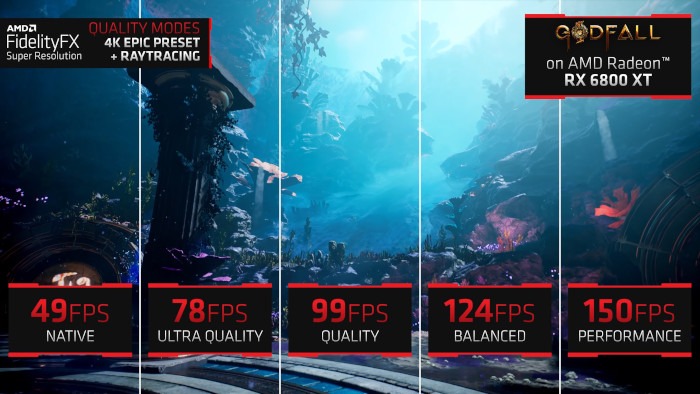
AMD FidelityFX Super Resolution is just AMD’s equivalent to NVIDIA DLSS, though notably vendor-independent up until AMD FSR 4, which relies on AMD’s onboard AI hardware for upscaling operations. FSR versions 1-3 work fine on AMD, Intel, and even Nvidia GPUs, though. However, the pre-FSR 4 versions of FSR are criticized for being of lesser quality than DLSS 2 and newer… however, since they also don’t have the RTX GPU requirement, they’re also usable on older Nvidia GPUs that otherwise couldn’t enjoy upscaling features.
Intel Xe Super Sampling
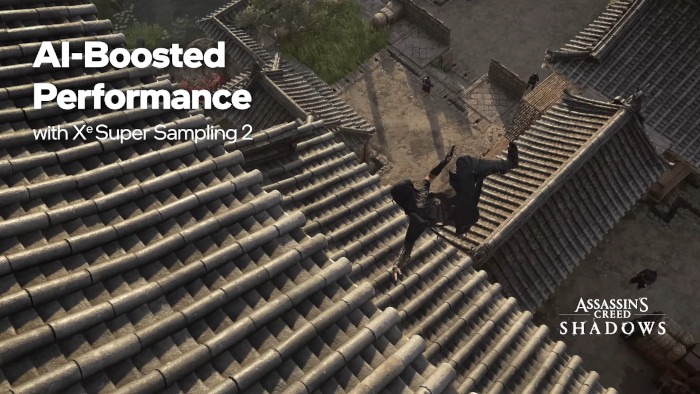
Pretty much the same story as AMD’s FSR, though Intel Xe Super Sampling (XeSS) was later to the punch. Newer versions of XeSS also enable features like AI-enhanced upscaling and frame generation, and many argue that the earlier versions of XeSS still provide better quality than AMD FSR. Exact results between the two can vary depending on game, though, and ultimately neither was really competing with DLSS until they embraced their vendor-specific AI acceleration hardware.
Apple MetalFX Upscaling
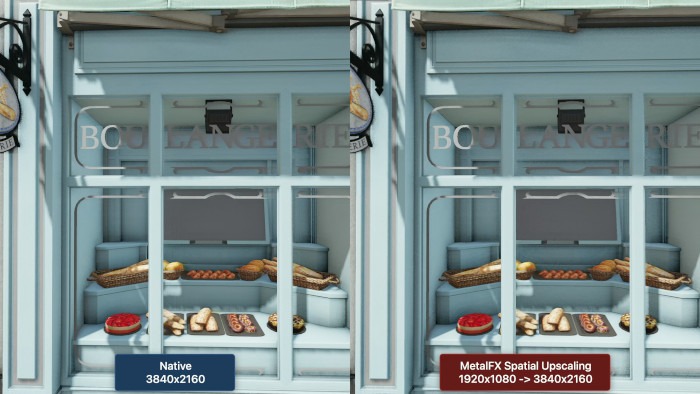
Yes, even Apple devices, from macOS desktops and laptops to iOS smartphones and tablets, support a form of upscaling. On Apple, it’s called MetalFX, and it includes AI-accelerated image upscaling and, yes, Frame Generation. Like AMD and Intel, Apple was late to this one, but arrived to it relatively fully-featured.
In-Game Upscaling Solutions (Resolution Scaling Options, Unreal Engine TSR, etc)
Last but not least, some games may have their own in-game resolution scaling options, including dynamic resolution scaling to target specific framerates, like Doom Eternal. There’s also Unreal Engine 4-based games, like Tekken 8, which support the engine-exclusive Temporal Super Resolution (TSR) upscaler. These in-engine solutions can be useful if you want to guarantee the best possible motion fidelity, but they may not turn around the same pristine results as something like DLSS 3 in Quality Mode.
Use Nvidia DLSS and Other Upscalers
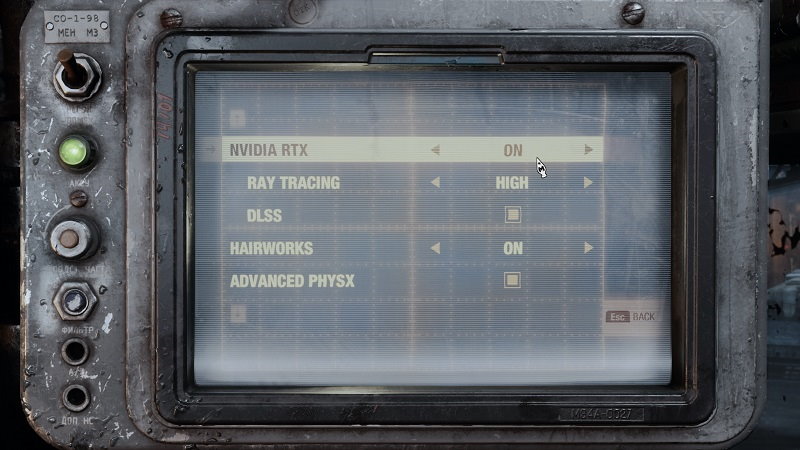
Fortunately, using Nvidia DLSS or any other upscaler is just as simple as selecting or enabling any other graphics setting in your PC games. Just find an “Upscaling” or equivalent option and select DLSS, FSR, etc from your list of choices and enable it.
As for which DLSS/FSR version to use, the general rule of thumb is as follows:
- Quality Mode — Uses roughly 66-75% internal resolution and upscaling for the rest. With AI-accelerated upscaling on DLSS or newer versions of FSR/XeSS/MetalFX, can sometimes look better than native resolution.
- Balanced Mode — Uses roughly 50-58% internal resolution and upscaling for the rest. Usually the best bet.
- Performance Mode — Uses roughly 33% internal resolution and upscaling for the rest. Recommended for 4K displays or when in desperate need of frames.
- Ultra Performance — Uses 25% internal resolution or less. Only recommended when in dire need of FPS at very high resolutions. Expect ghosting at low framerates.
Nvidia DLSS Frame Generation
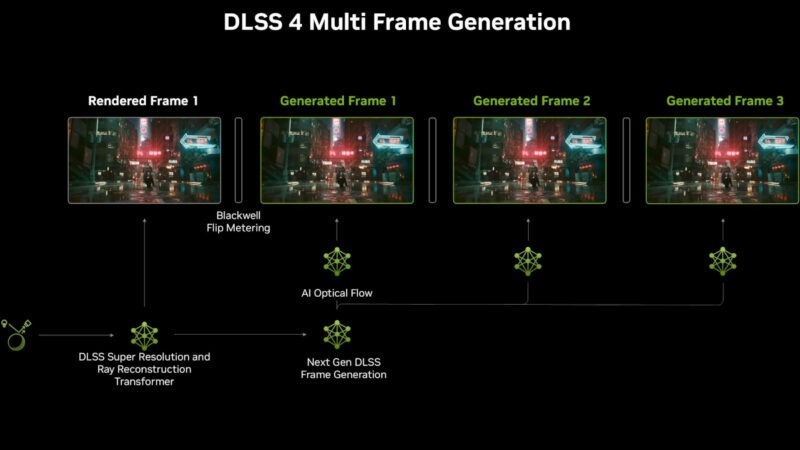
Starting with NVIDIA DLSS 3, an optional feature exclusive to NVIDIA RTX 40 Series GPUs was introduced called DLSS Frame Generation. Then, with DLSS 4 and the RTX 50 Series, we received a further iteration called DLSS Multi Frame Generation. But both of these Frame Generation implementations were exclusive to their respective RTX GPU Series or newer, leaving a distinct gap in the market…
That would be filled by AMD FSR 3 Frame Generation, which functions independently of vendor and, if configured correctly, can be used alongside DLSS Upscaling with NVIDIA RTX 30 Series GPUs that would otherwise be unable to use Frame Generation. Intel’s XeSS and Apple’s MetalFX also support Frame Generation.
But what is Frame Generation?
Basically, it makes your game look smoother, but it can’t make it play smoother, because Frame Generation is really just fancy frame interpolation, something known to cause “the soap opera effect” when built into a TV. But with GPU integration, Frame Generation at least looks a lot more convincing, and can effectively double the visual smoothness of a game when enabled. (Or 3X, 4X, etc with Multi Frame Generation.)
But they’re not real, rendered frames, so the game engine isn’t reading your inputs any faster. This means the benefits in game feel that normally come with a higher framerate aren’t present. Additionally, enabling Frame Generation can also sometimes lower base framerate, worsening input lag compared to just leaving it disabled. Solutions like AMD Anti-Lag and NVIDIA Reflex can offset these problems, but they are still present.
For the most part, Frame Generation just exists as a way to make your games look prettier on the mid-range and high-end market of high refresh rate displays, which are increasingly pushing 360 Hz and higher. It can look pretty good, especially on an OLED. As long as you rein in your expectations appropriately, Frame Generation can be nice to have, but you’ll ideally want at least 60 real, internal FPS before flipping this switch.
Is Nvidia DLSS The Best Upscaler?
In some ways, yes, though the egregious generative AI filters added by DLSS 5 have been rightly derided as hideous alterations of a game’s intended art design. Egh.
But in general, Nvidia’s DLSS has held a healthy advantage over upscalers for some years now, especially as DLSS 2 through DLSS 4 implemented AI hardware for upscaling. For quite a while, AMD’s FSR and Intel’s XeSS didn’t use AI acceleration for upscaling, which somewhat limited the final image quality and motion clarity versus DLSS.
In the current age, where every modern upscaler is using AI acceleration, the differences can be a lot harder to spot. As long as your game isn’t stuck on something like an outdated version of AMD FSR, just about any upscaler should do the trick just fine.
However, even as an Nvidia GPU user, you may have reasons to use something like AMD FSR instead. For example, Final Fantasy XVI only supports Frame Generation through either the vendor-neutral AMD FSR 3 or Nvidia’s DLSS 4, which doesn’t support Frame Gen on GPUs older than Nvidia’s RTX 40 Series. If you’re lucky, some games will let you use Nvidia DLSS and decoupled FSR Frame Generation, but these applications are not universal.
Can Nvidia DLSS or Other Upscalers Be Used Without Game Support
Yes and no.
If the game doesn’t support any modern upscaler, you’re sadly out of luck for anything besides Frame Generation injection, which won’t improve input lag since it doesn’t increase real performance like proper upscaling does. This is because DLSS, FSR, etc require certain in-engine integrations in order to function properly, including motion vectors.
If the game does support a modern upscaler but not the one you want to use, you might be able to force DLSS, FSR, or a unique combination (ie DLSS 3 + FSR Frame Generation) via the use of OptiScaler. A full OptiScaler guide is a bit out of the scale of this article, but it does essentially allow you to force your preferred upscaler in games that meet minimum requirements for upscaling.
Note: While the OptiScaler workaround can work well once configured, it’s strongly recommended not to use it with multiplayer games, since it may flag anti-cheat software.
Do Consoles Support Nvidia DLSS or Other Upscalers?
Sony PlayStation 5 and newer, as well as Microsoft Xbox Series X/S and newer, cannot use Nvidia DLSS because they are built on AMD hardware. However, some games do employ AMD FSR upscaling on those platforms, and the advanced AI-accelerated PSSR upscaler on PS5 Pro is actually based on collaborative work between Sony and AMD done for FSR 4.
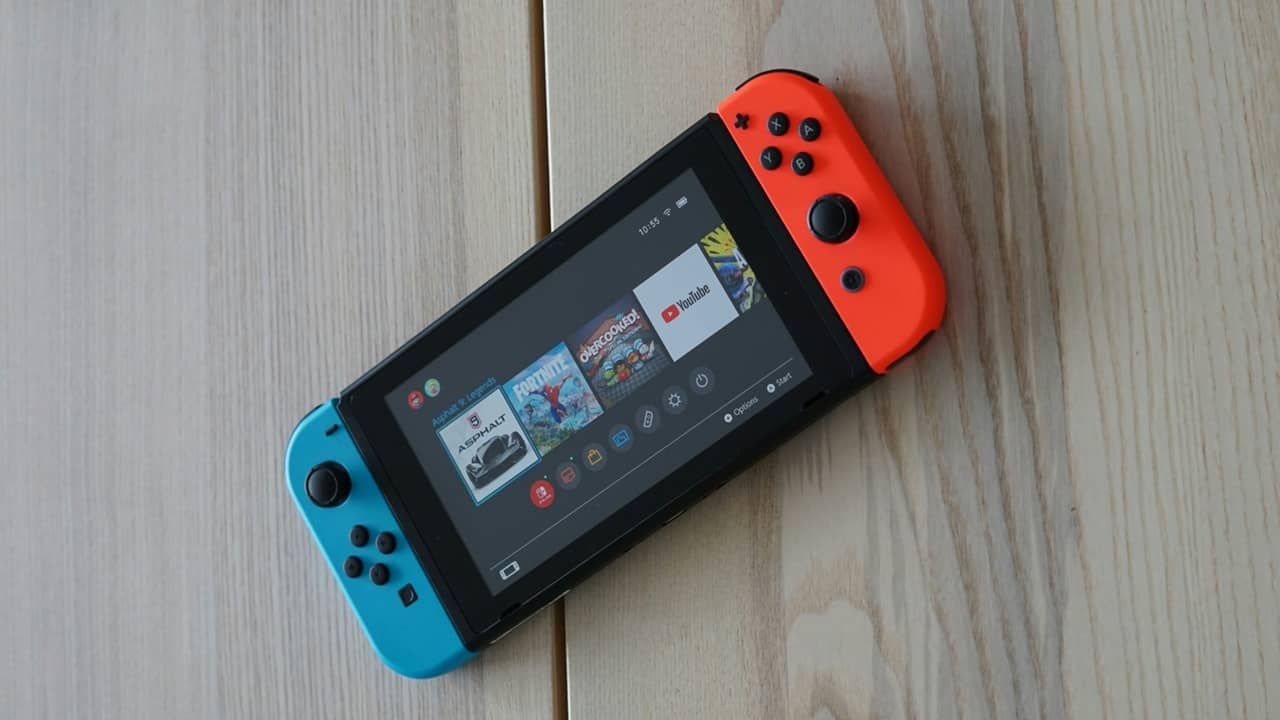
Meanwhile, the Nintendo Switch 2 straight up supports Nvidia DLSS – but a customized “tiny” DLSS built around its handheld system limitations. It can look pretty good, though, and helps give Nintendo’s latest & greatest a strong footing in image quality for modern games.