So you’ve recently joined the ever-growing Instagram community, but you keep hearing about this elusive thing called an “Instagram handle.” If you’re wondering what an Instagram handle is and whether you already have one, this guide will explain everything.
Spoiler alert: if you’re on Instagram, you definitely have a handle.
What Is an Instagram Handle?
Your Instagram handle (also known as your Instagram username) is a unique identifier that people use to find you on the photo- and video-sharing social networking service owned by Meta. You can think of it as the URL to your own Instagram space. Often, the handle is prefaced with an “@” symbol when talked about or shared.
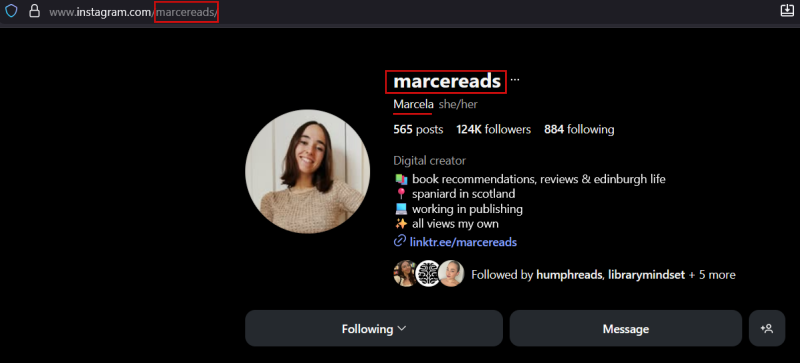
This unique identifier appears at the end of your Instagram profile URL, like this: https://www.instagram.com/marcereads/.
It also shows up next to or above your profile picture. Here’s how it looks on desktop.
On mobile, the URL is hidden, but you can still view the handle at the top of your profile.
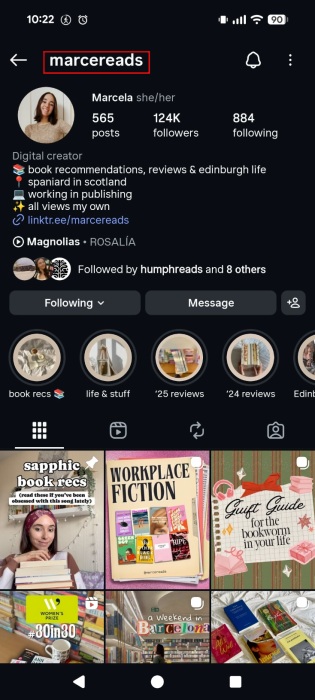
Tip: to find your URL, press Share profile underneath your description and select Copy link. You can delete the part that comes after the question mark.
This exclusivity makes your handle a valuable part of your distinct digital identity. The same can’t be said about your Instagram display name, however. Multiple users can have identical display names, making them less unique but more flexible for creative expression.
The following screenshot shows a different Marcela, with the same display name but a different handle.
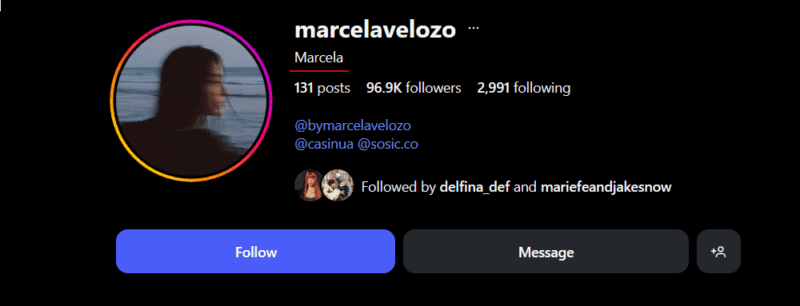
Both your handle and your display name contribute to your overall Instagram persona, but they do so in distinct ways. While your handle serves as your unique identifier, your display name serves as a more casual, customizable element that can add personality to your Instagram profile.
Tip: learn how to share your location with friends on Instagram.
Instagram Handle Examples
Now that you’re clear on what an Instagram handle is, let’s check out a few examples that illustrate the many creative ways there are to register a unique handle, even if your first choice is already taken:
- @patcummins30: this Australian international cricketer added his ODI shirt number to his name, making it easy for fans to identify him among other Pat Cummins profiles.
- @colormecourtney: this fashion blogger and content creator turned her love for vibrant hues into a memorable handle.
- @natgeo: National Geographic goes for simplicity and brand recognition. Using the well-known abbreviation of their name, they make it easy for followers to find and tag them.
- @virat.kohli: Virat Kohli, a renowned Indian cricketer, uses a straightforward approach, incorporating his full name with a dot in between.
- @iamcardib: the American rapper adds a touch of personality with “I am,” making the handle more intimate and relatable, while still being easily identifiable as Cardi B.
- @therealmargretatwood: the famous writer has opted to include “the real” in the handle to suggest this is her official account.
- @korn_official: the nu-metal band has added the word “official” to distinguish itself from fan accounts and impostors.
Note: in recent times, Meta has rolled out a Verified badge for creators, making it even easier for users to spot legitimate accounts. If you see a blue check mark next to the handle on a profile, take it as a confirmation that the account is authentic and notable.
Just make sure that when sharing your Instagram handle with others online or including it on your business card, make sure to always include the “@” symbol before your username. This not only makes it clear that it’s a handle but also allows for quick, clickable access when shared digitally. For example, instead of just writing “stephenking,” write it as “@stephenking.”
More Tips for Creating a Instagram Handle
As you can see from the examples above, getting creative is crucial for coming up with a great Instagram handle. Still, it’s important to start with the right foundation. Here are some basic principles for crafting your Instagram handle.
- Pick a name that shows what you’re about: the handle should clearly reflect your business, niche, or type of content. A good idea is to opt to include a keyword such as travel, food, beauty etc. For personal accounts, you can always use your full name or part of it/nickname.
- Make it easy to spell and read: avoid super long handles as they won’t be easy to remember or type. Not to mention, some people might have a hard time deciphering them. If you really need to use a longer handle, make sure you break down words by using periods (.) or underscore (_) characters. Use these in moderation, tough.
- Keep things consistent: aim to use the same or a very similar handle across all social media platforms you’re active on. If you already have TikTok or an X account, look to those usernames for inspiration.
Tip: did you know that Instagram has added a watch history feature for Reels? Here’s how to find and use it.
How to Change Your Instagram Handle
You’re not stuck with your Instagram handle forever. If you’re going through a rebrand, or just want a change, you can easily update it. Just remember, changing your handle changes the URL people use to find you, so go ahead with the change only if you’re certain and prepared for the potential impacts.
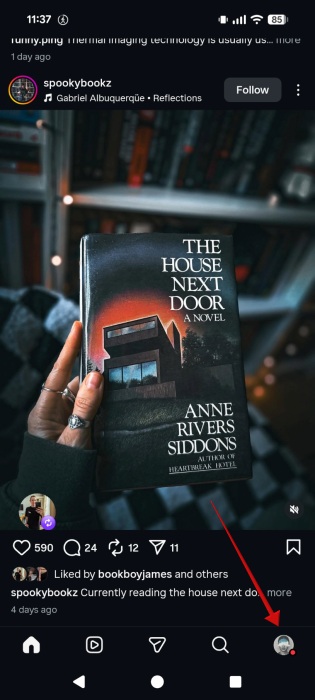
Launch the Instagram app on your mobile device, and navigate to the Profile tab at the bottom.
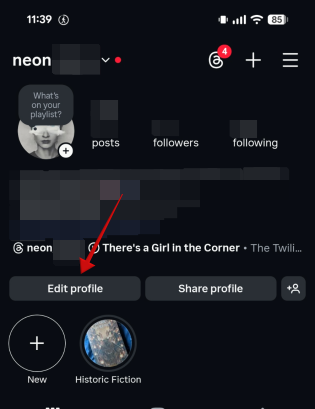
Tap the Edit Profile button.
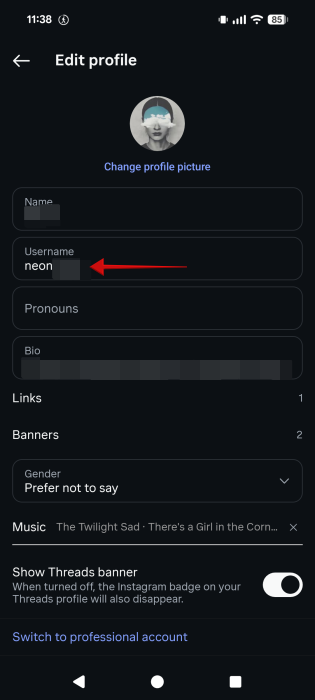
Go to the Username field to change your Instagram handle.
Tap Done in the top-right corner to save the changes. Instagram will now change your handle for you.
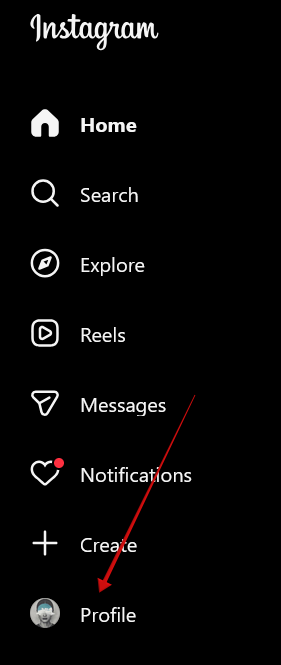
If you are on the PC, log in to your Instagram account and click on your profile picture on the right side.
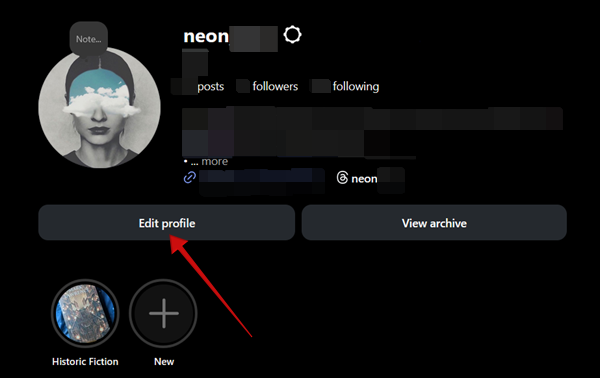
Click the Edit profile button.
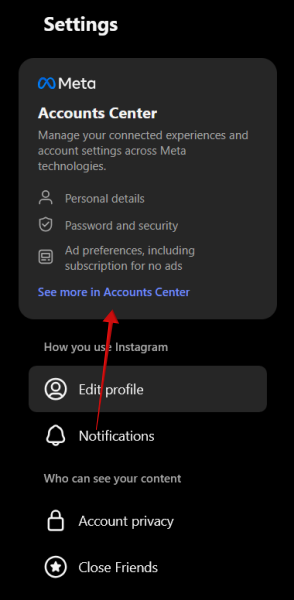
Click the See more in Accounts Center option on the left under Settings.
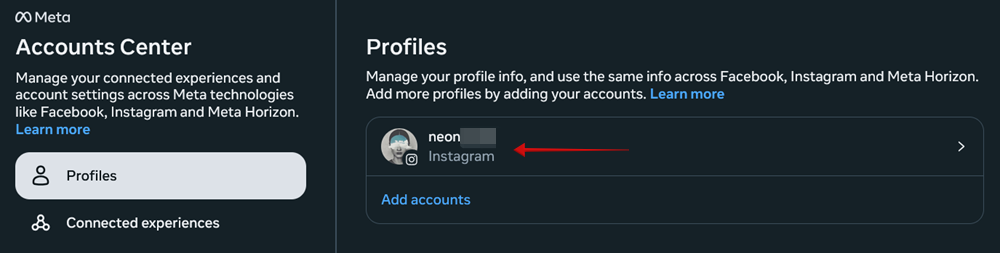
Select your Instagram account.
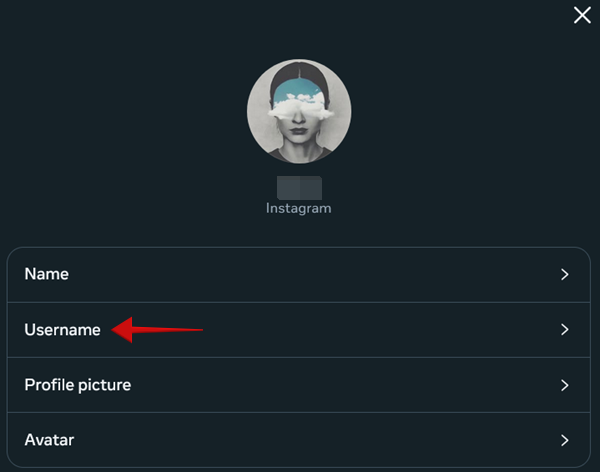
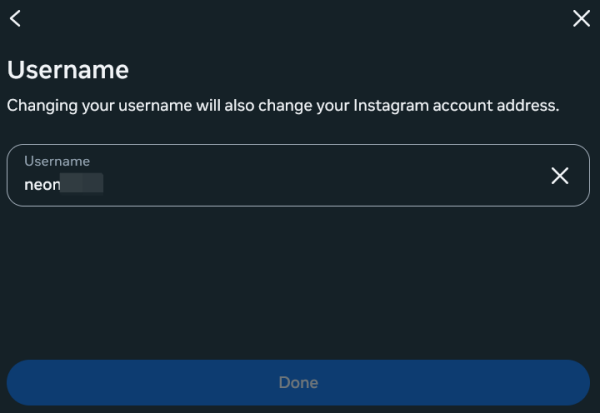
Select the Username option, and make your change.
Click Done when finished.
FYI: here’s how you can see all your comments on Instagram.
Frequently Asked Questions
Does deleting an Instagram account make the handle available for reuse?
No, deleting your Instagram account permanently removes that handle from availability. Instagram’s policy states that a deleted account’s username cannot be used again, even by the original account owner.
How often can I change my Instagram handle?
You can change your Instagram handle as many times as you want, but keep in mind that Instagram’s algorithm may make your account harder to find in search results if you change it too frequently. But perhaps you are looking to stay hidden. If so, check our guide on how to hide your Instagram account and prevent other users from finding you.
Is there a character limit for Instagram handles?
Yes, your Instagram handle must be between 1 and 30 characters. It can only contain letters, numbers, periods, and underscores. Special characters are not allowed.








