
Decided to take a break from social media by deleting your account, but still want to view the occasional post? You might have noticed a problem. Popular apps like Instagram or Facebook tend to prevent non-account holders from freely accessing content on their networks. Luckily, there are a few workarounds that can help you bypass these restrictions. This post walks you through viewing posts and other content on social media apps without creating an account.
Good to know: here’s how to find Instagram Reels you’ve watched and now want to bring back.
What Can You View Without Logging In?
Most social media apps require that you sign in with an account so that you can get the full experience. However, it’s possible to access some parts, typically public posts, videos and more, without making a full commitment. Here’s a breakdown of what you can view in your go-to social media app and what you can’t.
| App Name | Profiles | Individual Posts | Stories | Videos | Groups | Searching the App |
|---|---|---|---|---|---|---|
| Yes | Yes | Yes | Yes | N/A | Yes | |
| X | Yes | Yes | N/A | Yes | Yes | Yes |
| Yes (Partially) | Yes | No | Yes | Yes | Yes | |
| Yes | Yes | N/A | Yes | N/A | Yes | |
| TikTok | Yes | Yes | Yes | Yes | N/A | Yes |
| Yes (Partially) | Yes | N/A | Yes | No | Yes |
How to View Instagram Without an Account
You can view Instagram without an account only through a desktop or laptop browser. If you try using a mobile browser, you’ll quickly hit a wall as well, as Instagram repeatedly prompts you to log in.
Profiles
You can directly view Instagram public profiles (not private ones) if you know their handle by entering this URL in the address bar of your browser: www.instagram.com/[instagram_username].
While in some browsers, prompts to sign in might pop up, you can close them and continue browsing the profile. Our best experience was using Chrome.
Note: if you try to access many profiles in a row without logging in, Instagram might display this error: Something went wrong. There’s an issue, and the page could not be loaded at some point.
Individual posts
You can also view individual posts on Instagram without an account. If someone sends you a link, you can view it via your web browser once you close the obligatory prompt to sign in.

On the other hand, if you’re browsing a profile without an account, and you want to view the content of a post, open the post in a new tab to view it. You’ll be able to view the caption, hashtags (if any), and comments from other Instagram users.
Stories and Reels
You can view Reels on Instagram without an account in the same way as with posts. If you have a direct link, you will be able to access it.

You can also view Reels from the main profile. Again, the less-intrusive experience was with Chrome.
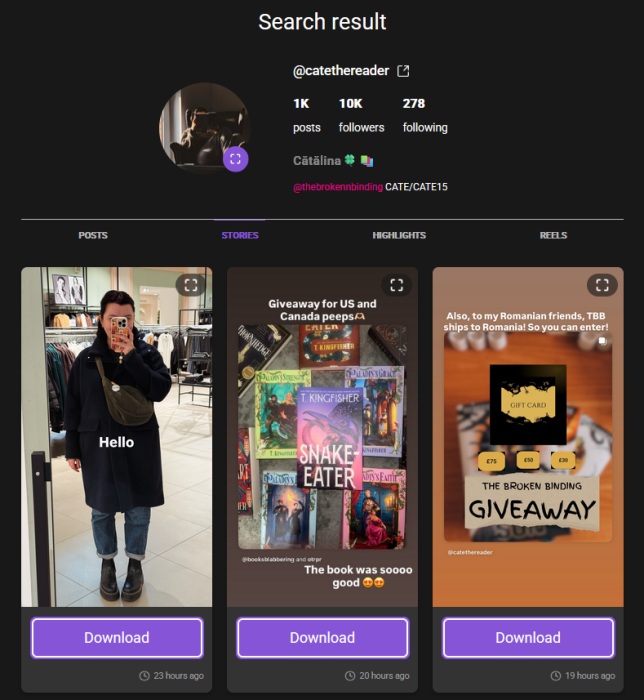
As for viewing Stories, which are ephemeral content that disappears after 24 hours, you will need to use a third-party tool such as AnonyIG. You will need to know the person’s username or have their profile link. Paste this info in the main search bar and press on the magnifying glass icon.
AnonyIG will display the person’s profile grid for you, allowing you to switch to the Reels and Highlights tabs as well. What’s more, you also get a dedicated Stories tab to explore, which includes all their currently active Stories, which you can download by the way.
Searching the app
You can search for specific content on Instagram using keywords (or hashtags) and then view popular posts associated with them. It can be a great means to discover new content related to your interests.
While you can’t access the Search function if you aren’t logged into Instagram, you can still find content based on your interests by using this trick.
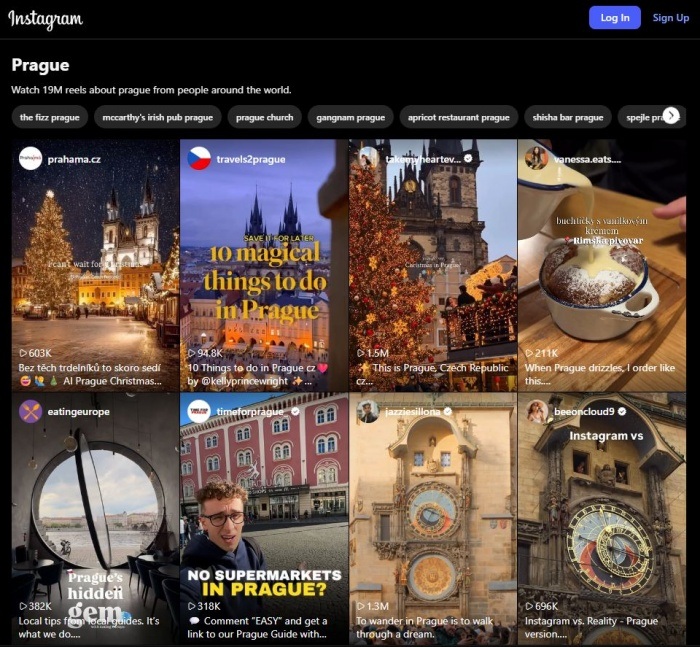
Try typing this in your address bar: http://instagram.com/explore/tags/your_interest. For instance, we tried searching for “Prague.” The page loaded a list of Reels tagged with the keyword, but to view the next page of clips, you are required to sign in.
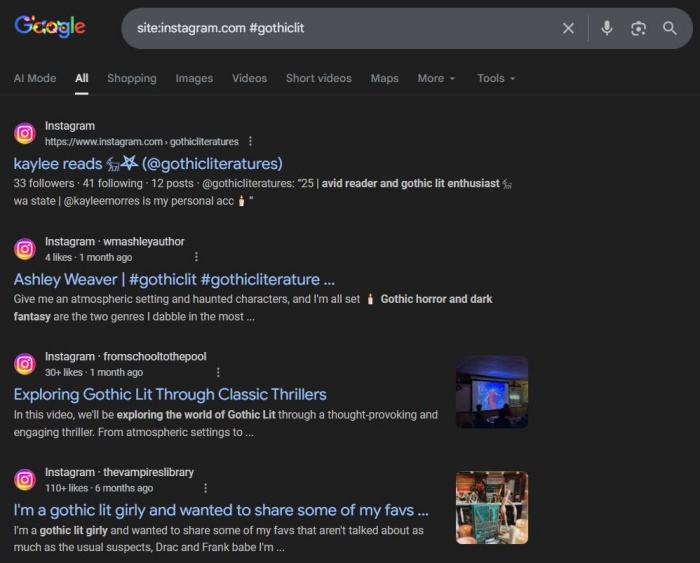
If you want to discover further content based on your keywords, try opening Google and searching for: site:instagram.com #your_keyword. Explore the search results one by one.
How to View Facebook Content Without an Account
Once upon a time, Facebook used to allow you to browse and search its network without many restrictions. Today, this experience is a lot more limited.
Profiles
If you have a direct link to a personal Facebook profile, chances are you won’t be able to view it either on your PC or mobile device. Most browsers will display this message when you try to do this: This content isn’t available right now. When this happens, it’s usually because the owner only shared it with a small group of people, changed who can see it, or it’s been deleted.
If you see this error, this means the profile is restricted in some ways. Facebook gives users plenty of privacy controls, and a vast majority of people prefer to make their profiles as private as possible.

On the other hand, you can always view Facebook pages set up by brands. For example, our Facebook page:
Facebook Posts
What about if you receive a direct link to a Facebook post? Can you view it without logging in? The answer is, you might.
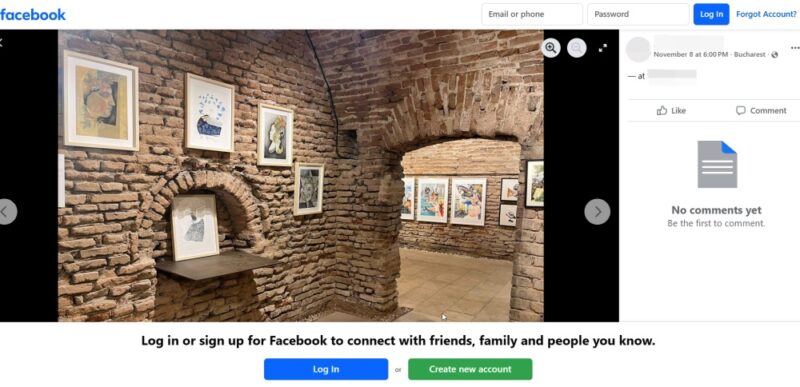
If the post is public, it will load for you, but an annoying banner to log in will appear at the bottom. If it’s not, you will just see a prompt to sign in.
Viewing the post also means you can download any media attached to it by pressing the three dots in the upper right. Comments to these posts are also visible, complete with the names of the accounts that posted them.
Stories
You can’t view Facebook Stories without registering on Facebook. Even if you receive a direct link to a Story on Facebook, clicking it will result in viewing a login screen. Unfortunately, there are no functional third-party tools that let you view Facebook Stories anonymously like on Instagram.
Reels and other video
You can view both Reels and other Facebook videos even without an account. All you have to do to watch the clip is press on the link.
Groups
You can also view the main page of a Facebook group if you have a link. Naturally, you won’t be able to view its member list, but if the group is set to public, you’ll be able to view some of the posts, as well as likes and comments.
Searching the app
Without logging in, you won’t have access to Facebook’s search, which allows you to find people. However, with a bit of help from Google, you may still be able to locate the Facebook pages of people you’re looking for.
Try searching for something like: "person_name" facebook . Select one of the first results.
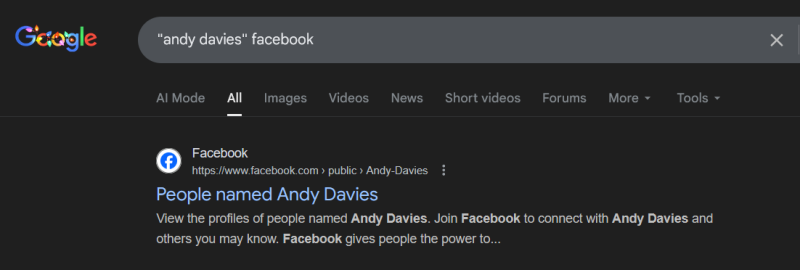
You should see a list of Facebook profiles of accounts with that name. If a bit of luck, you’ll find the person you’re looking for in that list. If you open the Facebook profile in a new tab, you should see their profile, although it’s probably going to be quite limited.
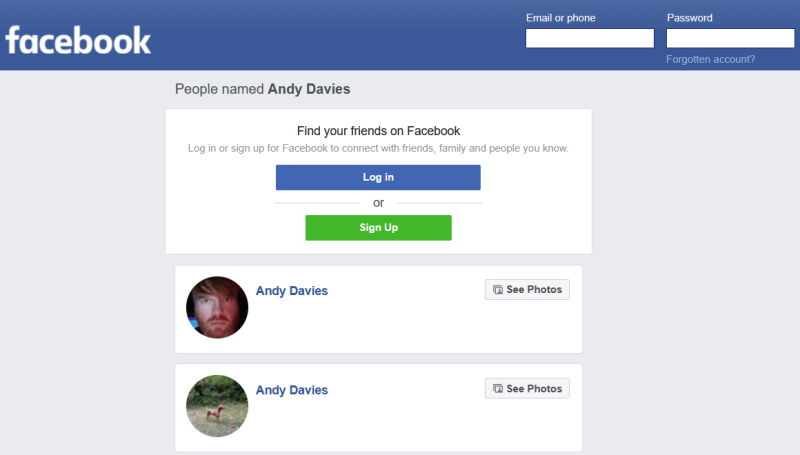
You can use the same method to search for interests using Google and so discover Facebook pages, groups, and more.
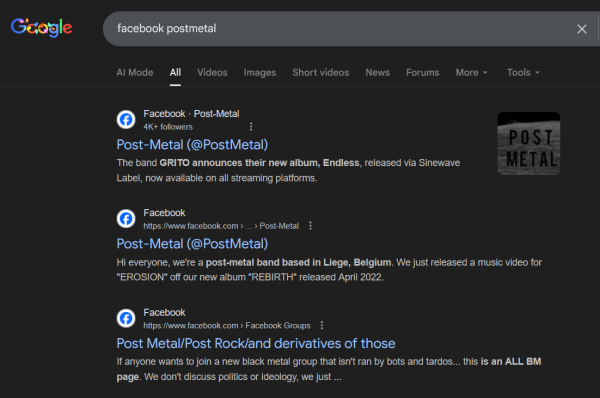
If you’re looking for a brand, celebrity, or institution, it should be a lot easier to find their Facebook page either by using this method or checking their official page.
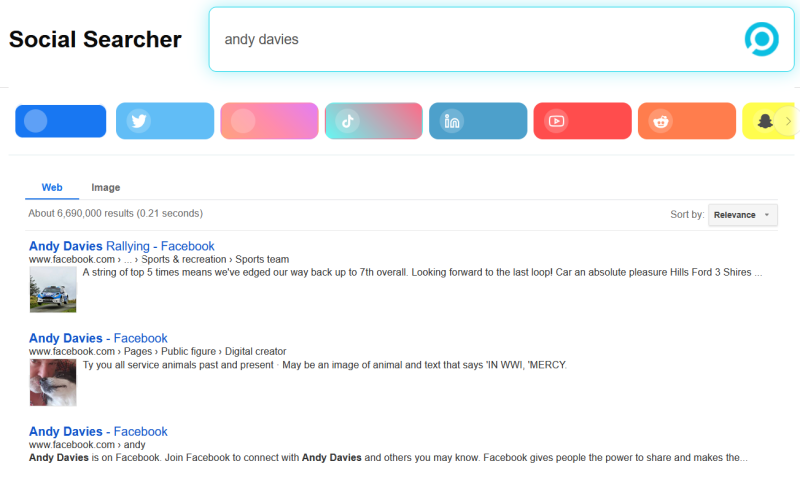
Social search engines like Social Searcher are also an option to try when it comes to searching for people, although they tend to yield mixed results. You can this use this tool to search for accounts on all major social apps, including X, TikTok, and LinkedIn.
Bonus: Marketplace
Facebook is the only social media app that also includes a marketplace where you can buy and sell items in your area. Browsing your local Facebook marketplace is possible without an account, however to interact with a seller or upload your own products, you need an account.
How to View X Content Without an Account
X (formerly Twitter) is pretty relaxed when it comes to allowing you to view content as an outsider. You can even rely on your mobile browser for that, as X doesn’t force you to switch to the app even if you have it installed.
Profiles
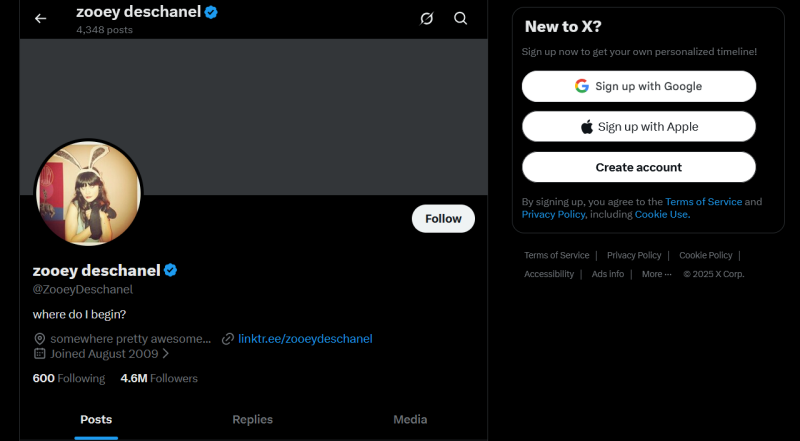
Like on Instagram, you can view most X profiles even without an account, as long as you have their username. For example, our X account:
You can browse a profile in full, although only public posts will be visible, and you won’t be able to access things like the lists of Following/Followers. At the same time, you won’t be able to open the Replies or Media tabs directly from their profile. You can, however, view media attached to individual posts.
The better alternative for viewing X profiles in full and being able to access everything is to use a tool like Nitter. All you need to do is search for the account. Nitter will immediately display it for you. Now you can view posts complete with comments, and easily view ALL the media posted by the account, even search through the posts. What you can’t do with Nitter, however, is view the Follower/Following lists.

Individual posts & videos
You can open individual posts directly from a profile you’re viewing, even without an account. Click on them or open them in a new tab, as you prefer. You should be able to also view the photos and videos included.
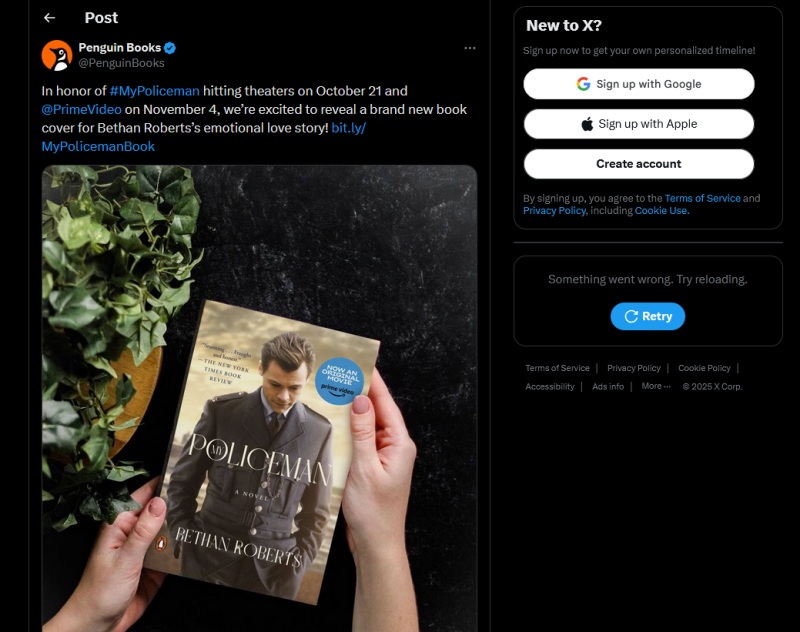
If someone sends you the link to a post, the link should open without a problem. You can’t, however, see comments or who retweeted the post.
Communities
On X, groups are called communities. These focus on different interests, so if you want to see what others are saying about topics you care about, they are worth exploring.
If you have a link to an X community, you can view the posts, although it’s not possible to see the comments. Even if you have the direct link to the post in that community.
Searching the app
While X’s Explore tab used to be available without having to sign up with an account, that’s no longer the case. The Trending section, where you could discover popular hashtags, is also no longer visible unless you log in.
The trick where you use a keyword or hashtag to search for related posts in Google doesn’t work either. For instance, if you search for: #wanderlust X, and access the first result, you’ll be prompted to log in.
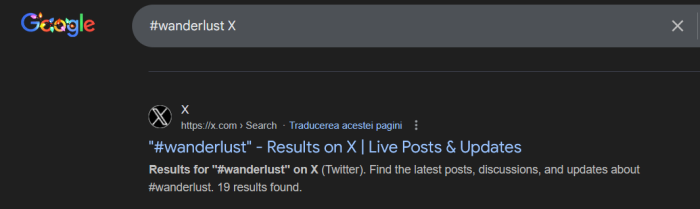
On the other hand, you can search for someone’s X account using Google by using their name (if you know it) followed by X.
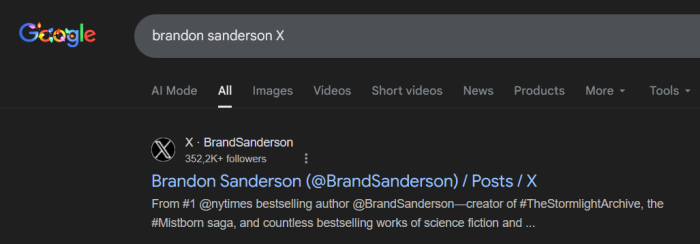
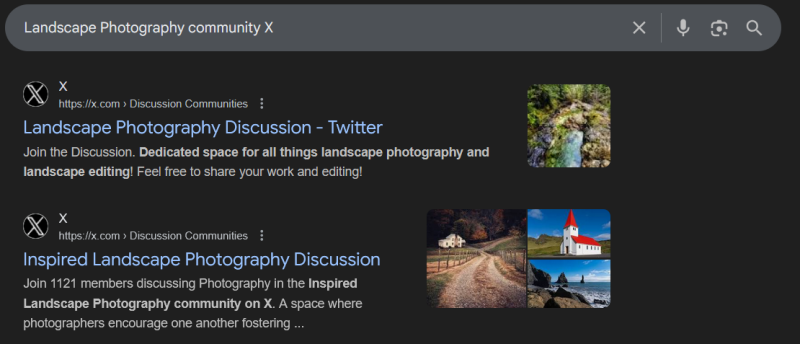
We’ve also tried searching for communities based on certain interests using Google, and the results were visible to us even without an account.
How to View Reddit Content Without an Account
Reddit allows you to browse without an account from either your PC or mobile device. The experience is overall very smooth, minus the occasional interruptions to log in.
Profiles
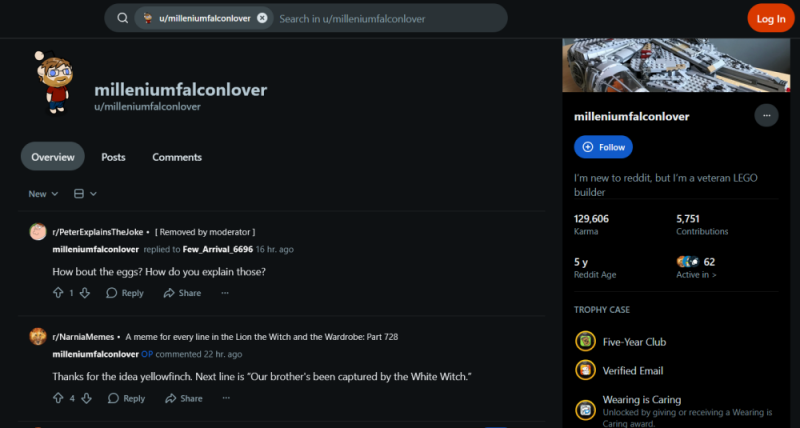
You can view Reddit user profiles even without having an account. On the social media app, profiles display the user’s comment history, as well as their Karma, subreddits they’re active in, and Trophy case.
Posts
Reddit links often pop up when searching on Google, and the good news is that you can access posts even without an account.
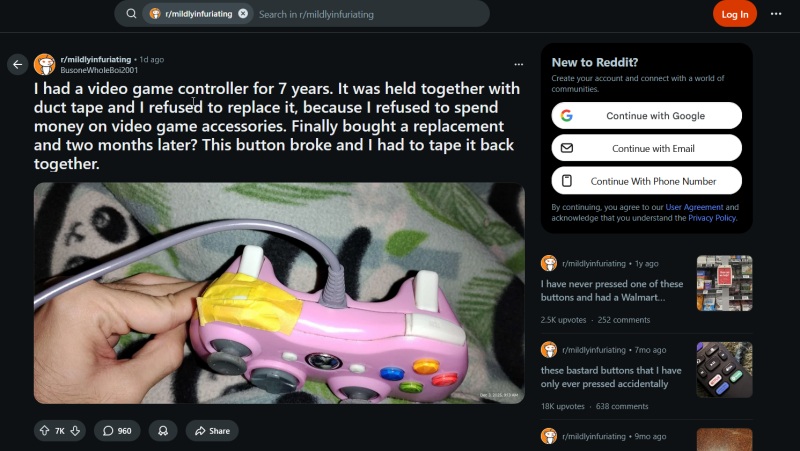
If you want to explore the main subreddit under which a specific post appears, you can also do that. What you can’t do is follow threads, access a personalized feed, comment, or interact with other users.
Videos
Posts containing videos are visible without a problem, even if you don’t have a Reddit account.
Searching the app
It’s possible to search Reddit like you normally would – even without an account. You can use the bar at the top to enter relevant keywords.

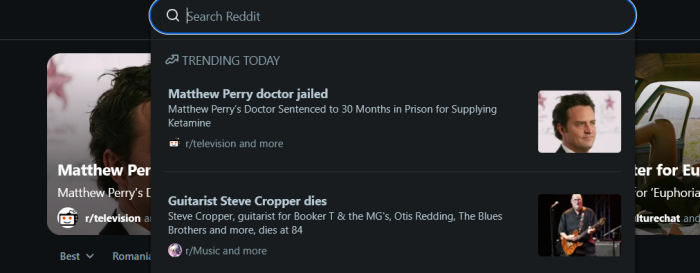
Simply clicking on the search bar will reveal current Trending topics, so if you want to view the hottest topics, you can access them from there.
If you wish to take a quick look at Reddit’s most popular subreddits, tap on Communities in the leftside menu.
How to View TikTok Content Without an Account
Surprisingly, TikTok is one of the more open social media apps that lets non-users easily browse. Yet you need to do this via your web browser on PC. On mobile, TikTok immediately blocks your access and asks you to log in.
Profiles & Stories
You can view user profiles on TikTok even if you’re not logged in. However, you can’t access their Following/Followers list, but you are able to view Reposts for some accounts.

In addition, clicking on their profile picture will reveal any active TikTok Stories.
Posts
Posts on TikTok are videos, and yes, you can view these without an account. The easiest way is via a link. You can also access a video directly from a profile by simply clicking on it. TikTok will also display comments on the side.
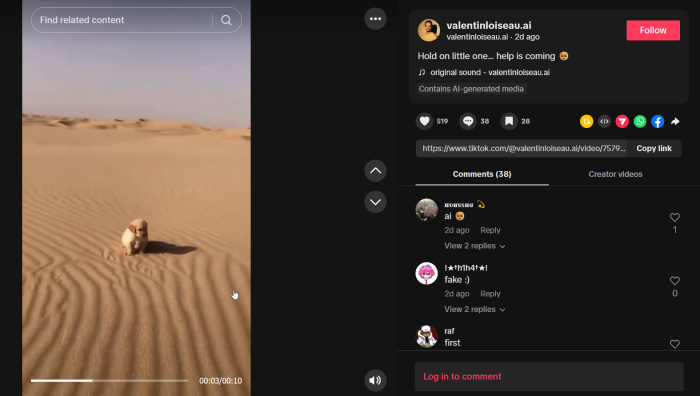
If you want to scroll through posts like on the app, click on the For You option in the leftside menu. TikTok even lets you select some interests in this incognito session.
Searching the app
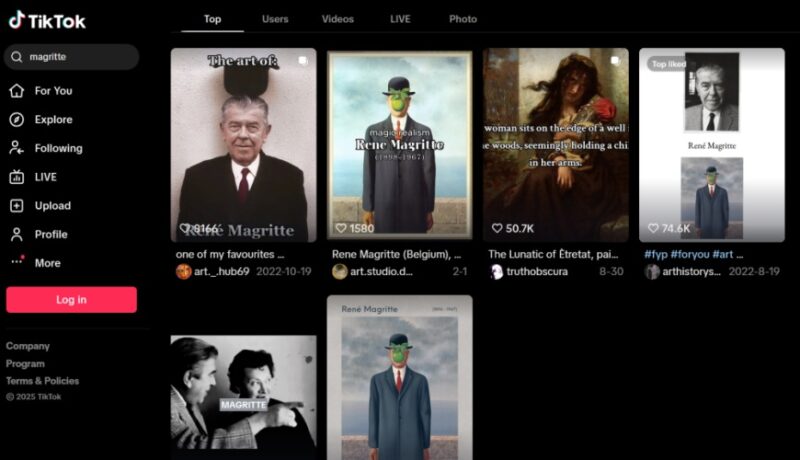
On the web, TikTok lets you search for relevant content using keywords. You can discover top video and photo content, as well as find users who share your interests. However, results in some categories will be limited if you don’t log in.
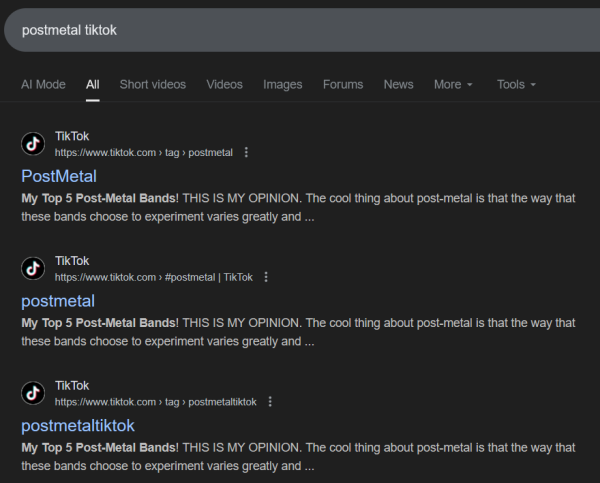
Yet you can always try the Google search trick to discover posts tagged with that specific keyword. Type something like: your_interest tiktok. In our test, the first result redirected us to a page featuring 19.9K results.
How to View LinkedIn Content Without an Account
Accessing LinkedIn without signing in can feel restrictive, yet some sections remain visible.
Profiles
Public LinkedIn profiles should be visible. If you have a direct link, you are more likely to be able to view the profile from your mobile device.
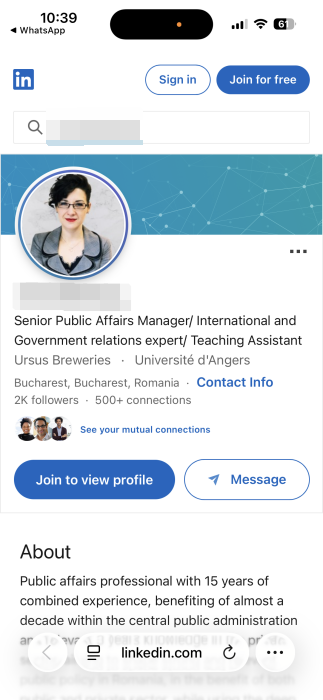
Most information, such as the introduction, work experience, and education, as well as posts, are available. However, if you attempt to view multiple LinkedIn profiles in a row, LinkedIn might mercilessly revoke your access.
On the bright side, you can view company pages on LinkedIn without much issue.
Posts & Videos
You might open individual posts from the profile, but you may loose access when/if you try to navigate back to the main page.
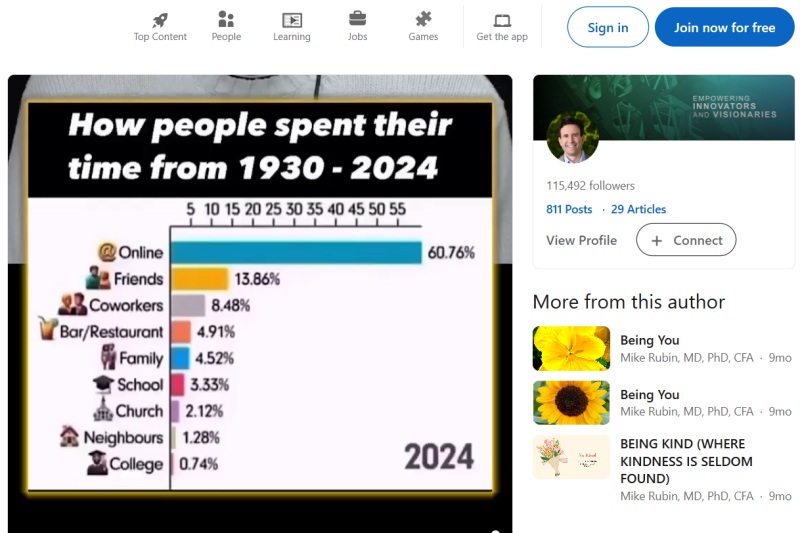
If, on the other hand, you have a direct link to a LinkedIn post, you might be able to access it and see comments, too. If a post contains a video, you will be able to view it too.
Groups
Without an account, you can’t access LinkedIn groups even with a direct link.
Searching the app
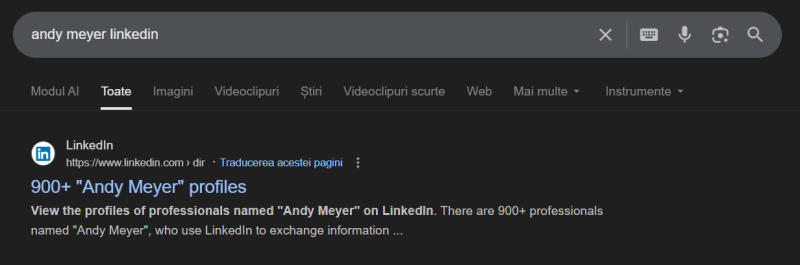
Without an account, the LinkedIn search function to easily identify professional profiles is not available. However, you can turn to Google to try and find a person’s profile by searching: [name] LinkedIn. Click on the first result.
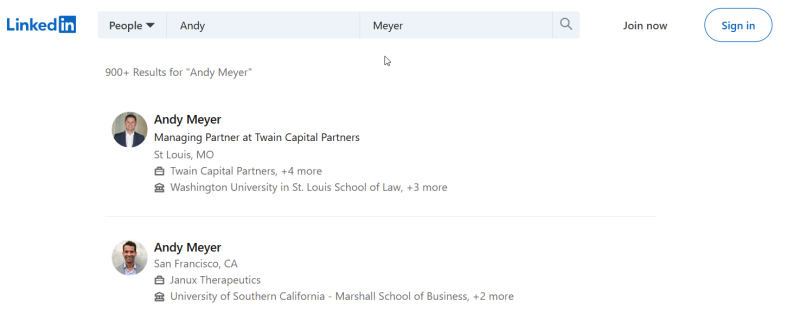
Now, you should be able to browse the LinkedIn directory to identify the person you’re looking for.
You might still choose to remain on social media, even if you only see the occasional post from your favorite apps. If that’s the case, make sure you stay protected by reading our guide on what not to post on social media.








