
If you’ve been on Reddit for some time, you’ve probably accumulated history. The app retains your search queries and browsing history, as well as comments and posts. If you don’t want to hold on to that information, you can always get rid of it. This tutorial shows how to view and delete your history on Reddit.
Tip: have a question? Now you can get your answer straight from Reddit Answers.
Find and Remove Reddit History on Your PC
History is available only for those who are logged in to their Reddit account. If you are just browsing without logging in, which you can do without a problem on Reddit, you don’t need to worry about your history accumulating.
Browsing History
Accessing your browsing history can be useful if you want to revisit a post or thread you viewed a while back. Your browsing history is available on Reddit on a PC or a in the mobile app.
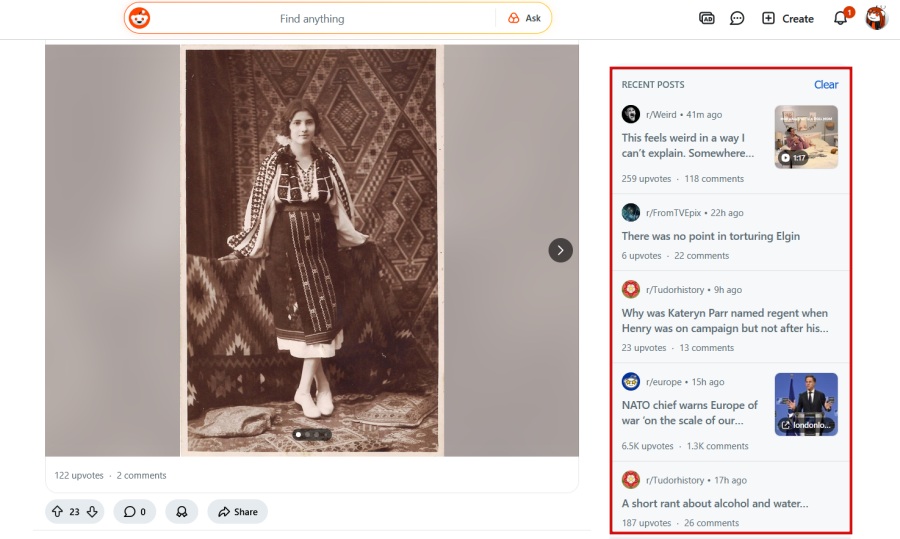
Open Reddit on your computer. Look on the right side of the screen. You should see a box labeled Recent posts with the posts that you viewed recently.
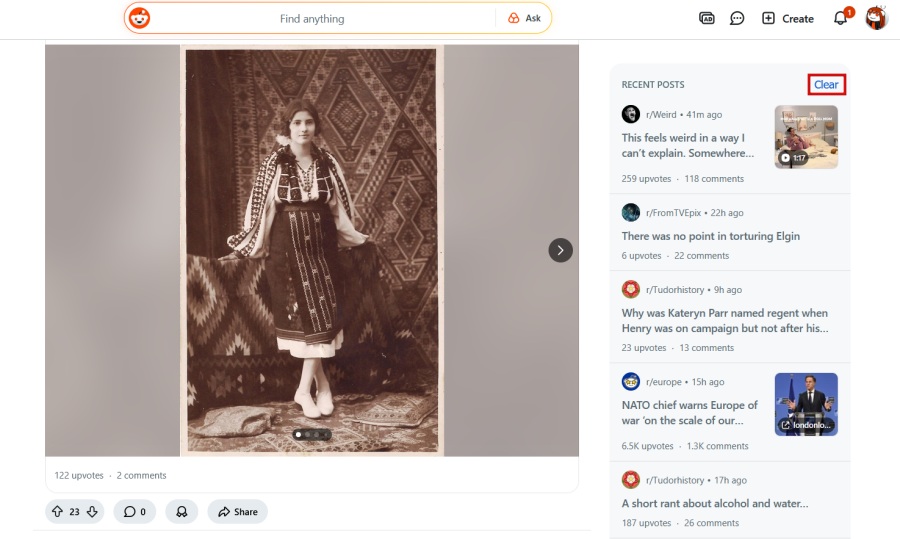
To remove these posts from view, click on the Clear button in the upper-right corner.
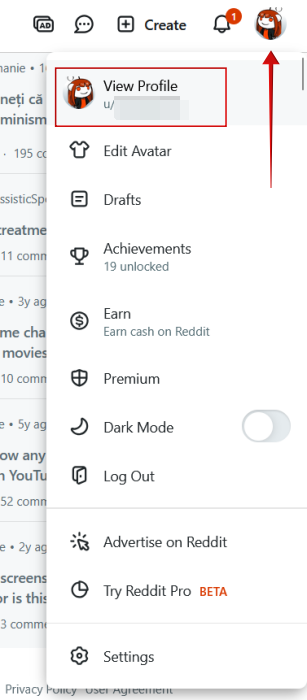
You can see up to 10 posts in the Recent posts box, but if you want to view more, click your avatar in the upper-right corner and click Your Profile.
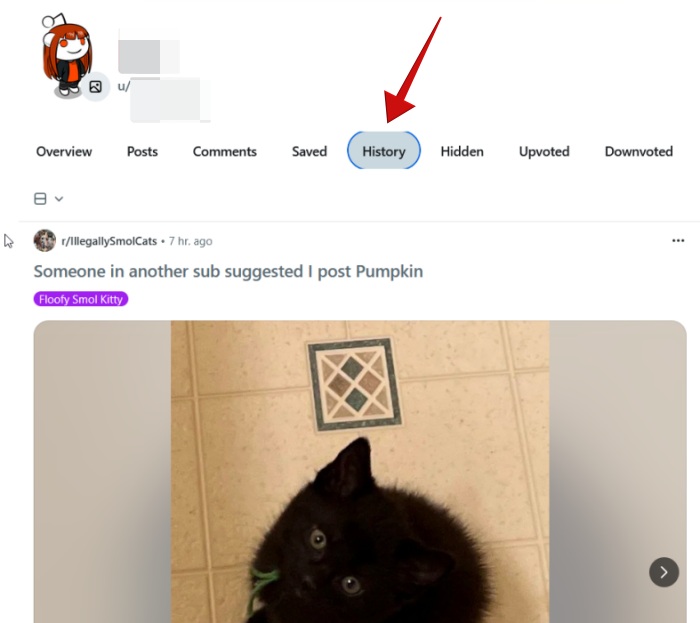
You’ll be taken to your profile page, where you can access various information regarding your Reddit activity. In the menu at the top, click History to view your activity in full.
You should now be able to browse your older posts. In our experience, Reddit on PC has problems with loading the history beyond the most recent posts. This is not an issue on mobile.
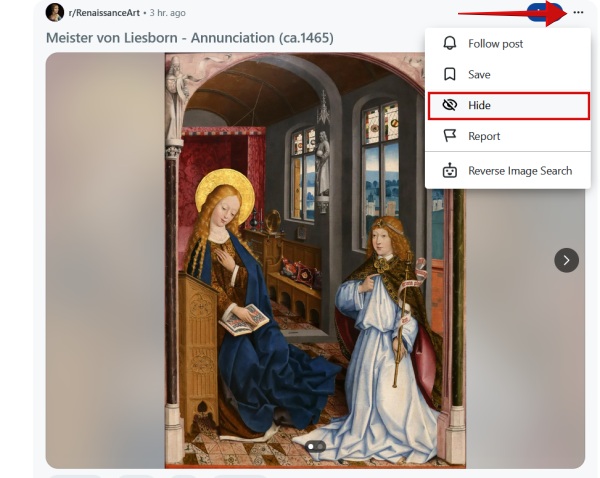
From here, you can’t delete posts you viewed. Instead, press the three dots on the post and select Hide and remove it from view.
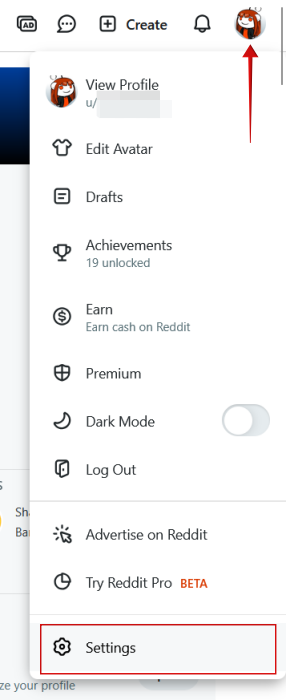
To delete your entire browsing history, click your avatar and select Settings at the bottom.
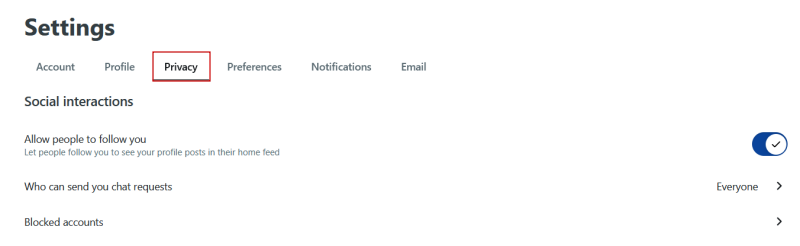
Switch to the Privacy tab and check at the bottom.
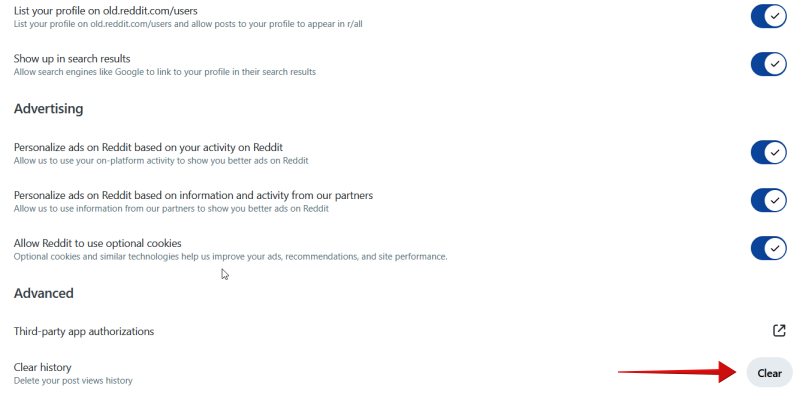
Under Advanced, you should Clear History. Click the Clear button.
Search History
Viewing your search history is pretty simple on Reddit. Click on the Search bar at the top to see all the recent keywords you’ve used to search for stuff on Reddit. Below your search queries, you’ll see a list of Trending topics based on your interests.
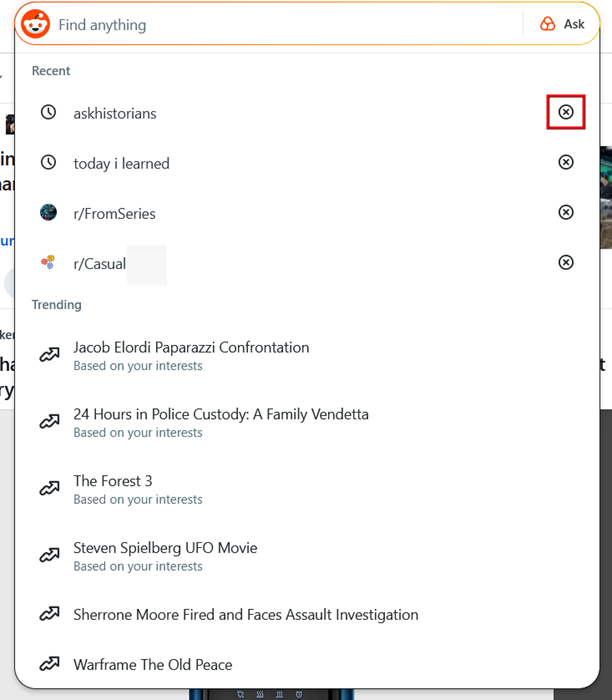
To remove one of the search queries (or all), press the X button next to each keyword you want to remove.
Comments and Posts History
As in section #1, you’ll need to access your profile page to find information about your comments and post history.
Once you’ve made it to your profile, click on the Comments or Posts tabs to view and browse through the information.
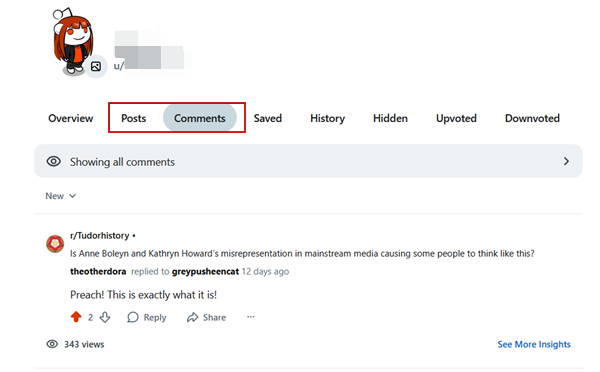
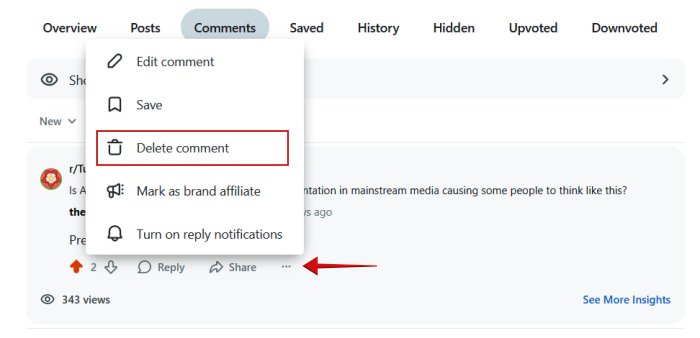
While Reddit doesn’t let you delete comments and posts in bulk, you can remove items one by one. To do so, click on the three dots underneath a comment and select Delete. This will effectively remove the comment from the post you’ve commented on.
By the way, in case you ever wish you could bring back your deleted Reddit posts and comments, check here to learn about some tools that might help.
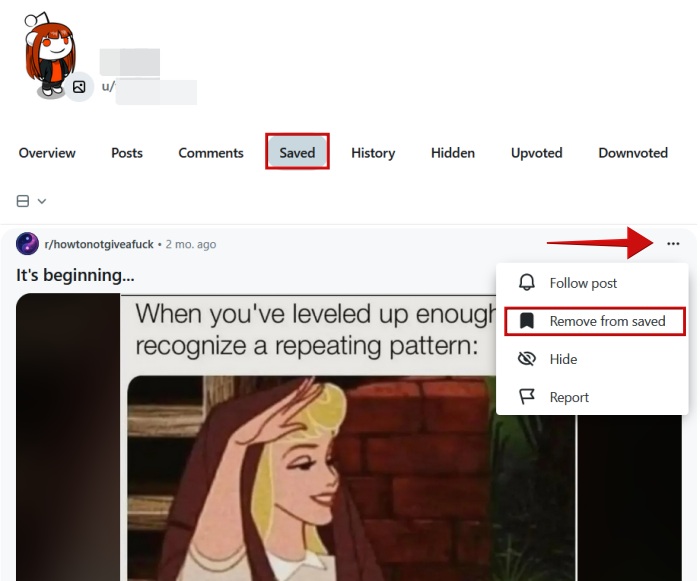
From the same screen, you can also switch to your Saved section, where you can view all your saved posts. Tap on the three dots on the post and select Remove from saved to erase it from your history.
Continue to the Upvoted and Downvoted sections. To remove a post from here, tap on the upward or downward arrow under the post to take back your vote.
Another option is to hide the comments and posts from your profile. In your Reddit feed, click your avatar and select Settings.
Check the Curate Your Profile section and click the Show all button next to Content and activity.
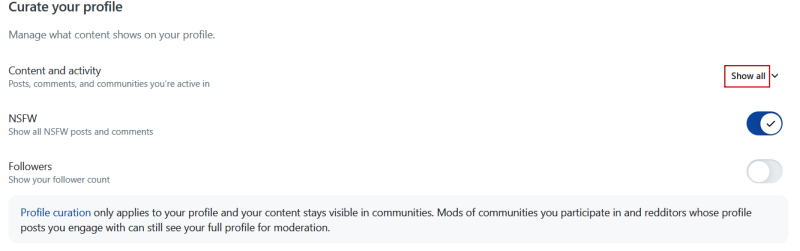
Switch to Hide All.
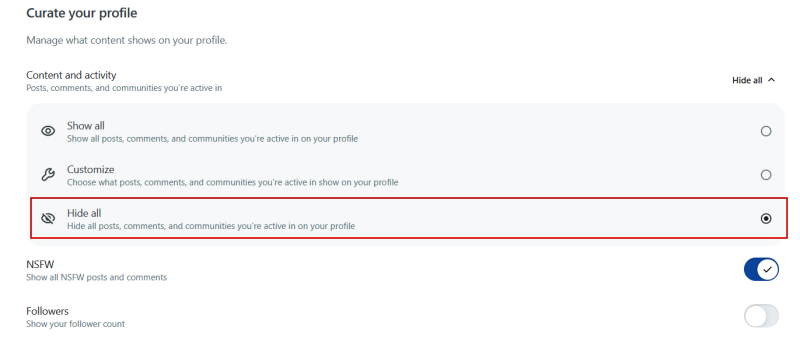
Do note that Mods of communities you participate in and redditors whose posts you engage with can still see your full profile.
Deleting in bulk
Now, if you want to delete posts and comments en masse, it’s possible, but only with the help of third-party tools like Shreddit or Redact. Unfortunately, these are paid services, and so might not be for everyone.
There’s also the PowerDeleteSuite on GitHub, but less experienced users might find it a bit too complicated. A better solution would be to try the Redditor Reborn extension for Chrome.
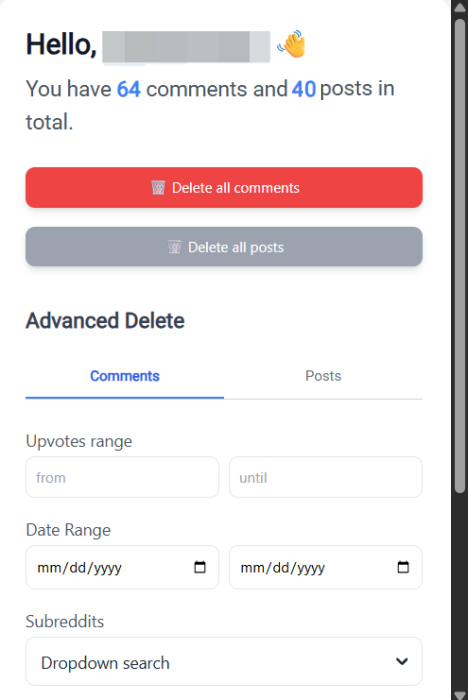
Install the extension, and log in with your Reddit account. If you already are connected, the extension will automatically detect your account. Click the extension to bring it up and then select Delete all comments, Delete all posts, or both.
Below, you can also set a custom time range and have the extension delete comments and posts within that window.
Tip: learn here how to customize your Reddit feed.
Find and Remove Reddit History on Your Mobile
If you prefer browsing Reddit on your mobile device, then you’ll be glad to know that you can view and manage your history here as well.
Browsing History
Open the Reddit app on your phone. Tap on your avatar in the lower-right corner of the display.
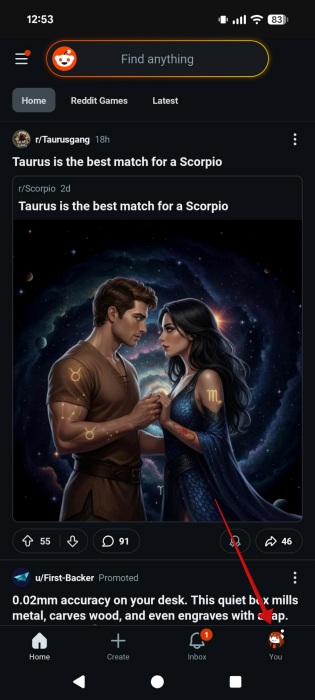
On your Reddit profile page, press the hamburger menu in the upper-right corner. Select History.
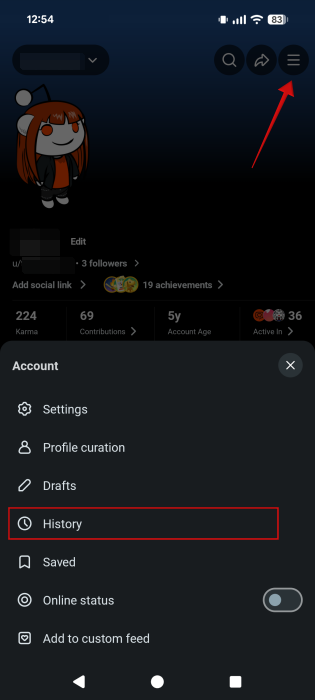
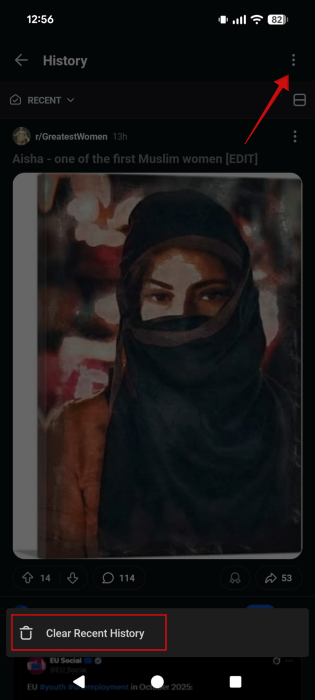
You’ll now be able to browse your history on this particular mobile device. Interestingly enough, the option appears to be local, so if you’ve browsed other posts/threads on your PC (even while logged in with the same account), they won’t show up here.
You can also delete all your Reddit recent history, but only on Android. Press the three dots at the top. Tap Clear Recent History.
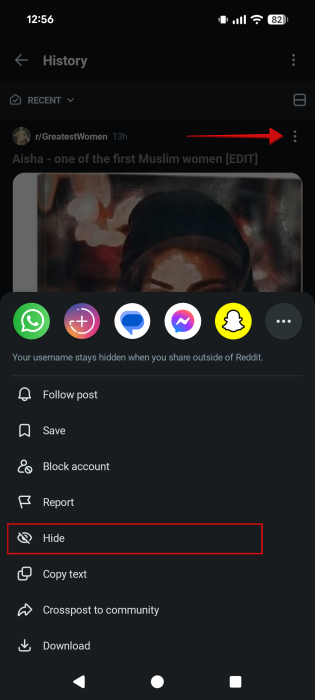
It is also possible to hide posts. Tap the three dots on the post and select Hide. This option is also available for iPhone users.
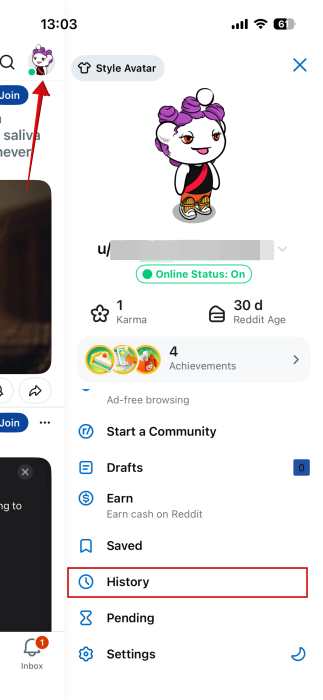
Speaking of which, on iPhone, you will have to tap on your avatar in the upper right corner to find the History option in the menu that appears from the right.
Search History
Accessing your search history on mobile works pretty much as it does on desktop. Just tap in the Search bar at the top to view your latest queries. Tap the X to remove an item and bring up older search queries.
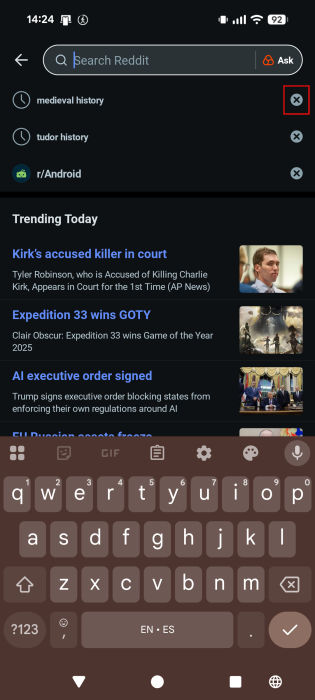
As on desktop, can view Trending topics underneath.
Comments and Posts History
To get to your comments and posts history on mobile, go to your profile page first. From there, you can switch between the Posts and Comments sections to view your engagement history.
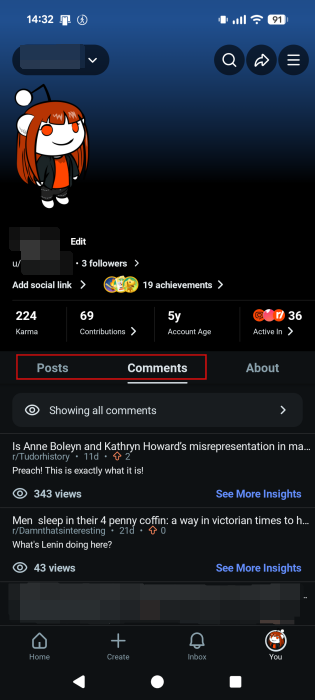
As before, you’ll need to delete posts and comments one by one, as a bulk option is not available via Reddit directly. While Redact has a dedicated mobile app, it did not work for us as we couldn’t log into Reddit. Shreddit remains an alternative if you don’t mind paying the fee.
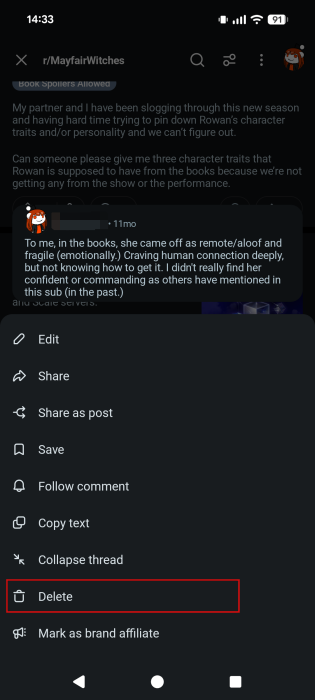
To delete, select comments, tap on one you want to get rid of. You’ll be taken to the post page to view your comment. Tap on the three dots next to Reply.
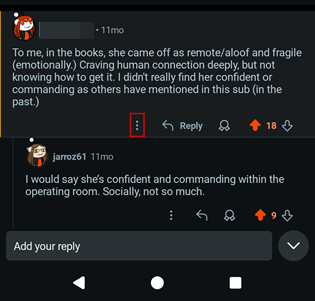
Select Delete from there.
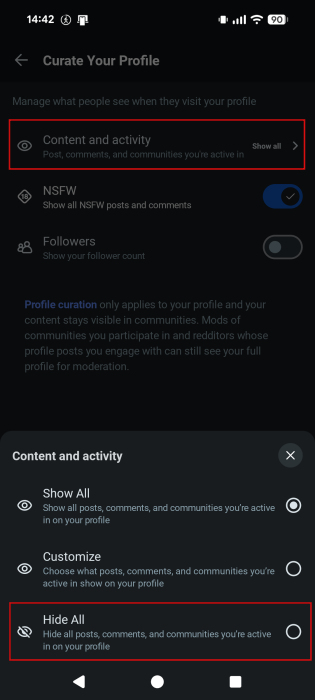
Alternatively, you can opt to remove your comment and posts history from your profile. You can do this by going to your Reddit profile page, tapping on the hamburger menu (Android) and selecting Profile curation. On iPhone, the option is available by pressing on your avatar and selecting Curate your profile from the menu that appears.
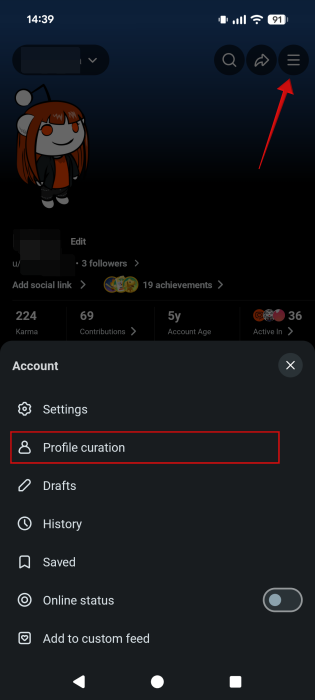
Select Content and activity. Opt to Hide All.
Frequently Asked Questions
Is my history available for other users on Reddit to see?
Yes and no, as it depends on which history you’re talking about. Your browsing and search histories aren’t available for others to see. However, your comments and posts are visible to other Reddit users. To see this information, all they have to do is tap on your account name in a thread where you’ve commented, for example. From there, they can browse your posts and comments. These comments/posts will remain available unless you or a moderator delete/hides them.
Will my search history be preserved if I log out of Reddit?
Reddit preserves your history on mobile or PC, so you can log out without a problem. Your history will be waiting for you.
Can I prevent Reddit from tracking my browsing history?
If you wish to browse anonymously on your mobile, you can. To switch to this particular mode, tap on your Reddit avatar, then on the downward arrow next to your username in the upper left corner. Select Anonymous Browsing at the bottom. Note that while you’re browsing in incognito mode on Reddit, you won’t be able to vote/downvote, comment, or create posts. On PC, a similar option is not offered, but you can log out and browse in this manner instead.








