

Don’t get me wrong; I still use RSS readers. I’ve subscribed to around fifty websites that I want to receive updates on. But for me, RSS is a passive reading experience. I have notifications turned off, and I only open an RSS reader when I know I have at least ten to twenty minutes free.
But there are certain things that I want to know at as soon as they’re out: new updates to Android apps I’m a fan of, new products from Product Hunt, and new blog posts from the two or three blogs where I read everything.
This stuff usually gets lost in the noise of forty-seven other websites on my RSS feed. Lately I’ve been using Slack as a solution.
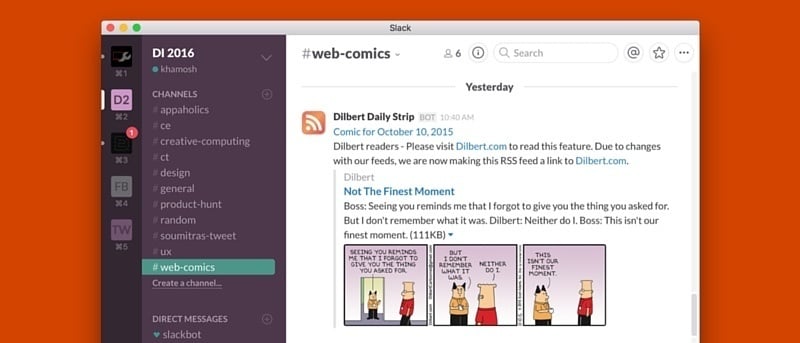
Slack is one of the apps that I use all day. It’s always open. And I even have a Slack room that’s just for me. So it makes sense to use Slack to list the super important feeds. And as I can’t get enough of webcomics, I have a channel dedicated to that as well.
If you’re using Slack and want to set up something similar, read on to find out just how easy it is.
How to Integrate RSS Feeds in Slack
I suggest you create a separate channel for different kinds of RSS. I have one for Apple-related news and one for webcomics.
To create a new channel, click the “+” button beside “Channels” on the sidebar on your desktop. Give the channel a name and a description.
In the text field, type “/feed” (without quotes). Paste the RSS link for the website you want to follow and press Enter.
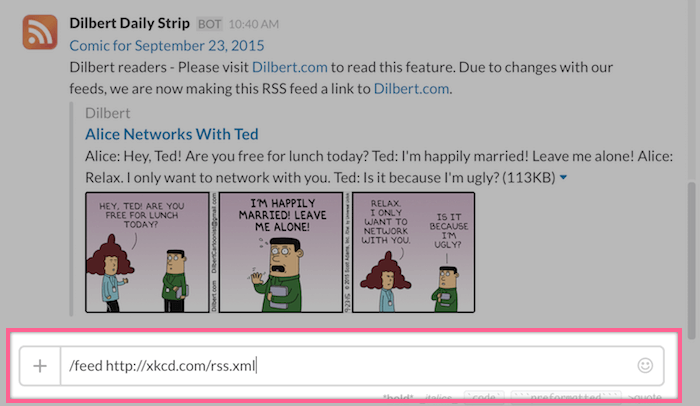
Slack will now post a link and a description along with a preview image whenever there’s new content available. You’ll also be notified about it. If you don’t want notifications, you can turn them off for the specific channel or the entire Slack team by clicking the “down-arrow” from the sidebar and selecting “Preferences.” Here in the “General” section you’ll find the “Desktop Notifications” option.
How to Edit and Remove RSS Feeds from Slack
You can take a drastic step and delete the channel altogether, or you can just remove the specific RSS feed. To get there, click the “down-arrow” on the desktop app or website from the sidebar and select “Customize Integrations,”
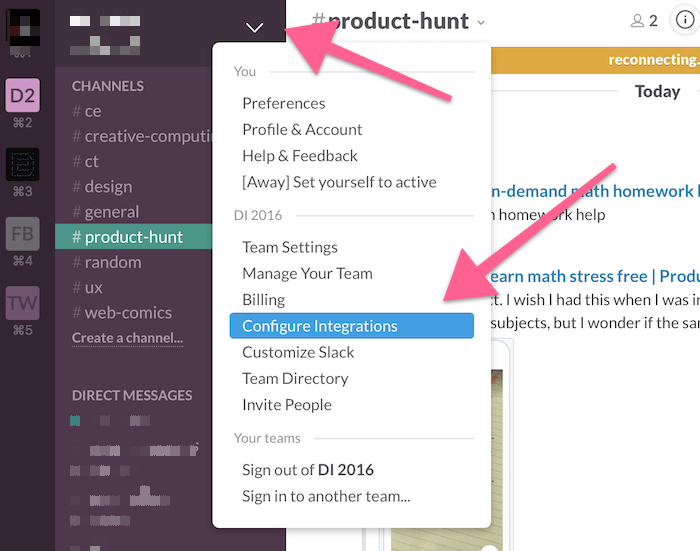
A web page called “Integrations” will open. Here, select “Configured Integrations,” Click the button beside “RSS.”

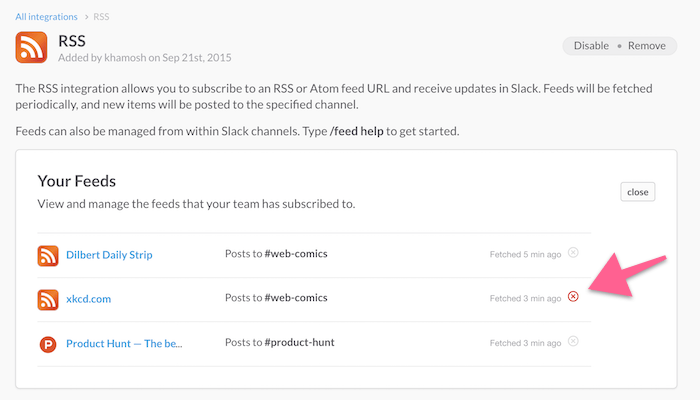
You’ll see a list of all your subscriptions. Click the little “X” icon to remove the subscription.
What Are You Subscribed To?
What are your current favorite subscriptions? Share with us in the comments below.