

You keep your computer, phone, and tablet updated with the latest security patches to keep hackers at bay, but what about your printer? With hackers exploiting vulnerabilities, now’s the time to update your printer firmware to keep your network and devices safer.
Hackers Exploiting Printer Vulnerabilities
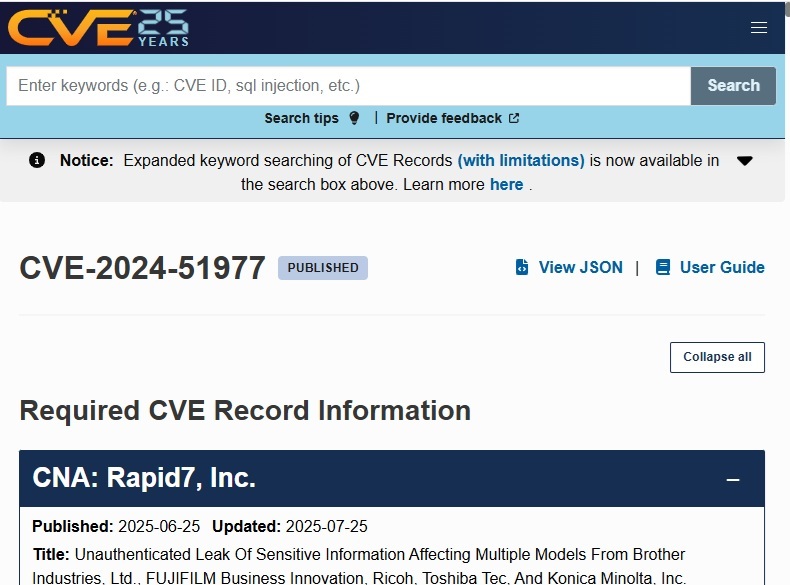
You don’t usually hear about major hacks involving printers, which is why it’s common for users to just assume they’re safe. But, any device connected to your network or computer is a possible entry point for hackers. Back in June, Rapid7 researchers discovered security vulnerabilities affecting over 700 printer models.
As I write this, hackers are actively exploiting these vulnerabilities to gain control over users’ printers. No, it’s not to use up all your expensive ink. It’s mainly to infect them with malware to use printers as botnets.
Once cybercriminals create a botnet, which is a group of compromised devices, they use the devices to carry out other attacks. These include DDoS attacks (distributed denial of service), cryptocurrency mining, spamming, and even data theft.
So, it’s not just your own devices that are at risk. When you don’t update your printer firmware, your printer could be used to carry out malicious attacks on others. It’s important to note that firmware and software are two different things, so updating your printer software won’t protect you from this threat.
Check to See if Your Printer is Affected
For this current threat, Brother printers are the main target, but that’s not the only brand. Please check the regularly updated list to see if your printer model is affected. This doesn’t mean hackers have already gained access. It just means the vulnerability is there and you need to update your printer firmware now.
Update Your Printer Firmware Easily
Even if your printer isn’t on the list, it’s still a good idea to update the firmware. Depending on your printer manufacturer and setup, firmware may update automatically, but usually you have to confirm the process manually.
The exact process varies based on the printer manufacturer. Typically, there are several common options:
- Use your printer’s update software, which may be included with the printer software
- Use a web-based portal using your printer’s IP address (If you’re having trouble connecting your printer via Wi-Fi to access it, try these fixes)
- Download to a USB drive and insert it directly into the printer
- Download and run the firmware update while your printer is on and connected
- Update using your printer’s screen
Since it’s mainly Brother printers affected, I’ll use Brother as an example. Start by visiting your printer manufacturer’s website. Go to the Support section. This could also be the Help, Downloads, or Resources pages depending on the printer brand.
Enter your printer model to search for downloads and resources. Locate your printer model on the printer itself, in the printer settings on your computer, or in your printer’s user manual.
Look for available downloads. Select your operating system, if necessary, then navigate to any firmware downloads.
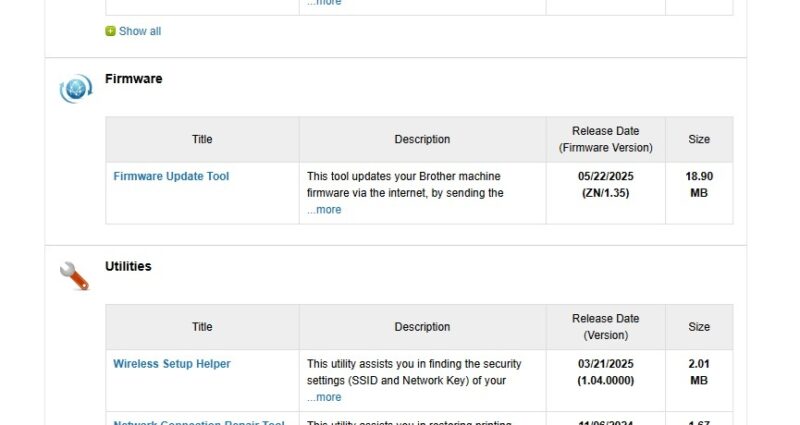
In this example, you’d download the Firmware Update Tool that updates firmware online, sending the update directly to your Brother printer.
No matter what your printer manufacturer or model, you should find update files and instructions on the manufacturer’s website.
The update process usually only takes a few minutes. You may need to restart your printer after it’s finished. In some cases, you’ll also have to reconnect it to your device(s) and/or network.
Change Your Printer’s Password
Most printer manufacturers affected by this security vulnerability are releasing firmware updates to fix the issue. But, if an update isn’t available or it doesn’t install for any reason, another way to protect yourself is to change your printer’s password.
By sticking with the default admin password, hackers easily take over your printer simply by reading the model and serial number. If the password is different, it presents an obstacle hackers might not bother with, especially if they’re just trying to create botnets versus accessing your full network.
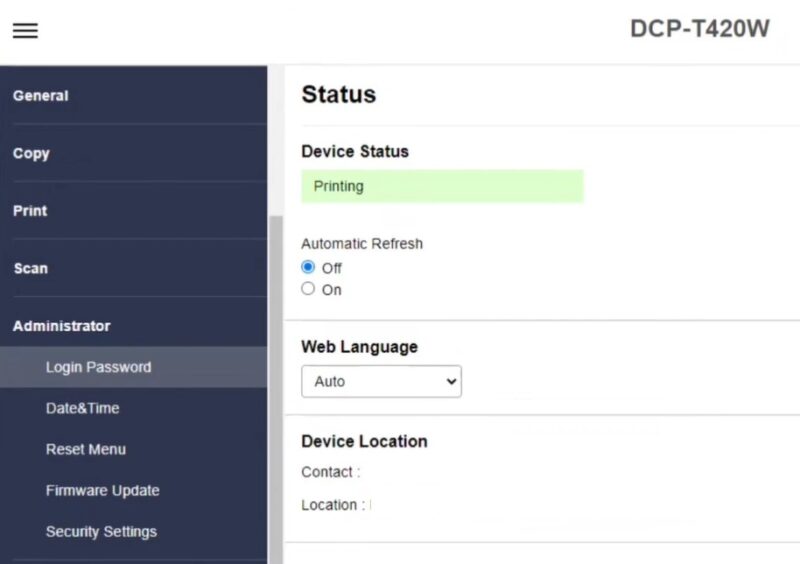
Once again, the process varies based on your printer manufacturer. There are several common methods:
- Open your printer’s software/app. Check the Settings area for any privacy or security options. This may let you change the password.
- Connect to your printer via your web browser. Enter the printer’s IP address and login using the default admin password (found in your user manual and sometimes on the printer itself). Change the password and save your settings.
- Use your printer’s control panel. Access settings, privacy, or security options from the printer’s menu and change the password from there.
Obviously, hackers don’t just target printers. But, use this incident as a warning as to why you should always update your printer firmware. Also, make sure you’re using antivirus and/or antimalware software to protect your other devices.