Do you love saving travel Reels on Instagram but hate the planning? Expedia’s new feature takes your favorite Reels and turns them into custom travel itineraries – no heavy lifting required. Find out how to create your first itinerary using this handy new feature.
Good to know: learn how to set up text messaging for international travel.
Expedia’s Beta Feature Puts Your Instagram Reels to Good Use
For those who are unaware, Expedia is a comprehensive travel platform that simplifies every aspect of trip planning. From booking flights and hotels to reserving car rentals and activities, it brings everything you need in one place.
Now, Expedia has come up with an innovative feature for Instagram called Trip Matching. Think of it as a sort of add-on you’d install in the social media app, except you don’t need to download anything. Actually, you don’t even need to follow Expedia on Instagram to take advantage of this feature.
Expedia’s new feature uses AI to scan your travel Reels to create an overview of the info included in the clip, suggest real places to stay and things to do. If you have any follow-up questions or personalization requests, you can ask them just as you would a travel agent. All this without ever leaving the Instagram app.
If you find Trip Matching intriguing and you’d like to try it out yourself, you’ll have to move fast. On its official page, Expedia says the beta access for this feature is open, but not for long. So if you wish to give it a spin, there’s no time better than today.
Tip: here’s how you can view all your comments on Instagram in one place.
How to Turn Instagram Reels into Travel Itineraries
Open the Instagram app and navigate to Expedia’s profile. Use the search function in the app to find it.
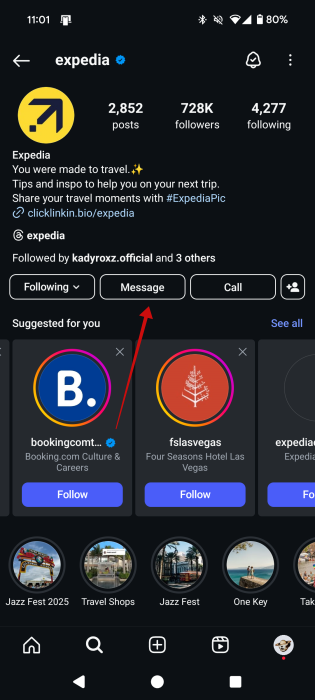
As mentioned above, you don’t need to follow the account, but if you do, it might make it easier to interact with. Press on the Message button to start a chat (Direct message) with Expedia.
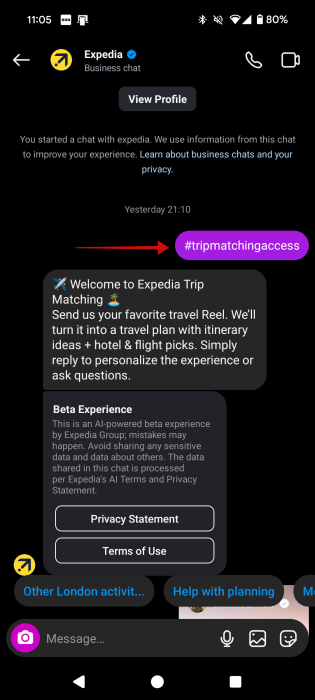
As your first message, type #tripmatchingaccess. Wait a second, and Expedia should reply with the “Welcome to Expedia Trip Matching” message. Below, you can read the Privacy Statement or Terms of Use.
That’s it, you’re all set! Now, revert to your Instagram feed and start searching for a travel Reel. Alternatively, you might already have a few saved travel Reels.
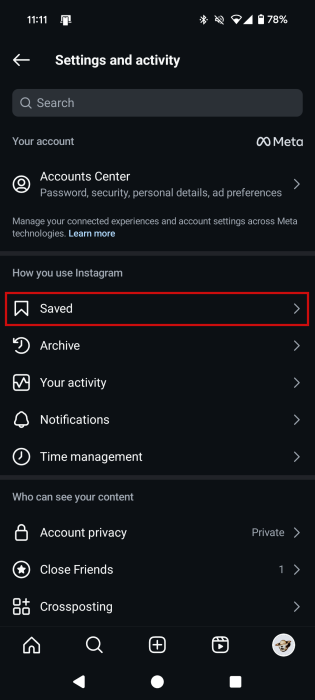
To access saved content on Instagram, press on your profile picture at the bottom while in the feed. On your profile page, tap the hamburger menu. Select Saved in the settings menu.
Alternatively, if you already know the place you want an itinerary for, you can use the search function in the Discovery section to look for Reels dedicated to this very place.
On the Reel screen, tap on the Share button on the right side of the display.
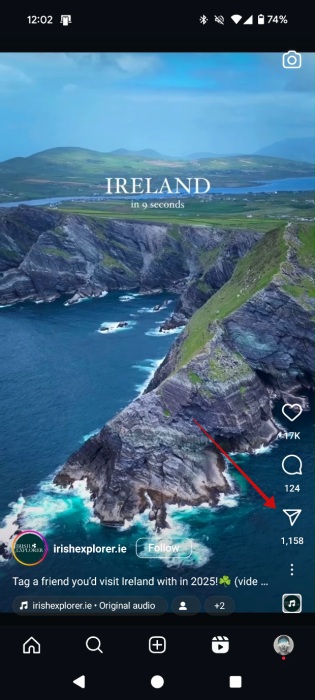
Since it will be the first time you’re interacting with the account, Expedia won’t show up as an option for sharing (accounts you interact with the most will).
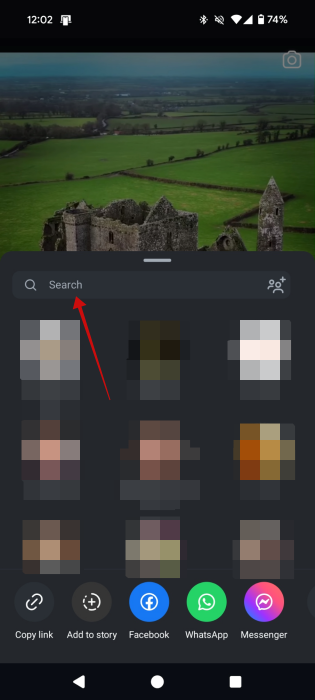
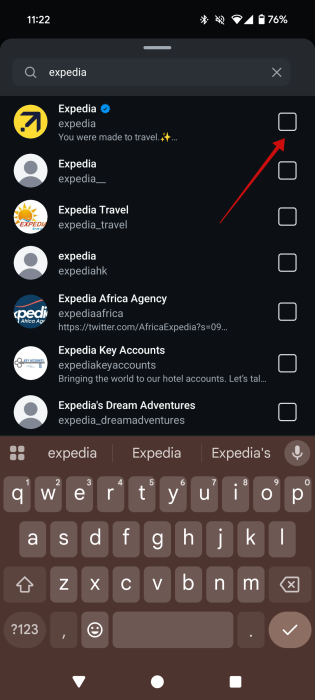
Use the search bar to find the Expedia account. Tap on the first search result to send them the Reel.
Tip: once you follow the account and start interacting with it, Expedia will probably show up in the Share screen, so you won’t have to search for it every time.
Remember that for the time being, you can only send Expedia Reels, not photos or other content from your device.
FYI: this is how you can change Instagram nicknames in chats.
Ways to Use Expedia’s Trip Matching
Most Reels are short-form videos that might not contain all the information you need. With Expedia, you can get the answers without having to search Google.
For instance, I’ve shared with Expedia a Reel about experiencing the Eversong in London cathedrals for free. The AI first generated an overview of the information shared in the clip, including which cathedrals hold Eversong events for free and the best time to visit.
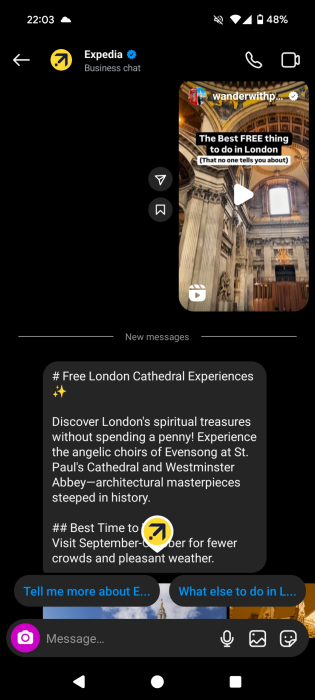
Expedia then shared info about other things to do while visiting the cathedrals. For instance, discovering the rich royal history of Westminster Abbey.
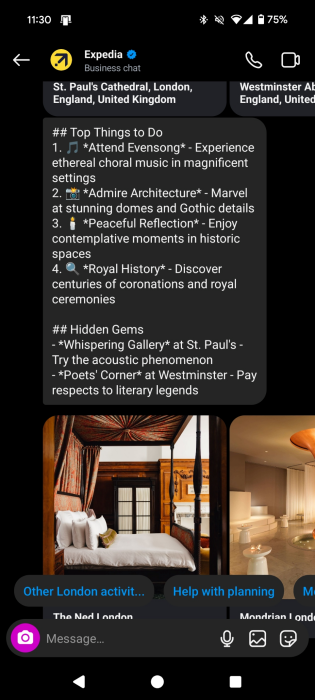
In case you might be looking for accommodations, Expedia added a few recommendations (with links to the Expedia website, of course.)
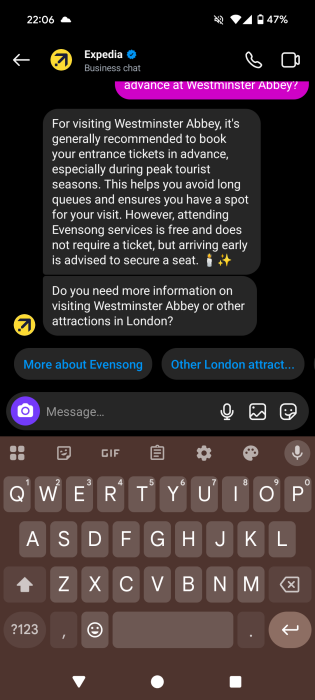
We weren’t sure whether we had to make a booking in advance to visit Westminster Abbey, so we asked for details, just as we would in a normal conversation on Instagram.
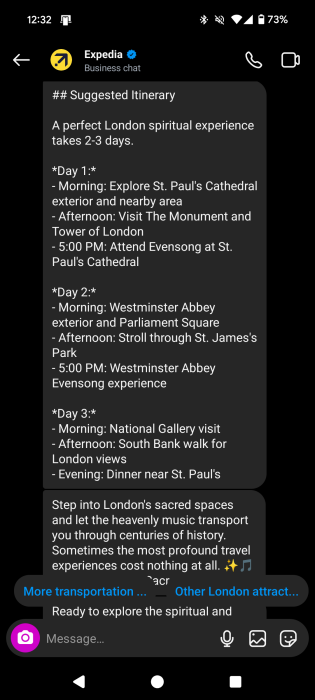
Expedia also produced an itinerary for a spiritual experience in London spanning 2-3 days, which included a day-to-day schedule covering morning, afternoon, and evening.
What’s more, we’ve come across this Reel when researching free things to do in London, so we weren’t exactly sure about what the Eversong entailed. Luckily, Expedia offered all the explanations we needed.
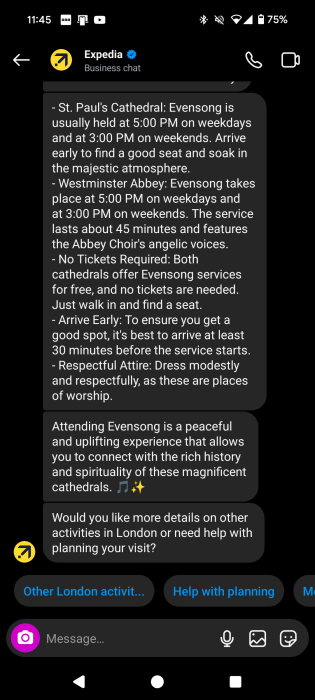
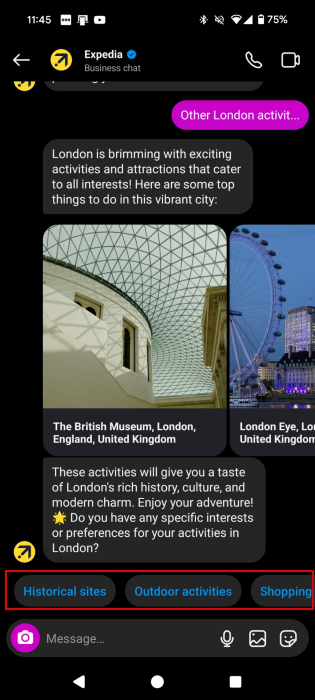
In the conversation, you’ll also notice related suggestions at the bottom. For instance, we could easily access info regarding Other London activities.
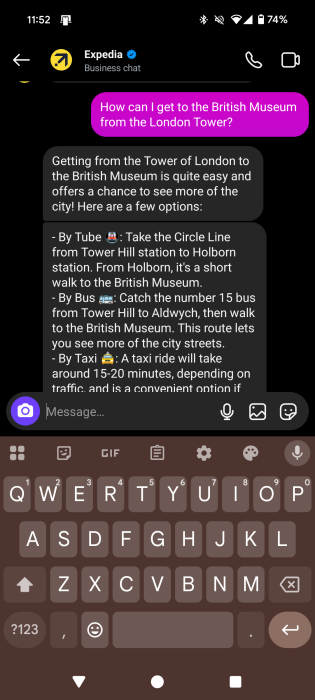
On Instagram, Expedia can help you with other things too, such as finding you flights or routes to destinations.
If you still need more assistance with your itinerary, check out this list of the best travel apps for planning and organizing your next vacation. In case you want to find the best prices, do take a look at these websites that will help you book cheap flights.








