

Have you ever wanted to build a simple website or a Web page, but didn’t want to pay for a complex Web host? Most free Web hosting solutions come with limitations, so you can’t really do what you want to do with your website.
What if you could create a free website without limitations, using just your Dropbox account? That’s what Site44 allows you to do. Simply put, it turns your Dropbox into a free Web host so that you can create simple websites and Web pages.
Here’s how:
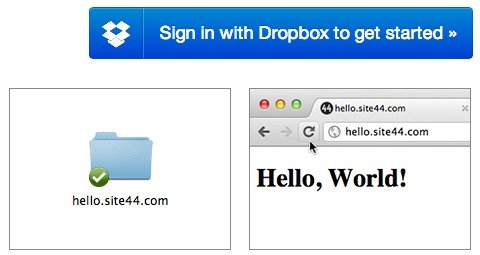
1. Head over to the Site44 website and sign in using your Dropbox account to get started.
2. Click on the “create a new website” button on the next page.
3. You have two choices: you can use a free site44.com domain or use your own domain. If you use a site44.com domain, then your website will be a subdomain of Site44 (i.e. http://yourdomain.site44.com).
If you use your own domain, you’ll have to point a CNAME to domains.site44.com and enter your domain URL.
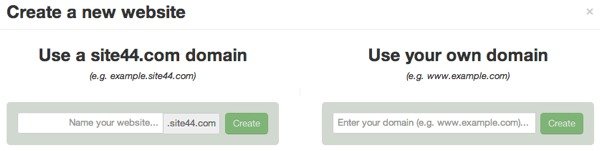
4. For this tutorial, we’ll just use a free site44.com domain. Enter the name that you want to use for your website. Remember that as with all domain names (free and paid) many names will have already been taken, so choose wisely.
5. Once you agree to the Terms of Use your website will be created, and you’ll get the URL to the Dropbox folder where your website is being hosted.
6. Site44 will create a new Apps folder in your Dropbox account. Your Site44 folder will be in the Apps folder and your website folder in the Site 44 folder (i.e. Dropbox/Apps/site44/yoursite.site44.com)
7. You’ll need to open the index.html file in your website folder. This will allow you to edit the home page of your website.
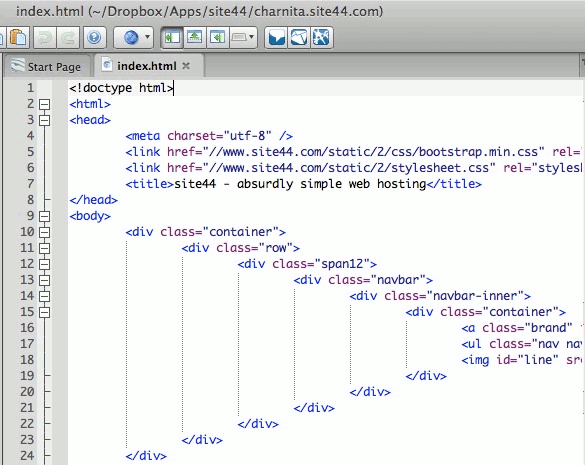
8. If you want to add more pages to your website, just create more html files as you would any website and add them to your website folder in Dropbox.
What a quick and easy way to create a website! No fancy Web hosts, just your free Dropbox account.
Note: You can only serve static html files from your Dropbox account. You won’t be able to serve .php or any other file that require a server environment.