It is easy to take tons of photos with the great iPhone camera, but what is the best way to organize photos on your iPhone? We show you.
By David Joz – Mar 15, 2021
There are ways to bring back the photos you thought were gone. Learn how you can recover deleted photos on your Android phone.
By Alexandra Arici – Jan 8, 2021
While Google has allowed us to use it for all our storage, it’s going to start charging us and will also delete our files from Gmail, Drive, and Photos.
By Laura Tucker – Nov 13, 2020
Have you noticed that the Windows Photos app can be slow to open and load a simple JPG file? Here are some ways you can fix the issue.
By Sayak Boral – Oct 20, 2020
iOS 14 now allows you to add captions to your photos. You can use it to manage and better organize your Photos library.
By Shujaa Imran – Oct 16, 2020
If you just got a new iPhone, this shows how you can preserve your photos and transfer your photos from one iPhone to another iPhone.
By David Joz – Sep 29, 2020
Facebook has a data transfer tool to transfer your photos and videos to Dropbox, Koofr and Google Photos. Here’s how you can do so.
By Shujaa Imran – Sep 20, 2020
If you want to make edits to photos on your iPhone, just use the Photos app. It is the simplest and best way to make quick edits.
By David Joz – Aug 26, 2020
People who installed the Adobe Lightroom update version 5.4 for iPhone and iPad lost all photos and presets that were stored on the device.
By Laura Tucker – Aug 21, 2020
Do you have photos everywhere? If you’re on Windows 10, there are ways to sort through them all. Here’s how to organize your photos on Windows 10.
By Simon Batt – Dec 18, 2019
If you are using Google Photos to store your photos, you can easily move your photos to the Photo app in Windows 10. Here’s how you can do so.
By Sayak Boral – Oct 10, 2019
What happens to your cloud data after you pass away? A man challenged Apple in court and won the right to the iCloud photos of his spouse.
By Laura Tucker – Jan 28, 2019
Do you have a blurry photo that you wish you could make more clear and defined? Here is how to fix a blurry photo using GIMP and Photoshop.
By Alexander Fox – Aug 18, 2018
To blur out a photo before you share it, there is no need for a comprehensive image editor. Here’s how you can blur out photos on Android.
By Simon Batt – Dec 8, 2016
Nothing makes you break out in a cold sweat faster than the prospect of losing images while you are traveling. Here’s how you can back up your photos while traveling without having to lug a heavy computer around.
By Ryan Lynch – Oct 25, 2016
If you’ve been getting low-quality exports of your photos from the Photos app, this tip will show you how to export high-quality photos on Mac.
By Mahesh Makvana – Sep 24, 2016
If you’ve seen a Facebook or Instagram photo that you’d like the ASCII version of, here’s how to convert those photos to ASCII using its URL.
By Mahesh Makvana – Aug 28, 2016
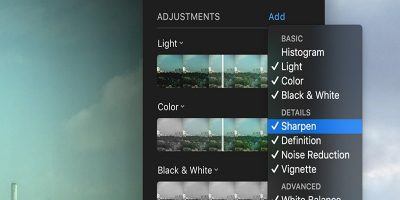
The Mac Photos app has many adjustment options, but there are a few more that can be enabled. Here’s how to enable those extra adjustment settings in Photos.
By Mahesh Makvana – Aug 22, 2016
Prisma is an app that uses artificial intelligence to apply filters to photos. Here’s how to apply Prisma effects from your desktop using Telegram.
By Mahesh Makvana – Aug 7, 2016
By default, you cannot delete all of the photos on your iPhone at once. This tutorial will show you how to delete photos on your iPhone using your Mac.
By Mahesh Makvana – Jun 17, 2016
Pagination
Affiliate Disclosure: Make Tech Easier may earn commission on products purchased through our links, which supports the work we do for our readers.