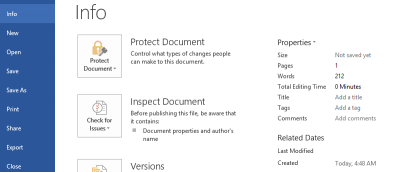
Microsoft’s Office is not cheap, but that doesn’t mean you have to pay the full price for it. Here are some ways you can get Microsoft Office for cheap.
An old exploit of Microsoft Office is still circling the Internet. The problem is, this exploit was fixed back in 2017, and it’s still doing damage to this day!
If you just got a Mac but are questioning whether to buy Office all over again, there are several Microsoft Office alternatives for Mac you can choose from.
Many of your favorite apps have a “dark mode” that is easy on your eyes. Find out how you can turn on dark mode for some of your most used apps in Windows.
If you are a Mac user and bought Microsoft Office for Mac, you might be disappointed to find that it is not on par with the Windows version. Check out the differences between Microsoft Office for Windows and Mac.
Windows’ own clipboard is very basic, while the Microsoft Office clipboard is far more advanced. Learn how you can make use of the Microsoft office clipboard in Windows.
For documents downloaded from the Web, Microsoft Office will show a Protected View status. Here is how you can disable Protected View in Microsoft Office.
Many people face formatting issues when pasting text from Microsoft Word to WordPress. Here are some ways to properly import Microsoft Word documents to WordPress.
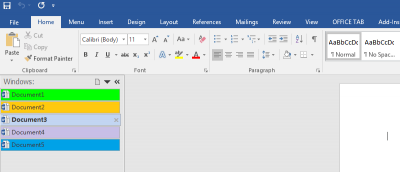
Tabs make everything easier and allow you to open multiple items as once. If you want to add tabs to the Microsoft Office interface, this guide is for you.
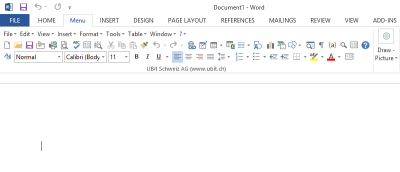
The Ribbon UI has been around since Microsoft Office 2007, and there are numerous workarounds to restore the classic menu layout. Here are some options.
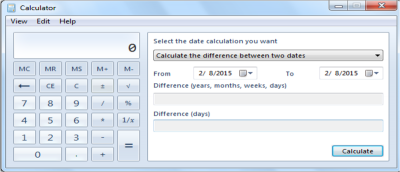
If you are using the built-in Calculator and Microsoft Excel regularly, why not add the calculator to Excel for quick access? Here’s how you can do it.
Following up to its revamp of the office web apps, Microsoft released a Chrome extension that allows you to use Office in Chrome browser. Let’s check it out.
It happens to all of us – we type a document up in Microsoft Word or Excel only to find that a word used multiple times was inaccurate or just plain wrong. It’s a “Ctrl-F” moment, but if there are many instances of said misspeak then you could be in for a tedious and time-consuming chore. There is a better way to replace words in Word and Excel.
Have you ever tried copying and pasting some information from a webpage or email to a word document only to have the pasted content not appear in the same style as the rest of the document? The reason this occurs is that the original html formatting in the copied content is retained in the process. Thankfully, there is a way to paste content without retaining the original formatting; this feature is called “Paste Special.”
Do you love the Ribbon UI in Microsoft Office so much that you will try all means necessary to install MS Office in your Linux machine? If this is the case, WPS Office is the one for you.