


Microsoft Word is not the best tool to produce web-friendly documents due to the messy HTML it produces, and this is also the case with Google Docs and other Word Processing software. Despite this, many people prefer to use it when producing content for the Web, perhaps because it has more features than the default WordPress visual editor which is rather limiting for certain workflows.
Unfortunately, in many cases, the formatting of your documents may break when you try to copy and paste from Word into the WordPress editor. However, there are ways you can get around this.
Pasting as plain text
If your Word document does not paste cleanly into WordPress, you can try pasting as plain text which would remove all formatting.
To do this, switch to the “Text” tab highlighted below and paste your document there. Afterward, you can switch back to the Visual tab to format your documents properly before publishing.

With images, there is no way to copy and paste directly from Word so you’ll need to manually upload any images used in your document.
Using a plugin
As you might expect, there are quite a few plugins that will make the process of transferring articles from Microsoft Word a seamless experience.
One plugin is the Mammoth .docx converter which works for documents saved in the .docx format. You can install it by navigating to “Plugins -> Add New” and entering “Mammoth” as your search query.
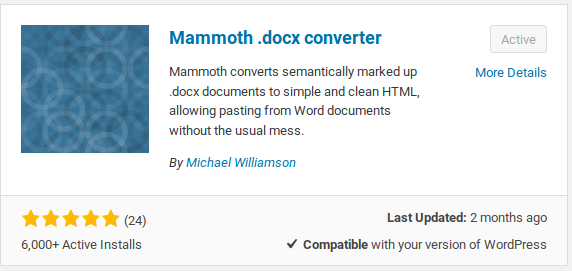
On activation, create a new post by navigating to “Posts -> Add New.” You will find the plugin’s metabox somewhere below the WordPress editor.

All you need to do is select your .docx document by clicking the “Browse” button which should open the file picker on your operating system.
Once you have selected the file, you will be presented with three options. The Visual tab shows how the document will look if you import it into WordPress.
If you prefer to view the HTML generated by the plugin, you can do so by switching to the HTML tab. The messages tab will display errors, if any, that occurred during conversion.
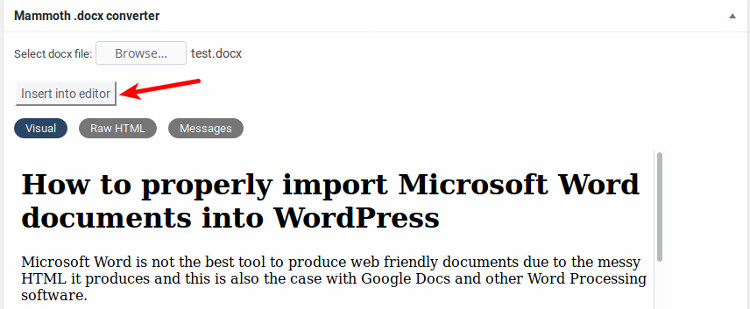
Once you are satisfied with how the post looks, and if the formatting is in order, click the “Insert to editor” button to import the post into the WordPress editor.
Wrapping it up
As I alluded to earlier, Word processors don’t make the best web publishing tools. If you insist on using one for your content creation process, the tips in this article should help you import documents into WordPress without breaking a sweat.
To save your time though, I recommend you try using markdown to format your documents and export them to HTML for straight copy and paste into WordPress.
What other techniques have you found effective for importing MS Word documents into WordPress? Tell us about it in the comments below.