
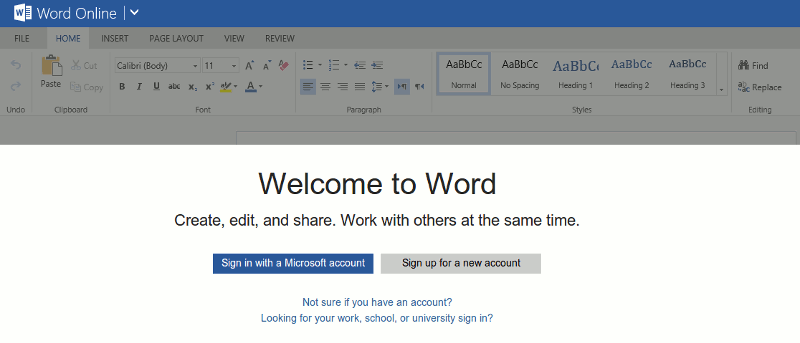

Not long ago Microsoft updated its free office suite, moving away from the Web apps and completely revamping the service, including the name. Now known as Office Online, the company followed this move by making it available for Chrome – both the web browser (Google Chrome) and operating system (ChromeOS).
Sure, you can still visit the OneDrive (formerly SkyDrive), but you can also install apps within the browser and OS. Three of them have been made available – Word, OneNote and PowerPoint. If you’re using a Chromebook you can even pin the apps to the taskbar, where they will line up next to the apps that are pre-installed by Google.
What It Is and How to Use It
In this look, we will be using Word Online, but the other two released will work in a similar fashion. Once installed, head to the apps section within Chrome and click to start it up.
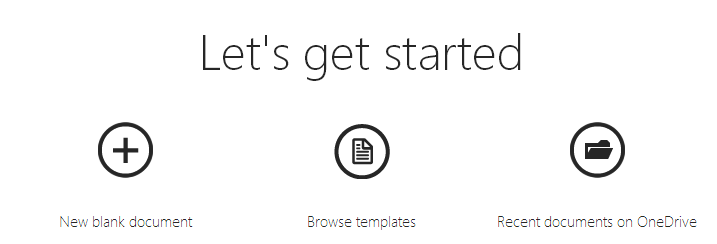
The first thing you will find is a prompt to choose what action you wish to perform – you can open a new blank document, browse through templates or open an existing file. Those files are stored in OneDrive, just as they are in the desktop version of Office. That makes access from another location much easier. Let’s open a new blank document and see what it looks like.
The look will be immediately familiar to you, as the interface is a scaled down version of the desktop Office suite. In other words, you will see the traditional ribbon interface.
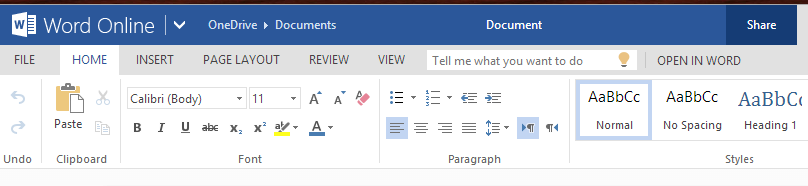
All of the most important and most used features and options are here. Even the layout of the ribbon is the same as other versions of the application. You are unlikely to find anything you really need that isn’t included.
You can use the menu across the top to access features from File, Home, Page Layout, Review and View. Clicking each of these will change the ribbon, showing a new subset of items to choose from. Up until now, these were all things you could do with either a Chrome browser or on a Chromebook. But the Google operating system allows for a bit more.
The OS contains a taskbar just as Windows does, and like Microsoft’s platform, applications can be pinned to it, allowing for quicker access, as it avoids having to navigate to the apps page. In Chrome OS, what serves as the taskbar is named the launcher. Head to the apps section and right-click the app you wish to pin. If you are on a touchscreen notebook, then use a two-finger tap. From the menu, choose “Pin to launcher.”
Conclusion
With both PowerPoint and OneNote you will find the same ribbon interface and not a whole lot that is different from their desktop brethren. All are also integrated with OneDrive, while OneNote can still sync across desktop and mobile platforms as well.
All three apps are free, though depending on how much data you plan to store in the cloud, you may need to purchase extra space. The good thing is most Office documents are rather small, so this expense would be unusual.