Android has a virtual memory function just like pagefile or swap in PCs, but it’s disabled by default. When should you actually turn it on?
By Karrar Haider – Mar 28, 2026
There’s no need to panic when you see the Windows C drive displaying a yellow triangle sign.
By Sayak Boral – Jun 11, 2025
To improve the security of your Linux system, you can do a full disk encryption both during and after the installation in Ubuntu.
By Haroon Javed – Dec 2, 2024
Want an early indication when your hard drive starts to fail? Check hard disk health in Windows for warning signs to not lose any data.
By Crystal Crowder – Sep 12, 2024
Disks, drives, volume drives, partitions: these are used synonymously but are really different. Let’s examine the differences.
By Tanveer Singh – Jan 25, 2024
PC full, but you don’t want to delete anything? Learn how to expand your PC storage without deleting anything.
By Crystal Crowder – Sep 13, 2023
Create a RAM drive for free.
By Sayak Boral – Jun 25, 2022
The comparison of SSD and SSHD has changed over the past few years.
By Sayak Boral – Jun 14, 2022
Has your HDD-based PC slowed down quite a bit?
By Ojash Yadav – May 18, 2022
Windows comes with many bugs. This one prevents your hard drive from showing up.
By Sayak Boral – Mar 3, 2022
If you’ve formatted a hard drive or USB thumb drive, you might have seen the “Allocation Unit Size” setting. What is this, and can you change it?
By Robert Zak – Jun 23, 2021
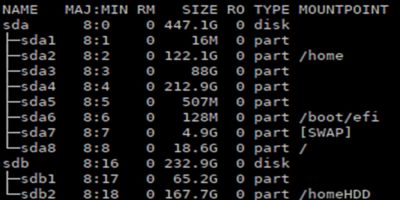
On Linux, you sometimes need to work with disks and/or partitions directly from the command line. lsblk displays information about storage devices.
By Alexandru Andrei – Sep 23, 2019
One way you can protect your computer data is to password protect your disk. Learn how you can set a password to protect your disks in UEFI.
By Alexandru Andrei – Feb 19, 2019
If you are wondering if your Windows system is running SSD or HDD, here are a few ways to find out without physically open the computer case.
By Vamsi Krishna – Dec 24, 2018
There are many factors that affect a computer’s speed. If you want to make your computer fast, you’ll need to get the right parts to work together.
By Andrew Braun – Aug 13, 2018
Apple has soldered in many parts to their newer Macs to prevent users from upgrading. One way to save costs is to buy and upgrade an older Mac instead of getting a new one.
By Corbin Telligman – May 13, 2017
With some simple optimization, you can better prepare your external hard disk for storing movies efficiently and effectively. Here is everything you need to know.
By Robert Zak – May 4, 2017
When installing Linux, it is possible to have separate Root and Home hard drives or partitions. Here’s how to do that with Ubuntu.
By Derrik Diener – Feb 14, 2017
Some hard drives are marketed as “made for Mac” which many would think means it’s not usable in Windows. This guide will show you how to format and use a “Made for Mac” hard disk on a Windows PC.
By Corbin Telligman – Nov 24, 2016
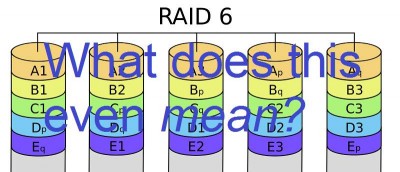
RAID, a technology used with multiple hard disks for increased performance, stands for “Redundant Array of Independent Disks.” Find out what it’s all about.
By Christopher Harper – Jun 10, 2015
Next >
Affiliate Disclosure: Make Tech Easier may earn commission on products purchased through our links, which supports the work we do for our readers.