

If you’ve ever formatted a hard drive or USB thumb drive, you might have seen the “Allocation Unit Size” setting. This is set by default, but you can change it if you want. Should you? If so, what should you set it to? What does allocation unit size even mean?
There are multiple answers to the above questions, both simple and not-so-simple. With SSDs largely becoming the default drive type on many systems, the negative impact of having overly small allocation unit sizes is somewhat diminished, while on the other hand, the benefits of larger allocation unit (or cluster) sizes can increase.
Also read: 13 Things You Must Do When Running an SSD in Windows
What Does Allocation Unit Size Mean?
Depending on who you’re talking to, allocation unit size may also be referred to as “cluster size.” Either way, it’s pretty simple. This is the smallest possible chunk of data on your drive.
Basically, even a completely empty file will be the size of your allocation unit size. This means that every single file on your drive will be at least this large, potentially filling up a lot of space on your hard drive if you have many small files but a large allocation size.
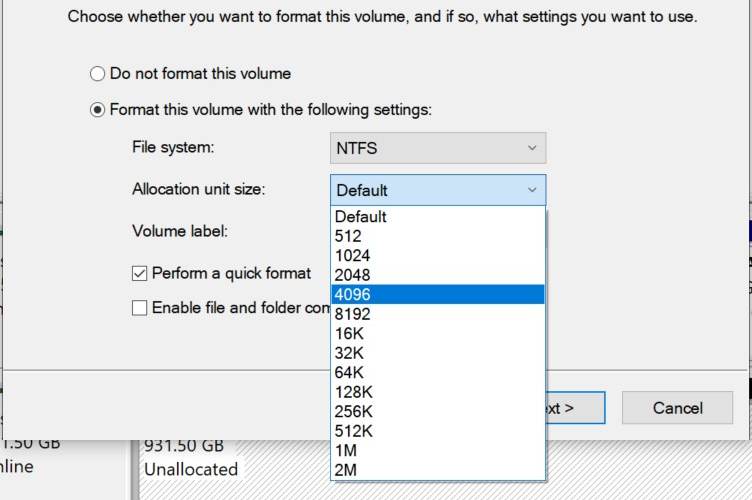
To use an extreme example, if you have ten 8KB files but a 1MB allocation unit size, each of these files will actually take up 1MB, so the total amount of drive space used would be 10MB and not 80KB. That’s quite a lot of wasted space!
Windows’s default allocation unit size is 4096 bytes (4 kilobytes), which is pretty small, and on most computers, it’s unlikely this will lead to a lot of wasted space.
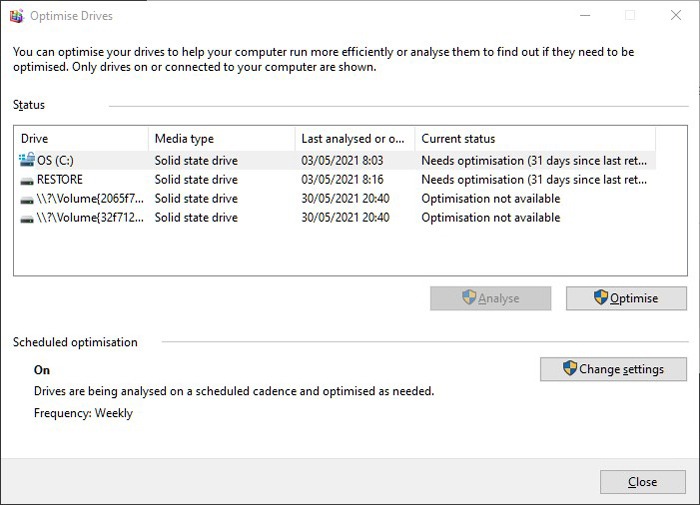
If you make your allocation unit size too small, it can lead to a slower system – allocation will take longer, as there will be more allocation units assigned to each file. If you make your allocation unit size too big, then it will take up precious disk space.
What Allocation Unit Size Should You Use?
The optimal allocation unit size for your drive will often depend on which operating system you’re using and how big the drive is. As an example, Microsoft has a list of the default sizes for various Windows versions available on its website.
On your OS drive or partition, we strongly recommend using the default allocation unit size. But on different partitions, this could change depending on what you use them for.
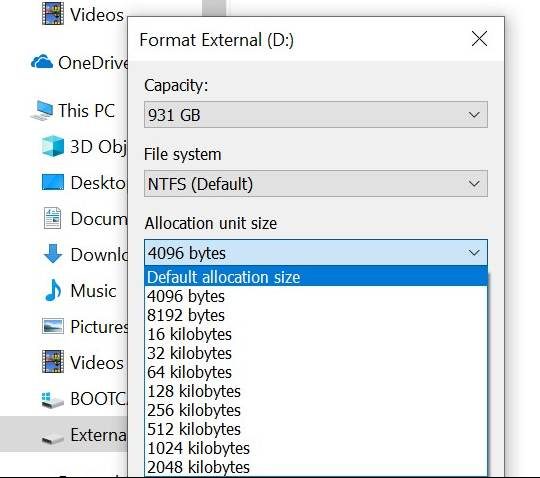
If, for example, you have a partition or drive that you use exclusively for movies, then it makes sense to use a large allocation unit size, as a single movie file tends to be several hundred MB or even a few GB large. So you could use the maximum allocation unit size of 2MB, but bear in mind that this will make smaller files (like subtitle files) use that amount of space at a minimum.
If you have a drive dedicated to movies, images and music, then that changes things, as image and music files are much smaller than movies. Try to make your allocation unit size just under the size of your music and movie files.
Also read: How to Reformat an External Hard Drive Without Losing Your Data
There aren’t many scenarios in which it’s recommended to make the allocation unit size smaller than the default. There are few modern-day scenarios where you’re going to be working with files under 1KB, and you’re just going to slow down your drive’s reading of larger files.
So when setting allocation unit size, always scan the given drive or partition and figure out what’s best for that specific one. If in doubt, leave it at the default.
Should You Use Different Sizes for SSD or Hard Drives?
As mentioned above, fragmentation doesn’t present the same problems on an SSD as it does a hard disk. Because of this, you could theoretically use larger allocation unit sizes without the performance hit. Would this actually speed things up?
The answer is likely no. So far there haven’t been any real-world examples of larger allocation unit sizes leading to any performance changes on SSDs, even though theoretically this could be the case due to the lower complexity of your file system and faster read-write speeds.
Also read: How to Format an Xbox One External Hard Drive for Use with a PC
If you’re worried about wearing out your SSD early, this isn’t going to have much to do with it. Instead, see our guide on checking your hard disk health in Windows 10. Also, see our guide on the difference between a DRAM and DRAM-less SSD.