If you are using a public machine to do work, you may want to use a portable browser on your USB drive. Here’s how to use your preferred browser on any PC.
While your browser comes with a default home page, you can easily set it to your favorite site. Here’s how you can set a custom homepage on various browsers.
Since most browsers are free to use, how do they make money and survive? Here we examine a few popular browsers and their unique approaches to revenue.
Most major browsers like Chrome and Firefox come with a built-in password manager. Let’s see how safe they are and if they are good enough for daily use.
While uBlock Origin is the most powerful and versatile ad blocker available, its design is also a little obscure. Here we’ll show you how to get the most out of uBlock Origin.
More than 65% of Internet users browse the Web with a Chromium-based browser. Why are varous browsers moving towards Chromium, and what does it mean for the future?
If you’re a Chrome user but dislike that Google impedes on your privacy, here are the best Chromium-based browsers that have the same experience as Chrome.
There are plenty of uses for a browser’s Incognito mode. If you are not already using it, here are 5 reasons why you should use Incognito mode for browsing.
Cryptojacking is when a website makes use of your PC hardware to mine for cryptocurrencies. This shows how you can protect yourself from cryptojacking.
You can easily lose all your open tabs when your browser crashes. Luckily, both Firefox and Chrome have options for you to properly manage your sessions.
Popular Android browsers like Firefox and Chrome tend to be bloated with extraneous features. Fortunately, there are slimmer alternatives that have a much smaller footprint and are fast.
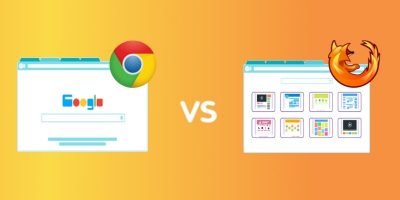
To answer one of the web’s most divisive questions: which is better, Google Chrome or Mozilla Firefox? Loyalists on either side will tell you that their browser is the best, so the only way to reach a verdict is to compare numbers.
With the number of cryptojacking cases on the rise, how do you check to see if your browser comes with cryptojacking protection, and is it secure enough to stop a cryptojacking attack? Let’s find out.