
If you’ve tried learning a language on your phone, you’ve probably tried out Duolingo with its cute and personable owl mascot. But, between recent controversy and a rather expensive AI plan, many users are jumping ship. Google’s here to catch you with their free alternative – Little Language Lessons.
Duolingo’s High Cost and Controversy
While Duolingo’s free to use, the ads for free users are getting worse and worse. Sorry, but I don’t need a random ad along with a 30-second reminder of why I should upgrade to Super Duolingo or Duolingo Max after every single lesson. Ad time has tripled between lessons in just the last year for me.
With Duolingo Max, I could get AI to explain my mistakes or help me roleplay conversations in various scenarios. All for just $30/month. Duolingo does admit mistakes do happen, so that high price could help you learn incorrectly.
Then, Duolingo’s CEO, Luis von Ahn, announced in April 2025 that the company was switching to an AI-first company. Just a few days later, the company announced they used AI to create 148 new language courses in just a day.
While much of that content is free, some users aren’t thrilled with the switch to AI. This is especially true with the increase in ads and expensive premium plans.
Google Introduces Little Language Lessons
One of the reasons I used Duolingo is because not only was it fun, but there were real humans behind the content. If they’re switching to AI, why not just use any AI platform to learn a language? Google had the same thought and introduced Little Language Lessons just a few days after Duolingo’s announcement.
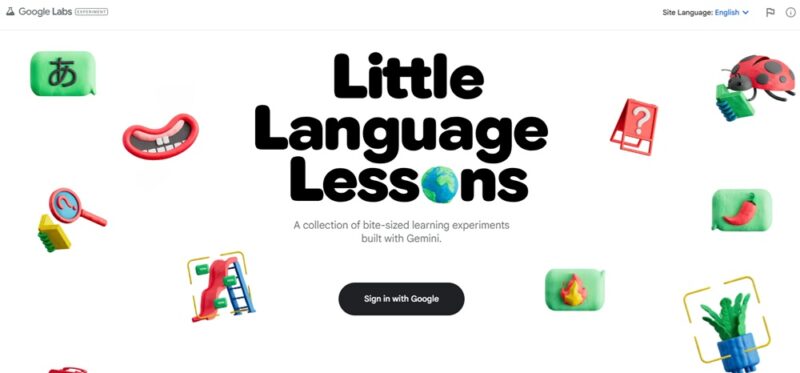
The Google Labs Experiment is powered by Gemini and it’s completely free. No ads, no premium plans to deal with, and no owl pestering you to upgrade. Google does admit that AI does make mistakes, so it may not be perfect.
A few of the features that caught my attention immediately include:
- Short tiny lessons relevant to my needs
- Slang Hang to learn real expressions and slang versus some very odd phrases Duolingo spits out, such as “cows like to draw.”
- Describe items in a picture or around you using your camera with the Word Cam feature
- Overall more personalized experience versus slogging through pre-set lessons
Getting Started With Little Language Lessons
To get started, you will need to sign in with your Google account on Little Language Lessons. Then, pick the experiment (type of lesson) you want to try. I opted for Tiny Lesson first.
Currently, the platform supports 22 languages, though, I personally don’t think listing English for the US, UK, and AU really counts as three different languages.
For any lesson, choose your language and enter your purpose. I chose Spanish (LatAm) with the purpose of finding a restaurant.
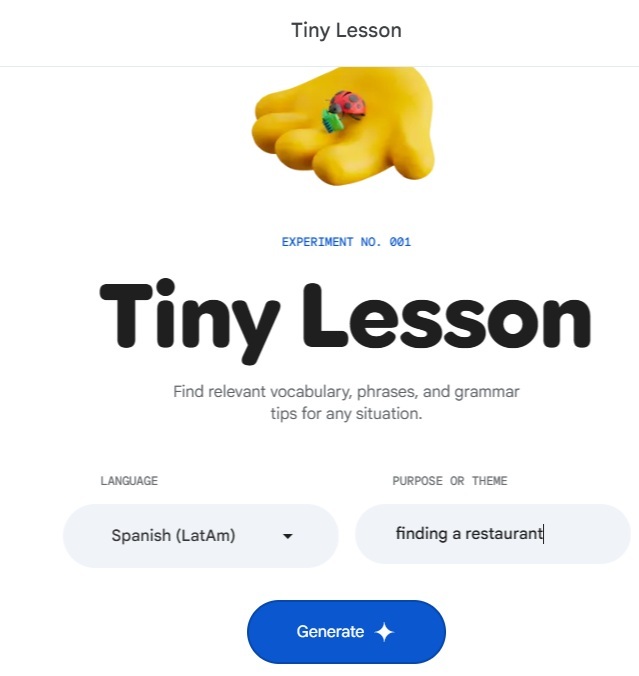
Click Generate to see your results. I was honestly impressed with how much information I received. First, you get some basic vocabulary in the Vocabulary section. For my test, I got 12 words, ranging from restaurant to delicious.
Next, you see Phrases. Click the tabs just under your query near the top to jump to each section. I had nine phrases teaching me how to ask for a table, a menu, and the bill, along with thanking waitstaff for their service.
The last section was the most helpful to me and an area where Duolingo lacks – proper descriptions of how grammar works. The Tips area offered up how to use a few different words in various scenarios, such as using the correct form of “to be.”
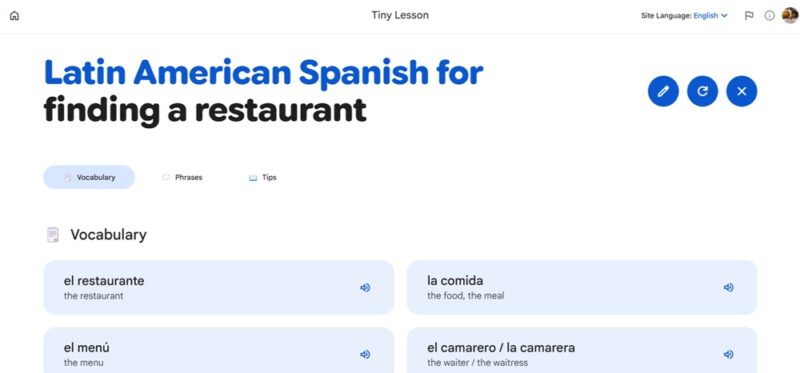
Click the speaker icon beside any word or phrase to hear it. You can also use the Pencil icon at the top right to edit your query to make it more specific or general.
Using Slang Hang
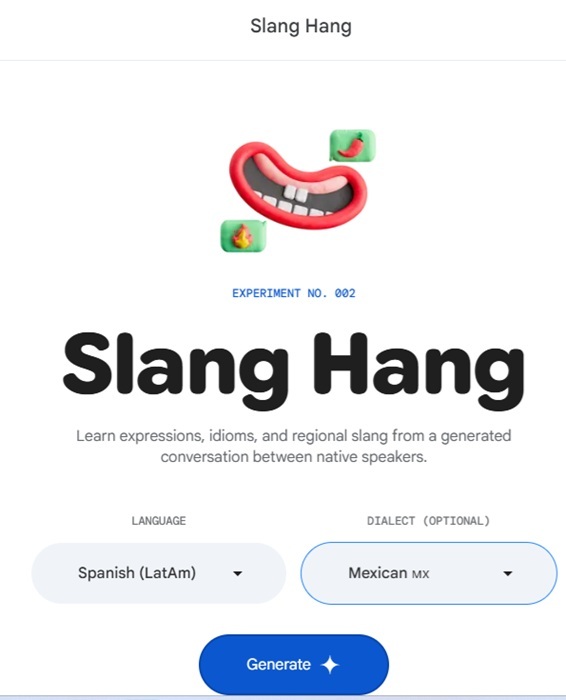
To go beyond some basic conversations on Duolingo, you have to upgrade. Little Language Lessons not only gives you AI-generated conversations, but helps you better understand how locals speak. The Slang Hang experiment asks you to choose a language and region to get started. Click Generate to see results.
Gemini generates a random scenario and conversation. Click the Translate button beside any conversation bubble to see the translation. Use the Speaker icon button to hear the conversation. Press your spacebar (or tap the spacebar button if you’re on mobile) to hear the next part of the conversation.
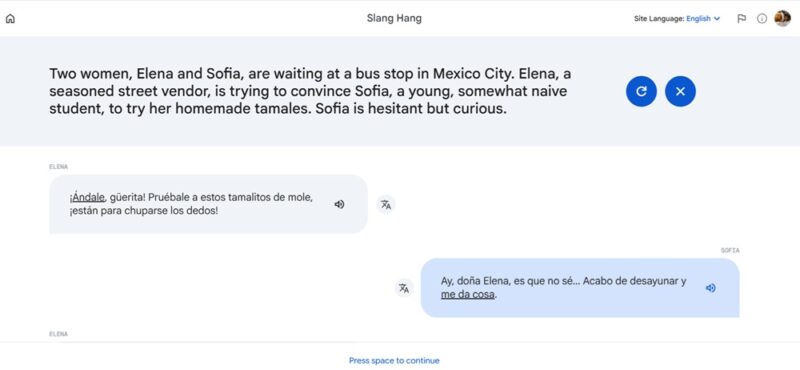
It was nice to hear more of a real conversation than the more stilted, textbook style conversations in most language learning apps.
Translating Images With Word Cam
As with the other two experiments, Word Cam asks you to first select a language. Press Open Camera to then snap a picture for Little Language Lessons to process. I snapped a photo of my plant shelf. Excuse the mess, I’m in the process of moving everything outdoors for Spring.
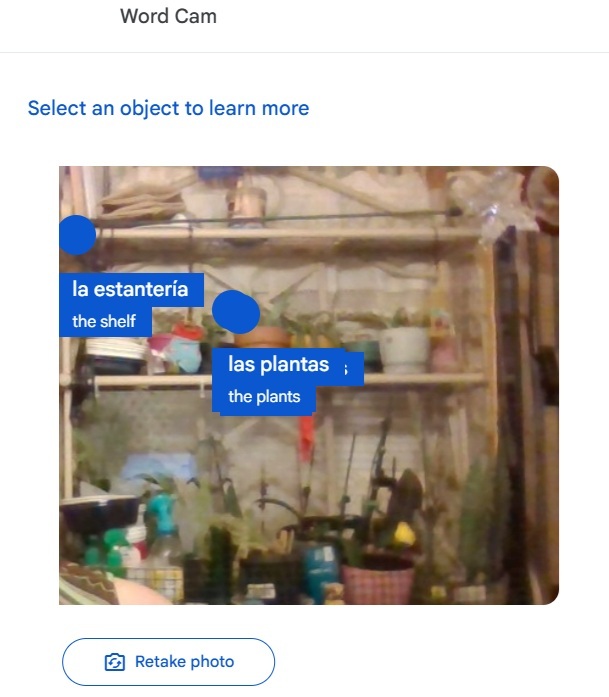
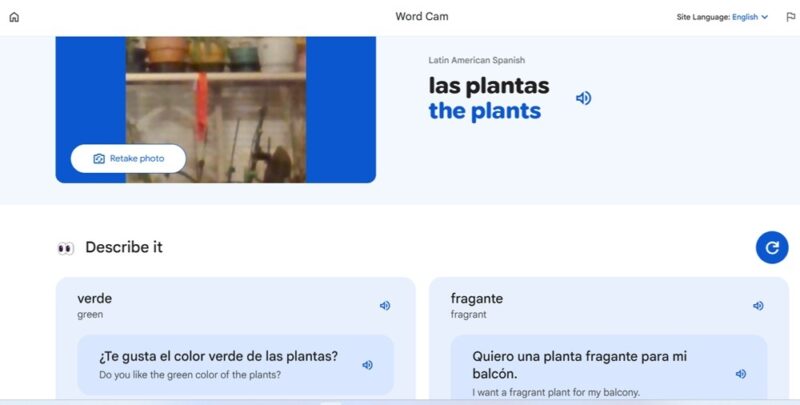
Gemini went to work and within a few seconds, gave me words for “plants” and “shelf.” I can click any word that appears to learn more. This gives me other related words. For instance, when I clicked “plants,” I got translations for “green”, “exotic”, “blooming,” and more. Each word also comes with a sentence, and, you can listen to everything.
True Duolingo Alternative or Not?
Currently, Google’s Little Language Lessons isn’t a full-fledged Duolingo alternative, but I’d say it’s easily a replacement for Duolingo Max’s AI features. It’d be a great companion tool while traveling or for extra support when using another language learning app. The downside is there isn’t an app yet, so you’ll have to use your browser.
If you’re looking for free Duolingo alternatives that might not use AI, try free resources through your local library. For instance, Mango, a premium app, is free through many libraries.
If you need quick translations while traveling, try these online translators. Or, see how to learn a language with your iPhone with no extra apps needed.








