Self-hosting is no longer just for tech experts – it’s about taking control by running software on your own hardware. Self-hosted apps have helped me regain control of my media, data, smart home, and digital privacy. Moreover, there are countless self-hosted apps you can easily run on your server, but here are a few essentials I personally can’t live without.
1. Jellyfin
Jellyfin is a free and open-source media server. It’s like having your very own personal Netflix or Spotify, but instead of streaming from a corporate server, you stream from your own. You provide the movies, TV shows, music, and even ebooks, and Jellyfin organizes them into a stunningly beautiful, easy-to-navigate library that you can access from anywhere in the world.
Additionally, Jellyfin downloads artwork, sorts episodes, and presents your collection in a polished interface that feels just as professional as any paid service. You can also create different user profiles for everyone in the family, complete with watch history and in-progress tracking.

Setting up Jellyfin was surprisingly simple. Once installed, I just pointed it at my media folders, and it automatically fetched metadata, cover art, and sorted everything by season or artist.
2. Pi-hole
Ads are everywhere these days – on websites, in apps, and even on smart TVs. That’s where Pi-hole comes to the rescue. Think of it as a shield for your entire network, blocking ads and trackers before they even reach your devices. Unlike browser extensions that only work on one device, Pi-hole works at the network level, protecting every gadget connected to your Wi-Fi – phones, tablets, laptops, smart TVs – you name it.
The magic behind Pi-hole lies in its DNS-based filtering. When any device on your network tries to access a known ad or tracking domain, Pi-hole quietly blocks the request.
But Pi-hole isn’t just about blocking ads. It also keeps your network safer by stopping access to malicious domains and phishing sites. You can even use it for parental controls or to block distracting websites during work hours. And if you’re a privacy enthusiast, you’ll appreciate that all DNS logs stay local – no third parties snooping on your browsing habits.
3. Immich
Immich, a self-hosted app that is similar to Google Photos, but without the privacy concerns or storage limits. It’s designed to be fast, reliable, and packed with features like face detection, location-based mapping, shared albums, and even a memories feature that surfaces old photos.
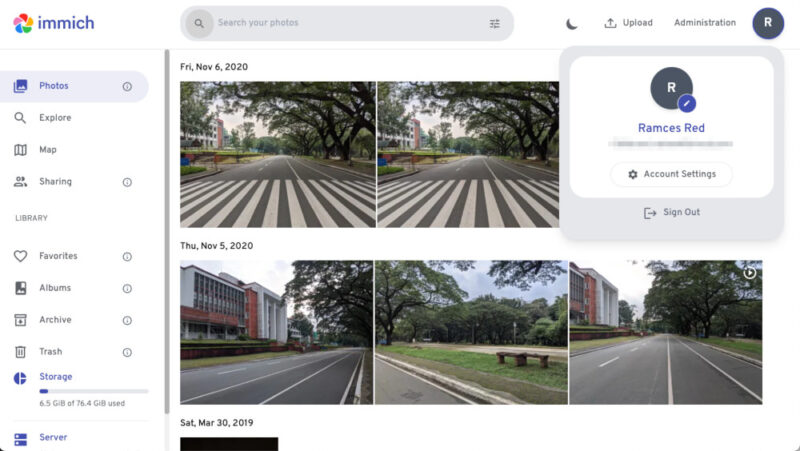
It also offers a modern and intuitive interface, making it easy to browse, search, and organize my entire photo library. With mobile apps for Android and iOS, it automatically backs up every photo and video I take, making it a true alternative to Google Photos.
4. Audiobookshelf
Audiobookshelf is a self-hosted server built specifically for audiobooks and podcasts. While Jellyfin can handle audiobooks, audiobookshelf is designed from the ground up by people who clearly love audio content.
It scans your collection, pulls metadata from the internet to find cover art and summaries, and neatly organizes everything by author and series. You just drag and drop your audio files, and it takes care of the rest.
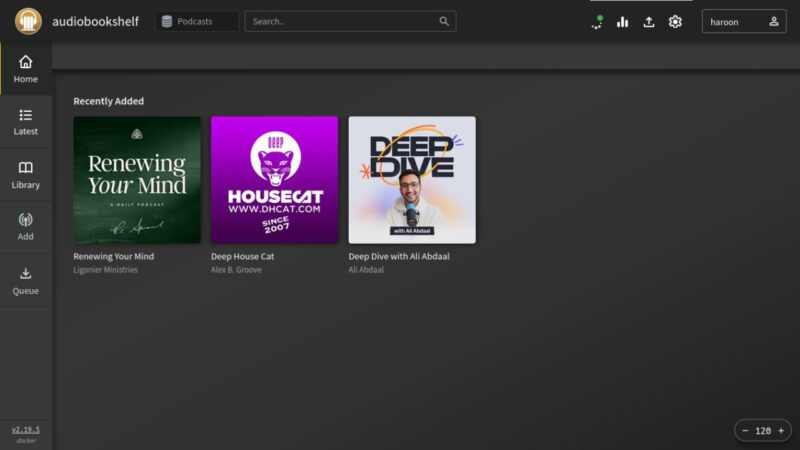
Audiobookshelf can syncs across your devices, so you can easily start listening on any laptop and pick up right where you left off on your phone. You can even merge multiple audio files into a single audiobook or embed metadata directly into your files. For podcast fans, audiobookshelf lets you search, subscribe, and auto-download episodes, all from one place.
5. Home Assistant
Smart homes make life easier, but juggling different apps and devices quickly becomes a headache. That’s where Home Assistant comes in. It’s the ultimate self-hosted platform for home automation, bringing all your smart devices together under one roof.
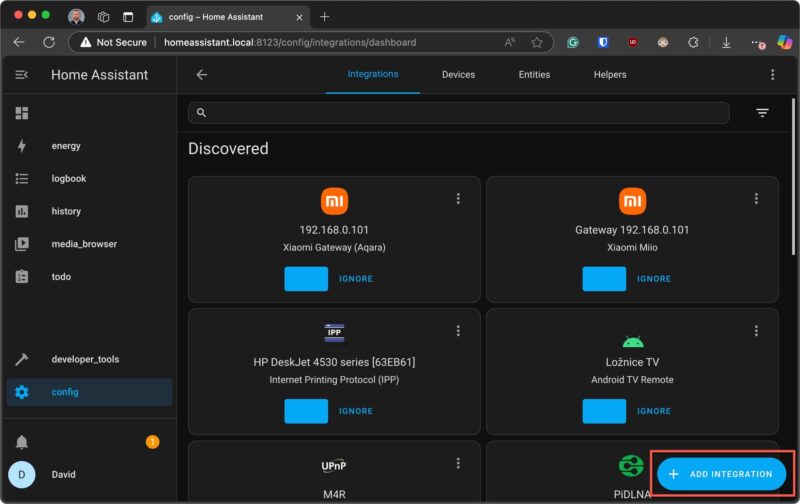
Home Assistant supports thousands of integrations – from lights and thermostats to cameras and sensors. Once set up (Like on Raspberry Pi), you can create powerful automations, like turning on the lights at sunset, getting alerts if you leave the garage door open, or adjusting the thermostat based on your schedule. The customizable dashboards make it easy to monitor and control everything, whether you’re at home or away.
What I love most is the privacy aspect: all data stays local. Nothing is sent to the cloud unless you choose to. And with features like energy management and presence detection, you can optimize your home for comfort, security, and savings.
6. Portainer
If you’re running multiple containers on Docker (and you probably are if you’re into self-hosting), Portainer is a must-have. Portainer is a lightweight graphical user interface (GUI) that gives you a sleek, easy-to-use dashboard to manage all your Docker containers, volumes, networks, and images, without memorizing endless terminal commands.
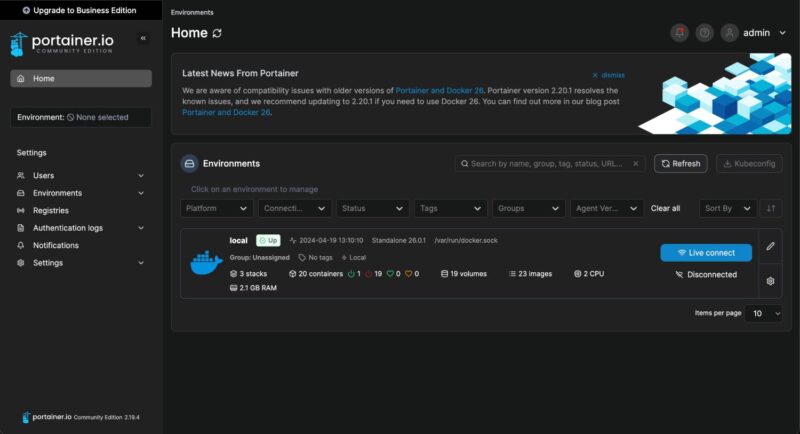
With Portainer, you can view the status of all running applications, stop an app, restart it, or check its logs, all with the click of a button. Updating an application, which used to be a multi-step command-line process, is now as simple as clicking Re-create and Pull latest image.
Additionally, Portainer integrates seamlessly with the Docker CLI. Changes made in either interface sync automatically, giving you the flexibility to troubleshoot in the terminal or manage visually. It’s a great bridge for anyone transitioning to or from CLI-based management.
Final Thoughts
There you have it. Each of these self-hosted apps helps you reclaim control, boost privacy, and make daily life a little easier. If you’re curious about self-hosting or want to level up your home lab, I can’t recommend these apps enough. Give them a try, and you might just find yourself wondering how you ever got by without them.
You can also check out the best self-hosted productivity apps to help increase your efficiency and focus.