I spent three days literally yelling at my laptop to scroll through social media. The Scream to Unlock extension forced me to yell “I’m a Loser” at my computer screen just to check Instagram or Reddit. And honestly, that shame was exactly what I needed to stop wasting time on social media.
Why Most Site Blockers Are Useless
Traditional website blockers fail because they’re too easy to bypass. Every Chrome extension I’ve tried has the same flaw: a quick “Ignore Block” button you click in half a second. Most blockers are opt-in routines, not psychological barriers.
When your brain is craving that dopamine hit from scrolling, you’re not thinking about productivity. You’re justifying an extra five minutes while your finger is already clicking past the blocker. I’ve disabled StayFocusd dozens of times mid-afternoon with zero guilt.
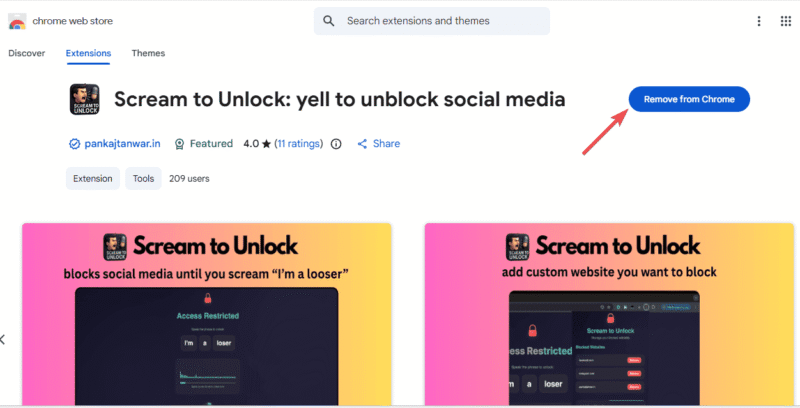
The Scream to Unlock extension changes everything because it weaponizes embarrassment over willpower. It makes unlocking a deliberate, humiliating act.
How the Scream to Unlock Chrome Extension Works
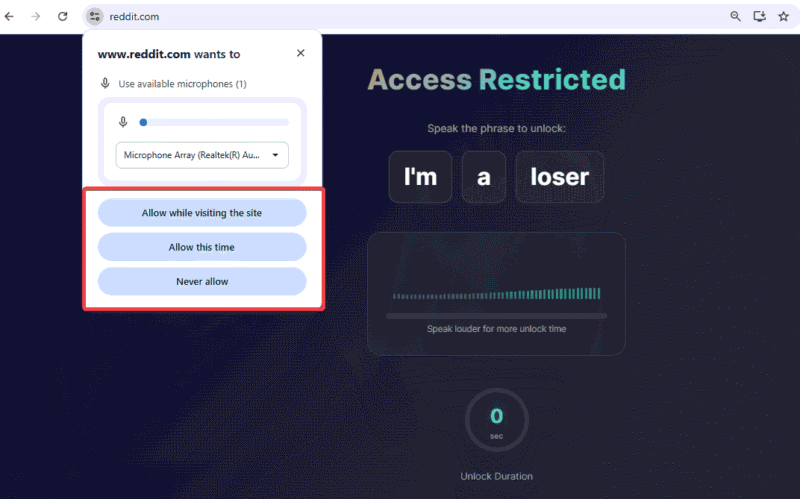
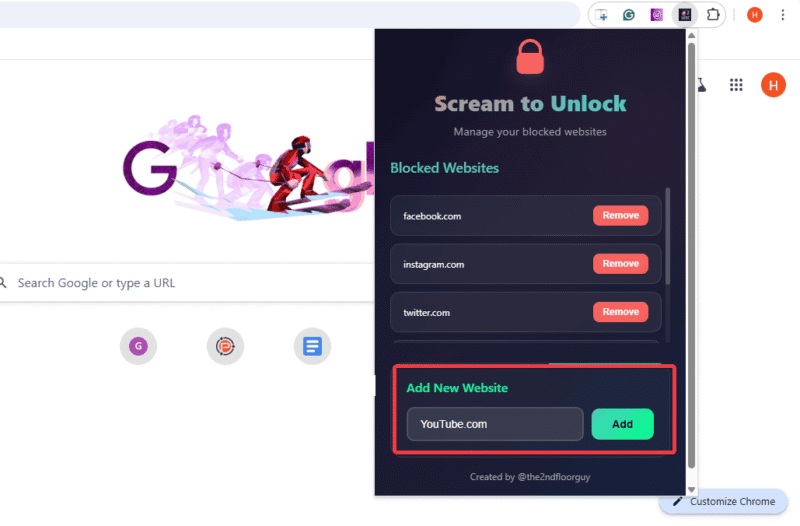
Getting the Scream to Unlock extension to work only needs 30 seconds. Simply download it, grant microphone access, and it starts blocking Instagram, Reddit, Facebook, and X by default.
You can add custom sites such as Reddit, YouTube, and others in Settings.
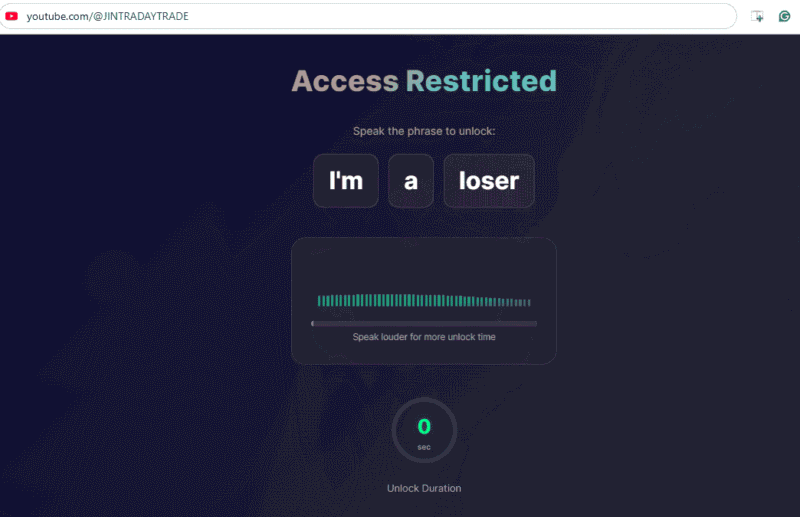
Visiting a blocked site shows Access Restricted. You must yell “I’m a Loser” into your mic. The extension listens through your microphone for loud enough audio. So the louder you shout, the longer your access, from seconds to minutes. Then it re-locks, forcing another scream if you want back in.
All audio processing happens locally on your device. No audio gets recorded or sent to servers.
My first attempt was in a shared-office space, and that was a big mistake. The stares I got while screaming at my PC weren’t worth the brief access. So, test this at home to avoid awkwardness.
What Happened After 3 Days (The Embarrassment Part)
After the first attempt, I stared at the Scream to Unlock display for two full minutes, debating whether checking Instagram was worth screaming at my computer.
That feeling is the point. Each Instagram or Reddit unlock reinforces my weak self-control for memes. The sting hits hard, especially knowing you’ll go through all that just for a few seconds of access most of the time. This cuts my impulses right away. Shouting “I’m a Loser” at 2 pm to access X made the shame tangible.
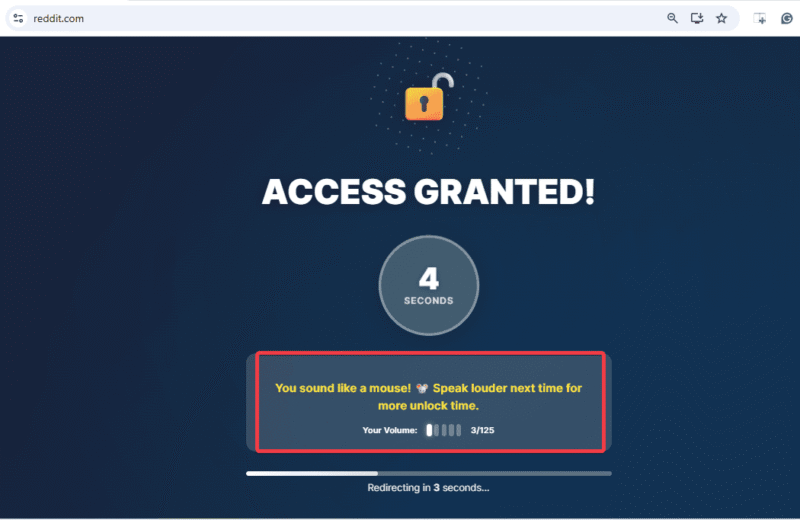
I tested cheats like clapping near the microphone or staying in a noisy background, but they didn’t work. It only made the extension glitchy and made me yell multiple times to finally unlock Reddit. By the fifth trial, I just gave up, closed the tab, and refocused on my work.
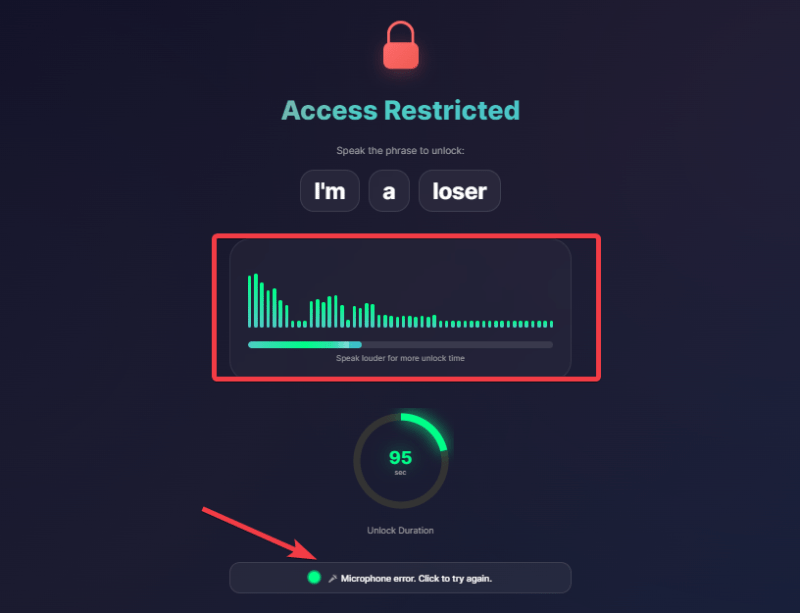
The embarrassment started reshaping my habits. The prospect of yelling paused my clicks. Unlike standard browser extensions for students that get ignored, this one lingered like an ego bruiser.
By day three, I barely touched social media during work hours. My unlock attempts dropped from maybe 25 screams on day one to just 4 on day three. Often, I’d start towards Instagram, remember the required yelling, and close the tab.
The psychology clicked. Each scream session highlighted that I’m choosing distraction over productivity. Unlike Freedom and other distraction blockers that you can quietly disable, this extension makes you confront how weak your impulses really are. You can’t rationalize screaming at a laptop.
When This Works (And When It Doesn’t)
The scream to unlock extension is perfect for remote workers, students, and anyone in a solo work environment, fighting micro-distractions in their browser. If you work from home and constantly check social media just to see notifications, the embarrassment factor can kill that impulse.
Skip this if you work in a shared office space. Your coworkers will think you’re unhinged. Also, avoid it if you’re mic-shy or expecting an addiction cure. This is a tool for impulse control, not therapy.
One major limitation is its desktop-only Chromium extension. It does not affect your phone. During my test, I still wasted some time on mobile Instagram and X because the blocker was not active there. If you spend most of your time scrolling through social media on your phone, this extension will likely seem useless. Skip it and try mobile focus apps instead.
That said, most of my mindless scrolling starts during work hours on my laptop, which is why it works so well for me.
If you want to build a complete focus system, you’ll need companion apps to cover gaps this extension doesn’t handle.
Embarrassingly Effective
The scream to unlock extension works because it’s humiliating. Three days were just the test period. I haven’t disabled or uninstalled it, and don’t plan to anytime soon. The embarrassment never becomes normal. That’s why it works. It never stops feeling slightly absurd to yell at a laptop, and that persistent discomfort keeps interrupting my impulses.
More importantly, it created awareness. Even before the block screen appears, I pause. That pause didn’t exist before. The extension trained it.
Yes, it has limits. It won’t fix phone scrolling nor cure social media addiction. In fact, it won’t replace a full productivity system. But for browser-based distraction, it’s the real deal. Sometimes the best productivity hacks aren’t polished. They’re just degrading enough to work.