For backing up of your WordPress database, there are plenty of plugins around that can get the job done. Some of them backup only your database while others backup the whole WP directory. If you have used WordPress long enough, you will realize that these plugins are not reliable. They will work one day and fail another day, for thousand and one reasons. It could be that they are not compatible with the new WordPress version that you have upgraded to, or that they are conflicting with a newly activated plugin. As in my case, it could also because your database is getting too big for them to handle.
Whatever the reasons, rather than relying on plugins, a better alternative is to use a cron job in your server and schedule it to backup your database everyday.
Note: The following instruction can be used to backup any database. The only requirement is that you are using a Linux server to host your files.
Here is how you do it:
1. Login to your web host control panel. If you are using cPanel, look for a Cron Job icon.
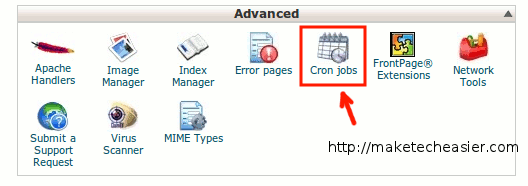
2. You can set the time and frequency to backup the database. Under the command field, copy and paste the following command:
mysqldump --opt -Q -u dbusername --password=dbpassword dbname | gzip > /path-to-store-the-backup-file/db_backup.sql.gz
- Replace dbusername with the database user
- Replace dbpassword with the database user password
- Replace dbname with the database that you are backing up
- Replace the path-to-store-the-backup-file to the file path in your server where you want to save the backup
Note: In some server, you might need to put a pair of single quote around the dbpassword for it to work. For example:
mysqldump --opt -Q -u dbusername --password='dbpassword' dbname | gzip > /path-to-store-the-backup-file/db_backup.sql.gz
That’s it.








