OpenAI just made ChatGPT a lot more useful. You can now use apps inside ChatGPT like Spotify, Canva, and Zillow without ever switching tabs or leaving the chat. It’s a bold move that turns the AI into a control hub for your favorite tools. But it’s still early days, and the rollout isn’t all smooth sailing yet.
The New ChatGPT’s In-Chat App System
OpenAI’s latest update lets you open and use third-party apps directly inside ChatGPT. Instead of jumping between tabs, you can trigger mini-versions of apps directly with simple prompts.
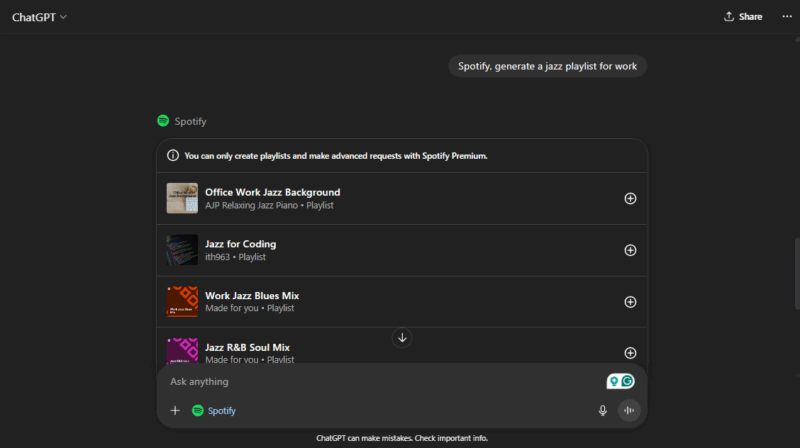
For example, you can say “Spotify, generate a jazz playlist for work,” and a Spotify window appears inside the chat. Or “Canva, make a poster for my podcast,” and Canva launches right in the chat so you can edit the design.
The system runs on OpenAI’s new Apps SDK, which lets developers embed their apps into the chat window. Right now, you can try Canva, Spotify, Booking.com, Coursera, Expedia, Figma, and Zillow, with more apps coming soon.
That said, it’s still early, and it’s not running perfectly yet. Some Android users report that apps sometimes don’t load or respond correctly. ChatGPT may misunderstand commands, or the chat freezes mid-action.
When it does work smoothly, though, it feels like a glimpse into the future. ChatGPT starts to feel less like a chatbot and more like a personal digital workspace.
Accessing and Using Apps Inside ChatGPT
If you’re outside the EU, you can try these apps now on Free, Go, Plus, and Pro plans, both on desktop and mobile. Business and Education users will get access to them later in 2025.
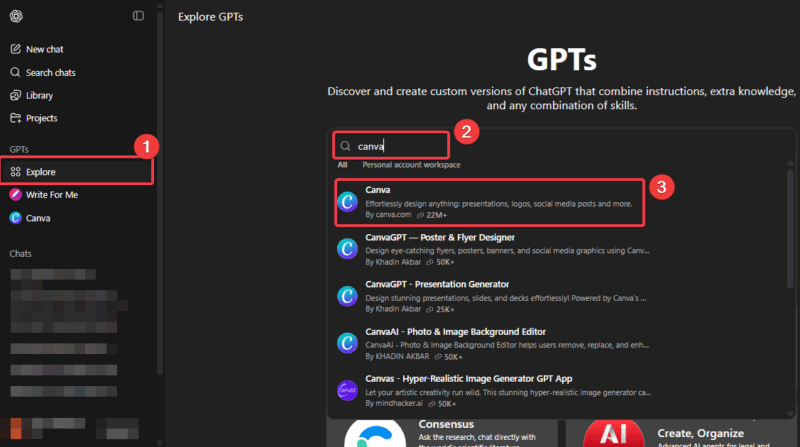
Open ChatGPT, click Explore GPTs, search for the app, and click on it to start a chat.
Input your prompt and confirm access to the plugin. Then wait for ChatGPT to generate the result for you.
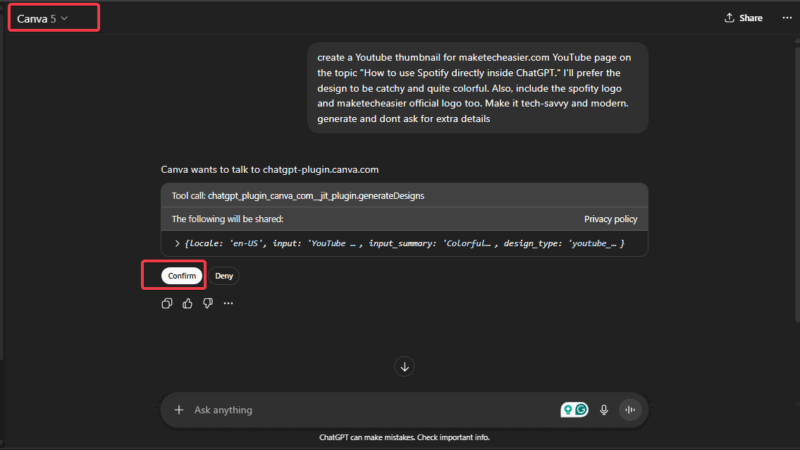
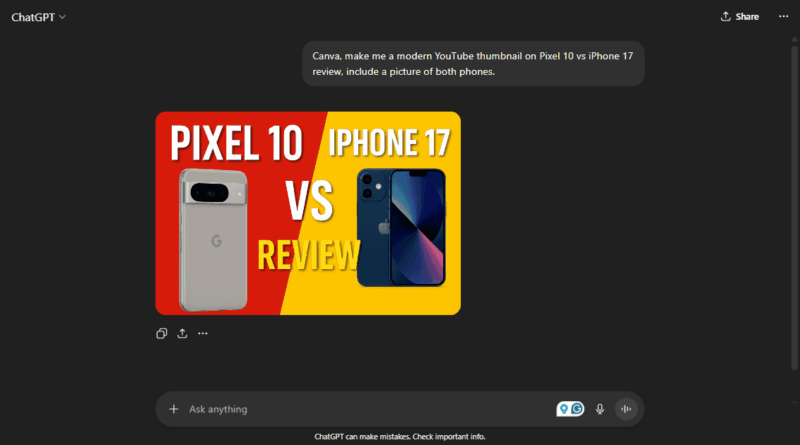
Or simply name these apps within a reasonable prompt. For example: “Canva, make me a modern YouTube thumbnail on Pixel 10 vs iPhone 17 review.” ChatGPT will prompt you to connect the app the first time you try it. From then on, the two apps will sync naturally.
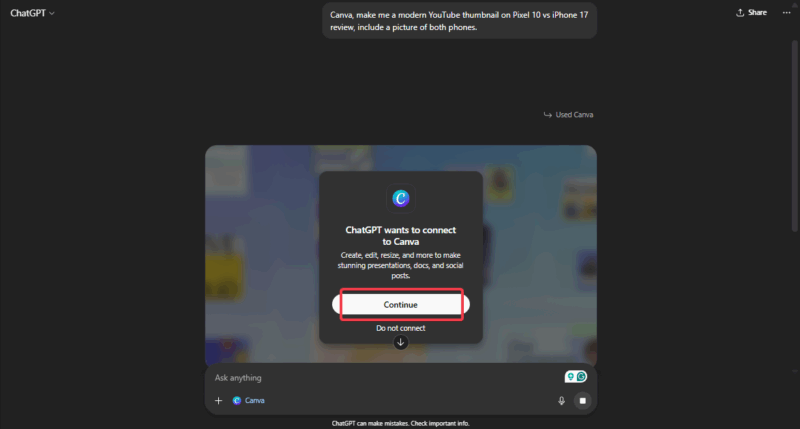
Wait for ChatGPT to open the app window so you can preview or edit your result.
Prompts work best when you’re direct and specific. Saying “Play music” will not trigger Spotify. But “Spotify, play a jazz playlist” usually does.
If you make content online, you could pair this with our guide on using ChatGPT for YouTube content creation. With Canva now built in, design tasks get a lot simpler.
Why This Update Changes How You’ll Use ChatGPT
Until now, ChatGPT could only provide you information that you asked for. With this update, you can now utilize apps within ChatGPT to accomplish tasks. Do you need to design a logo, book a trip, or find a home? You can do it all in one place, with the help of the AI.
It keeps your tasks in one flow and blends ChatGPT’s brainpower with the functions of your favorite tools.
Things to Note: User Impacts and Risks
The obvious win here is speed and convenience. Integrating apps with ChatGPT chain tasks, like searching homes on Zillow, then booking a trip via Expedia, all in one flow, saving routine minutes.
However, every new AI feature brings trade-offs too. When you connect an app, it requests permission to use some of your data. Though OpenAI says it limits access, it still tracks your habits through your queries, which is data. Hence, you’re still giving your safety away for convenience.
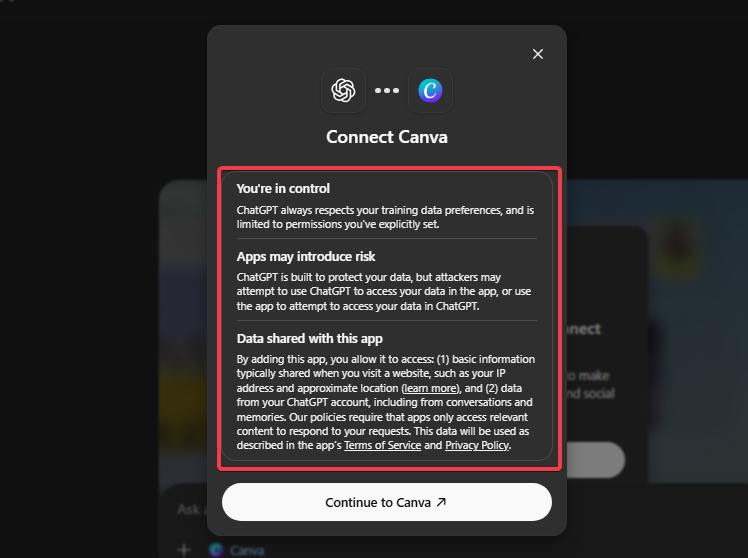
While it’s undeniably efficient and convenient, it also shifts how much control you have over your data and app experience. Having that much dependency on an AI, with all the data privacy issues heating up, just feels like a big red flag.
Beyond that, the more time you spend using ChatGPT, the less time you’ll visit regular apps. Although apps like Canva and Spotify may not feel it.
If this becomes an industry trend and every AI company becomes a closed-up ecosystem, it will hurt smaller developers who depend on direct visitors to their apps. We already covered a similar precedent in our guide examining why Google lets you share Gemini Gems.
Performance is another concern. Some users have reported lag, crashes, or unresponsive apps, especially on Android phones. These bugs, coupled with the need for well-phrased prompts to trigger the right tool, can make it feel less intuitive than it sounds.
To wrap up, the ability to use apps inside ChatGPT is a major leap forward. It’s still rough around the edges, but it hints at how AI might soon become your main gateway to the web.
ChatGPT is no longer just answering questions; it’s becoming a one-stop hub for getting things done. To get even more out of ChatGPT, check out our ChatGPT hacks.