Finding that one Reel you watched days ago and now want to share with a friend used to feel impossible. Thankfully, Instagram has finally introduced a watch history feature for Reels, making it now easy to revisit videos you’ve already seen. Learn how to access your watch history and rediscover Reels you thought were lost forever.
Good to know: learn how to reset your Instagram algorithm for a fresh feed.
View Your Watch History on Instagram
Instagram’s watch history has been a long time coming. TikTok, for instance, has had a similar feature for years, and now Instagram users can finally enjoy the same convenience. Since the feature is currently rolling out, make sure you first update your app to the latest variant.
Note: this feature applies only to Reels. You won’t find Stories you’ve watched or posts you’ve viewed.
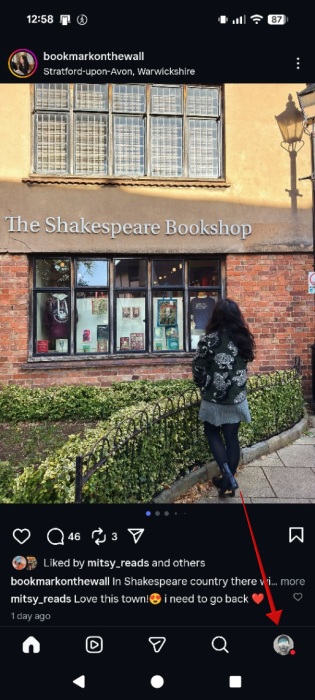
Open the app and press on your tiny profile picture icon in the lower right corner of your feed.
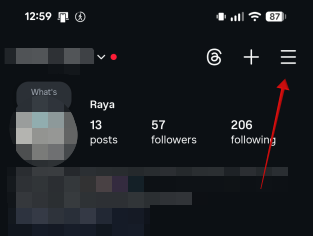
Tap on the hamburger menu in the upper right to go to Settings.
In the How you use Instagram section, tap on Your activity.
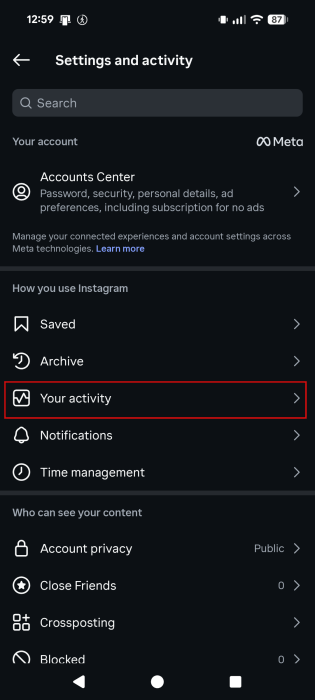
Scroll down all the way to the bottom until you find the How you use Instagram section. If you have the new Watch history feature, it should appear here. If it’s not showing up right now, check below for alternatives on what you can do to find older Reels you’ve watched.
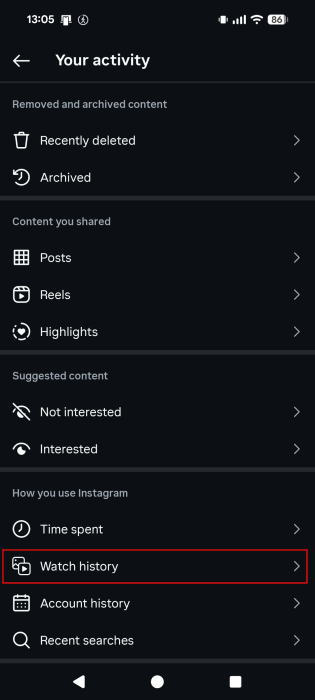
Tapping on Watch history will reveal all the Reels you’ve watched in the last 30 days. Tap on a Reel thumbnail to view it in full.
Tip: did you know that you can draw in Instagram DMs now? Here’s how to get creative with your chats.
Filter Your Instagram Watch History
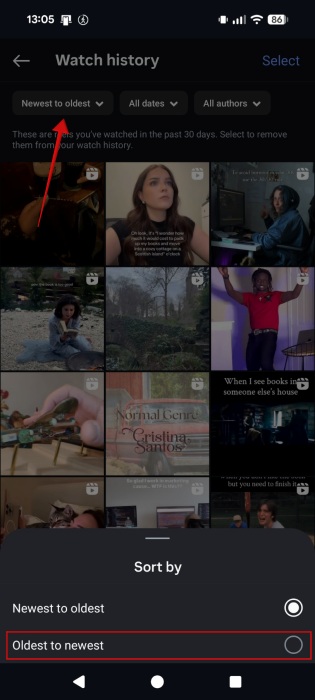
To find a Reel you’re looking for more quickly, you can use one of the filters available at the top. For instance, you can switch to viewing your Reels from Oldest to newest (the default is Newest to oldest).
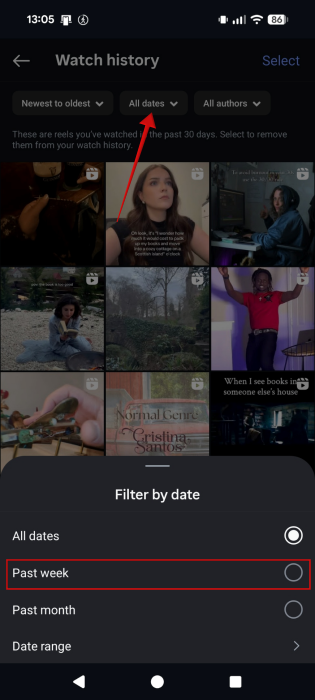
Also, you can opt to view Reels only from the Past week. Alternatively, you can set a date range. I tried setting one that went beyond 30 days, but I couldn’t view Reels older than 30 days. To access older Reels for now, you will need to use an alternative method, as we explain below.
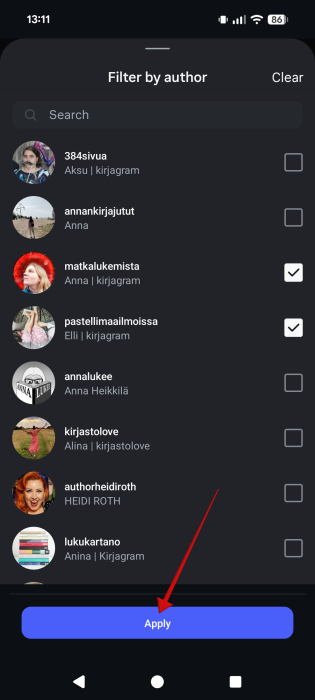
Finally, if you can remember who the creator of the Reel you’re searching for is, you can also sort by author by pressing on the All authors button at the top.
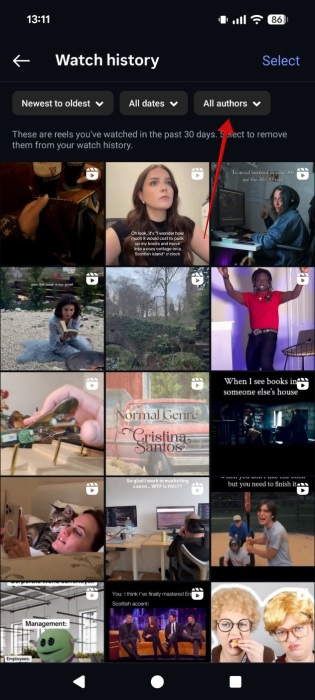
Select one or more creators and then press Apply to view the Reels you’ve watched by them.
Delete Your Watch History on Instagram
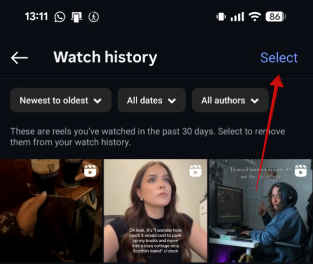
Right now, you don’t have an option to delete your entire watch history on Instagram in one go. What you can do instead is delete individual Reels. For that, tap the Select button in the upper-right corner.
Select the Reels you wish to delete by tapping on their respective thumbnails. Press Remove at the bottom. Or tap Cancel to deselect them and start over.
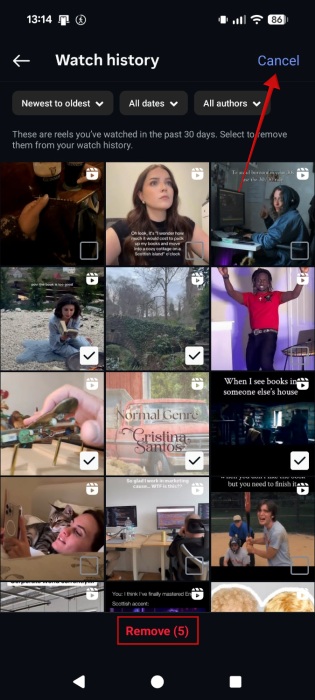
Now, if you’ve not watched a lot of Reels in the last 30 days, you could easily delete your whole Watch history. But if you have a huge library, that process might end up frustratingly long.
How to Revisit Older Reels
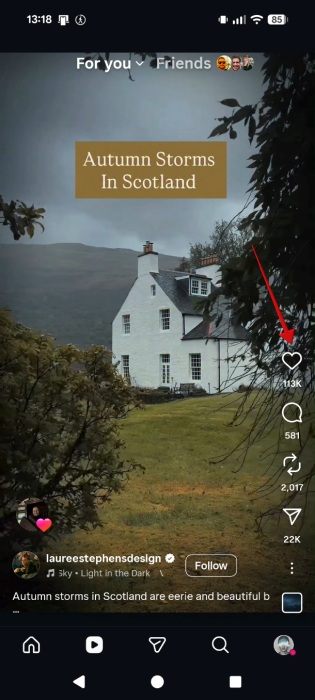
If you want to access even older watched Reels, there are some workarounds you can try. The first one entails liking every Reel you might want to revisit later. Just press the heart-shaped icon on the left side of the display when viewing a Reel.
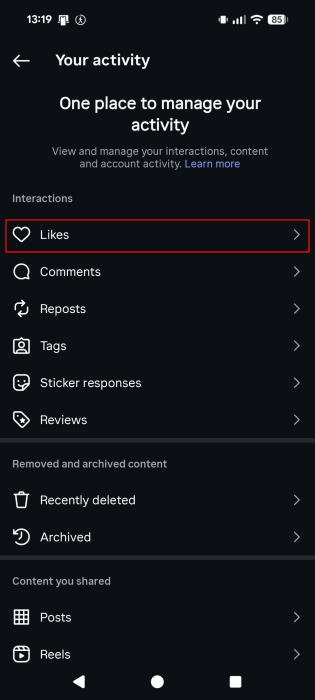
The to access your liked videos, navigate to Settings -> Your activity -> Likes.
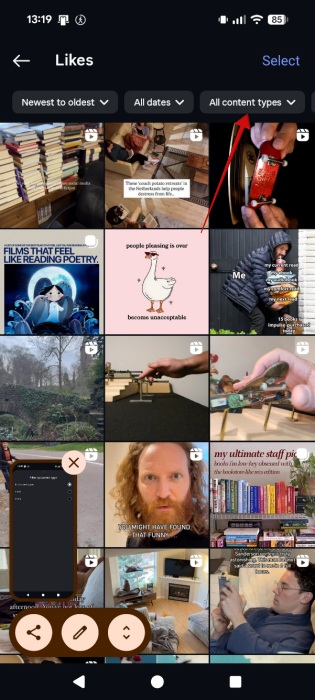
Tap on All content types at the top.
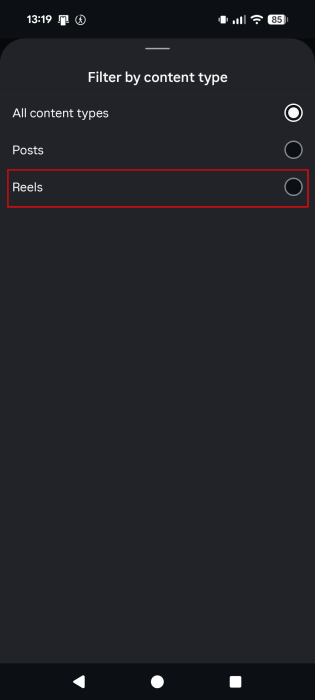
Switch to Reels to only view your watched videos.
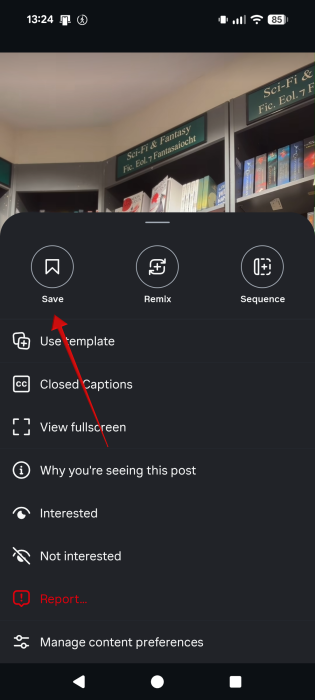
Another alternative to keep Reels you like around for later viewing is to save them, although this method has a few more steps involved. On the Reel page, press the three dots in the lower right corner.
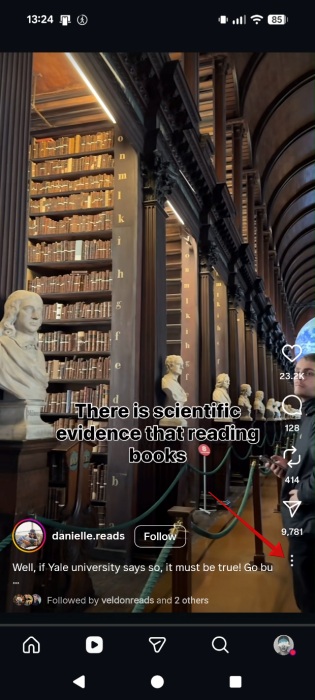
Press Save.
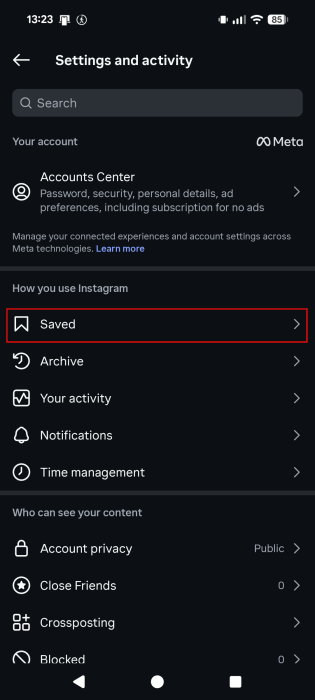
To view your Saved folder, go to Settings -> Saved.
Switch to Reels from there to view only the videos.
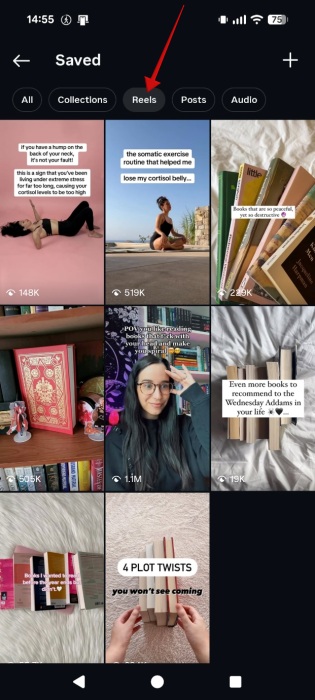
You might want to opt for this method since you can neatly categorize your videos in Collections, making individual Reels easier to find.
Finally, the last alternative we have for you is to manually download the Reels you might think you might have use for later. If you have space on your device, you can easily save them.
Otherwise, if you’re looking to improve your Reels, check how to find trending audio from popular Instagram Reels and incorporate them into your own.








