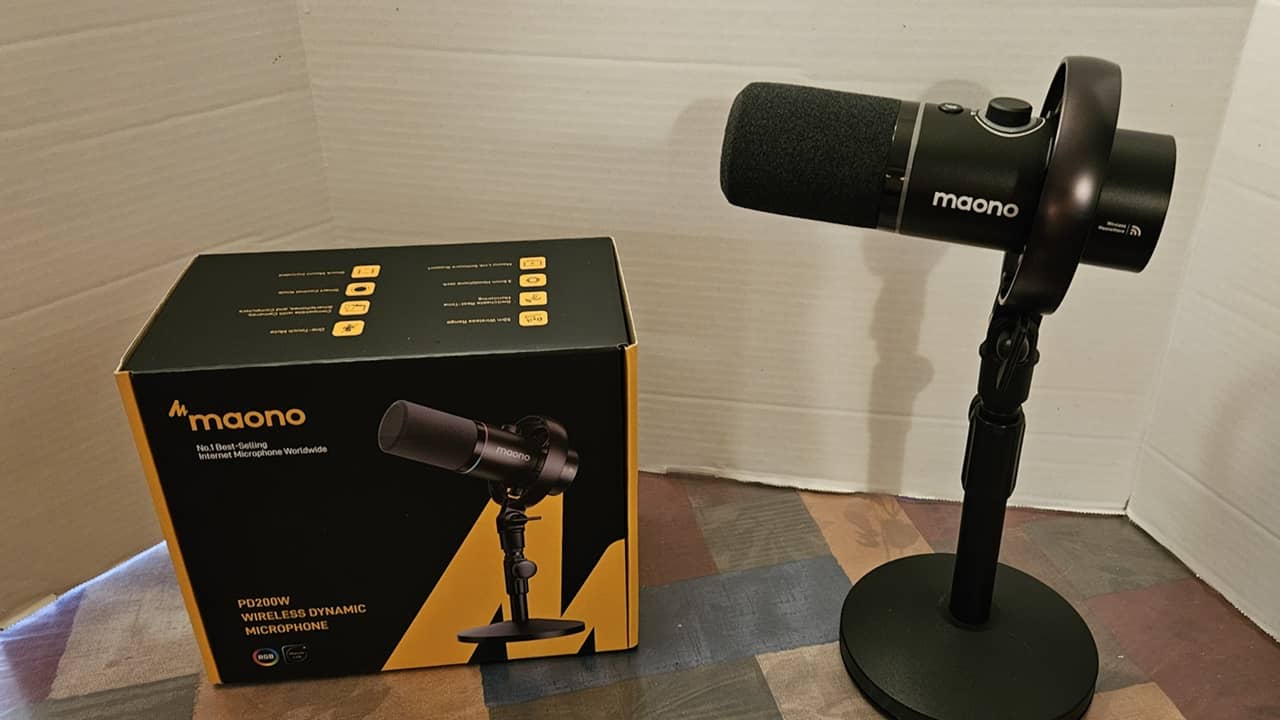
What we like
- Hybrid mic with 3 connection options
- Wireless USB-C dongle
- Supports multiple connections at once
- 3 noise cancellation options
- Sturdy metal construction
What we don’t like
- Lightning receiver not included
- 3.5mm receiver not included
Picking the right microphone as a content creator is a nightmare. Most are designed with one main purpose, or they’re too general to offer the quality you need. I recently tested the Maono PD200W Hybrid Microphone to see if it really is the all-in-one mic creators have dreamed of for years.
This is a sponsored article and was made possible by Maono. The actual contents and opinions are the sole views of the author, who maintains editorial independence, even when a post is sponsored.
The First Triple Mode Mic for Unparalleled Versatility
The ultimate standout feature of the Maono PD200W Hybrid Microphone is its versatility. It has three modes:
- USB-C – wired connections
- Wireless – wireless receiver for phones, tablets, and computers
- XLR – direct connections to mixers and audio interfaces
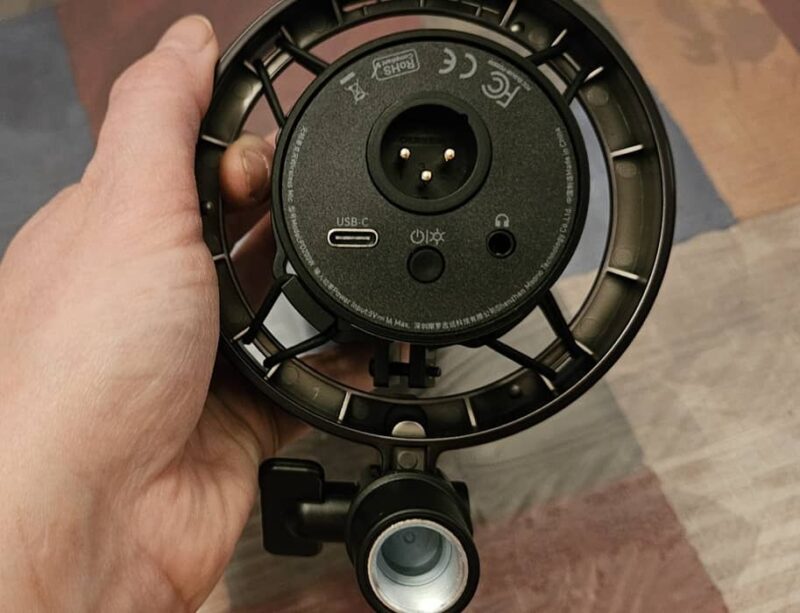
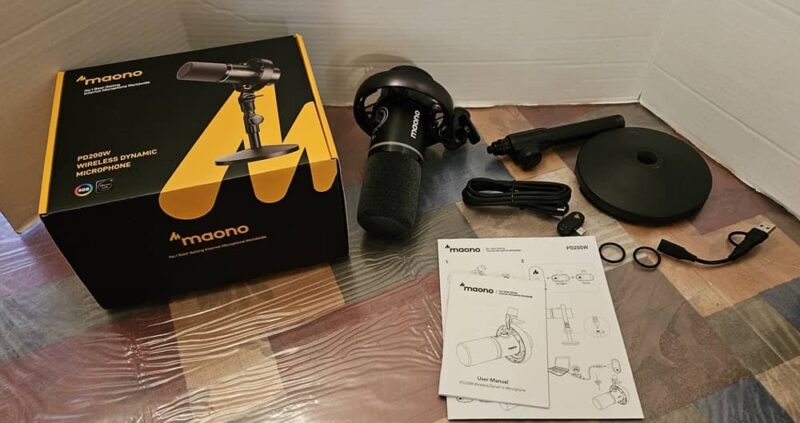
For my review, I tested the desktop stand version with the wireless USB-C dongle receiver. However, you can also add on a Lightning receiver for certain iPhone models or 3.5mm receiver for cameras and computers. You can also get a kit with a boom arm if you prefer.
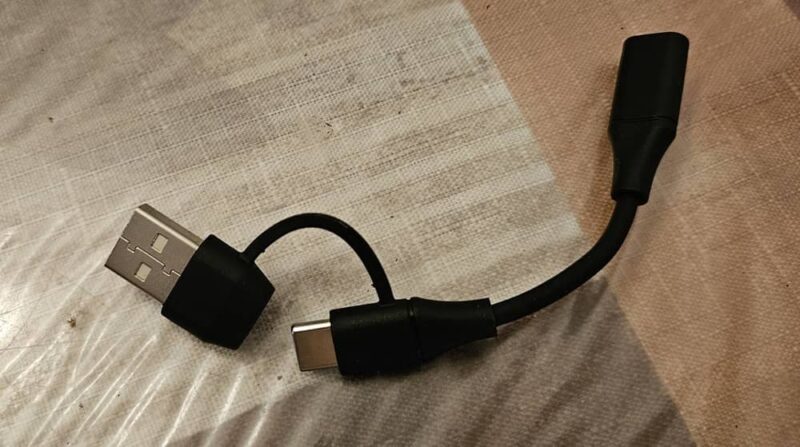
My kit came with a short USB-C to USB-A adapter cable, so even if your laptop or desktop doesn’t have a USB-C port, you can still use the included wireless receiver.
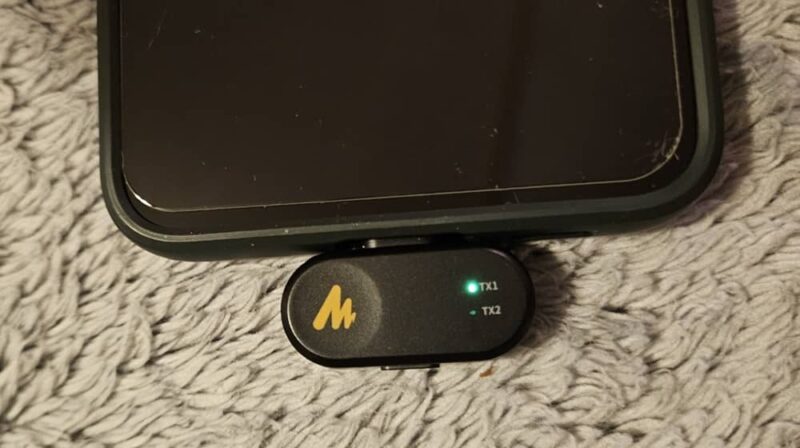
If you want a microphone that works with nearly any setup, this is what you’ve been searching for. I was instantly impressed by being able to connect the wireless USB-C dongle to my Android phone and Windows laptop without worrying about being tethered with a cable.
To make this dynamic mic even better, it supports multi-platform setups. Easily connect to a camera, laptop, and phone at the same, time thanks to the three connection modes.
Clear Audio Capture With Adjustable Noise Cancellation
Having multiple connection modes is nice, but only if the mic performs well. It’s hard to ask for better audio capture than the Maono PD200W Hybrid Microphone provides. It does significantly better than many mics at far higher price points.
The mic offers studio-quality audio capture with its 30mm dynamic capsule with cardioid pickup. It picks up clearly from the front, reducing audio interference from the sides and back.
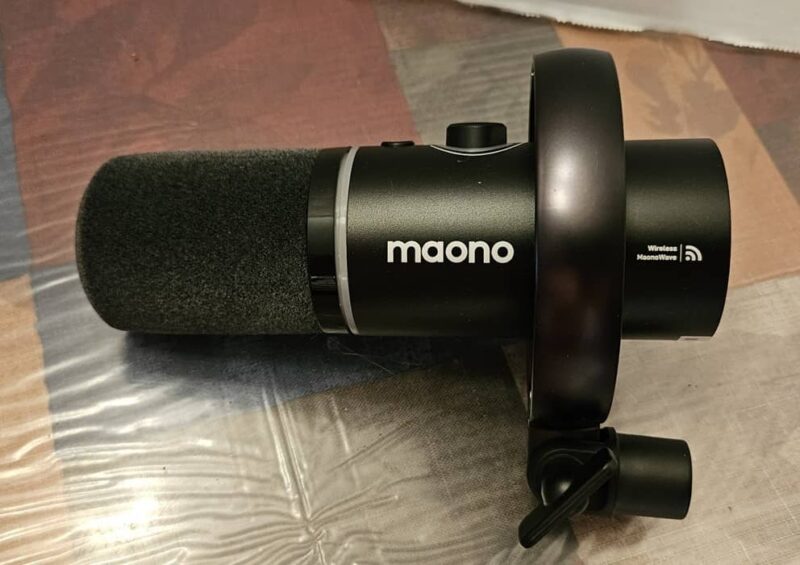
The crystal clear quality is thanks to 24-bit / 48kHz sampling rate and 82dB noise-to-signal ratio. If you’ve never heard of signal noise ratio before, this just means the mic captures an audio signal at 82 times stronger than any background noise. Your voice comes through clear, but distracting background noise is drastically reduced.
It’s designed with a 128dB sound pressure threshold. This is equivalent to a loud marching band next to your ears. While this mic can handle it, you’re probably not going to need to push it to that extreme.
Speaking of noise cancellation, the Maono PD200W Hybrid Microphone gives you three noise cancellation levels. Many mics, including high-end professional mics, only give you one or two, leaving you to handle background noise in post production.
Slight drops levels by 13dB, which works well for quieter environments. Moderate drops levels by 20dB. Or, if you’re in a noisy environment, such as an outdoor podcast, set it to Aggressive, which drops background noise levels by 28dB.
You can turn noise cancellation on/off using the little button on the dongle. Or, on the mic itself, press the knob and wait for the light around the knob to turn green. Use the knob to adjust the noise cancellation level. Or, use the Maono Link app.
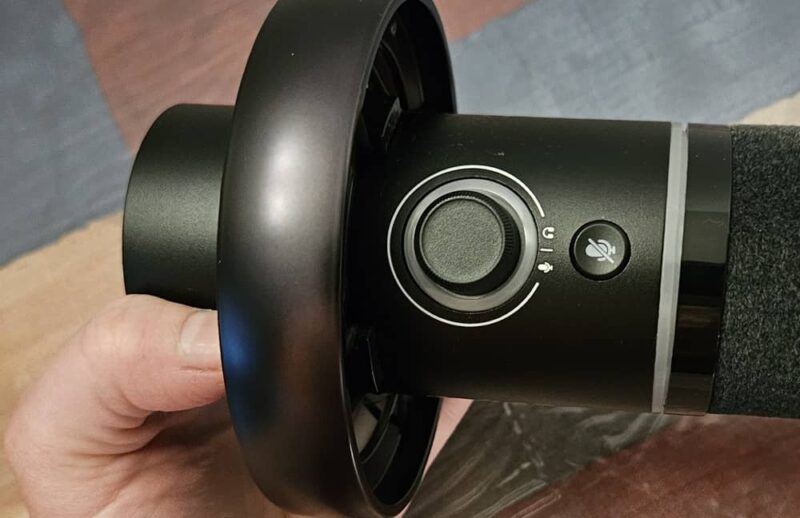
If you use two mics, audio records as two separate tracks. This definitely makes it easier to edit later.
Ultra Simple Setup
There’s no complicated setup. Whether you’re a professional creator or completely new, the Maono PD200W Hybrid Microphone is one less worry. Choose how you want to connect. The mic supports iOS, Android, macOS, and Windows.
When connecting via USB directly or wirelessly, as soon as you connect the cable or dongle and power on the mic using the button on the back of the mic, it’s ready to start using.
The included instructions step you through exactly how to connect everything in various setups. While I received the desktop stand version, there were also instructions for the boom arm setup. I appreciate having all the info upfront with clear images to make the process easy.
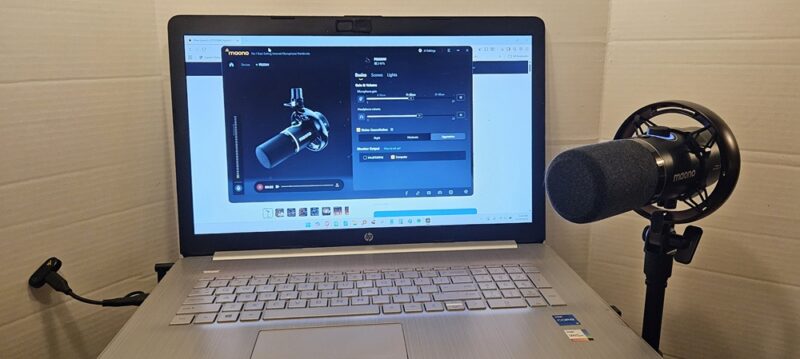
I had the desktop stand assembled, the Maono Link app installed, and the wireless dongle attached to my Android phone within a few minutes. Outside of tweaking the settings a little, you can start recording in minutes. I had the same easy process with my Windows laptop.
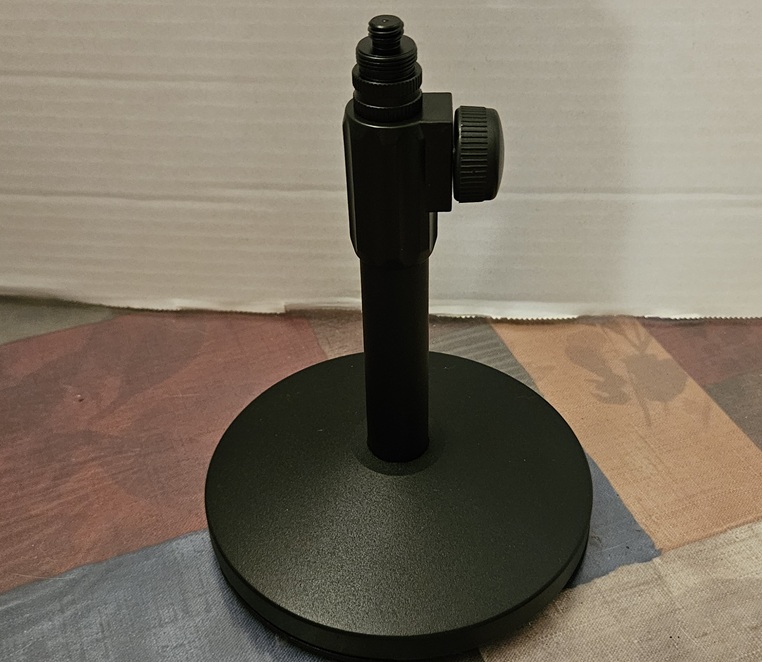
The desktop stand is adjustable, letting you lower and raise the stand (5 to 11 inches) to better fit your setup. You can also use the small knob under the mic to adjust the angle. Once everything’s tightened, the mic doesn’t move.
If you want to monitor audio in real time, just connect headphones directly to the mic using the 3.5mm audio jack on the back.
Premium Look and Feel You’ll Love to Show Off
Even though this is a budget-friendly mic, you wouldn’t believe it based on the premium look and feel. The heavy metal desktop stand features a metal base with large rubber feet to keep it from sliding. It feels sturdy and looks professional, whether you’re a well-known podcaster or a first-time content creator just sharing your thoughts with the world.
The Maono PD200W Hybrid Microphone features an 8-point floating shock mount and metal body. Two extra rubber bands are included if you ever need to replace in the mount.
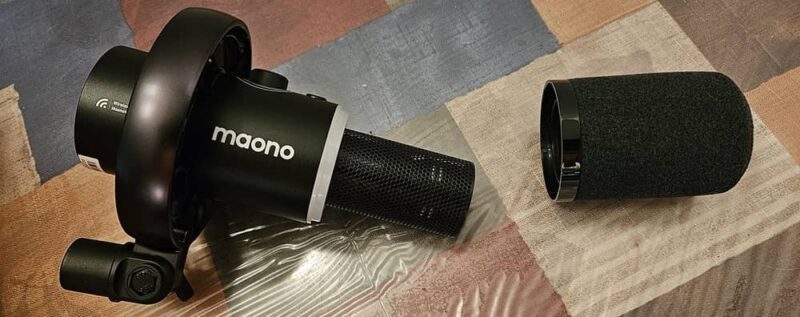
Something else that impressed me was the 8mm windscreen. It wasn’t the typical flimsy foam most mics use. It’s easy to remove it to wash or replace. A metal honeycomb grill protects the pickup.
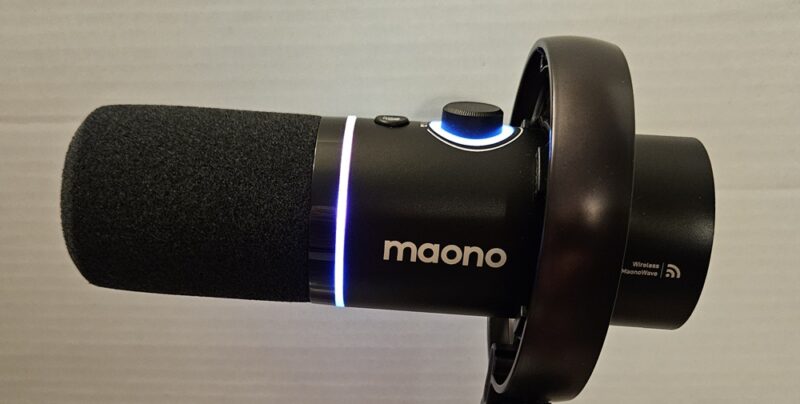
And, if you really want to show off, turn on the RGB lights. Yes, this mic features lighting around the base of the mic to light up your area. This would look great when live streaming a gaming session. But, it’s completely optional.
Fine Tune Settings With the Mic and Mobile and Desktop Apps
I love that I can easily adjust several settings with the mic itself, no app needed. The power button on the back lets you turn the RGB lights on/off and switch between colors. Need to adjust the headphone volume or gain? Just turn the knob on the top, which also lets you adjust noise cancellation. There’s also a quick mic mute button as well.
But, if you want to fine tune further, use the Maono Link app. It’s available for iOS, Android, macOS, and Windows. Both the mobile and desktop versions have three main areas:
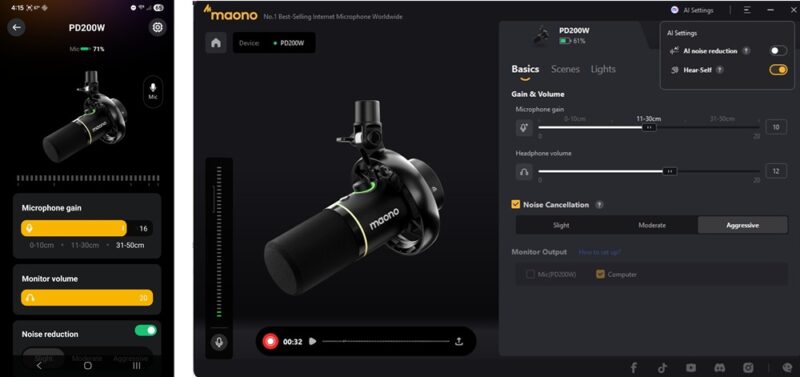
- Main settings – headphone volume/gain, monitor volume, noise cancellation
- Scenes – switch between Original, Podcast, Game, and Sing with presets
- Lights – adjust lighting colors and modes
I had no issues getting the apps to immediately recognize the Maono PD200W Hybrid Microphone. This was both in wired and wireless modes.
Impressive Battery Life If You Skip the Lights
I wasn’t expecting much in terms of battery life. Yet, if you skip the RGB lights, you get an impressive 60 hours of audio recording. You never have to worry if your recording session goes long or if you want to use the mic multiple times between charges.
Ideal for All Creators
Whether you’re hosting a podcast, streaming while playing games, or recording the next big hit, the Maono PD200W mic has you covered. The three connection modes and multiple noise cancellation settings easily put this in line with much higher priced mics.
The only real complaint I have is that the packaging focuses on compatibility with iPhone/iPad, so it would be nice if the Lightning receiver came with the kit.
Pick up the Maono PD200W Hybrid Microphone for just $99.99 and experience professional quality at a budget price.
Subscribe to our newsletter!
Our latest tutorials delivered straight to your inbox