
X (formerly Twitter) is officially retiring the twitter.com domain for good on November 10. To protect your X account from a surprise lockout, especially if you use hardware security keys, you’ll need to re-enroll them now. It’s a quick fix that keeps your X account setup protected.
What’s Changing on X and Why?
X is finishing its name change by shutting down Twitter.com for good. There will be no more redirects after November 10. That means any security keys or passkeys tied to the old site will stop working, and you’ll have to re-enroll them to X.com. X is doing this now as a backend cleanup to unify the platform under one roof, ditching the old Twitter domain.
All these add up with Elon Musk’s push for an “everything app” feel on X, and split sites just slow things down. This move isn’t due to a hack or breach; it’s simply X making things run more smoothly while we all rush to catch up.
So if you care about protecting your X account, see it as a push to update your security in a world full of weekly data leaks.
How These Changes Affect You
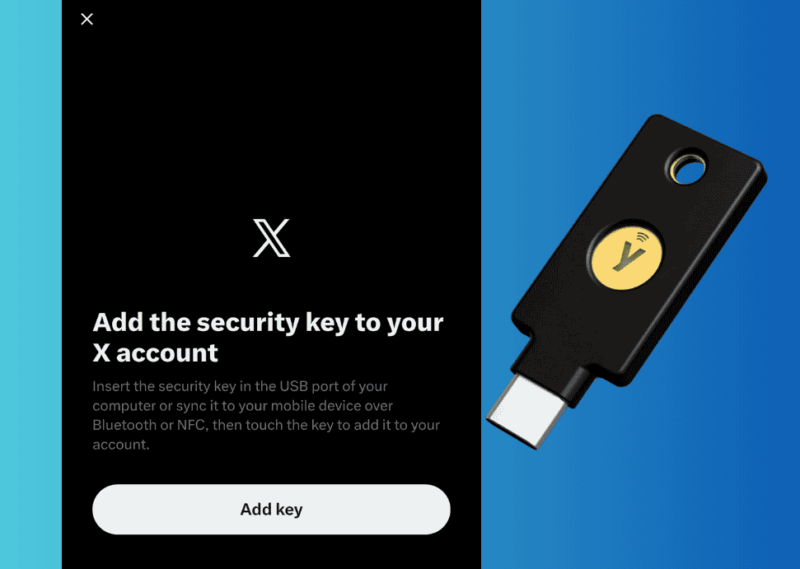
Not everyone gets hit. Only people using hardware 2FA like YubiKeys or passkeys will run into trouble. Text or app-based authentication is fine. If you’re in the hardware crowd, expect login fails post-deadline until you re-enroll.
For creators or businesses, losing access to an established handle can lead to frozen chats, stalled threads, or missed notifications. That’s frustrating if you rely on it for news or networking.
Also, small things like embedded tweets or profile links might break. Websites and blogs that rely on twitter.com URLs could face redirect issues or missing embeds. So, if your content includes older links, it’s best to test them after migration.
X’s announcement is also a real kicker since it was buried in a random @Safety post. They didn’t even bother to send an email notification. For regular people, it might be too late before they know what’s going on or why.
Re-Enroll Your Security Keys on X
If you fall under the hardware 2FA category, here’s how to re-enroll your security keys on X.
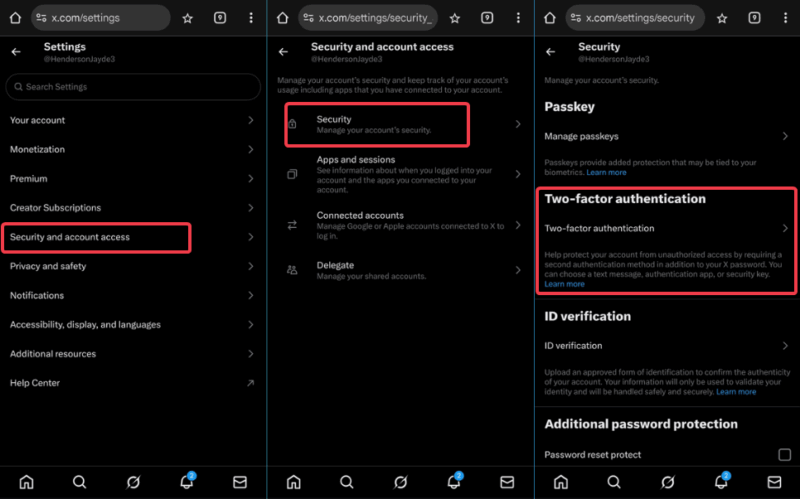
Sign in via X.com and navigate to Settings and Privacy -> Security and account access -> Security -> Two-factor authentication. Under Security keys, select Manage. Then delete the old twitter.com linked keys – they’ll show as inactive soon.
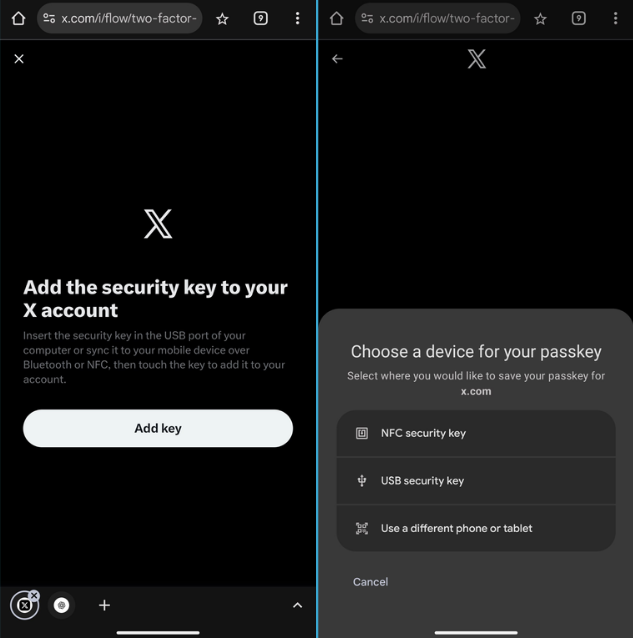
Click Add security key. Plug in your YubiKey or equivalent, tap to authenticate, and verify with your password or email code. Repeat for backups, then try logging out and back in.
Quick tip: While you’re in there, add app-based 2FA as a backup. It’s handier than dealing with hardware on the go.
If this is new to you, see our guide to setting up two-factor authentication on social networks for the basics. And for safe chats on X, mix it with X’s encrypted messaging features to keep talks private.
Is X’s Approach Good or Bad?
It depends on how you look at it. On one hand, it’s a plus. It updates X’s security, wipes out old Twitter bits, and gets users to swap in new keys. That creates security consistency and better encryption for long-term safety.
But from a user standpoint, it’s disruptive. The lack of clear warnings and the short window for re-enrollment make the rollout a mess. No wide warning means secure users pay the price, while casual SMS folks breeze through. That’s ironic for a platform preaching safety.
Also, Musk’s rapid-fire changes, like these recent X updates, prioritize speed over safety, wearing down trust.
Personally, I see it as a necessary step with bad delivery. X is trying to reinvent itself, but it shouldn’t be at the expense of regular users who have tried to secure their accounts as best as they could.
If you use X daily or store meaningful content there, the smartest move is to act now. Re-enroll your security keys, and back up your data before the Twitter domain shutdown catches you off guard.








