

How many times have you wasted printer ink and paper because you printed out pages of unneeded content? Many times you may not want or need to print out all of the content from a Web page. So what do you do if you want to select specific parts of a page and get rid of the rest?
Well, you use a free tool like CleanPrint to remove the parts of a Web page that you don’t want or need to print. CleanPrint lets you edit your printable content before printing or saving (to Dropbox, Google Drive, etc).
You can also use CleanPrint to add notes to your pages (before printing) and use it to save printer ink and paper by removing unnecessary elements.
Here’s how it works:
1. Install the appropriate browser extension. CleanPrint is available for Internet Explorer, Firefox, Chrome, and Safari. For this tutorial, I’ll be using Google Chrome.
2. Once you find a Web page that you want to print out, click on the browser icon.
3. The Web page will get optimized, and you’ll see the CleanPrint dialogue appear over the current Web page.
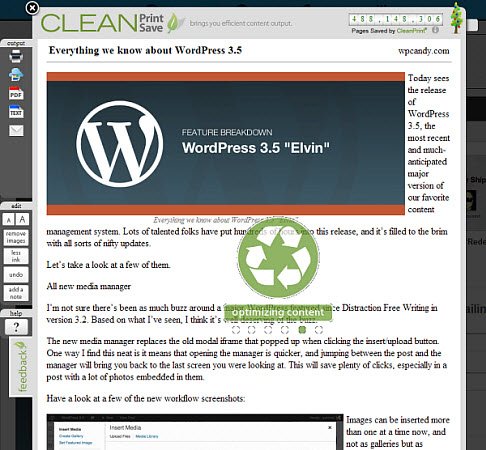
4. Now you can go through the content and remove sections that you don’t want. As you move your mouse over the text, you’ll notice that your mouse pointer is now a red “X.”
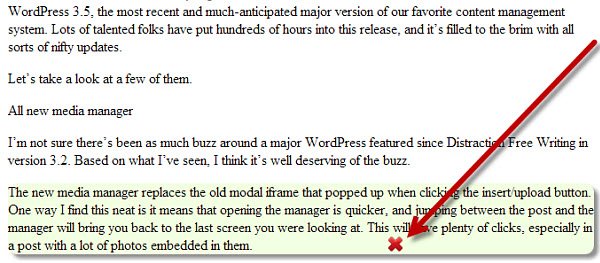
Also as you move over a paragraph or heading, that section of text gets selected – noticed the background behind it. This means that any section of text that you click on will be removed and won’t be printed out.
5. If you remove something by accident, you can click the “undo” button.
6. You may also want to remove all images in order to save ink or because you just don’t need them. You can do this by clicking on the “remove images” button.
7. There’s also a “less ink” button you can use to gray out font and images, in order to use less ink.
8. The “add a note” button will let you add a text note anywhere on the content.
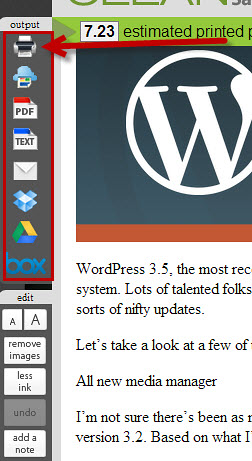
9. Once you’ve removed all of the sections that you don’t want to print, you can choose your output type – print, Google Cloud print, view as PDF, view as text, email, Dropbox, Google Drive, or Box.
As you can see, with CleanPrint you can really cut your print jobs and half. Plus you’ll save money by using less ink and paper!