Spotify has long been my one-stop for music and podcasts, but as it turns out, the app has a playful side too. It includes a secret Snake game that feels nostalgic, but with a fun spin. Want to try it out yourself? Here’s what you need to do.
How to Unlock Spotify’s Snake Game
I’ve been using Spotify mostly on my Android device with a Premium subscription, mainly for starting a jam with my friends. However, recently I’ve started using the app on my iPhone as well, but using a free account. This is how I discovered the hidden game. Unfortunately, it doesn’t appear that you can play the game on an Android device, even if you have a Premium account. The minigame is also not available in the desktop or web app.
Anyway, in order to activate the game, you’ll need to have a playlist or more available. The longer the playlist, the better, as we shall see in what follows. Open the Spotify app and switch to the Your Library tab and tap Playlists at the top.
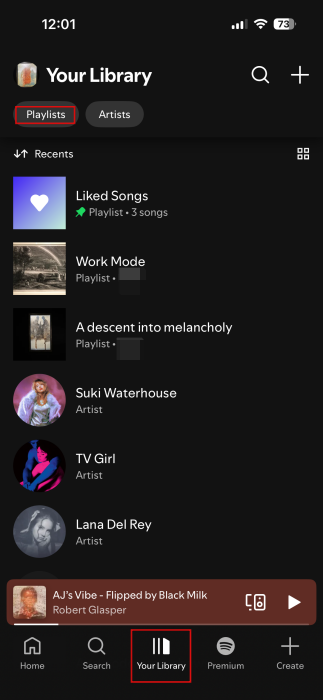
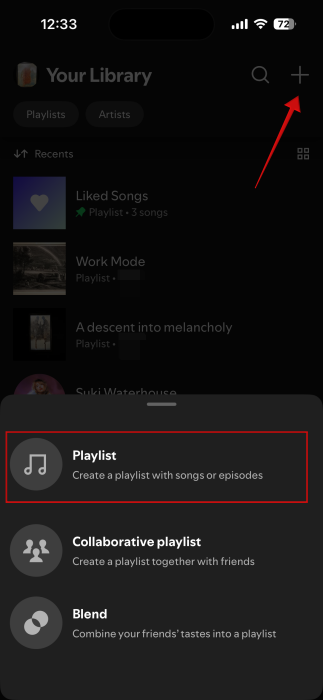
Select a playlist from here. Alternatively, tap the + button in the upper-right corner to create a new one. Select Playlist and add your songs from there.
On the playlist page, press the +Add button to extend the list of songs. We suggest adding as many different songs from different artists as opposed to songs from the same artists or the same album.
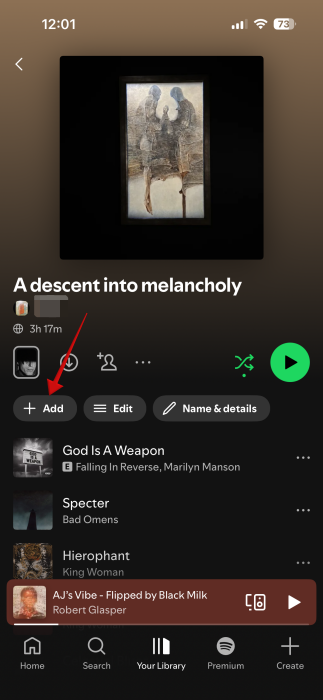
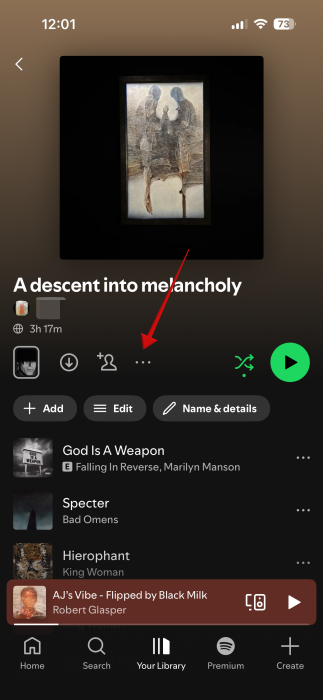
Once you’ve added all the songs, tap on the three dots underneath the album art.
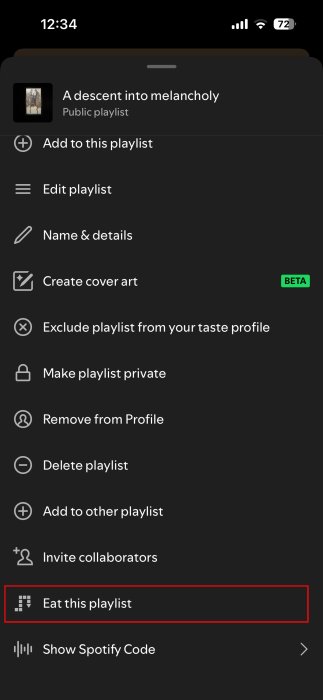
Swipe up on the pop-up menu and see if you have the Eat this playlist option. If so, tap it. Note that the playlist should include standard-length songs and not long tracks, as ambient ones tend to be.
Tip: need a change? Check out this Spotify alternative that is open source.
Play Snake Game on Spotify
Spotify should now launch the hidden game. This is a musical take on the classic Snake game, which many of us used to play on the Nokia phones of old, myself included. Spotify really managed to pull some nostalgia strings with this Easter Egg.
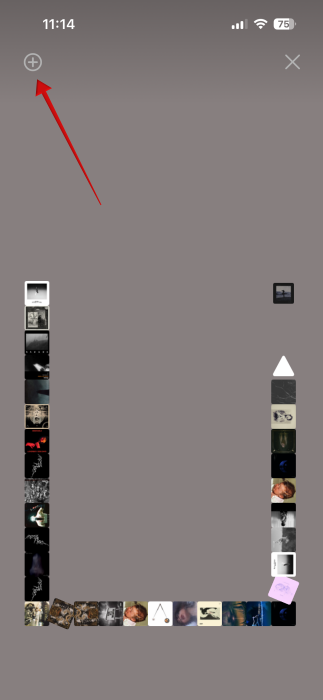
For one thing, the mechanics of the game remain the same: guide the snake to the next food source, in this case, an album cover box, by swiping up/down or left/right on the display. Each time you crash into a box, the snake will grow in length, making it harder and harder to control.

While it sticks to the classic recipe, Spotify has added a musical twist to this game that I really enjoyed. Each box features the album cover of the song that’s currently playing. Once the snake crashes into a box, the playlist moves forward, and the next track starts playing while a new box with the song’s cover art appears on the board. The snake gradually built itself from all the songs covers you’ve picked up along the way. This is why it’s a good idea to feature a diverse range of songs in your playlist, as it will make your snake look more interesting and the musical background more varied.
Each time the snake devours a new box, the background will change color, based on the next song’s cover art. In case you find that you enjoy a song a lot, you can easily add it to your Liked Songs playlist by pressing the + button in the upper left corner.
Does Spotify Keep Your Snake Score?
Spotify will display your score at the end of each round. It will also track your best score and will display it at the top of your current score each time your run ends.
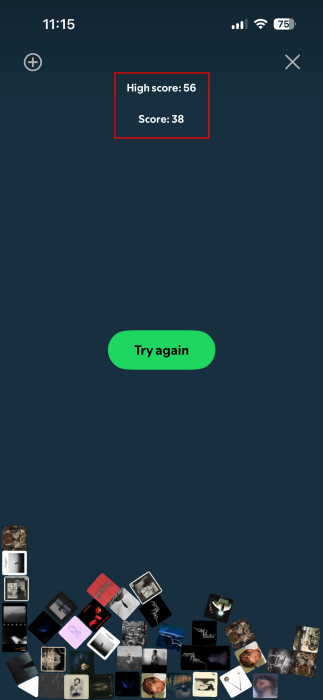
Unfortunately, Spotify doesn’t offer an all-time leaderboard, so you can’t compare your performance to that of other players. Your score isn’t displayed anywhere else, either, such as your profile page.
Tip: check the simplest way to play Android games on PC.
Want More Games on Spotify?
If you have an Android device, the good news is that even if you can’t play the Snake game, you can try something else.
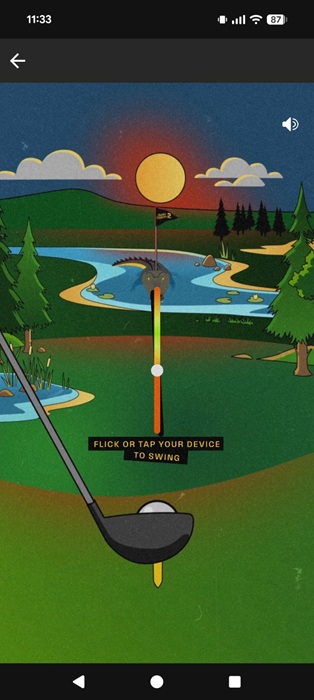
Spotify has teamed up with Netflix for a minigame that’s inspired by the world of The Happy Gilmore 2 Tournament. You can access it by following this link on mobile.
Once the game launches inside Spotify, players will then have to tilt their phones to take a swing.
If games have failed to keep you entertained, try switching things up by checking our tips on how to find the best and most entertaining podcasts for you on Spotify.








