


You can find almost everything in Google search, but sometimes the amount of information itself can be bewildering. If you open a search result link and then follow a new link from the freshly opened page to another page, and then another and so on, you will soon find yourself far removed from your original query.
That is why it can be a good idea to open search results in a new window tab whenever you click on a link featured among the results after a Google search session. Here is how you can set Google to do so automatically.
Also read: How to Get More Search Results Per Page on Google Search
Opening Links in New Tab
Open your browser and go to the Google home page.
At the bottom of the page are a number of options relating to how you interact with the site. The last of these options, to the right, is Settings.
Select this option, and a new window will pop up directly above it.
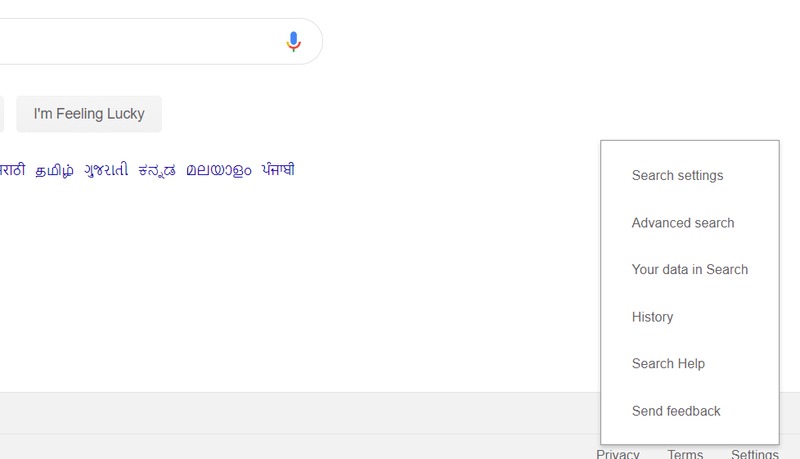
Choose the Search Settings tab from the pop-up list, and you will be taken to the Google settings page which controls various aspects of the search engine for your browser.
Scroll down this page until you see a section titled “When Results Open.” Underneath this section is the “Open Each Selected Result in a New Window” option.

Tap on the box next to the option, and a tick mark will appear there. Scroll down to the bottom of the page and select the “Save” option highlighted in blue.
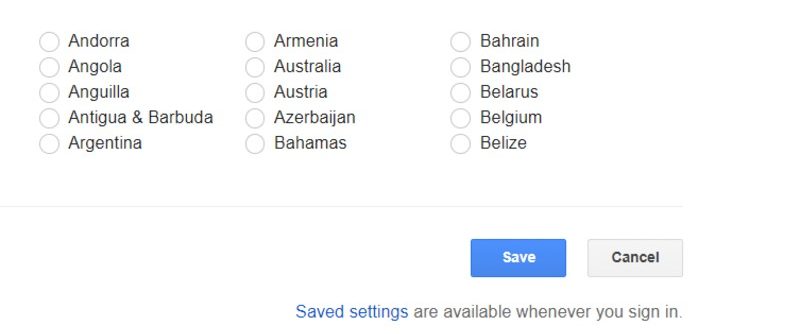
A message will appear on the screen confirming that your new setting has been saved. The next time you open a Google search result link, it will be automatically opened in a new tab next to the window that is already open.
Alternate Method

There is another way to individually open certain links in a new tab. You can just click the link with the middle button (or scroll wheel) on your mouse. Alternatively, hover your mouse pointer over the link you wish to open in a new tab and right-click on the link. A list of options will appear for what you want to do with the link. Here you can select any of the three options:
- Open link in new tab: The link will open in a new tab.
- Open link in new window: The link will open in a different window. You can use this option if you have opened multiple tabs in a window and want to start a fresh line of searches on a different topic of research.
- Open link in incognito mode: This means the link will open in an incognito mode window. Incognito mode prevents your browser from keeping a log of the sites you visit during your current session, or the passwords you use, and prevents the site from downloading cookies onto your device.
Note that the first method in this tutorial for opening links in new tabs will only work for Google search results, while the alternate method will work on any link on any site you visit.
Conclusion
With so many interesting links that you might feel tempted to search at the same time, the option to open new results automatically in new tabs can be a neat little way to keep things tidy. It also helps keep track of what you were originally searching for before descending down the rabbit hole of information hiding inside each embedded link featured on a website, leaving you hopelessly lost.