


Google puts all the information in the world literally at the tips of your fingers. You may spend several hours every day on the search engine giant hunting for unusual websites and tracking down little-known links. But you will still only access less than 0.001 percent of all the knowledge available on the Web.
With such staggering amounts of information to sift through, Google tries to pare it all down into manageable packets by only displaying the first ten results on the page. If you want to find more results, you will have to go to the next page, and then the next one after ten more results, and so on.
Changing Results Settings
If you are looking for less well-known sources of information that are tucked away in the corners of the Web, you may desire to see more than ten results per page to speed up the process. The following two simple methods show how to do that:
First, go to the Google website. In the bottom-right corner of the page you will find the Settings option.
Click on Settings, and a new tiny window will pop up carrying various options relating to how you use the site.

Select the Search Settings tab which will open a new page. On this page you will find a section near the top titled “Results per page..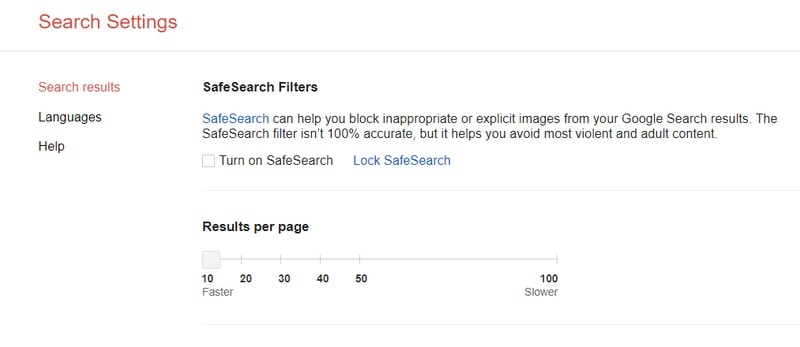
Directly under this section is a slider that controls the number of Google search results that will appear per page, from ten all the way up to a hundred.
Use the slider to pick the number of results that you wish to appear per page, then scroll down to the bottom of the window and hit Save.
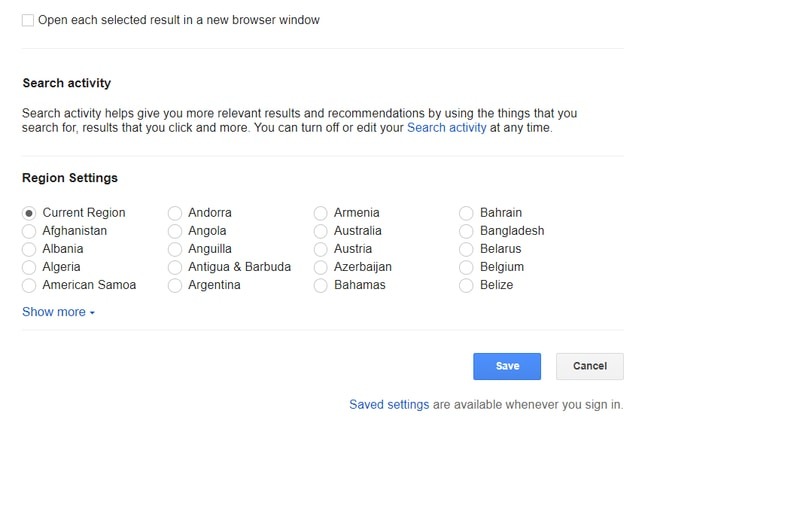
Your new search preference has now been saved.
Alternate Method
This is a more direct way of controlling the number of results per page, provided you are able to remember a simple code that you will need to add to the results page.
First, go to Google and search for a subject.
When the results show up, go to the address bar which carries the URL of the current search results and add the code: &num=X
Here, X is the number of search results you wish to appear on a single page.
Hit Enter and the results will appear on the screen again, this time in the number you placed at the end of the code.
Conclusion
In some cases, Google’s limit of ten search results per page is more of a nuisance than a help. With the aid of the above two methods, you can circumvent this issue and search for a topic more efficiently, with fewer instances of clicking Next and waiting for a new results page window to open.
However, do keep in mind that more results appearing on a single page will also result in Google’s search algorithm working more slowly. So don’t go for too high of a number of results per page, or you will face a different issue of slow speed while searching for online resources.