I used to pick up my phone over a hundred times a day. After switching to Olauncher Android launcher, that number has halved without any real effort. Here’s why this tiny, free app made such a big difference for me, and might for you too.
What Makes Olauncher Different?
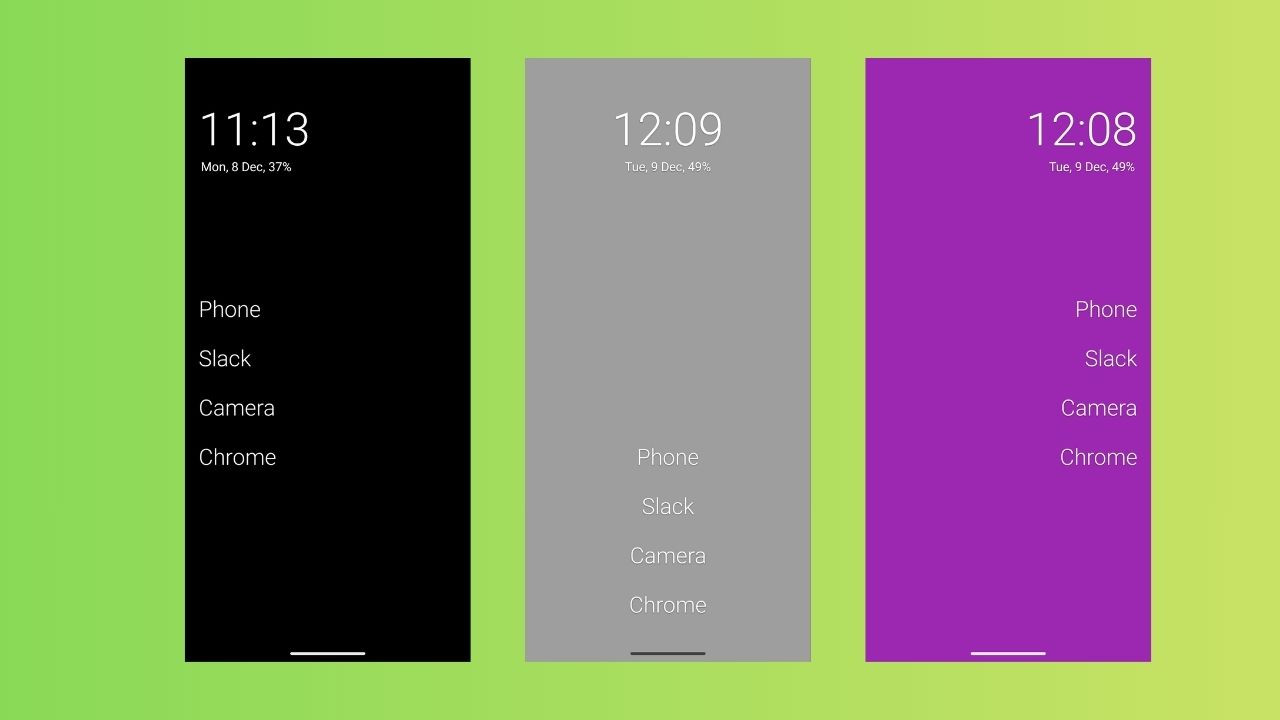
Olauncher is an open-source Android launcher that throws out everything you expect from a home screen. There are no icons, widgets, or colorful wallpaper. It’s just a bare background and a short list of plain text app names.
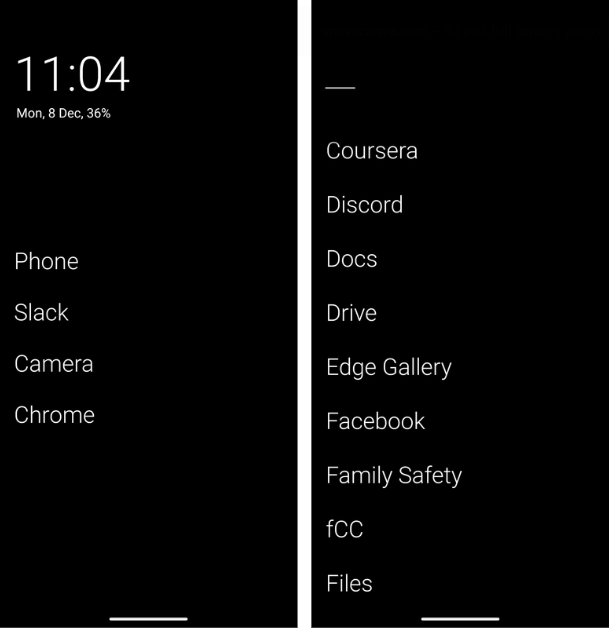
It’s under 2MB, requires almost no permissions, and contains zero ads or tracking. In a world where most launchers feel like digital billboards for things you do not need, Olauncher feels like someone finally turned the volume down.
This simplicity helps users focus on what matters, turning your phone into a tool rather than a constant pull. Besides, the lighter approach also benefits older and mid-range phones. Since Olauncher already strips away everything that slows down your phone, you get peak performance, irrespective of your phone’s capacity.
The Real Magic is Your Behavior Change
The real power of this minimalist Android launcher is not the design, it’s the shift in your habits.
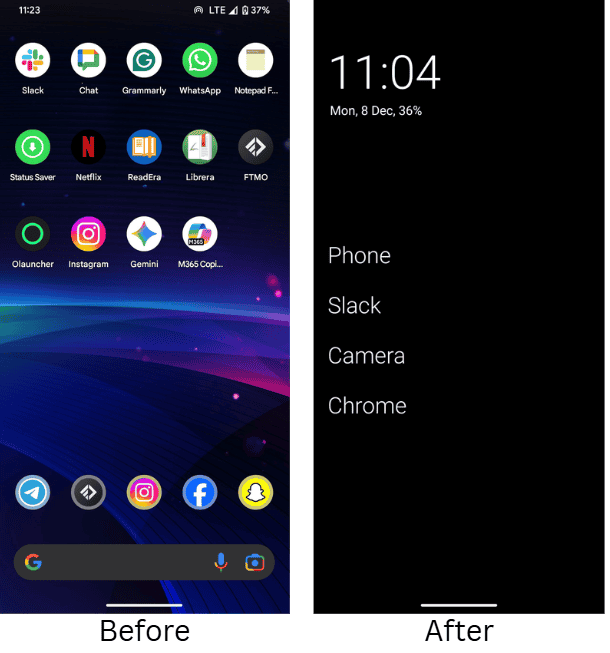
When no colorful icon or visual cues are staring at me, I do not open Instagram out of boredom or “just because.” With Olauncher, I have to type the first few letters or swipe with intent to locate apps, which forces a two-second pause. That tiny pause gives me a moment to ask myself if I really want to open the app. Most of the time, the answer is no.
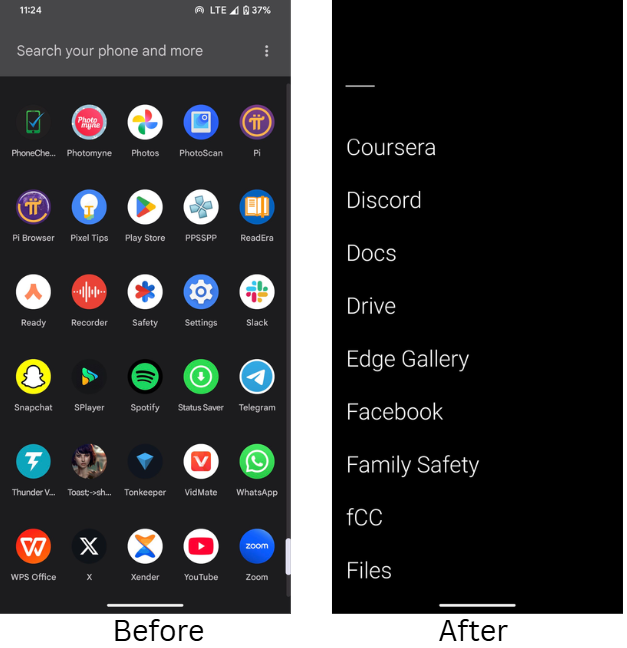
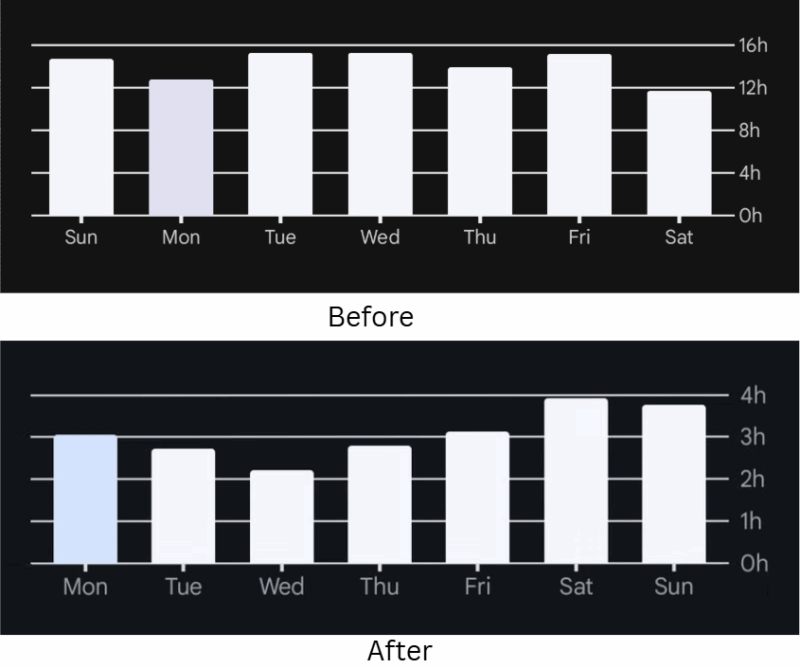
My mindless scrolling dropped sharply. My social media time dropped by more than half within the first few weeks, and evenings suddenly had room for actual books again. If you’re tired of endless notifications and want to start reducing your screen time, this is one of the simplest ways I have found.
Battery life improved too, especially on my OLED Pixel, because black pixels use less power. Even my older backup phone feels snappier.
Honestly, I didn’t expect a launcher to change how I interact with my phone, but Olauncher made distractions less automatic. It replaces impulse with intention and creates small habits that lead to more time for what actually counts.
Olauncher isn’t for Everyone (And That’s Okay)
Let’s be real, if you live inside widgets, weather updates, calendar glances, or at-a-glance to-do lists, Olauncher will feel empty.
There are no icon packs, no notification dots, and customization stops at font size and text alignment. Also, visual navigators will have a hard time using this launcher because there’s literally nothing to see. Just a blank space with a few words on it.
When I first tried Olauncher, it lasted just about three hours. The simplicity felt too strange and different.
It was later that I realized the simplicity isn’t a flaw. It’s a design choice. If you want more visual control while avoiding heavy launchers, you can give these Android launchers a try and find one that can give you a better fit that balances speed and customization.
Who This Launcher is Actually Perfect For
This minimalist Android launcher fits specific groups very well:
- Anyone whose screen time report makes them wince every Sunday because it’s getting out of hand.
- Parents who prefer calmer, less colorful phones in front of their kids to reduce the digital distractions early.
- Privacy-minded users who hate the tracking baked into the most popular launchers. Yes, even some of the clean ones are guilty of this.
- People are still running older or budget phones that slow down with feature-heavy launchers.
In general, anyone who has already tried grayscale mode or app limits and wants to take the next step to reduce the digital noise. If you’re like me who wants to prioritize the minimalist lifestyle and digital detoxing, this will be perfect for you.
Also, if you’ve ever considered quitting social media, Olauncher supports that journey by making apps less tempting to open. It aligns well with tools that promote focus, such as why Seven39 feels like a breath of fresh air in managing daily distractions.
Test Drive Olauncher
You can have the Olauncher Android launcher running in under two minutes. Install it from the Play Store or from F-Droid by searching Olauncher. Then, long press your home screen, go to Home settings, select Olauncher, and set it as your default launcher.
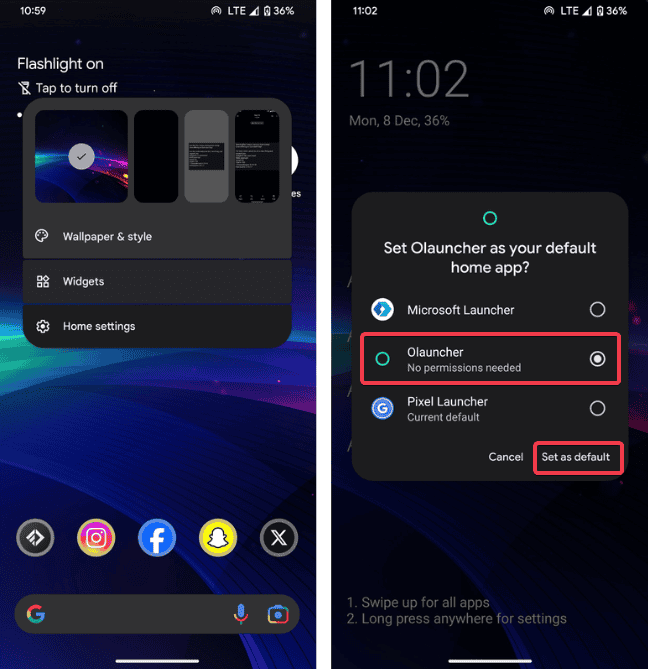
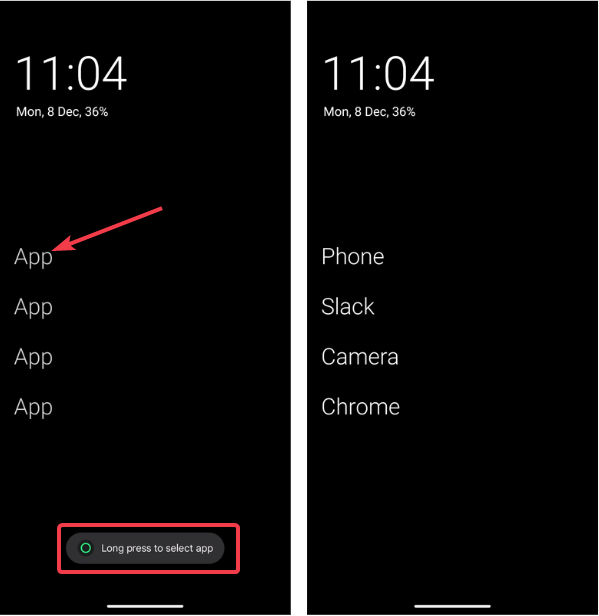
Long press each available spot on the homescreen. Pick 4 to 8 apps you actually need to display. My list includes Phone, Slack, Camera, and Chrome.
Hold the homescreen to open Olauncher Settings, and you can edit the gestures. Swipe left or right for instant access to whatever you want, or set double-tap to trigger an action. You can always customize this in the Olauncher settings. Then, turn on the always-black wallpaper for a clean look. You can make other minor tweaks here too.
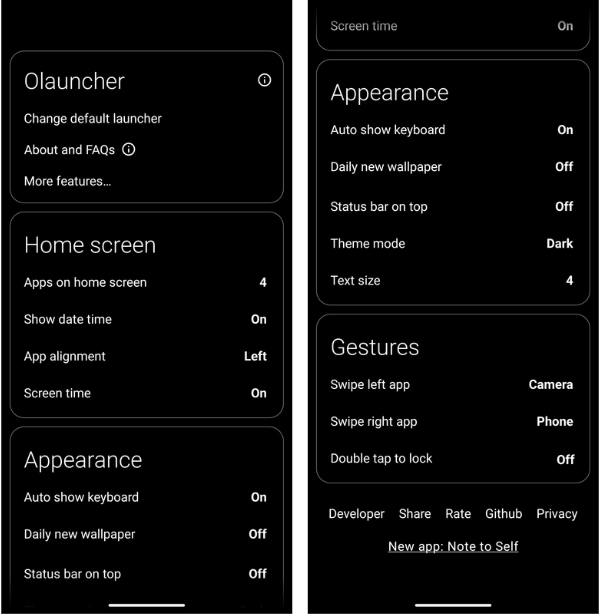
Give yourself 72 hours for a small testing period to see changes in your habits. It won’t be easy at first, but if you stick it out, you’ll notice them. Meanwhile, switching back is quick if it does not suit you. Just select a new launcher under Change default launcher, and you’re back to your previous launcher.
I found that even on busy workdays or during family time, the quieter home screen made it easier to stay focused, much like how productivity apps streamline your workflow.
My Honest Verdict After Living With Olauncher
A few months in, I still use Olauncher every single day. I touch my phone less, I finish work faster, and I stopped the 11 p.m “one last check” doomscroll. My home screen stays calm and boring by design. But the boredom is the actual feature that gives me more control and less pressure to check apps constantly.
If you have ever wished your phone would stop shouting at you or competing for your attention, try the Olauncher Android launcher for a weekend. It works without trying to impress, and it brings a peaceful rhythm to everyday phone use that I didn’t know I needed.
Worst case, you go back to whatever you were using. Best case, like me, you will wonder why you waited so long.
For more on optimizing your phone, consider how these essential Android apps can integrate with such minimal setups.