If you’d told me a few years ago that there was a better NAS than Synology, I would have questioned your taste in technology. Synology NAS was one of those rare pieces of tech that blended into the background. It did its job quietly, held years of data without complaint, and let me focus on my work instead of babysitting infrastructure. It wasn’t just the hardware. Synology also shipped top-of-the-line software that made using a NAS genuinely easy. However, the company and its products are no longer the same. Since early 2025, Synology has adopted a series of anti-consumer policies that are massive deal-breakers. So much so that I’ve switched to a different NAS from another brand, and I’m genuinely happy with the decision.
Why My Next NAS Won’t Be A Synology
Synology is not the same as it used to be, and its NAS devices aren’t worth the money either. The company didn’t lose its edge overnight, but it happened gradually, through a series of hardware decisions that made each new generation feel like slightly worse value than the last.
The most obvious issue is processor choice. Synology boxes were never about raw power, and that was fine when the price reflected it. But in recent years, prices have gone up while CPUs stayed underwhelming. I was in the market for a new NAS, and for the price I was paying for a basic Synology device, I could get a much powerful NAS from another brand. Newer models still ship with low-power embedded chips that struggle once you step beyond basic file serving.
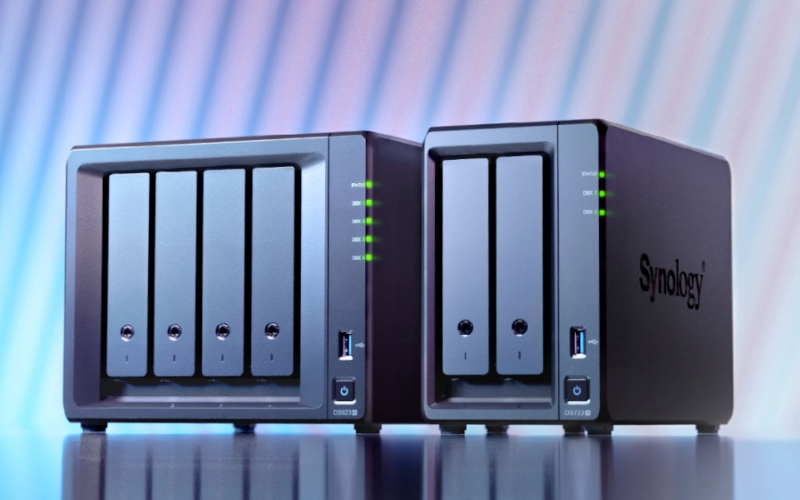
That problem became much worse when Synology moved away from Intel chips with Quick Sync to AMD Ryzen embedded processors in its Plus lineup. While Ryzen sounds like an upgrade, these specific chips lack an integrated GPU. That single decision has effectively killed hardware transcoding on many newer Synology systems. For a NAS that’s widely used as a media server, this was a huge regression. Tasks that used to run efficiently on the iGPU now hammer the CPU instead, increasing load, heat, and power draw while delivering worse performance.
Networking has followed the same frustrating pattern. While the rest of the NAS market has largely moved on, Synology still ships expensive systems with single gigabit Ethernet ports or, at best, 2.5GbE. Faster networking often requires add-in cards or higher-tier models that quickly push prices out of reasonable territory. When competitors are offering 10GbE or multi-gig ports at similar price points, Synology’s hardware feels stuck in the past.
I can still live with all of the above, but what really made me lose faith in Synology was their attempt to lock newer systems to Synology-branded hard drives. A NAS is fundamentally a storage device. Restricting which drives can be used turns otherwise capable hardware into an artificially limited product. Even though Synology later reversed course after public outrage, the move made it loud and clear that hardware flexibility is no longer guaranteed, and that uncertainty makes long-term investment harder to justify.
Hardware Isn’t The Only Problem
DiskStation Manager, Synology’s operating system for its NAS, was always its strongest card. It was approachable without being limiting, and powerful without forcing you into constant manual work, but that balance has slowly eroded. I have noticed that recent updates started removing things I relied on instead of building on what already worked.
For instance, Photo Station and Moments apps were killed off and replaced with Synology Photos, which arrived with fewer features and weaker handling of metadata. Video Station followed a similar path, quietly disappearing and leaving users looking for third-party solutions.
On top of that, media support has continued to degrade. HEVC decoding and transcoding issues made everyday playback less reliable. Tasks that once worked out of the box now required Docker containers, workarounds, and forum digging.
The Switch Was Easier Than I Thought
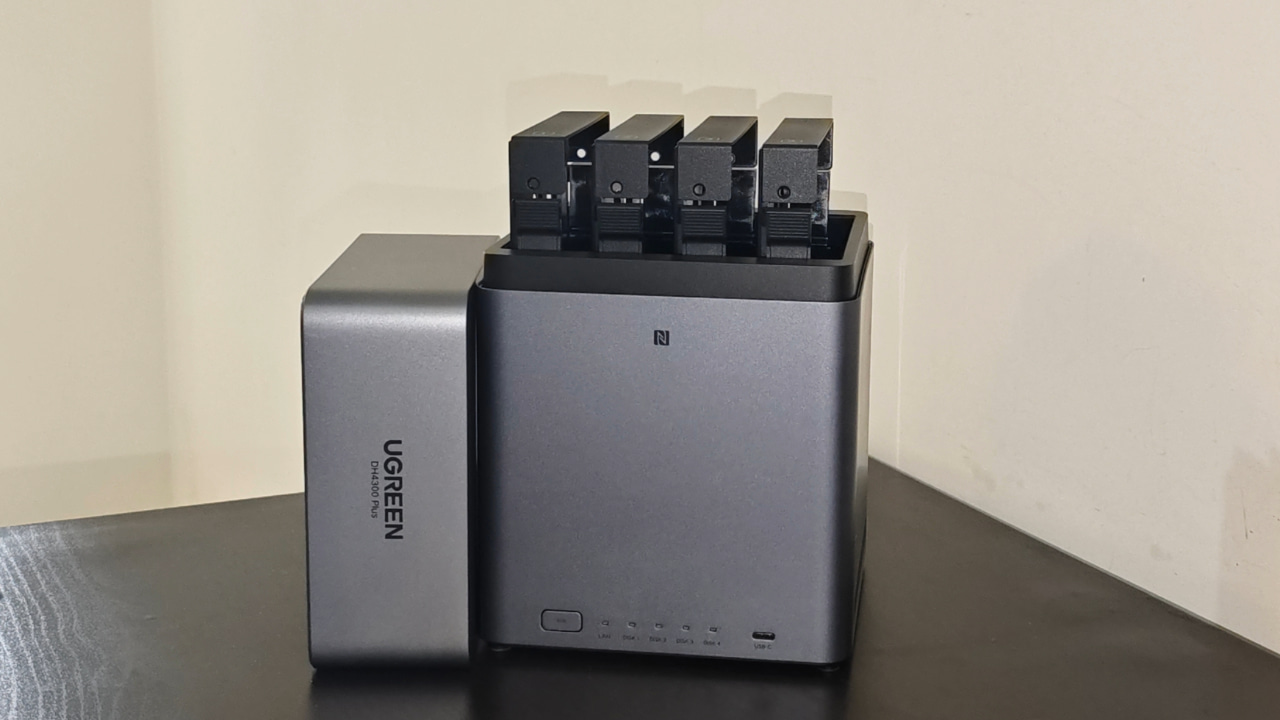
I have been looking for a NAS to replace my years-old DS420j, and it’s been hard to find one from Synology that offers good hardware within my $500 budget. I ended up getting the Ugreen Nasync DH4300 Plus, which costs around $364. There isn’t a single Synology model that matches it hardware-for-hardware at that price.
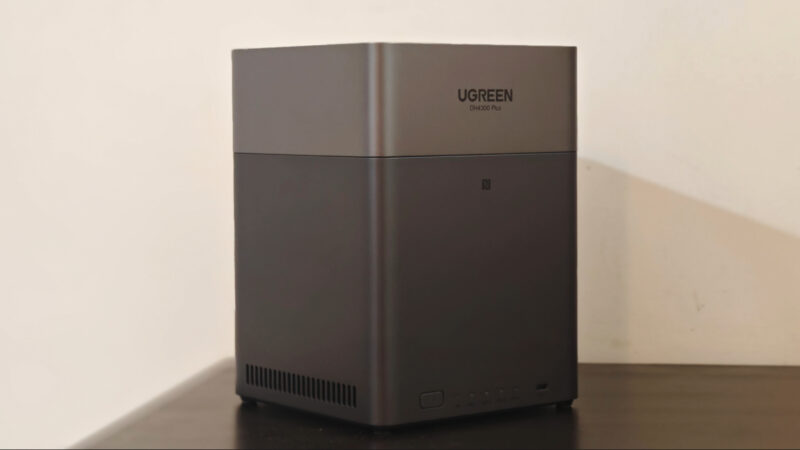
I compared it with the Synology DS423, DS423+, and DS925+, and only the DS925+ matches the functionality, but it costs almost twice as much. The table below should put things into perspective.
| Feature | Ugreen NASync DH4300 Plus | Synology DS423 | Synology DS423+ | Synology DS925+ |
|---|---|---|---|---|
| Current US Street Price | $364 | $379.99 | $499.99 | $639.99 |
| Processor | Rockchip RK3588 (8-Core ARM) | Realtek RTD1619B (4-Core ARM) | Intel Celeron J4125 (4-Core x86) | AMD Ryzen V1500B (4-Core x86) |
| AI Processing | NPU (6 TOPS) | None (CPU only) | None (CPU only) | None (CPU only) |
| Memory (RAM) | 8 GB LPDDR4X (Soldered) | 2 GB DDR4 (Soldered) | 2 GB DDR4 (Expandable) | 4 GB ECC DDR4 (Expandable) |
| Networking | 1x 2.5GbE | 2x 1GbE | 2x 1GbE | 2x 2.5GbE |
| M.2 NVMe Slots | None | None | 2x M.2 (Cache/Pool) | 2x M.2 (Cache/Pool) |
| Drive Bays | 4 | 4 | 4 | 4 (9 w/ Expansion) |
| Video Output | HDMI 2.1 | None | None | None |
| Hardware Transcoding | Yes (via HDMI/Software) | No | Yes (Intel QuickSync) | No |
| Software | UGOS Pro | DSM 7.2 | DSM 7.2 | DSM 7.2 |
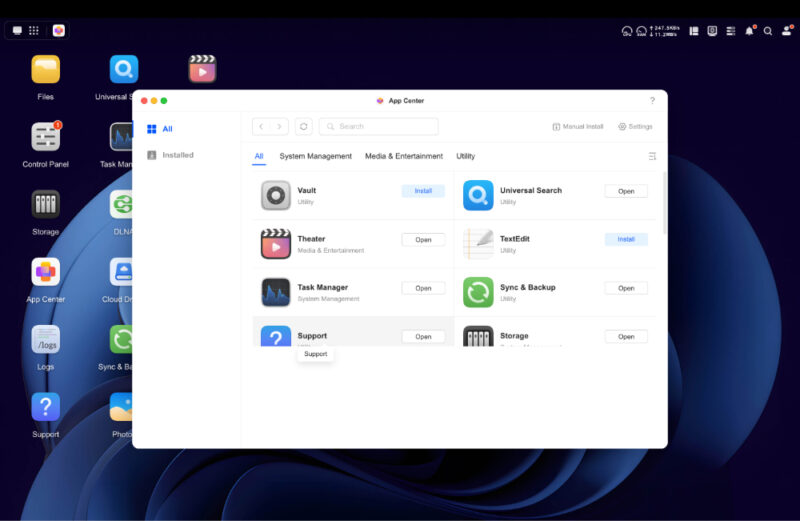
While the hardware on the DH4300 Plus solves most of the issues I had with Synology, the software further adds to the experience. Ugreen NAS devices run UGOS out of the box, just like Synology runs DSM. Having already tested this on the DH2300, I can say DSM is no longer the best out there.
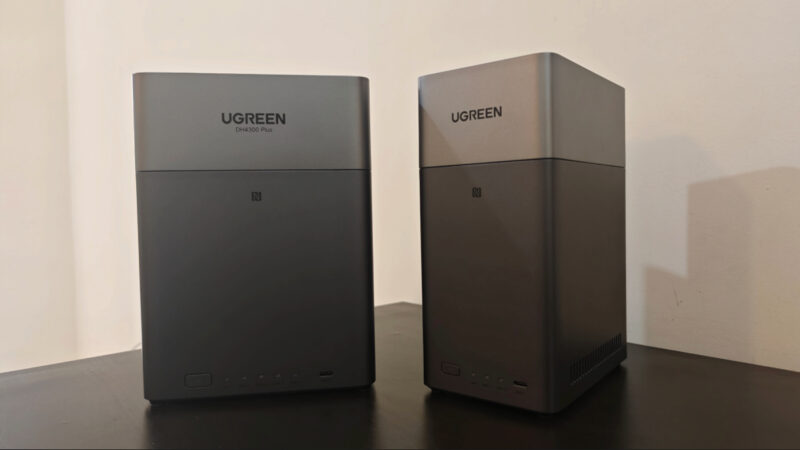
For the past three months, I have kept it running 24/7 without any issues, with scheduled maintenance once a week for updates and Docker restarts. I also have a scheduled trim set up for the HDDs once a month. There are two users, a few PCs connected, three Docker containers, and automatic photo and cloud syncing. It also handles my media server needs, with Plex for movies and Roon for music.
UGOS also comes with all the apps you get with DSM, in case you don’t want to self-host everything. You get an app for storing media files like movies and other videos, and you can stream them to your smart TV, whether you’re on Google TV or Apple TV. I found the Photos app to be quite useful. It sorts pictures by faces, scenes, and places. It can also clean up duplicates and even build albums on its own. You can generate a link or a QR code and send it to family without making them install anything.
Good hardware combined with reliable software made it super easy for me to switch to a different brand’s NAS, and not once have I missed Synology. I will admit their NAS devices are still good for beginners, but so are devices from Ugreen, TerraMaster, and others, and it’s easier than ever to switch to a better device.
You don’t need a NAS to enjoy many of the benefits. There are plenty of self-hosted apps out there that let you take control, even when hosted on your PC. For starters, check out these best self-hosted apps that we can’t recommend enough.