
Automation apps have been around for a while (remember Power Automate on Windows?), but in 2025, they’re more popular than ever. The reason is AI, which now lets you automate more tasks than ever before. You can have a full-fledged assistant that goes through your emails and meeting notes and gives you a daily brief at 8 AM sharp, or an automation that ideates and posts on social media for you. I’ve personally been using n8n to automate a lot of mundane tasks, but I’ve also been exploring other tools, and one that really stood out is Huginn. It’s fully open source, self-hosted, and supports just about any workflow you can imagine.
What is Huginn
Huginn is an open-source automation server built with Ruby on Rails for creating agents that perform tasks online on your behalf. It is essentially your own self-hosted version of Zapier or IFTTT. The project is community-driven, with more than 46,000 stars on GitHub as of 2025, and is maintained under the MIT open-source license.
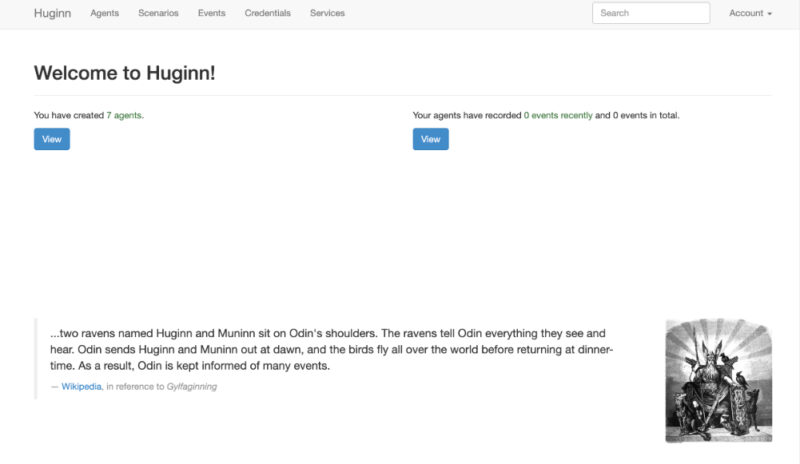
Huginn’s architecture is centered around Agents and Events. Each agent is a worker process with a specific role, such as fetching a webpage, filtering data, or sending an email. Agents produce structured JSON events as output, which can then be consumed as input by other agents. These agents are linked together so that events flow along a directed graph.
Agents can be scheduled to run periodically, triggered by incoming events, or executed manually on demand. There are many built-in agent types that handle tasks such as HTTP requests, web scraping, RSS feeds, email, chat services, scheduling triggers, and data filtering. Huginn also has powerful web scraping capabilities out of the box, which is something proprietary automation platforms like Zapier do not support natively.
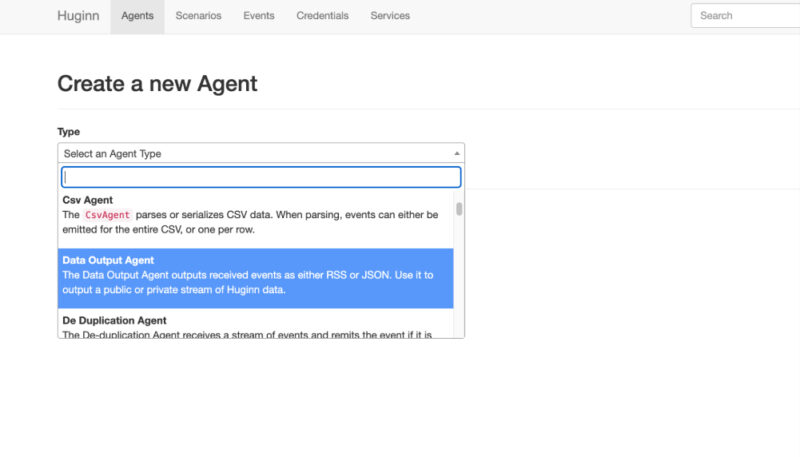
Thanks to the event pipeline and conditional logic agents, such as triggers and detectors, Huginn lets you create complex multi-step workflows. This can include branching, filtering, and merging of data. There are so many things you can automate using Huginn including monitoring websites and data feeds, tracking social media trends, controlling IoT devices through MQTT, or receiving notifications when a stock price reaches a set threshold, and more.
Setting Up Huginn
One of Huginn’s strengths is that you can deploy it in a variety of environments. That includes locally on your machine, on your own server or VM, or on cloud platforms that support custom apps or Docker containers. I decided to set up using Docker because that’s by far the easiest method.
Huginn provides an official Docker image that simplifies running it in containers. Start by pulling the Docker image using the command below:
docker pull ghcr.io/huginn/huginnNow start Huginn using the following command. The command will still work if you are not in California. However, if it doesn’t, change the timezone to match your system’s local time.
docker run -d --name huginn -p 3000:3000 -e TIMEZONE=America/Los_Angeles huginn/huginnAfter running the container, go to your server’s address on port 3000 to access Huginn. The first-time setup will prompt you to create an admin account.
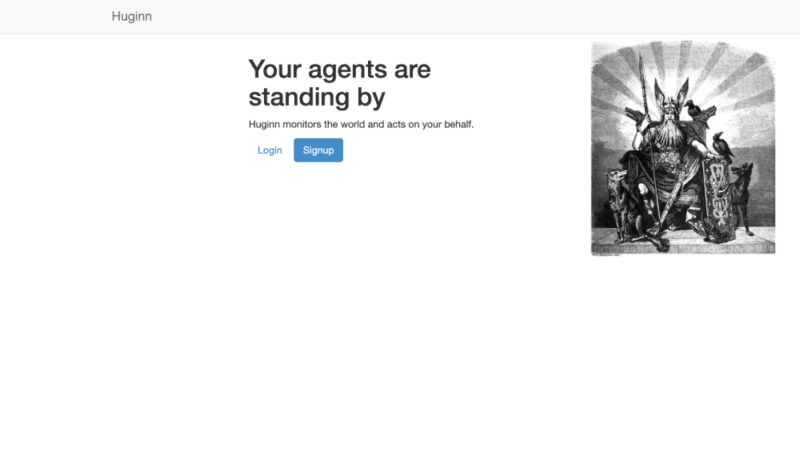
For production use, you’d want to set a strong admin password right away and never use any default credentials. You can also configure an SMTP service through environment variables so your agents can send real emails. Enable HTTPS, either with a reverse proxy like Nginx or via your platform’s settings (for example, Heroku offers free SSL).
Building Automation Workflows with Huginn Agents
Once Huginn is running, you can start building automation workflows by linking different agents together. Each workflow is made up of one or more agents that pass data, called events, between them. For example, a WebsiteAgent can fetch data from an API, a TriggerAgent can check that data for specific conditions, and an EmailAgent can send you a notification when those conditions are met.
To create an agent, click the New Agent button in the Huginn dashboard and select a type such as WebsiteAgent, TriggerAgent, or EmailAgent. Each type has its own options that you configure in JSON format.
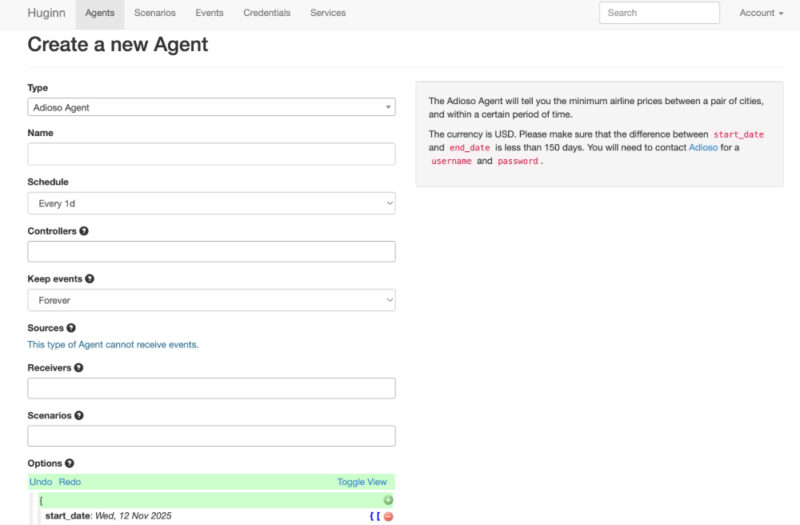
A WebsiteAgent might need a URL and the data fields to extract, while a TriggerAgent might look for a value change in the event data. You can also define how often it runs and which agents it should receive data from or send data to. This chain of connections defines your workflow, where one agent’s output becomes another’s input.
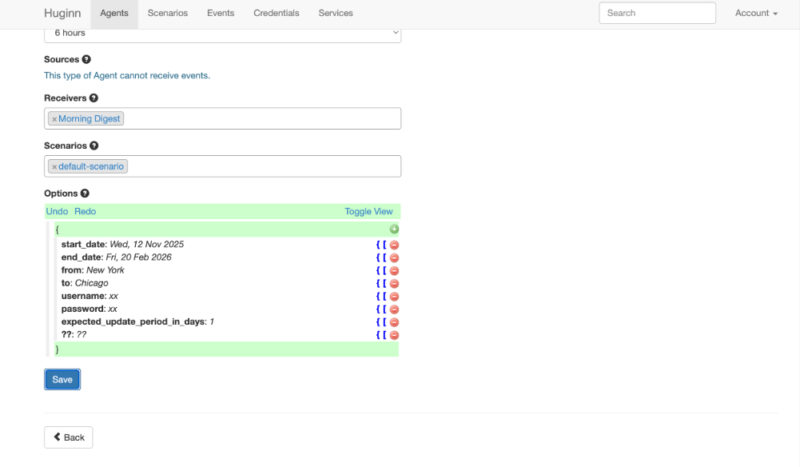
Huginn lets you group related agents into Scenarios, which act as collections of automations built around a single goal. For example, a Weather Alerts scenario might include a WebsiteAgent that checks a weather API, a TriggerAgent that looks for rain predictions, and a TelegramAgent that sends you a message when it is likely to rain. Scenarios can be exported or imported as JSON files.
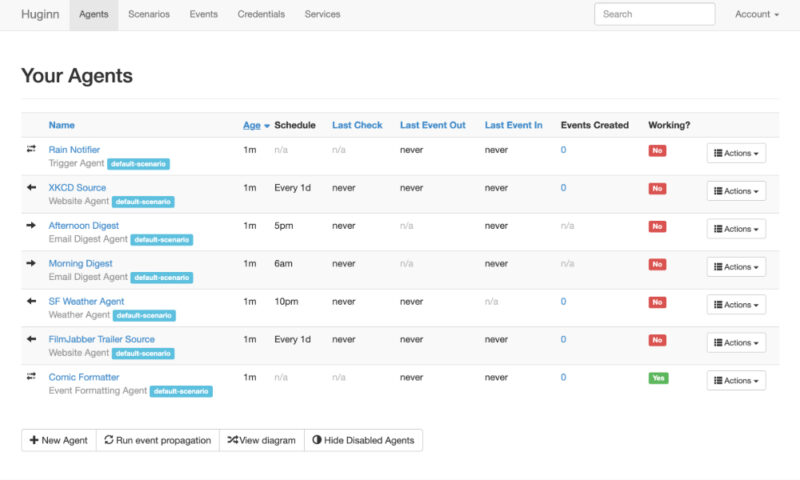
Another example is creating a flight tracker. You can use a WebsiteAgent to fetch flight status data from an airline’s API, a TriggerAgent to check if a flight is delayed or canceled, and an EmailAgent to alert you when the status changes. The WebsiteAgent could run every 30 minutes to collect new data, while the TriggerAgent detects changes and passes the event to the EmailAgent, which then sends the update.
Huginn does not have a visual flow editor like n8n, but its logs and configuration options provide complete control. With a bit of experimentation, you can automate almost anything from monitoring APIs and websites to sending alerts and generating daily reports.
Huginn vs. Other Automation Tools
Huginn stands out in the automation space for its complete control, privacy, and flexibility. It’s fully open-source and self-hosted, giving you unrestricted access to the code and the ability to build or modify your own agents. In comparison, tools like Zapier and Make are closed, cloud-based platforms that prioritize simplicity and accessibility. They’re ideal for quick, no-code workflows but are limited by the predefined triggers and actions they support.
n8n occupies a middle ground. It’s source-available, not fully open source, which means you can self-host it for personal or internal use, but you need a commercial license for broader deployment. It provides a low-code, visual interface that’s easier to use than Huginn’s text-based setup while still allowing for custom logic through JavaScript.
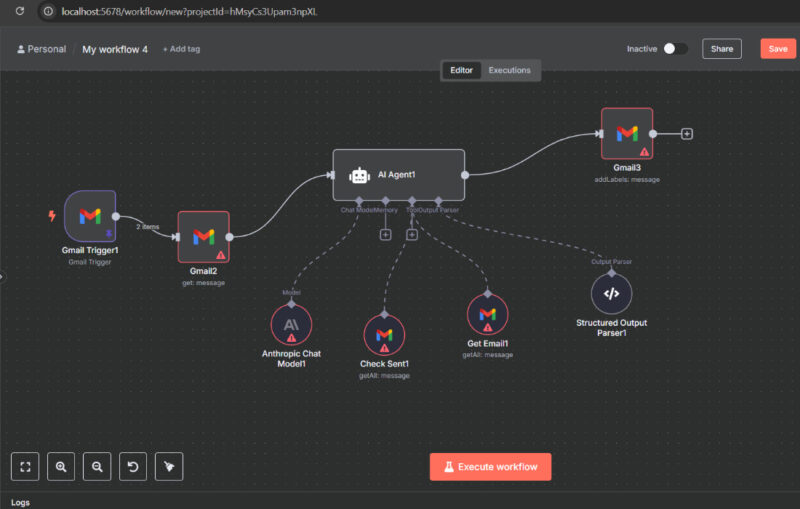
Huginn is completely free to use, with only server or hosting costs, while Zapier and Make use subscription and usage-based pricing. Huginn also keeps all data on your own infrastructure. It just requires a bit more technical skill and maintenance.
Automating time-consuming tasks is easy. If you don’t want to self-host or set up complex automations, you can explore ways to automate your Android phone using location-based rules. You might also want to check out these eight Chrome extensions that help automate repetitive browsing tasks.








