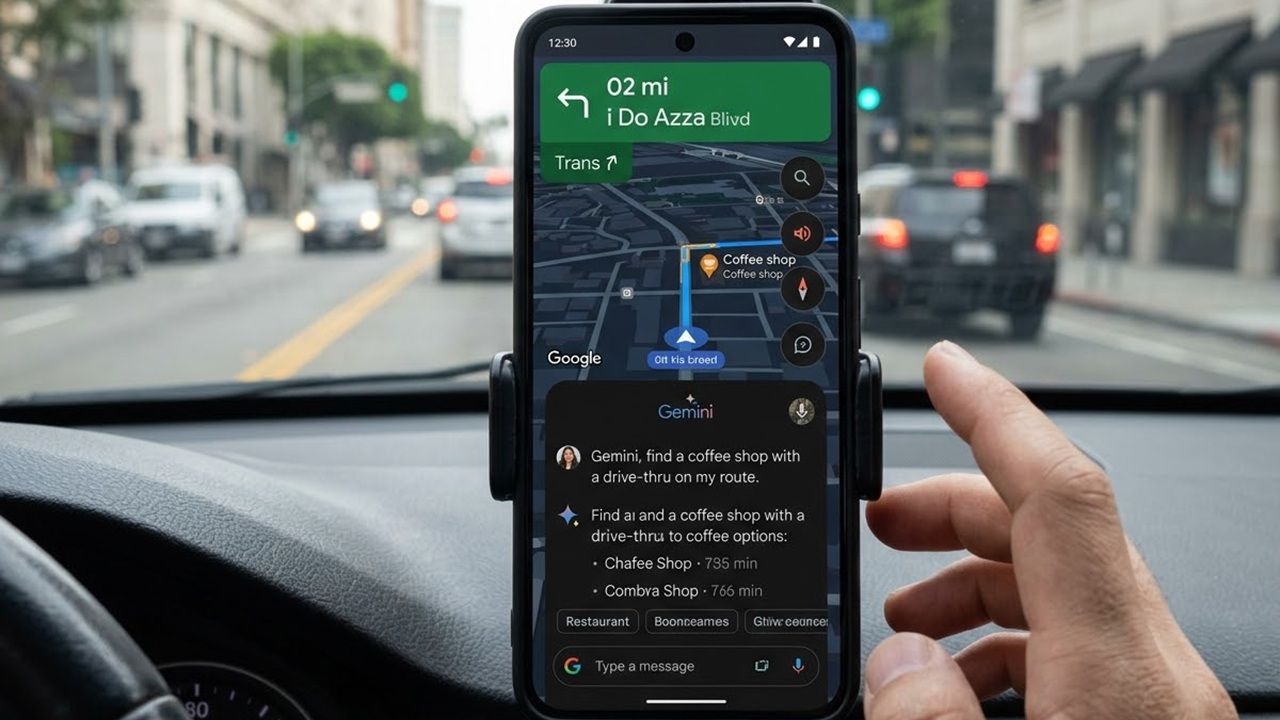
If you’re still navigating Google Maps the old-school way without tapping into Gemini, you’re seriously missing out. One of the best updates Google has launched in years now turns casual drives into easy-to-use chats and much better looking views. From offering personalized trip ideas to generating photorealistic 3D routes at human scale, Gemini makes Google Maps feel truly alive and indispensable.
Why Gemini in Google Maps is Suddenly a Game-Changer
Google’s March 2026 Maps overhaul has put Gemini in your driver’s seat on its Android/iOS application. Before this update, Google Maps already offered brilliant tools for navigation: Street View for visual previews, detailed terrain layers, and Live traffic data for real-time awareness.
However, Gemini completes the missing pieces by tying everything together in a subtle yet powerful way. It makes all that data feel truly useful and relevant. Whether you are asking natural questions for personalized plans or viewing enhanced routes with precise landmarks, lanes, and details, the app no longer just shows a map. It feels like having a knowledgeable local guide showing you around a new city.
“Ask Maps” Feature is a Genuine Life-saver
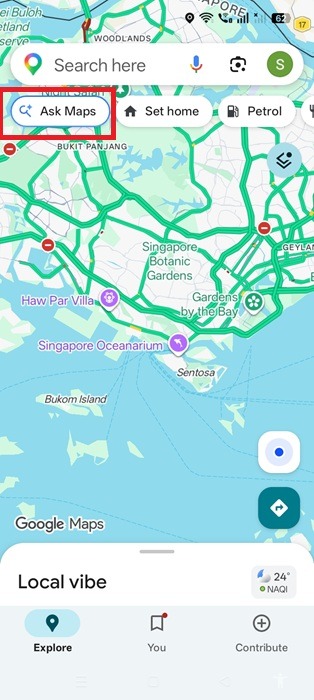
The core highlight of the March 2026 update is a new Ask Maps button which you will find on the Android/iOS app homescreen. It mainly adds Gemini’s conversational algorithms. You will soon realize this is one Google application where the AI bot truly belongs as it solves so many real world navigation challenges.
As you click the button and dig deeper, you can explain your navigation query in natural language. It feels like asking a friend who knows the way but also understands that you hate traffic jams. One query I often use is finding the best route, whether by metro, cab, or walking, while adding a stop for coffee. If you are juggling multiple errands in a day, this feature saves serious time and energy.
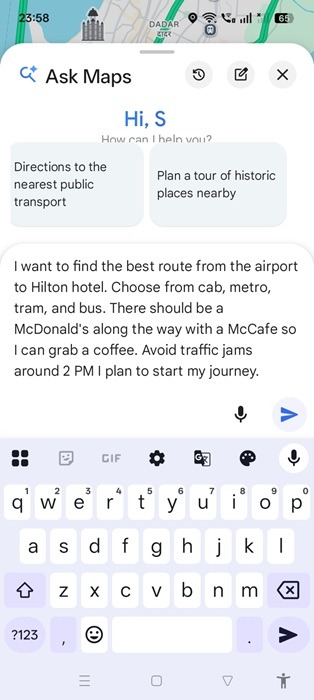
Voice or text communication has been around with Maps a long time. But Gemini has expanded on its benefits by unlocking the full potential of a two-way communication. After you get a response and are not satisfied, you can continue a follow-through to improve the guidance.
Random Scrolling Replaced With Context-Aware Searches
So you’ve decided where you’re planning to go? Whether it’s a restaurant, bookstore, amusement spot, or hotel, we often have no idea what the situation inside will be like. Is the manager rude? Is the place undergoing renovation? Those last-minute surprises can be a real hassle. This is where we always relied on Google Maps reviews. But scrolling through every single one was an ordeal!
This is where Gemini makes a real difference. Apart from the home screen, you will find the Ask Maps button as an icon on popular venues and tourist spots. In the past, you had to manually check reviews. Now, Gemini pulls all the Google Maps reviews and summarizes them for your convenience.
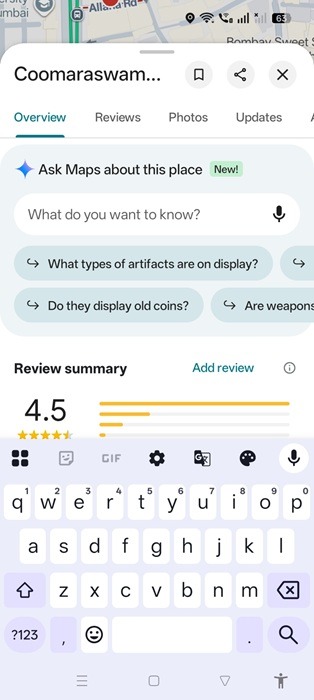
You can further add your own personal requirements into the mix. Instead of struggling with standard queries, you can ask context-specific questions and get an accurate sense of the place’s look, feel, and vibe. Sometimes, you may want to read a few reviews that are helpful. So, you can just tell Gemini, “Choose me 5 reviews from this mix which discuss the concept of cleanliness.”
“Immersive Navigation” Removes Confusions in Complex Urban Traffic
Most city roads and urban traffic have many confusing landmarks. You don’t know if you’re at the right entrance or exit. This is because the maps were so far rendered two-dimensionally, even for Google Maps. With the addition of Gemini Immersive Navigation, this has changed.
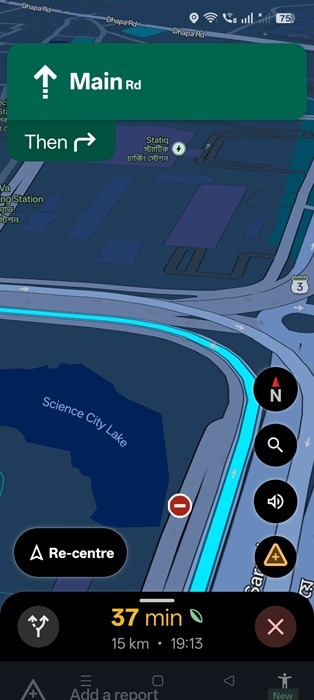
Whether you walk or enable Google Maps in driving mode, as soon as you click Start, the immersive action starts. In the United States and other select locations, as soon as you press forward, the navigation surroundings switch from 2D to a photorealistic 3D one. You will feel the transition in just a few seconds.
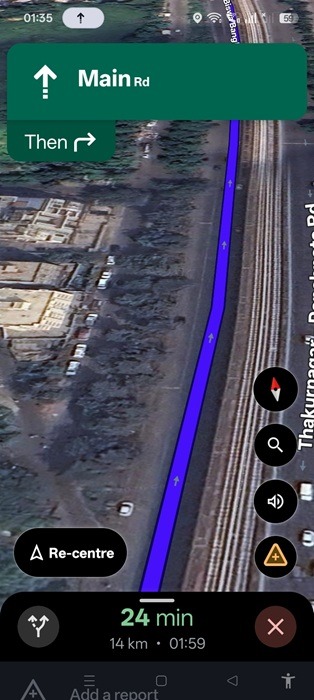
There is a whole range of changes you can feel. Buildings appear transparent, you can see ramps and speed bumps ahead, and the surroundings on the map look exactly as they do from your car window. In a two-dimensional view, you would miss many overpasses and tunnels until they suddenly appeared in front of you. Now you get a real sense of them in advance.
Immersive navigation aims to be helpful because of millions of Gemini updates every day. Whether a road is being reconstructed, or there is an accident, or whether the traffic is being diverted, those updates are fed into Google Maps in real time.
Smarter, Landmark-based Navigation
Before the arrival of Google Maps, most of us used to drive through streets and highways based on landmarks. That landmark-based navigation is making a quiet return with Gemini. All you have to do is enter the origin and destination, and follow the navigation path as before. But this time, Gemini is at the helm.
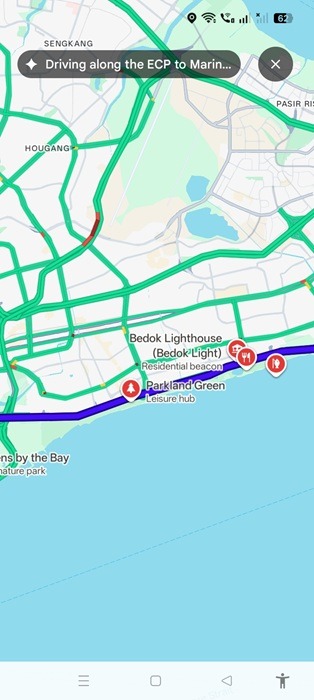
What this means is that Gemini quickly identifies prominent landmarks along your route. Instead of giving you boring updates like “take the next turn after the highway,” it tells you to watch for a key landmark and bases the directions on that. More recently, these prominent landmarks are now clearly marked and visible directly in the map view.
Considering Gemini is so useful with Google Maps, it makes little sense to go without. However, if you’re still not keen on using Gemini, all you have to do is stick to 2D view by not clicking the Gemini button. You can further disable Gemini smart features in your Google account, by simply turning off web and app activity. If you just avoid Gemini because you don’t like its interface, perhaps choose a different interface such as “Voyager.”