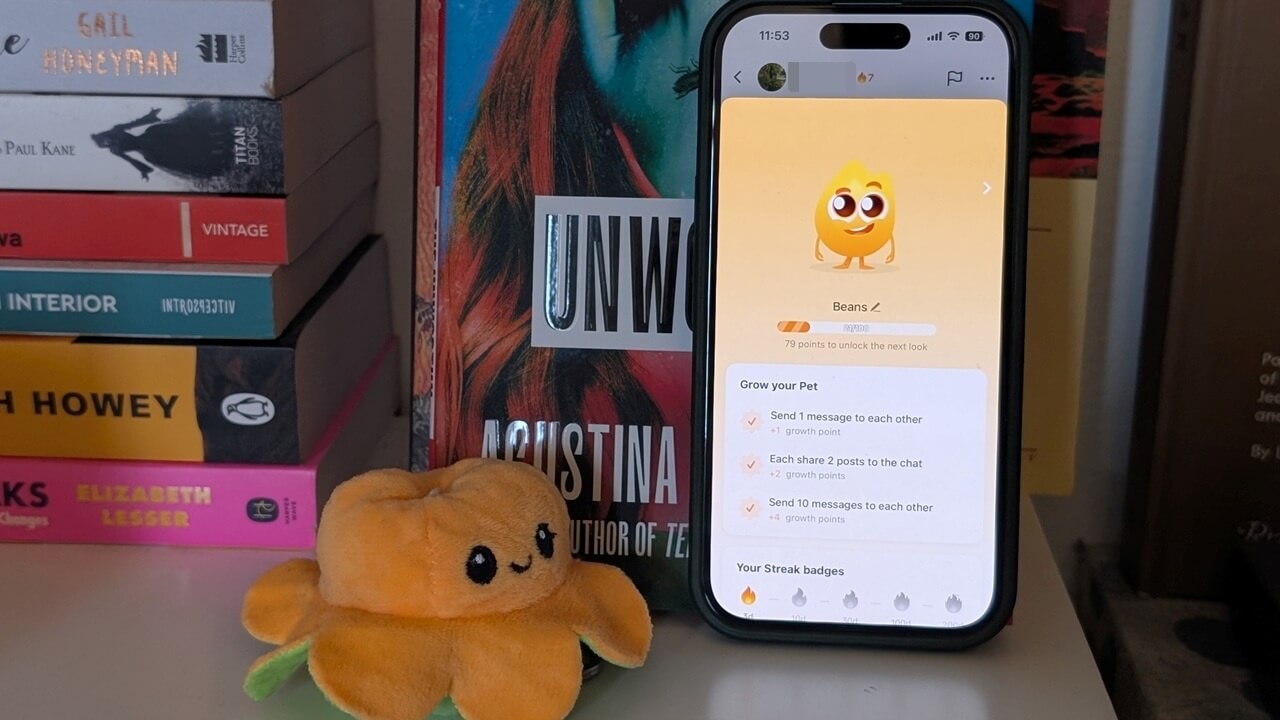
Tired of just watching videos on TikTok? There’s more to do than you might think. You can hatch a virtual pet by creating a streak with your friend, or dive into a growing collection of games to play together. In this article, we show you all the ways you can gamify your TikTok experience.
Good to know: learn how to customize your TokTok For You page so you can see more content that interests you.
Hatch a Virtual Pet on TikTok
On TikTok, you can make your conversations more playful by creating your own fun and friendly pet. To do this, you will first have to set up a 3-day streak with a friend. Other social apps, such as Snapchat, offer a similar streak feature, although the virtual pet aspect is unique to TikTok.
To start a streak, open TikTok on your mobile phone and go to your Inbox.
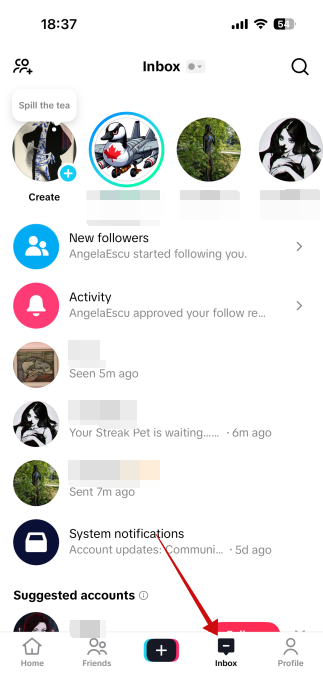
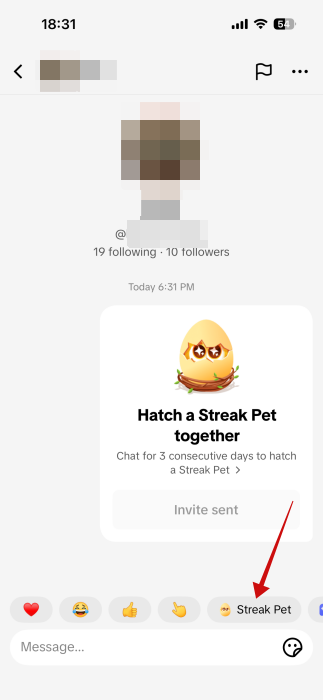
Open a conversation. Tap on the Streak Pet sticker at the bottom.
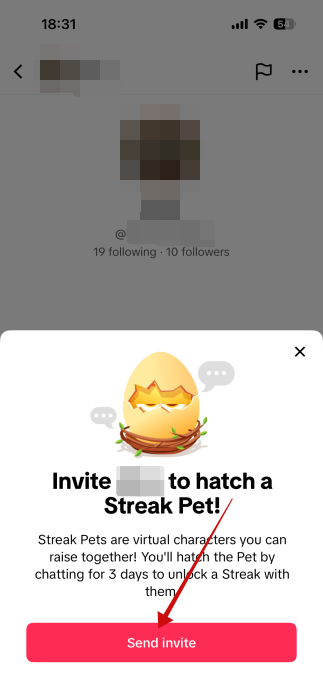
Press on Send Invite in the pop-up window that appears from the bottom.
An Invite sent card will appear in the chat.
The other person needs to Accept so you can begin your streak.
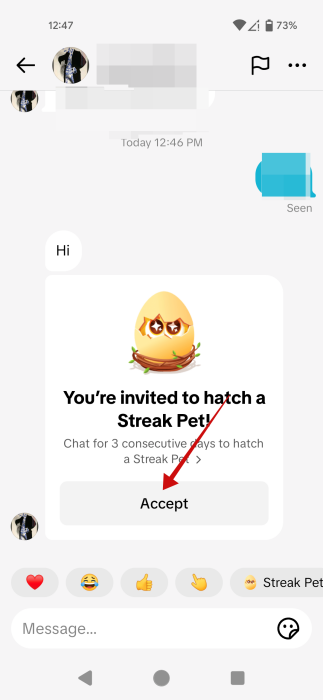
Once this happens, both parties must continue to send at least one message per day to each other to keep the conversation going. The pet will already appear hovering in your chat, encased in an egg. You can drag and drop it around in the chat window.
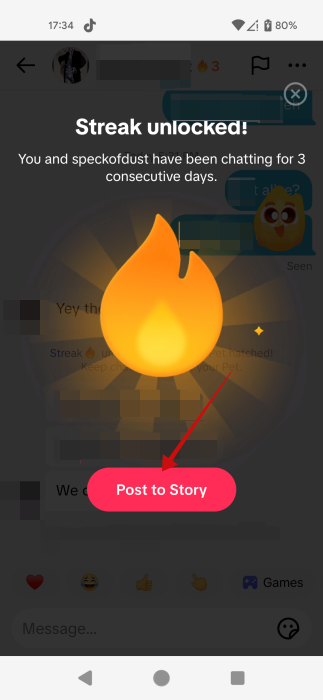
If you keep messaging your friend every day for 3 days in a row, you will finally hatch the pet. A pop-up will notify you that you’ve unlocked a streak. Tap on the Post to Story button to share your streak with others.
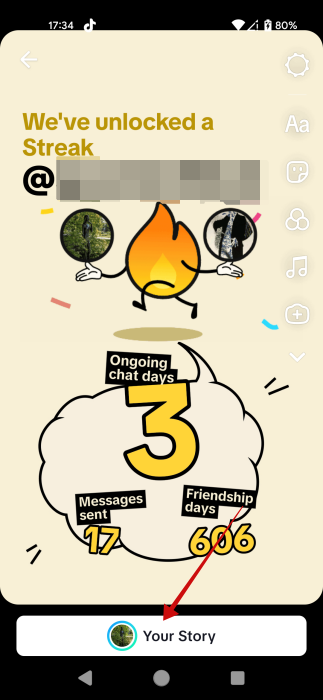
TikTok will automatically generate the Story, but you can add edits such as additional stickers, music, text, etc. Tap Your Story to post it.
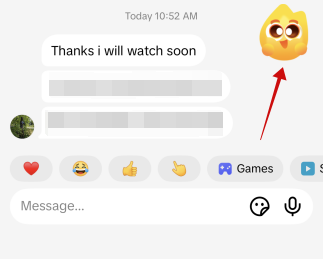
Now, back to your conversation. You should notice the hatched pet hovering in the chat. Tap on your new virtual companion to see more info.
This will open a dedicated pet page where you can view the number of days you’ve maintained the streak (this information is also available at the top of your chat screen, next to your friend’s TikTok username).
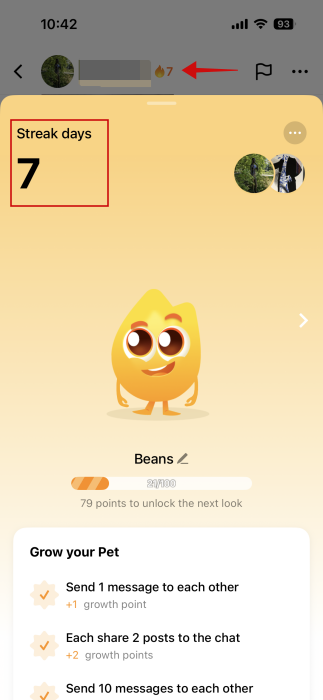
Tap the three dots in the upper right corner at the top and select Edit name.
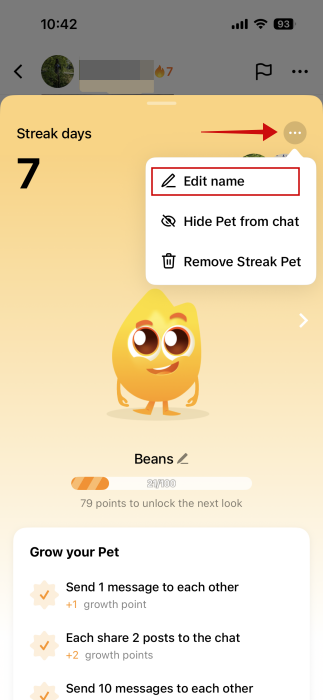
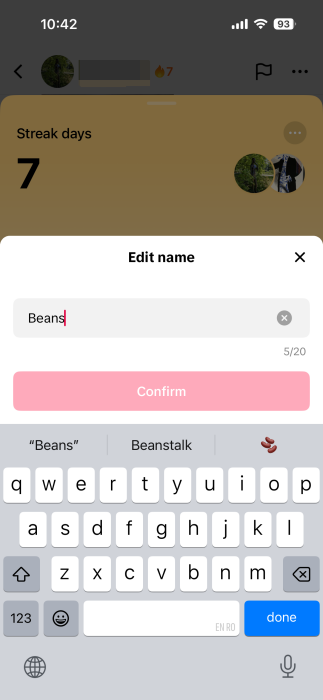
Rename your pet to whatever you want.
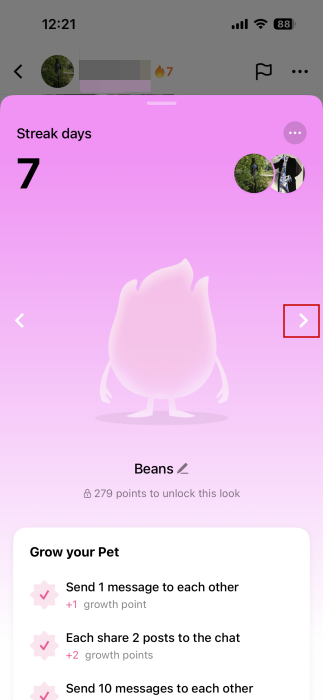
By the way, if you’re curious to see how your pet will evolve, tap on the arrow on the right to view the potential transformation scenarios and how many points you need to unlock each.
Maintaining your streak
To grow and evolve your pet, you’ll need to continue maintaining your streak with your friend by sending each other messages on a daily basis. This will add +1 point to your streak every 24 hours and unfreeze the cute creature in the process.
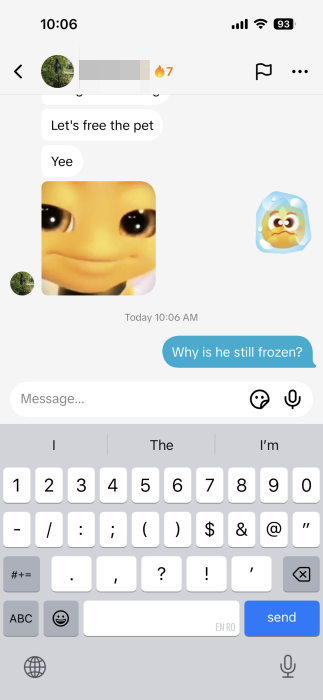
If you want to accelerate the process of growing your streak, you can also gain more points by:
- each sharing 2 posts to the chat
- sending 10 messages to each other per day
Note that you don’t have to keep your virtual pet in your chat to keep a streak active. If you would rather not see the pet in your chat, tap it to bring up the pet screen. Tap on the three dots in the upper right and select the Hide Pet from chat.
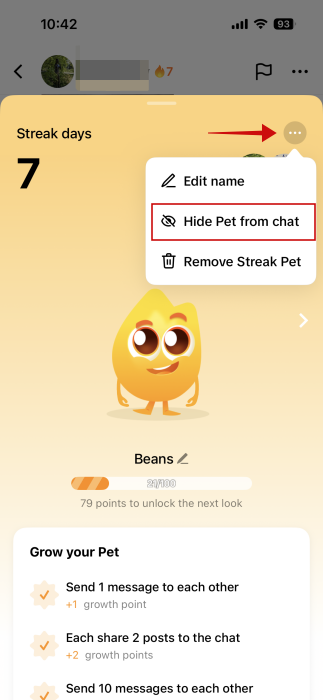
If you choose to remove the Streak Pet, TikTok will also remove it automatically from your friend’s chat, as well.
FYI: X and Bluesky now have TikTok-style video feeds. Here’s how to access them.
Play More Games in TikTok
Want to keep the fun going? TikTok also lets you play games with friends directly from your conversations, no downloads needed. You can start a gaming session from a one-on-one chat or a group one.
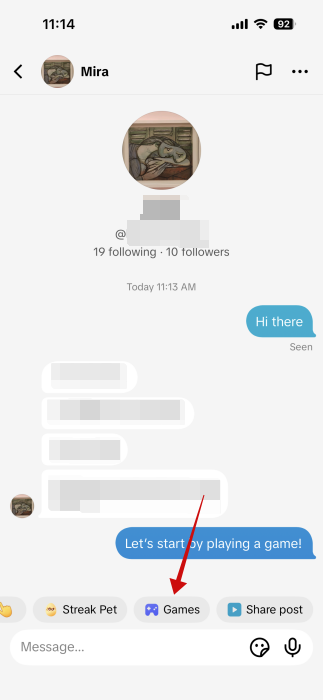
Go to the chat in question and tap on the Games sticker on top of the message bar. If you don’t see it right away, swipe to the right until it comes into view.
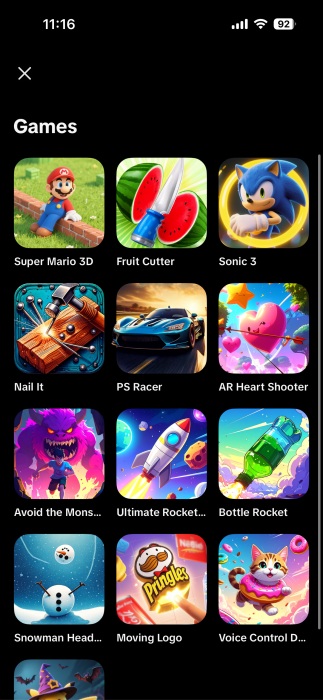
Select one of the games available to play.
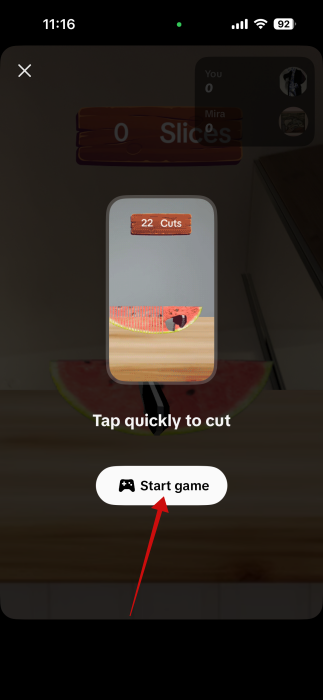
View the instructions and tap Start game.
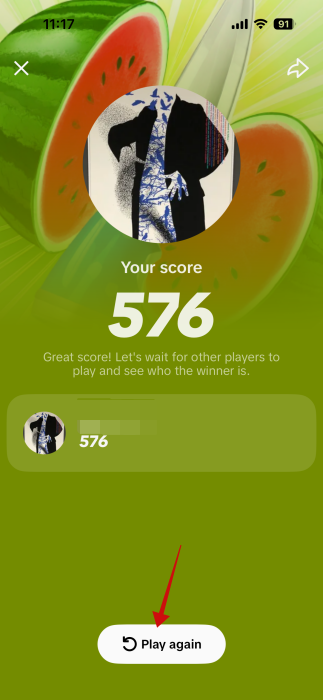
Once you finish the level, your score will pop up right away. You can tap Play again if you’re not satisfied with the result.
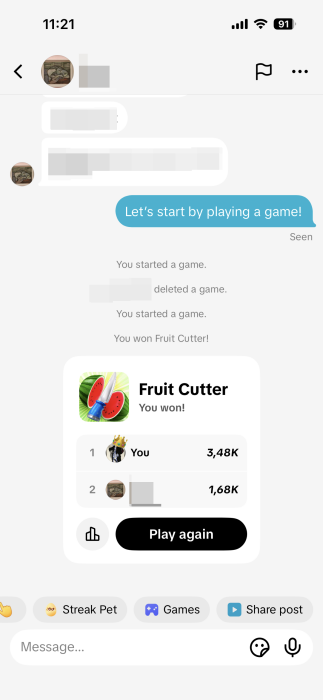
As the other player(s) accept your invitation to play the game, the leaderboard with all the scores will appear in your chat window.
You can continue your gaming session by trying the other mini games that are available, as well. Want even more games? Switch to your browser and try these hidden Google games.








