


How many times have you had to go hunting through your Chrome history page to reach a website you had been surfing before you exited the browser? We’ve all made the mistake at some point of leaving Chrome without marking the last site we visited only to have trouble finding it later. It can also be tiresome to have to keep typing in the address for a site you visit often every time you start a new session in your browser.
Fortunately, Chrome offers you the choice to always go to a particular webpage as soon as you start the browser or to have the browser open at the last tab or tabs you were visiting during your last session.
Also read: How to Use Chrome’s Built-in Virus Scanner
Setting a Particular Home Page
Open Chrome and go to the three dots at the top-right corner of the browser.
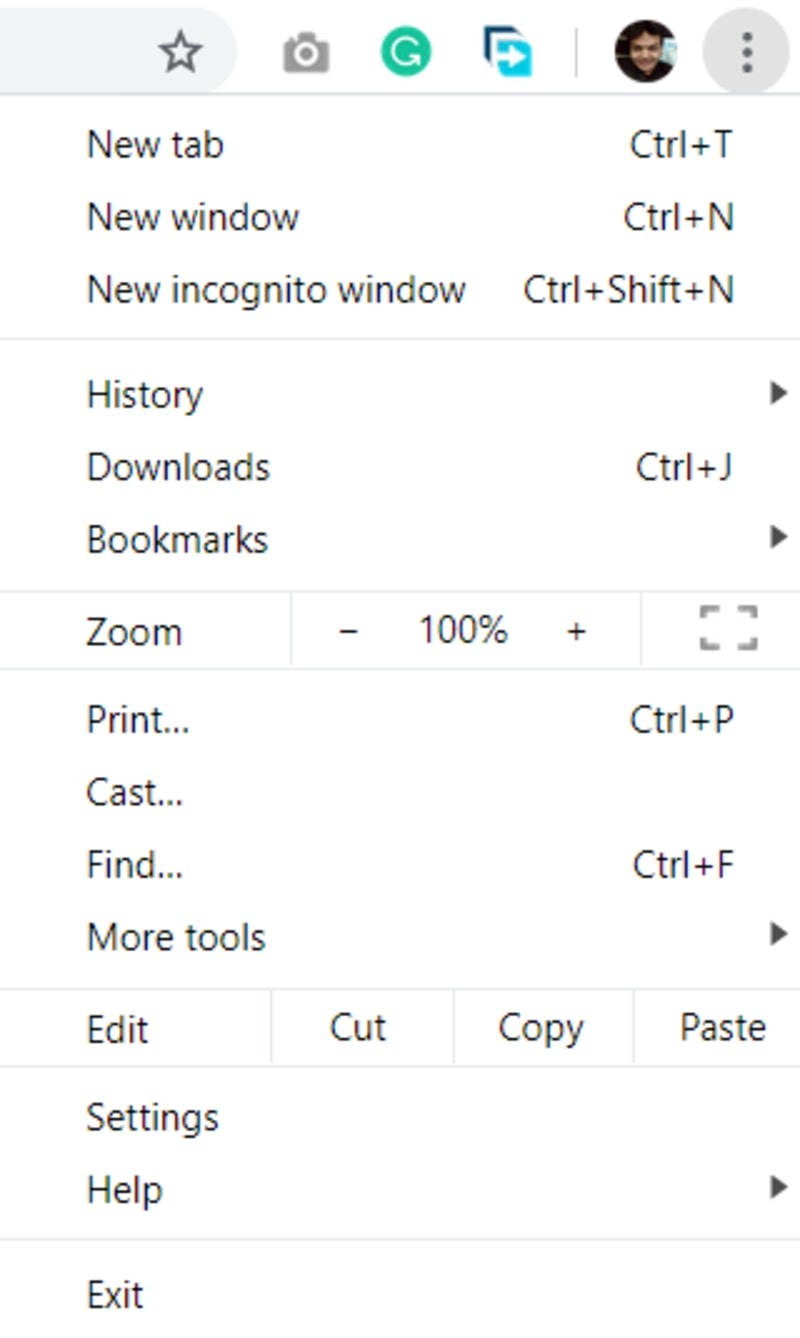
A pop-up window will appear with a list of options. Scroll down the list and select the Settings tab.
You will be taken to a new page with a list of personalization options for Chrome.
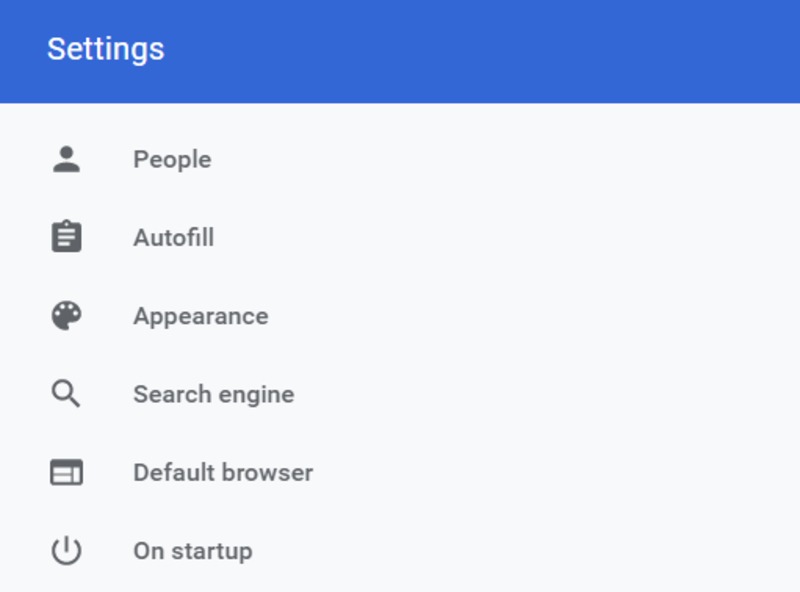
To the left of the page is a section titled “On Startup.” Tap on the section, and you will find three options:
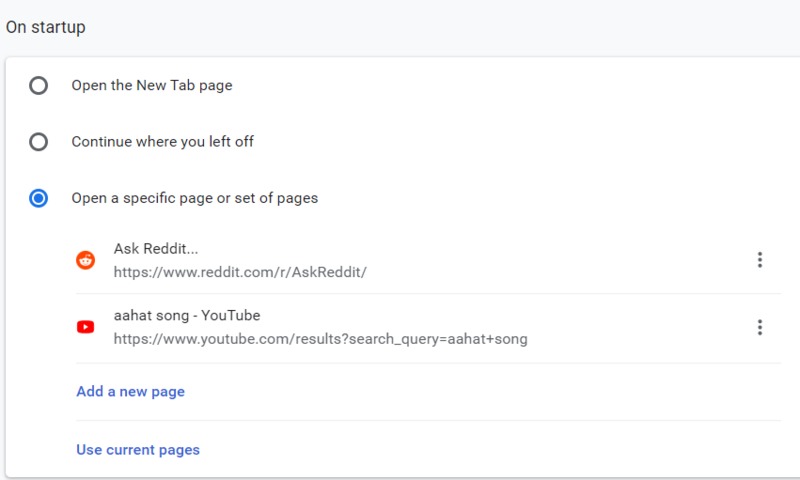
- Open the New Tab page: Selecting this option means that every time you open Chrome, a new window will open up instead of a specific page. This is the default setting for Chrome.
- Continue where you left off: This option will let you start every fresh browsing session with the same sites open from the start that you were surfing during your previous session. All the tabs that were open the last time you were using Chrome will be reloaded on your screen upon restarting Chrome.
- Open a specific page or set of pages: This lets you select the specific pages you want to automatically open every time Chrome starts up. To make use of this feature, first tap on the option. You will see a list of the sites that you have open currently. If you wish to set these sites as your homepage, simply tap on the Use current pages option.
You will also see the option to “Add a new page.” When you select this option, a pop-up window will appear where you can enter the URL of the website you wish to set as your homepage. Do this as many times as you want to set multiple homepages.
Once you have made the changes to your homepage according to your wishes, simply exit the page. The next time you start the Chrome browser, the homepage will appear according to the choice you made in the previous steps in this article.
Conclusion
Using this customization feature ensures that any Chrome browsing session that gets interrupted can be immediately restarted by starting Chrome again and automatically getting sent to the sites that you were surfing during your previous session. It also allows you to have the sites you visit often and which need your immediate attention to be waiting for you as soon as you start Chrome.
Image Credit: Websites You May Like