

Viruses and malware used to attack only desktops, but now it is very prevalent online, too. Surfing the web nowadays requires plenty of caution, as you never know if the next website you are visiting contains a virus.
Google Chrome offers a built-in antivirus scanner that comes with the browser itself that you can use to scan your device for programs that might be harmful. Keep in mind that this is not a general-purpose scanner but focuses specifically on threats that target Chrome.
Also read: How to Delete Your Google Chrome Web Activity Data Automatically
Running Chrome’s Antivirus Scanner
1. Open Chrome on your device.
2. At the top-right corner of the browser you will see three dots next to your profile image. Click on the three dots.
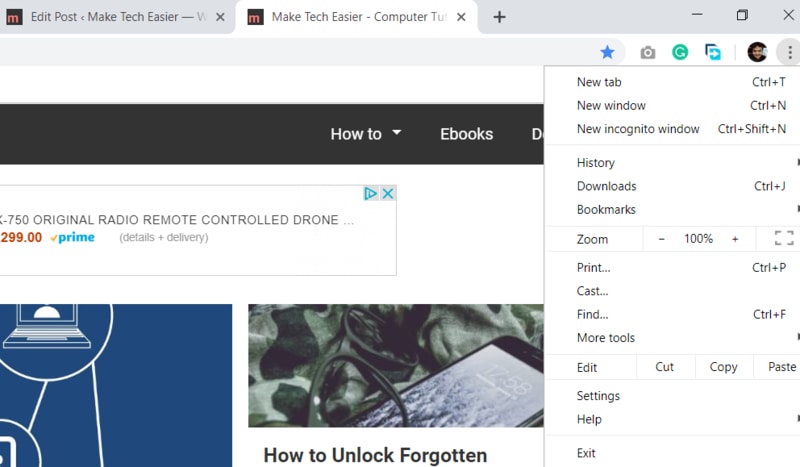
3. A pop-up window will appear beneath the dots. Scroll down through the list and when you see the Settings option near the bottom, select it.
4. You will be taken to a new page that carries a list of options relating to the manner in which your Chrome browser operates. Here you will find a variety of customization options from changing the layout of the browser to the various permission settings that decide which online programs can access your device.
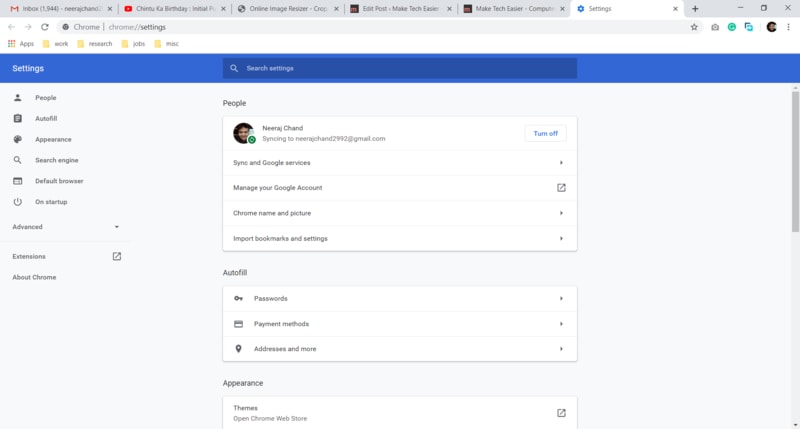
5. At the bottom-left corner of the page is a section titled Advanced. Selecting this option will reveal a drop-down menu.
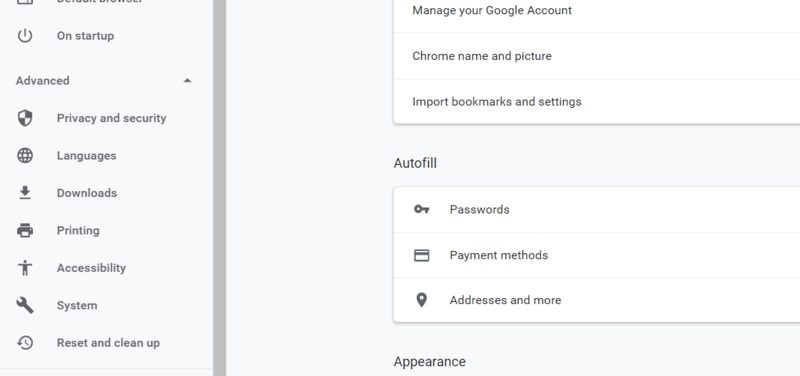
6. At the bottom of the drop-down menu is the option “Reset and clean up.”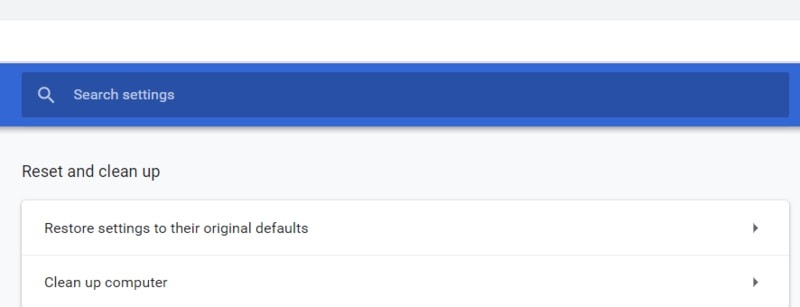
7. Click on this option, and you will be directed to the cleanup options, which include “Clean Up Computer.”
8. Tap on this option, and a new page will open with a “Find” button highlighted in blue. Clicking on Find will start the Chrome scanner which will scan your device for the presence of malware. You can also opt in or out of sending details to Google HQ about any malware that was unearthed during the cleanup.
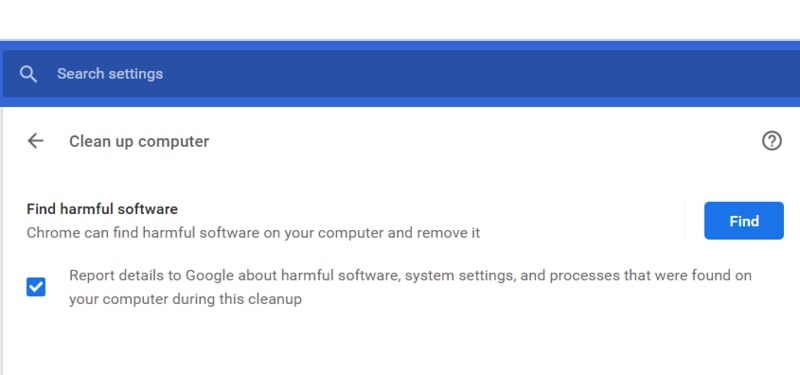
9. Once the program starts running, it will scan not only for viruses but also for any other undesirable apps that you may not even have realized are active on your device. Google goes into detail about what kind of software it classifies as undesirable on this page.
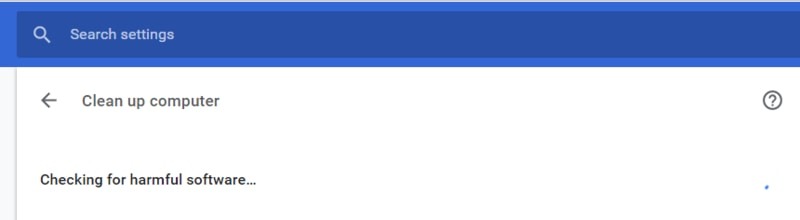
10. Once the scanner has completed its task, you will be shown a report about any malware that was found on your device. You will then be presented with the option to remove the unwanted software or place it in quarantine until you decide what to do with it. Once the operation is finished, you may be asked to reboot your computer.
Privacy Issues
Google has come under some criticism for its scanner, with critics pointing out that scanning a user’s personal files on their device can be seen as an invasion of privacy. The head of Google Chrome security, Justin Schuh, has clarified that the tool runs in accordance with normal scanning privileges that the user has already granted to the browser. It cannot go in too deep into a device to carry out its scan, and it needs your explicit permission before it removes a potentially dangerous file.
Conclusion
Chrome’s free scanner cannot take the place of a complete antivirus software package since it is only an on-demand scanner\ and does not provide real-time protection. However, it can be a useful addition to your arsenal of tools to combat hackers and malware threats. The issues of privacy should be kept in mind, though, while using the scanner.