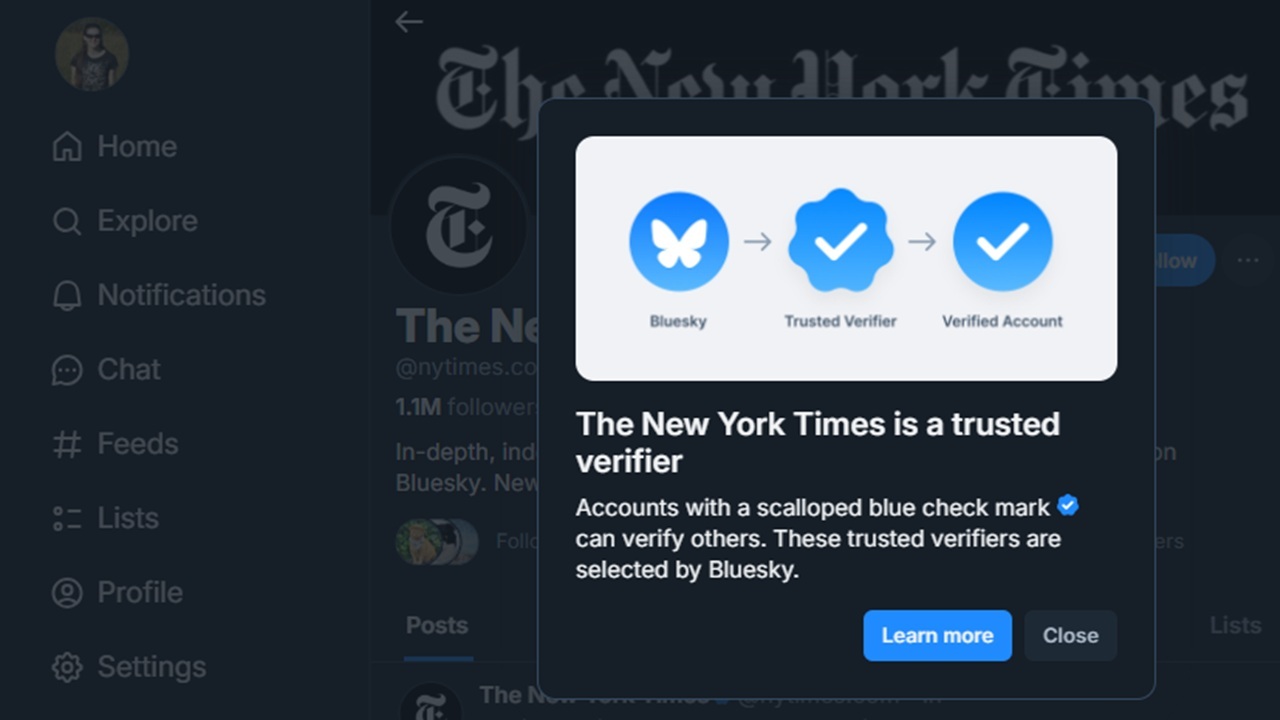
Bluesky verified accounts are one of the newest features the platform’s added to compete with X. On social media, it’s always difficult to know if an account is real or not, but Bluesky is trying a different approach than X that may make those little blue check marks more meaningful.
How Bluesky Verified Accounts Get Verified
As of late April 2025, Bluesky is manually verifying notable accounts. Right now, the platform hasn’t stated exactly how this manual verification works. However, the first accounts to get verified are those who link their domains to their account.
If you’re running a Bluesky account for your website, you’ll need to switch from the “bsky.social” suffix at the end of your username to your site’s domain name. While this feature has been offered since 2023, you’ll now get a shiny new blue checkmark to show you’re Bluesky verified. This makes it easier for users to denote which accounts are verified or not.
I’m performing the following steps on the desktop version of Bluesky, but it works the same on the app.
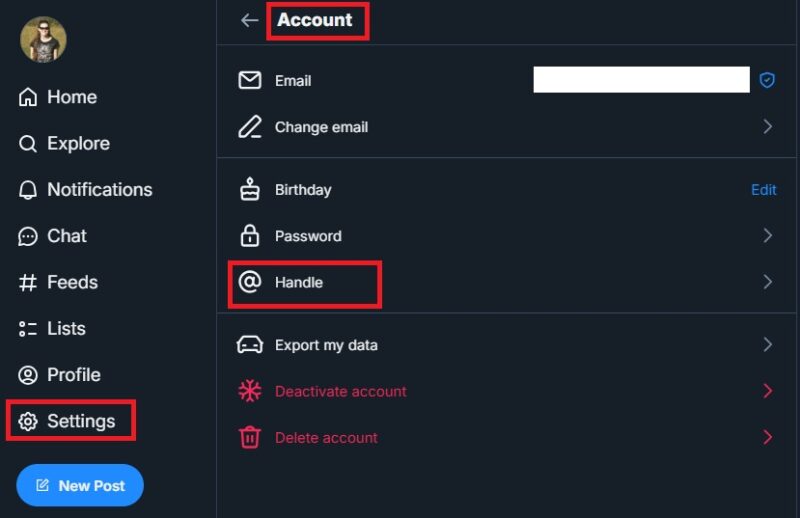
Login to your account (or create a new one if you’re new to the platform). Select Settings -> Account -> Handle. If you don’t see Settings, expand the left sidebar menu.
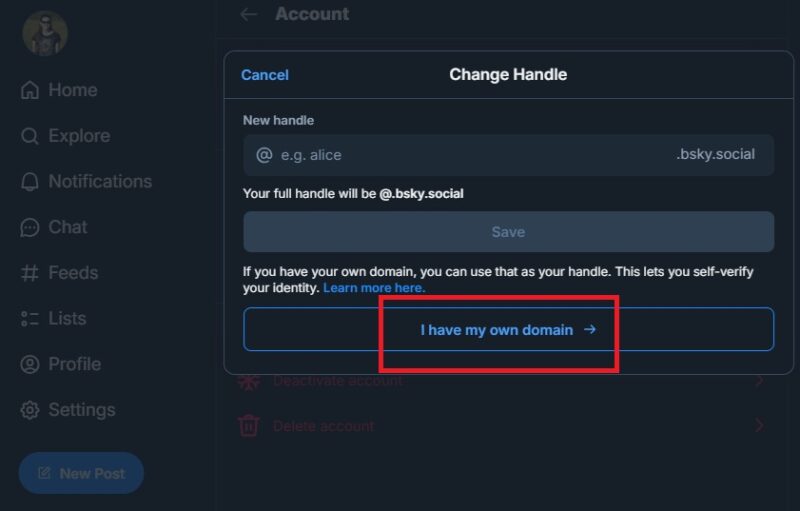
Instead of changing the handle, click I have my own domain.
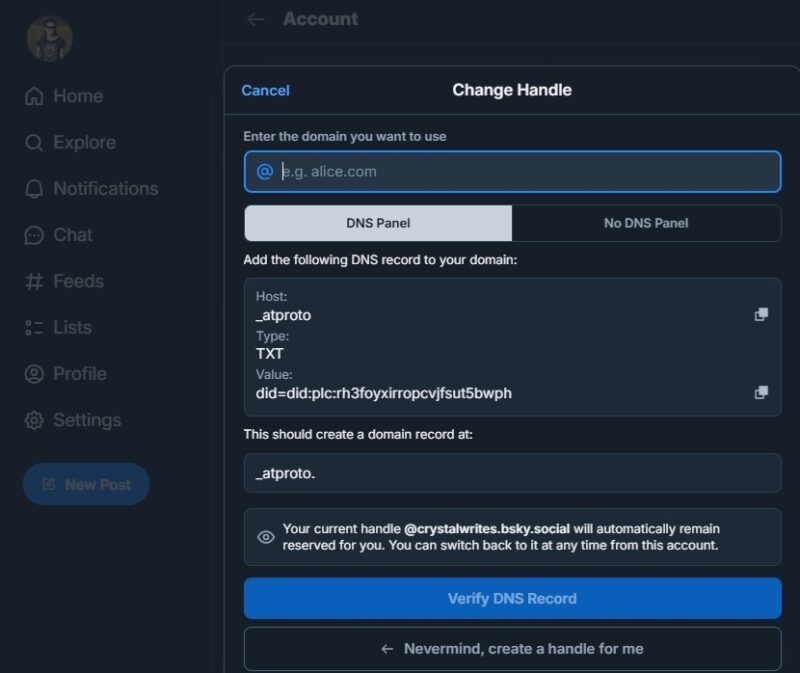
Follow the prompts to connect your domain to your Bluesky account. What I love about the process is if you already have a bsky.social handle, it remains reserved so no other users can pick up. This leads to less confusion for users.
Once the process is complete, you’ll receive your blue check mark. Yes, it does look almost identical to the check marks on X.
It’s important to note that getting verified is free. You can’t just pay a fee to get a check mark.
How Trusted Verifiers Work
The other way to get Bluesky verified is to receive verification from a Trusted Verifier. These individuals and organizations have been granted approval by Bluesky to verify other users. During this launch phase, it’s mainly verified organizations. For instance, The New York Times was the first trusted verifier. This allows them to verify all of their journalists on Bluesky, giving them blue check marks.
Trusted verifiers have blue check marks like other verified accounts. However, instead of a check mark in a circle, the check mark’s in a scalloped circle. It’s honestly not that easy to tell the difference at first glance.
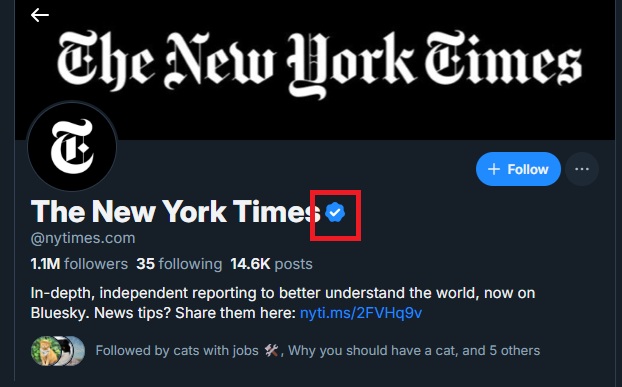
Currently, there isn’t a form to fill out to get verified or become a trusted verifier. However, Bluesky is working on the process and plans to have a system in place soon to help verify more users.
Bluesky vs. X Blue Checkmarks
At one time, Twitter didn’t make it easy to get verified. There was an entire process and if a user got a checkmark, you could pretty much trust that it was legitimate. Sure, there were still ways to game the system, but they were more reliable than X’s current system.
On X, you pay for the Premium plan and you get a checkmark. It’s that easy. You can opt for an ID verification, but it’s not required. So, anyone willing to pay gets verified whether they’re a scam account or a reputable organization. There’s no difference.
On Bluesky, verification isn’t paywalled. You must have a verifiable domain. Bluesky also checks your account once you’ve added a domain to ensure your account should be verified. If users report that your account isn’t legitimate, Bluesky can revoke your checkmark or even ban you from the platform.
For now, Bluesky checkmarks feel more like Twitter’s old system. This makes them more meaningful than the “pay and get a checkmark” system X uses.
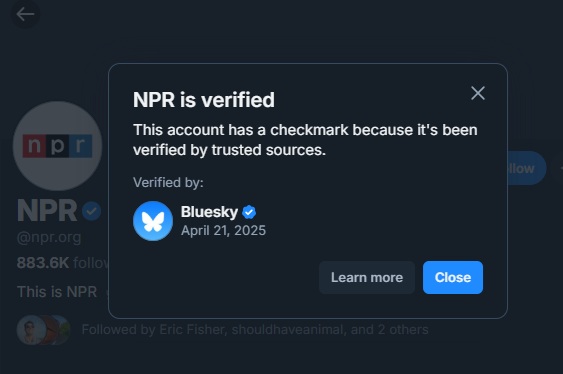
Another benefit is you can see who granted verification and when. Click or tap an account’s checkmark to see the details.
Tips for Getting Bluesky Verified
Right now, don’t expect Bluesky to start mass verifying accounts. It’s not a huge team. Right now, priority goes to brands, organizations, and celebrities. This doesn’t mean individuals outside those categories won’t be verified, though. But, if you do want to get noticed, there are a few things you can do:
- Build a large following – A larger following shows users trust you. This shows Bluesky you may be a reputable account that’s worth verification. It’s not a guarantee. After all, we all know plenty of spammy accounts on X with huge follower numbers.
- Post regularly – Posting often helps to boost your follower numbers. It also increases engagement. The combination gets your account noticed.
- Engage with other accounts – Bluesky wants users to socialize. Instead of just posting and disappearing, engage with other accounts.
Bluesky has introduced a variety of new features over the last few years, such as DMs, trending topics, improved search, Buffer support, and more. Why? User feedback. If you want to get verified, encourage Bluesky to roll out the feature to all users by tapping Feedback in the menu in the app or in the right sidebar on the website.
Hide Checkmarks
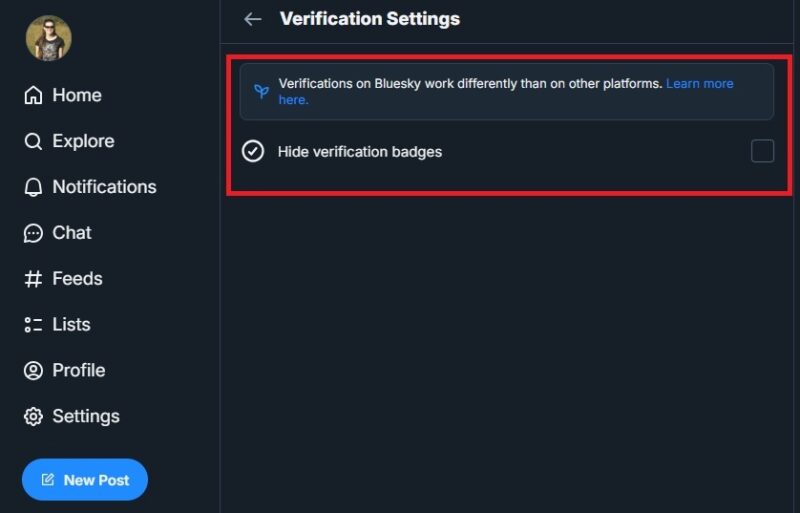
Don’t care about verification at all? Hide checkmarks. Go to Settings -> Moderation -> Verification settings. Check Hide verification badges.
If verified accounts were your only holdout in moving to Bluesky, now’s the time to make the move and delete your X account. Or, use both if you want.








