ElevenLabs has just released its official mobile app, bringing its popular AI voice generation tool to Android and iOS. You can now create text-to-speech clips right from your phone. Here’s how it works.
Good to know: learn how to use Gemini to identify a song from your Android device.
Use the ElevenLabs App for AI Voice Generation
Previously, ElevenLabs’ tools were only available via a web app. As a result, mobile users could only access this set of features through their mobile browser of choice. That’s no longer the case with the ElevenLabs app, which lets you easily generate audio on the go in a simple, intuitive fashion.
The app is free to download on Android and iOS, and includes 10 minutes of voice generation for free-tier users. Existing users can easily log in and continue working on their projects from any device.
As a new user, you will have to sign up for an account, as well. Once this step is out of the way, you can proceed.
Type or copy/paste the text in the app. You’ll notice a credits count at the bottom. This will be subtracted from your initial allotment of 10,000 credits/per month. If you want more, you’ll have to sign up for a subscription with ElevenLabs.
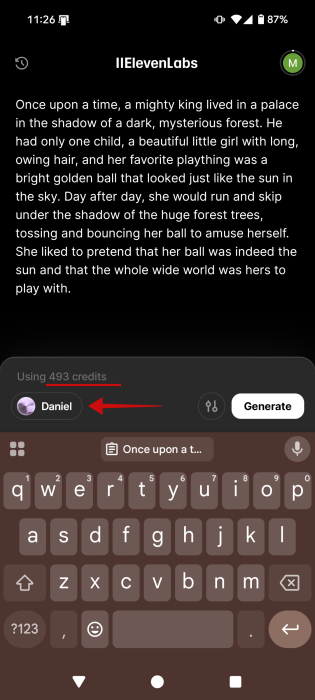
Now, before you press Generate, do the following things:
First, press on the name at the bottom (in this instance, it’s Daniel, but another might be showing up for you). This allows you to change the AI voice that will read out the text. Tap on a name in the Voices list to hear how it sounds and decide whether it would work for you. Press Select voice to add it.
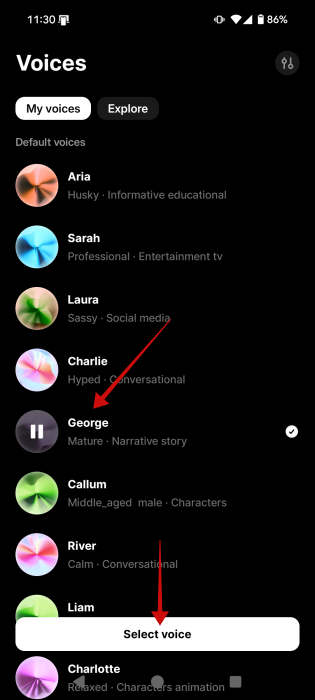
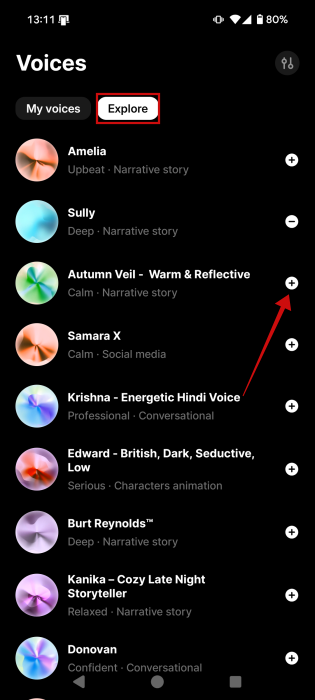
You can also switch to Explore and browse the library for other interesting voices. Press the + button to add it to My voices.
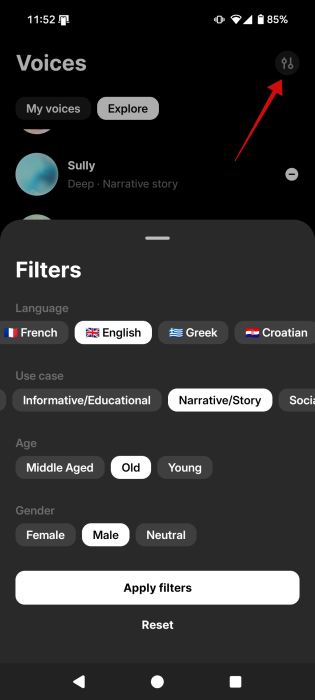
If you want to find specific voices, tap the controls icon in the upper right corner and add filters to quickly find what you’re looking for.
V2 vs V3 Model
Go back to the main screen and tap the controls icon to select your voice model.
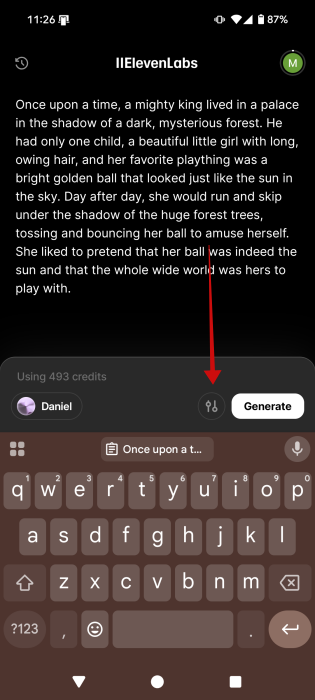
By default, it’s set to Multilingual v2. The option to take advantage of the latest (and most expressive) v3 alpha model is also available. It allows users to change the Stability parameter and choose among Creative (more emotional and expressive), Natural (closest to the original voice recording), and Robust (highly stable, but less responsive to directional prompts).
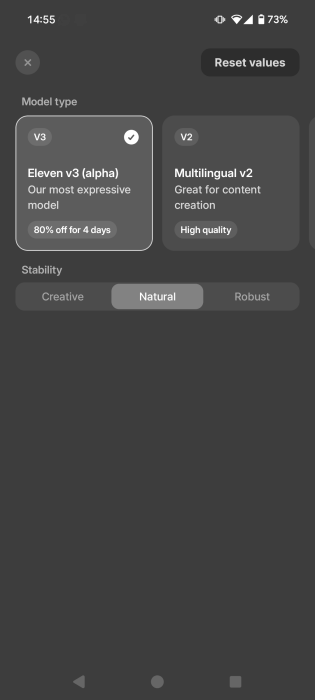
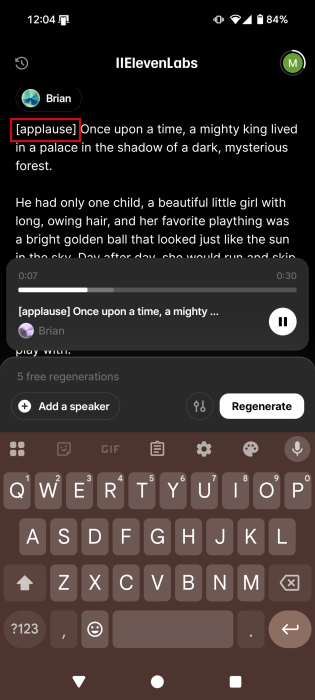
The best part about v3 is that it supports adjusting the speaker’s emotions by adding tags at the beginning of a phrase. For instance, you can instruct the app to read the text in a “whsipering” voice or in a “strong French accent”. Users can also apply voice effects using similar tags.
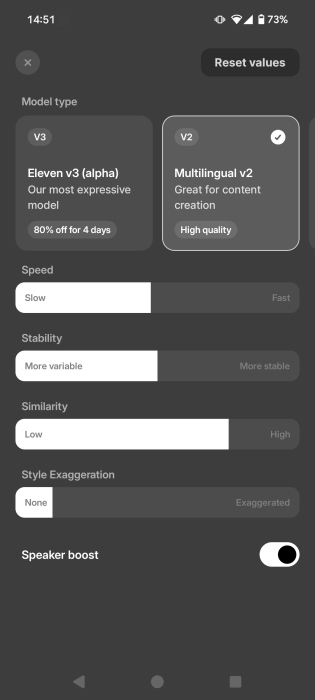
However, selecting to work with the v2 models has its perks, as in the free model you can opt to customize various variables including Speed, Similarity, Style Exaggeration and of course Stability.
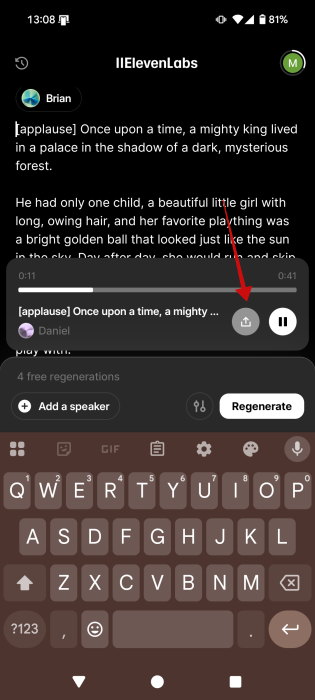
Once you opted for the model you want to use, voice generation takes a few seconds. When done, you can press the Share button and either save the audio clip to your phone or share it as audio or video.
Tip: did you know that you can now use Microsoft Paint to generate images?
Limitations of the ElevenLabs Mobile App
At the moment, the ElevenLabs mobile app is limited compared to its web version. You can’t generate new sound effects from the app, nor can you access the voice changer feature. Finally, you won’t be able to tap into ElevenLabs’ other services such as Studio or Dubbing from the app.
However, ElevenLabs’ Android and iOS app gives you access to easy speech-to-text AI-powered generation and a pretty large voice library to boot. It also lets you quickly export to social media apps for a smooth workflow.
If you’re using ElevenLabs’ tools to create voiceovers for social media, then perhaps you’d like to continue reading about the best apps for making Instagram Reels. Alternatively, you might want to check out Instagram’s only short video editing app called Edits.