Google has recently been notifying Android users of a major change via email: Gemini will now integrate with third-party apps, such as WhatsApp. Through an update that is currently rolling out, Gemini will be able to access WhatsApp texts and call data. In this article, we assess the privacy implications and provide guidance on how to stop Google Gemini accessing your WhatsApp messages.
Good to know: start using Gemini to search for videos on YouTube. Here are the top reasons why you should give it a try today!
Google’s Latest Gemini Update on Android Is Quite Confusing
I also received the email, but it landed in my Gmail’s Promotions tab, so I didn’t pay much attention to it initially, but maybe that’s exactly what Google was hoping for.
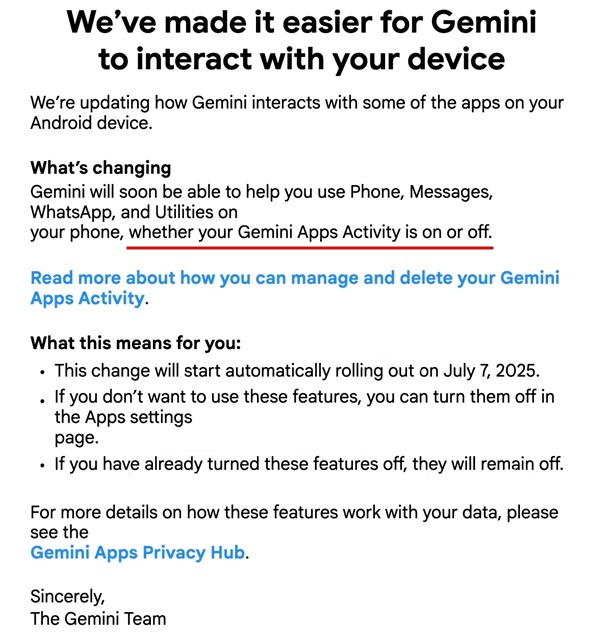
A closer read of the email reveals some ambiguity. While it doesn’t clearly state that Gemini will access WhatsApp messages, it does say that the assistant will “soon be able to help you use your Phone, Messages, WhatsApp, and Utilities, regardless of whether Gemini Apps Activity is on.”
Before this update that went live on July 7, Android users had a degree of control over their privacy settings. You could open the Gemini app, tap your profile picture, and open Google App Activity from there.
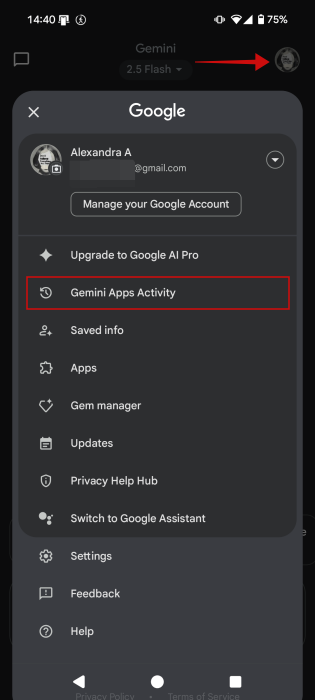
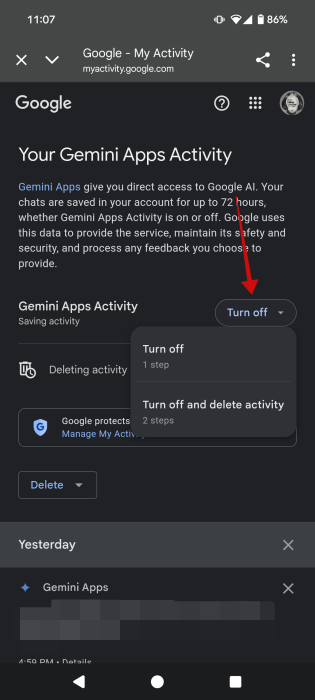
Tapping that option would redirect you to a web interface where you could turn off Google Apps Activity. Doing so gave Google limited permission for deeper AI integrations across your apps. But with the latest change, that control will no longer apply, as access is apparently now granted by default, without any additional consent from the user.
Still, further down the email, Google notes that “if you have already turned these features off, they will remain off,” suggesting that previous settings may still be respected for now.
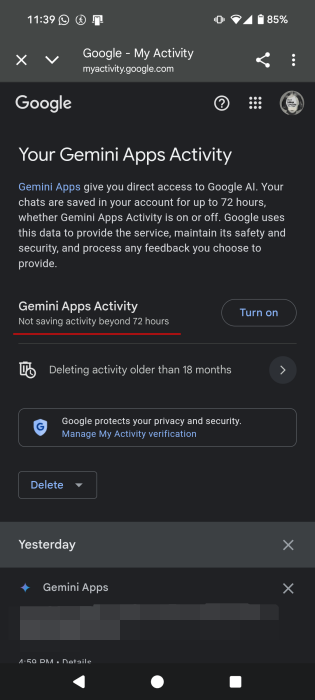
In my case, the feature wasn’t off. When I tried to disable it, Google informed me that it would continue to store my data up to 72 hours, but not beyond that. This is the same message that appears to users who had this feature off all along. This suggests that it could still be a good idea to disable Gemini Apps Activity, even after July 7.
Tip: learn how to run Gemini CLI AI agent on your terminal.
How to Disable Gemini’s WhatsApp Access
The unclear nature of the update has raised concerns among Android users, who are left unsure about what’s being shared and how to control it. While Google does suggest visiting the Apps settings page to opt out of the new features, it offers no specific instructions. That said, read below what are some steps you can take to protect your privacy.
Disable Gemini App Connections
This is what Google is referring to above. Disabling app connections for Gemini should stop Gemini from accessing your apps.
Note: you can do this only while the Gemini App Activity will have to be on.
Open the Gemini app on your phone and press on your profile picture in the upper right corner.
Select Apps in the menu that appears.
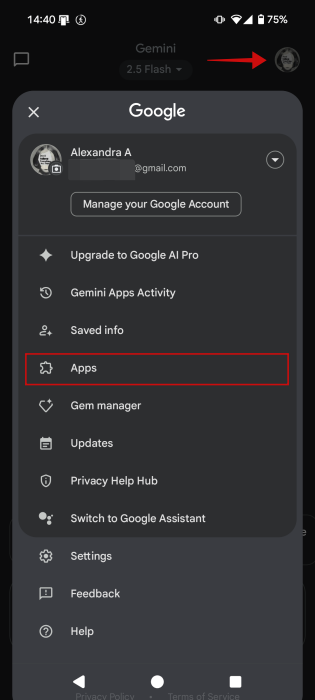
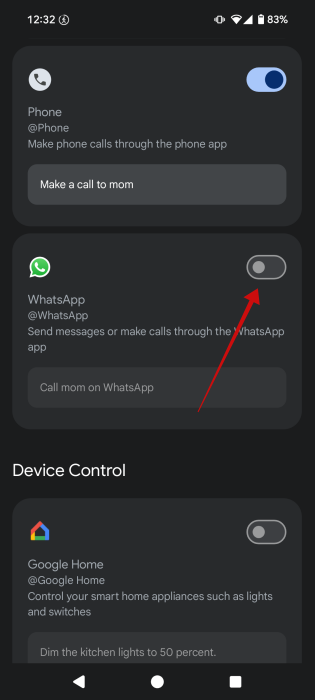
Swipe down until you find WhatsApp. The toggle next to it will probably be on. Turn it off. You can also turn Gemini access off from the Messages and Phone apps here.
Turn Off Google Assistant Integration
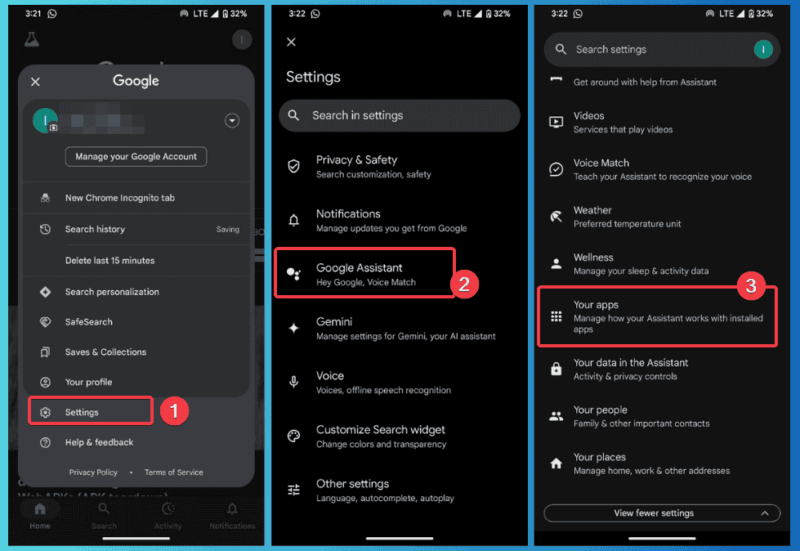
Gemini can still access WhatsApp through Google Assistant. To stop this, launch the Google app, navigate to Settings -> Google Assistant -> Your apps.
Click on WhatsApp and toggle off both options.
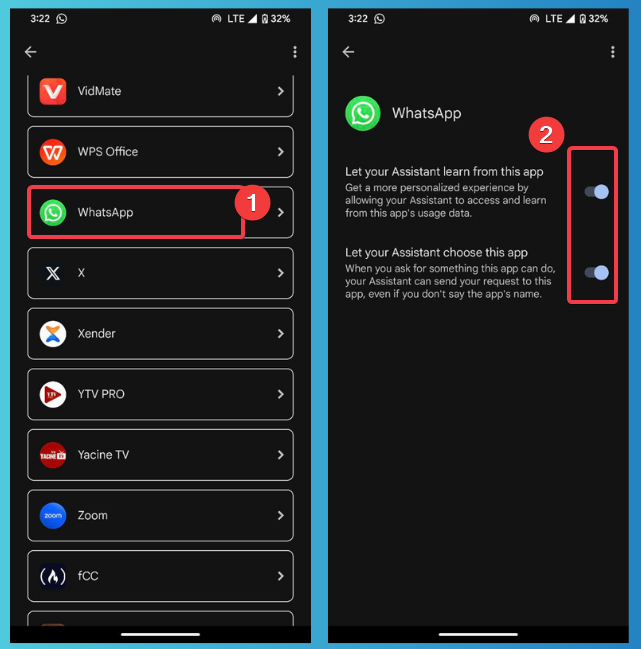
This disables Assistant’s access to sneak peek at your messages. You can also get more details on turning off Google Assistant here.
Uninstall Gemini app
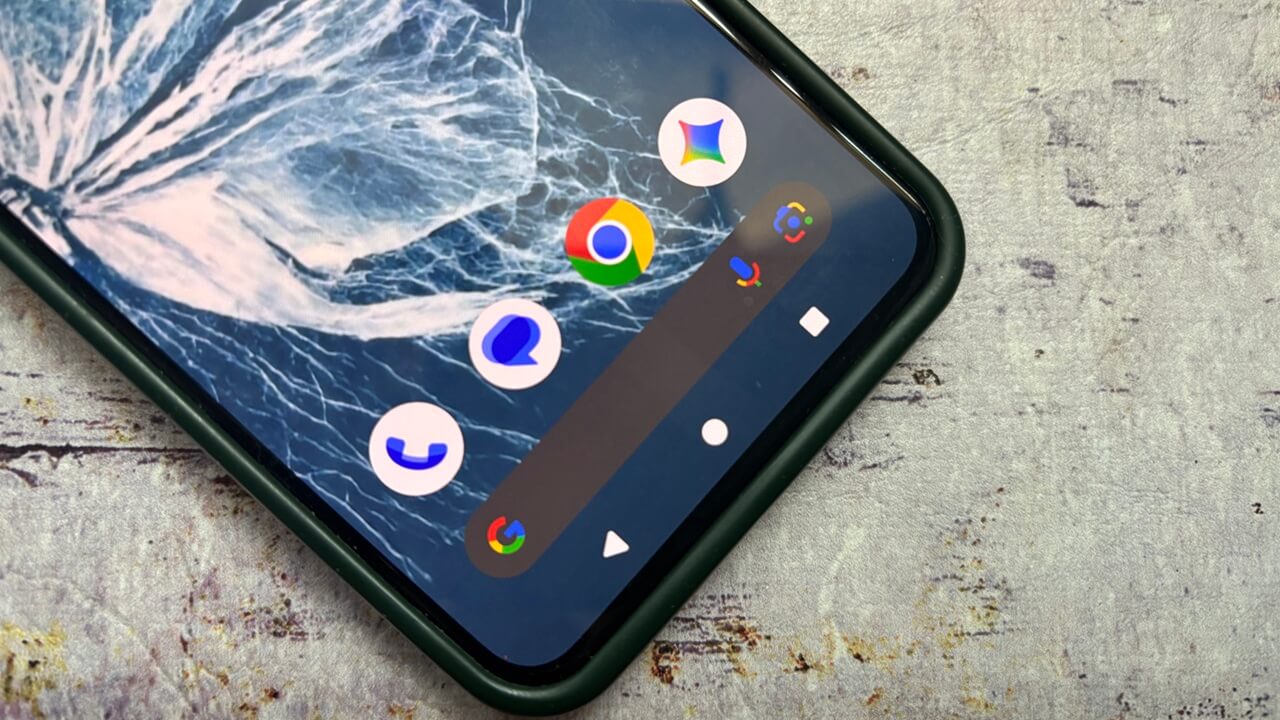
The more drastic alternative is to uninstall the Gemini app altogether from your Android phone. While it sounds like something easy to do, this is further complicated by the fact that Google seems to have quietly replaced Google Assistant with Gemini on some phones. Case in point, when I say “Hey Google,” now, it’s the Gemini bar that appears on the screen.
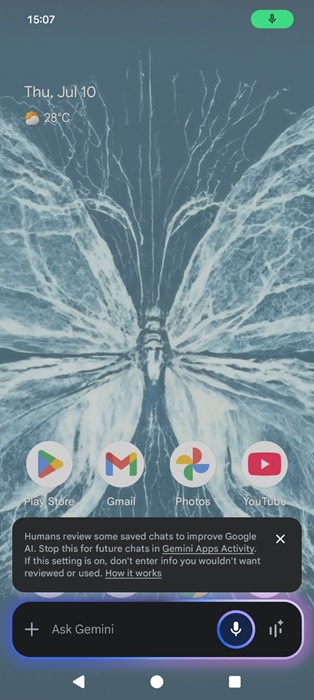
This likely indicates that Gemini is now more tightly integrated into your device. Fully uninstalling it is possible, but the process is a bit complex and not recommended unless you have a bit of technical know-how.
You will need to install the Android debug bridge first.
Download Platform Tools on a PC and unzip the file to a known location like “C: \platform-tools”. Add the unzipped folder to your path to run ADB globally.
On your Android, navigate to Settings -> About phone, and tap Build Number 7 times. Go to Developer Options -> USB debugging.
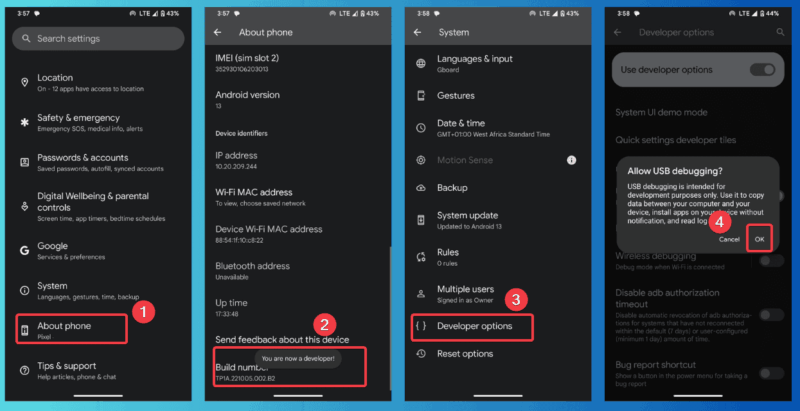
Connect your phone to your computer via USB and tap Allow on-screen RSA fingerprint prompt.
Launch Command Prompt and run adb devices to verify the setup.
Then you can uninstall the app by entering the following command:
abd shell pm uninstall com.google.android.apps.bardHowever, some users have encountered errors when trying to uninstall Gemini, indicating that the process may not work consistently across devices.
Switch Back to Google Assistant
If you’re not ready to get rid of the Gemini app for good, you can try disabling it and switching back to the Google Assistant.
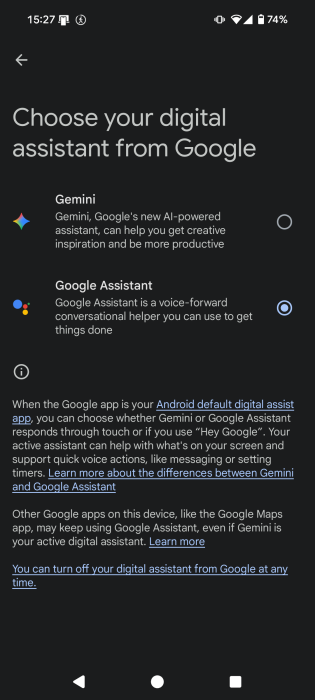
In the Gemini app, go to Settings -> Switch to Google Assistant.
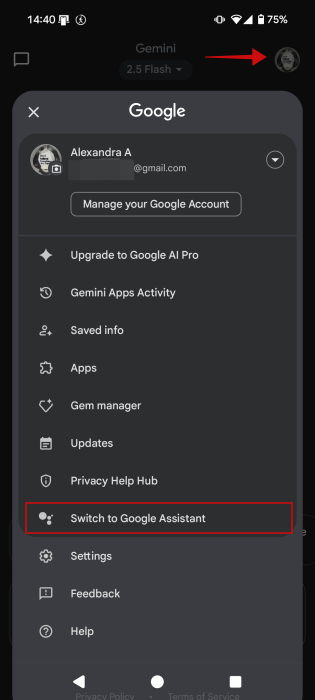
Select Google Assistant on the next screen. Tap Switch in the pop-up.
Google has taken steps to expand Gemini integration in its services by adding a new email recap feature in Gmail. However, if you don’t like that you’re seeing the AI everywhere, check the steps you can take to disable Gemini in Gmail in other Google Workspace apps.