
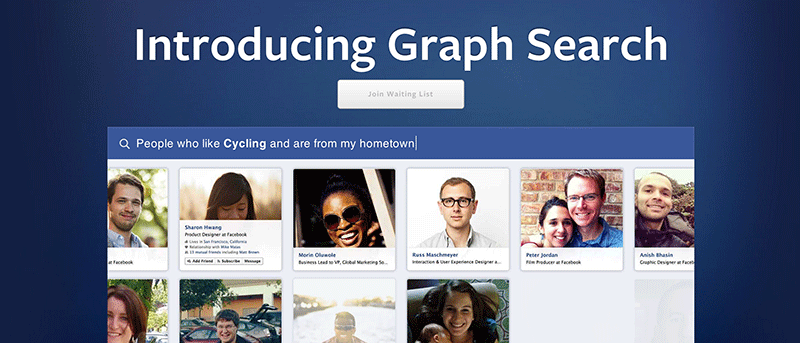

Facebook announced its semantic search engine, called the Graph Search, in March 2013. Ever since then, it has become a powerful tool to do semantic searches for billions of its users. What this search engine does is let you search multiple things using a simple query. For example, if you search for “People who have been to United Kingdom and are my friends”, it will show all of your friends who have been to the UK. Similarly, it accepts a number of other queries to help you simplify your searches and get better results faster than ever.
Unfortunately, the Graph Search is only available for the U.S. English users of Facebook. If you have chosen any language other than U.S. English in your account, then you will not be able to access this new search engine by Facebook. However, if you change your current language to the one mentioned above, you will have access to this fully functional search engine.
Here’s how you can go about changing your current language and enable Facebook Graph Search for your account.
Enabling the Facebook Graph Search
1. Head over to the Facebook website and get yourself logged in.
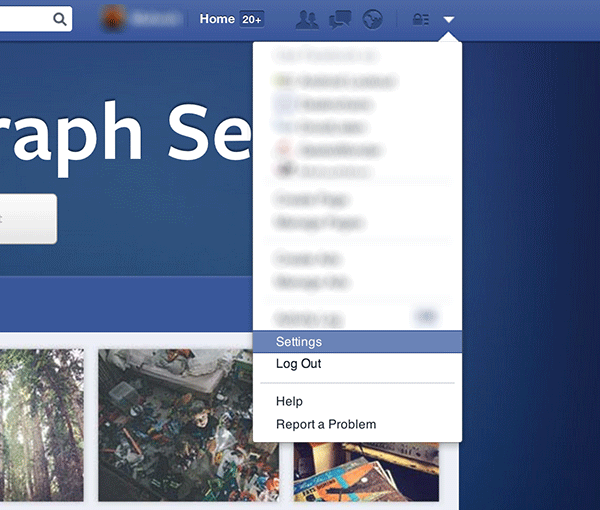
2. Click on the down arrow shown on the top-right corner of your screen.
3. You should now see a menu where you need to click on “Settings.” It will take you to the page from where you can manage all the settings for your Facebook account.
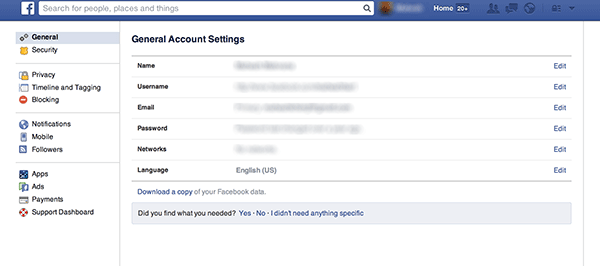
4. On the page that follows, you should be able to see general settings for your account. Click on “Edit” next to where it says Language. It will let you edit your current language that you use in your account.
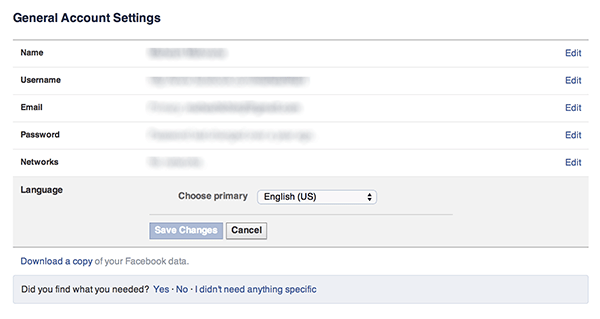
5. Now select “English (US)” from the dropdown menu and click on “Save Changes.” Your account language is now set to U.S. English.
And that’s it.
As soon as you hit the button mentioned in the last step, you will see the search bar changing itself to adapt the Graph Search. And there you have it. You can now search Facebook using various queries as mentioned on the Facebook Graph Search page.
Conclusion
The Facebook Graph Search makes it really easy to perform searches for billions of users on Facebook and to find the ones that belong to you.