Mac users, have you ever come across sites with impressive flash videos and wish that you can download them and play them in your desktop? Or perhaps you are doing a flash project and wish to have some flash files on hand for inspirations and references? What about taking a screenshot at a particular timeframe of the video and use it for your work? All those tasks listed above might seem like a difficult task for the average users, but Eltima Flash Player just make it easier.
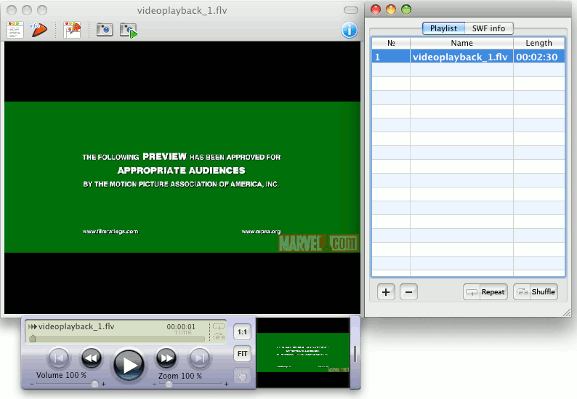
Eltima SWF & FLV Player for Mac is an advanced, yet easy to use player that allows you to download SWF and FLV files from the web and play them in your desktop. It comes in a FREE and PRO version. Both versions allow you to view Web (or local) flash videos on your desktop.
Downloading flash content from the web
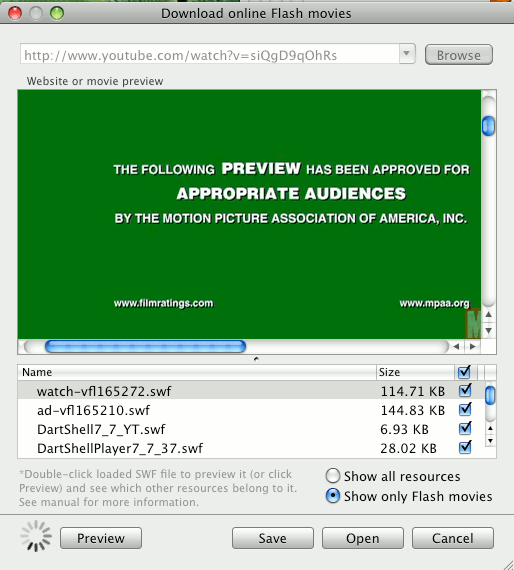
When you come across a site with flash content (be it a Flash animation or a video) that you wish to download, you can just copy and paste the URL to the Eltima Flash player and click Browse. It will then fetch the content and play it in the preview panel. It will also list down all the associated files in the bottom pane and you can decide which files you want to download.
Manage your flash content like a jukebox
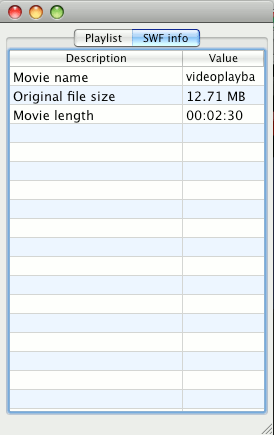
If you have a vast collection of flash content and you want to play them at one go, you can create a playlist in Eltima, just like any jukebox, and get it to shuffle, repeat one item or the whole list. Not only that, you can also view the detailed information about the files (size, SWF version, frame rate, shapes/morphs/fonts/ActionScripts/sounds/etc.) and there is a zoom in/out function to display a specific part of the file in more detail.
Screen capturing of flash files
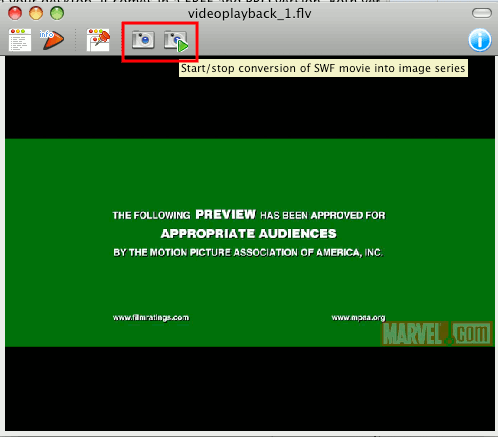
Let’s say that you need a still image from a particular timeframe of the video for your work. Eltima Flash player allows you to quickly performs a one-click screen capture of that timeframe. If you need the whole flash file in image series, there is also a Conversion button that you can click on to convert each and every frame of the flash content to images.
You can download the free version here.