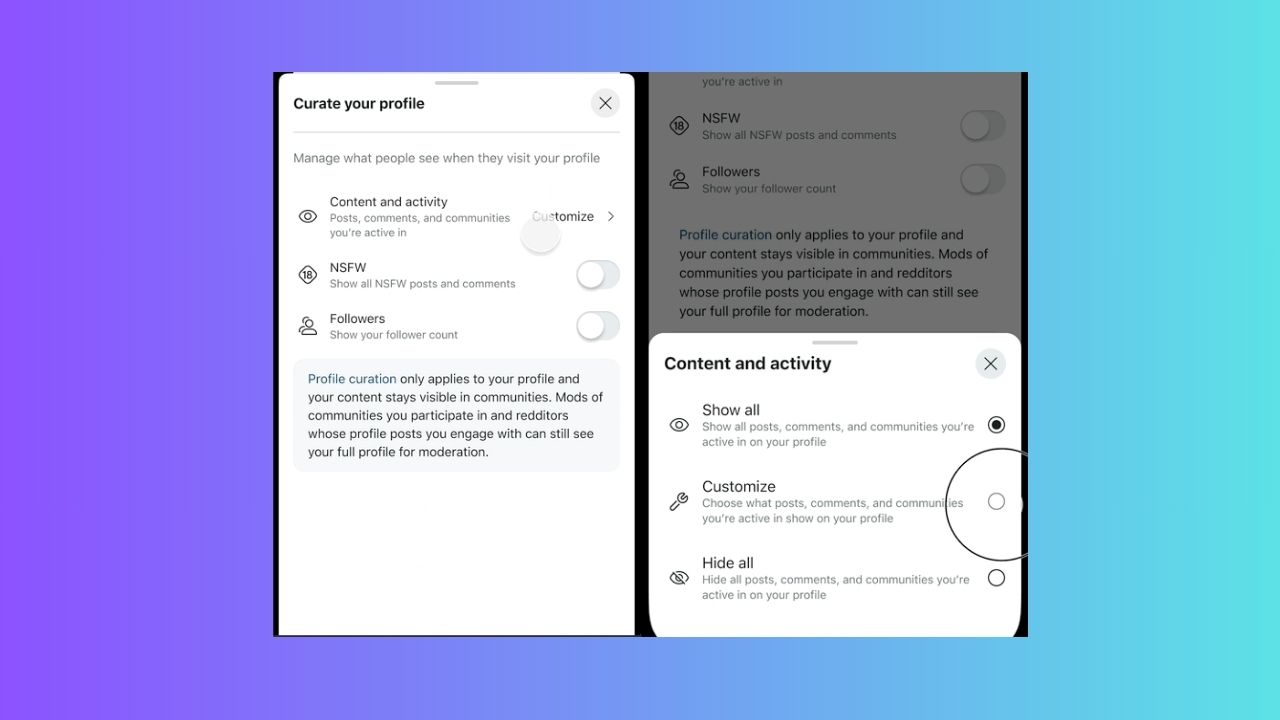
Finally! Reddit allows you to control what shows up on your public profile with the Curate Your Profile feature. Now you can hide posts, comments, or not safe for work (NSFW) activity to keep your online presence private and protect you. This guide will show you easy steps to curate your Reddit profile and maintain a low-key online presence.
What is Reddit’s Curate Your Profile Feature?
The Curate Your Profile tool is Reddit’s answer to your privacy concerns. Unlike before, it now lets you hide all your posts, and comments, or pick which subreddits show up on your public profile.
It’s under the Content and Activity section in your profile settings, and you can toggle off or on NSFW visibility or your follower count as well.
Although moderators can still see your full history and activity for 28 days after you interact in their subreddit, your profile stays clean for everyone else.
If you want to stay even more discreet, you can read up on tips to browse Reddit anonymously.
Why Curate Your Reddit Profile?
Browsing privacy is non-negotiable in today’s digital world. Hence, curating your Reddit profile for privacy keeps sensitive posts such as health or relationship advice off your profile.
You can freely join diverse subreddits without stressing about public exposure. Also, hiding old posts prevents them from being taken out of context and causing issues for you.
Besides, Reddit is shifting to an ad-focused model and this feature will help you stick to just one account.
While there’s the worry it could enable trolling without accountability, this is about giving you control. So, learn more about Reddiquette to prevent breaking Reddit’s community standards.
How to Use Reddit’s Privacy Settings
If you’re ready to curate your Reddit profile, the first thing is to update your app on iOS, Android, or the web. Outdated apps won’t show this new feature.
Go to your profile, select View Profile, and select Curate Your Profile.
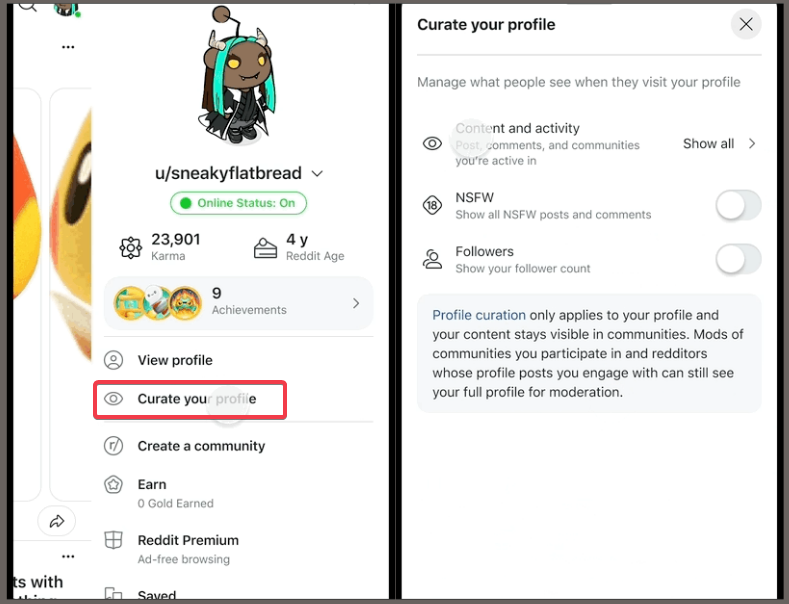
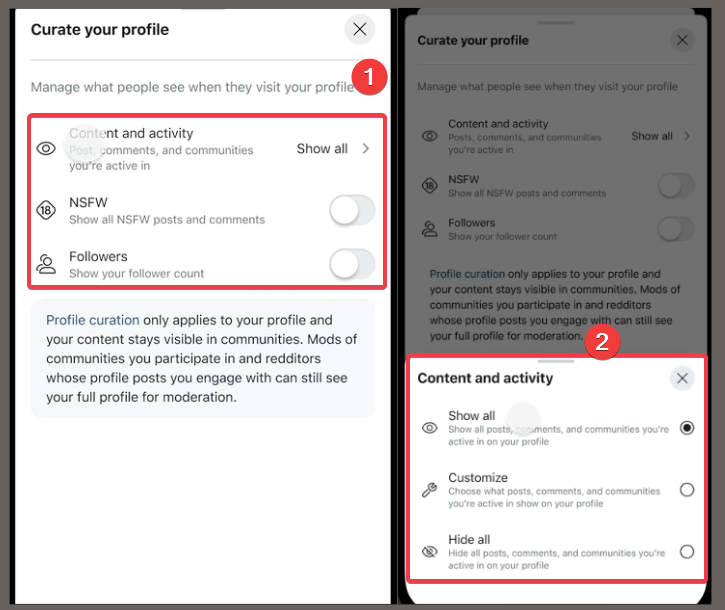
You can toggle off NSFW content or follower count visibility. To manage content in Content and Activity, click it.
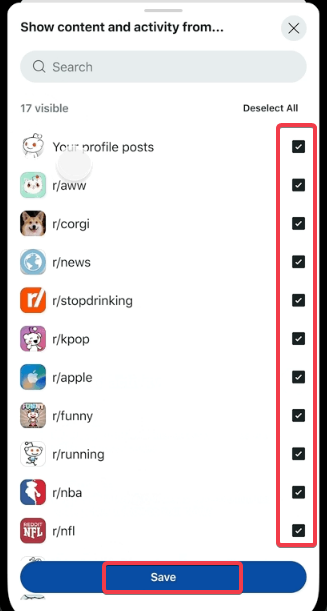
You can leave it on the default Keep all posts and comments public, or select either Hide all activity from your profile or Show only activity from specific subreddits.
Note: these settings apply per subreddit, not individual posts. So, check them regularly as Reddit rollout may vary.
Alternatively, simply view and delete your Reddit history if you want more control.
Other Tips to Keep in Mind
Curating your Reddit profile for privacy has limits:
- Moderators can see your activity for 28 days after you post, comment, or interact with their subreddits.
- If someone comments on your profile, their history might temporarily show up.
- Hiding your activity doesn’t affect what shows in the subreddits themselves. Only your public profile doesn’t show your activity.
This feature isn’t meant to dodge accountability, it’s simply to help protect your online presence. So, respect Reddit’s community rules which thrive on transparency.
Now that you know how to curate your profile on Reddit, you can try these settings out to protect your online presence. You can also try creating your own Reddit with Teddit. If you have any questions, drop them in the comments.








