Until recently, Instagram lacked a built-in feature for downloading Reels, forcing users to rely on third-party apps, online tools, or various workarounds if they wanted to save clips for later viewing. Fortunately, that’s changed – Instagram now lets you download Reels straight from the app, just like TikTok. Here’s how it works.
Good to know: check how you can see all your comments on Instagram.
Download Reels Directly from the Instagram App
The ability to download Reels straight from Instagram is a new feature that is currently rolling out to users. That said, make sure you update your Instagram application before trying it.
Right now, this feature is reportedly rolling out to US users, but we’re already seeing it here in Europe too.
Note: the option is not available from the online version of Instagram, only from the mobile apps.
Open the Instagram app and navigate to Reels. Browse through them as you normally would until you find one that you’d like to download.
Press the Share button on the right side of the display.
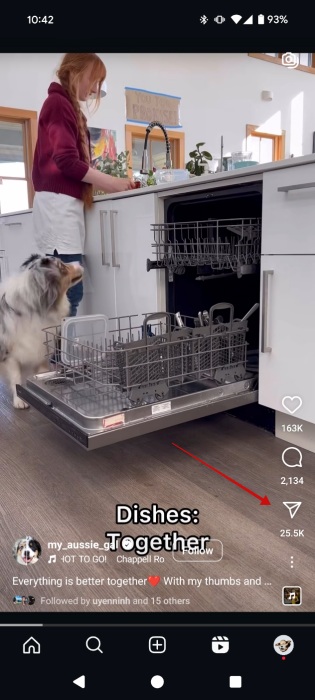
Some options for sharing will pop up at the bottom including the Instagram contacts you usually engage with, as well as external apps such as Facebook or WhatsApp. Swipe towards the right on the bar at the bottom until you reach the end. Here you should see the Download button.
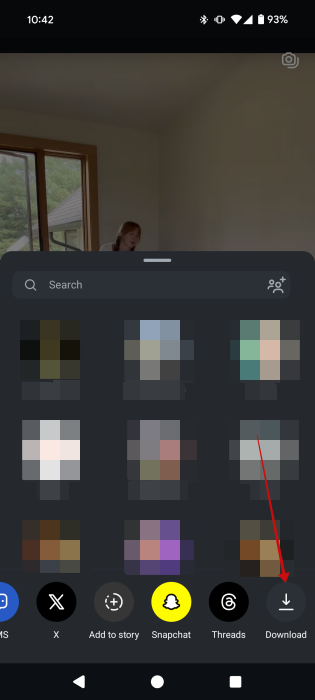
Tap it. You should see a toast notification alerting you that the video is downloading. Wait for the process to complete.
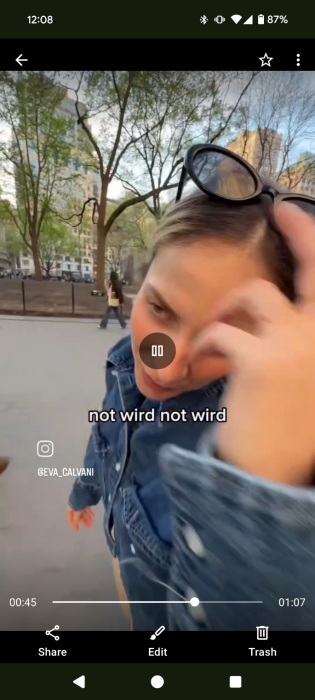
You should now find your Reel in your phone’s Gallery under an Instagram folder. Downloaded Reels will feature a watermark featuring the Instagram logo and the creator’s handle. The clip’s original audio is also included. Instagram warns that downloaded Reels aren’t for commercial use. That said, it’s okay if you want to save them for later viewing such as when saving a recipe.
Note that public Reels can be downloaded by anybody on Instagram (unless you change this status.) However, for those who have private accounts, no one can download your Reels unless you change your account’s privacy settings to public.
Tip: did you know Instagram has a new app for editing videos called Edits? Here’s what you can do with it.
Stop People from Downloading Your Instagram Reels
By default, when you create a new Instagram Reel, the option to allow others to download it will be on by default. If you don’t want others to save your clip, you can opt to disable the feature.
Start by recording and editing your Reel. When you finally reach the posting screen, look at the bottom of the display and tap on the More options button.
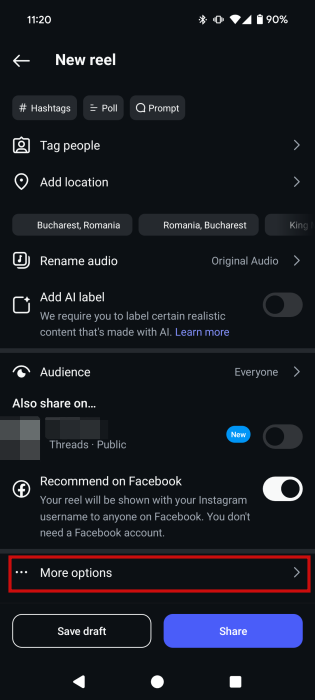
Disable the option to Allow people to download your reels. Or leave it on, as you prefer.
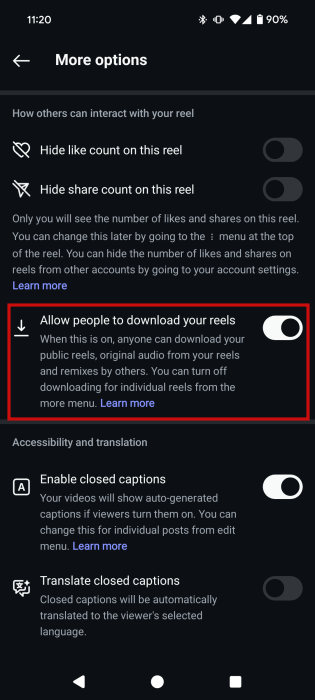
Note that you can change this option only for new Reels you add from now on. For older Reels the option to download is not available.
FYI: learn how to create an anonymous poll on Instagram.
Other Ways of Downloading Instagram Reels
If you can’t see the option to download Instagram Reels directly from the app, first check whether the account you’re trying to download from is private or public. Also make sure the Reel isn’t an older one. But if you’re not seeing the option when you’re scrolling through Reels through the main feed, then it probably means the option hasn’t been rolled out in your region just yet.
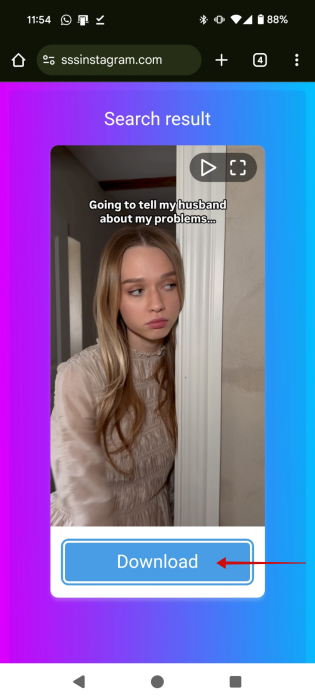
Until it does, you can use an simple online tool to download Reels. For instance, try the SSSInstagram tool. You’ll need the link to the Reel you wish to download first.
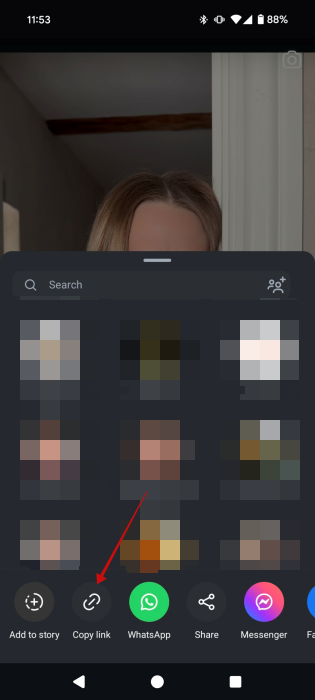
You can grab it by pressing on the Share icon o the Reel page and selecting the Copy link button. Then copy/paste this link into the SSSInstagram tool.
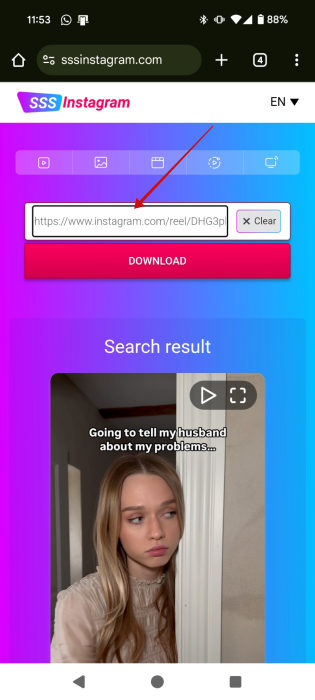
Finally press the Download icon underneath the clip thumbnail.
For more options on how to download Instagram Reels, check our comprehensive post on the matter.
If you want to get better at creating Reels, check our guide on how to find trending audio to add to your clips. Alternatively, you might find it useful to know how to access Instagram Reels templates.








