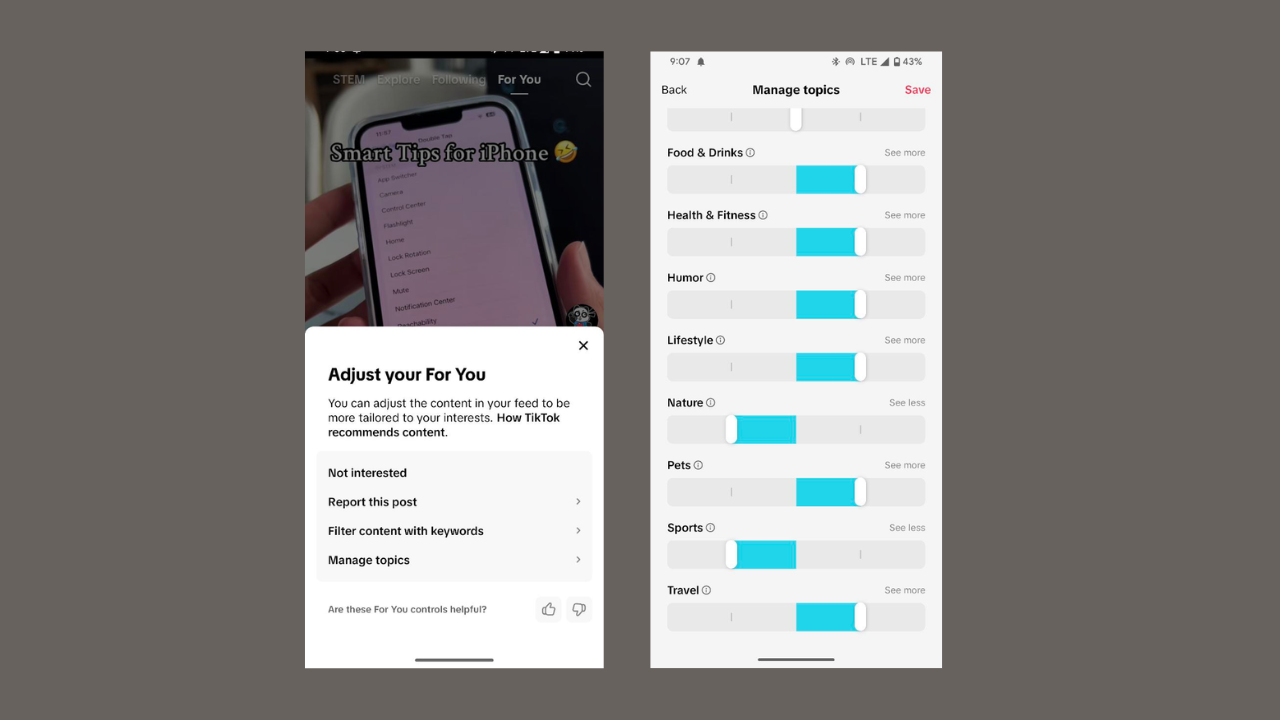
TikTok’s For You Page (FYP) is your video feed, created from the content you watch, like, and share. Basically, it shows you what you are interested in. However, it sometimes displays content you haven’t indicated an interest in. Here, we show you how to manage topics on the TikTok For You page to get videos you care about. With this feature and a few tricks, you can make your video feeds feel just right.
Get Started with TikTok Manage Topics Feature
The Manage Topics feature allows you to indicate to TikTok what you want to see on your video feeds.
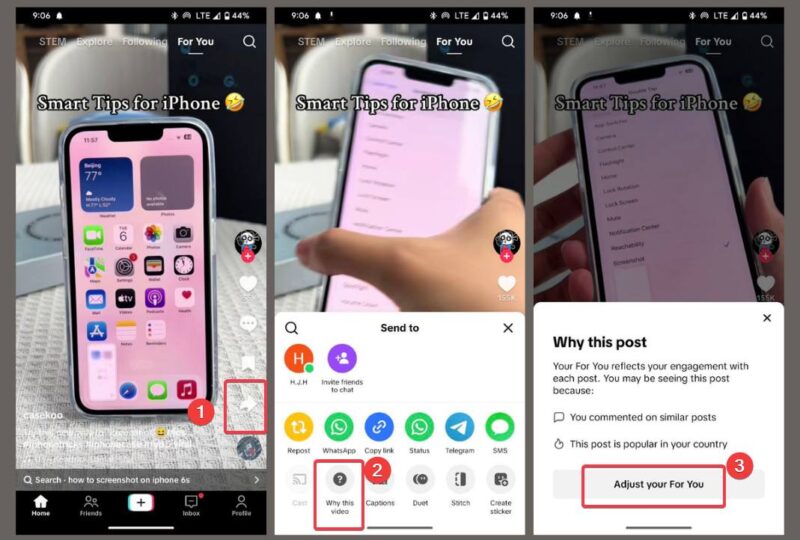
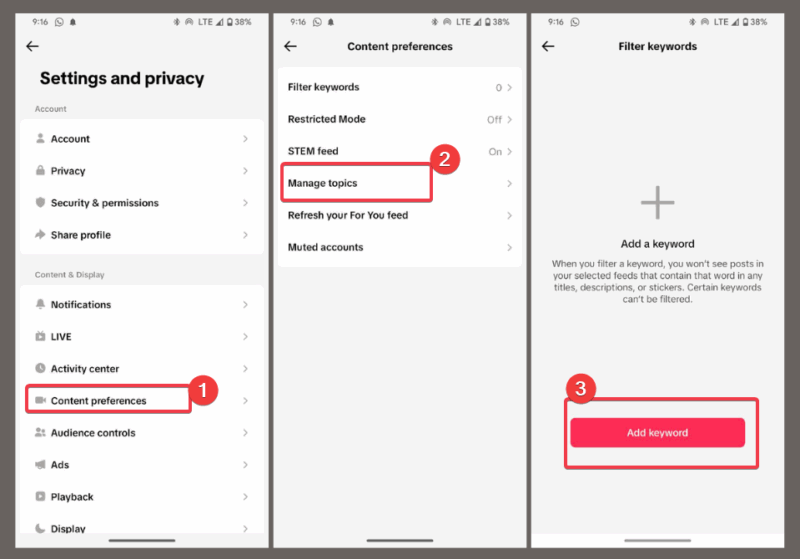
Launch TikTok and navigate to Settings -> Content Preferences -> Manage Topics. Or, when watching a video, hit Share -> Why This Video -> Adjust Your For You -> Manage Topics.
You’ll see sliders under topics like dance, travel, fitness, or cooking. Now, adjust the slider to the right to see more, and left to see less. Then tap Save to confirm your changes.
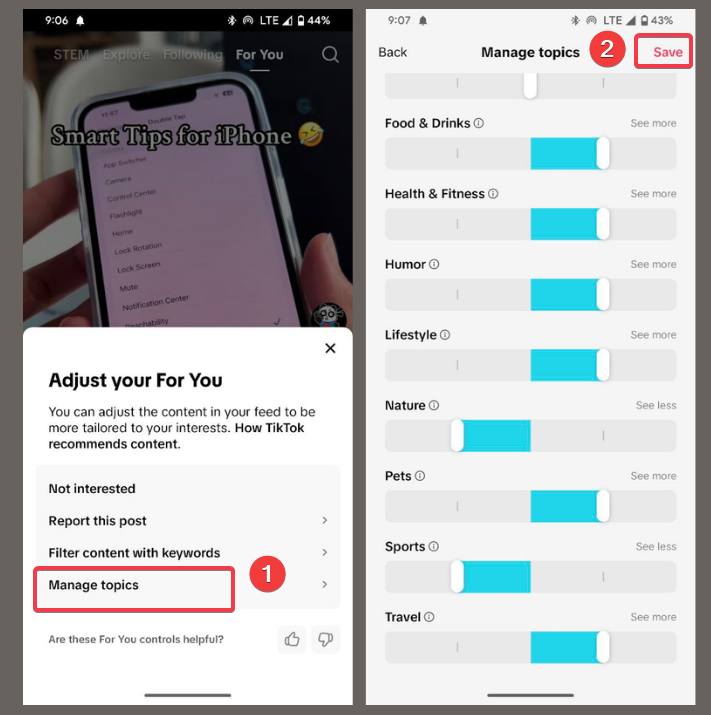
You should note that the changes won’t happen immediately, as the TikTok algorithm needs time to adjust the video feeds.
It will be easier to control your experience by adjusting TikTok privacy settings as you make other tweaks to keep you safe.
Use AI Smart Keyword Filtering for Precision
For more control, you can try TikTok’s AI-powered Smart Keyboard Filtering which lets you block specific words or hashtags.
Press and hold a video you don’t like and tap Not Interested from the prompt.
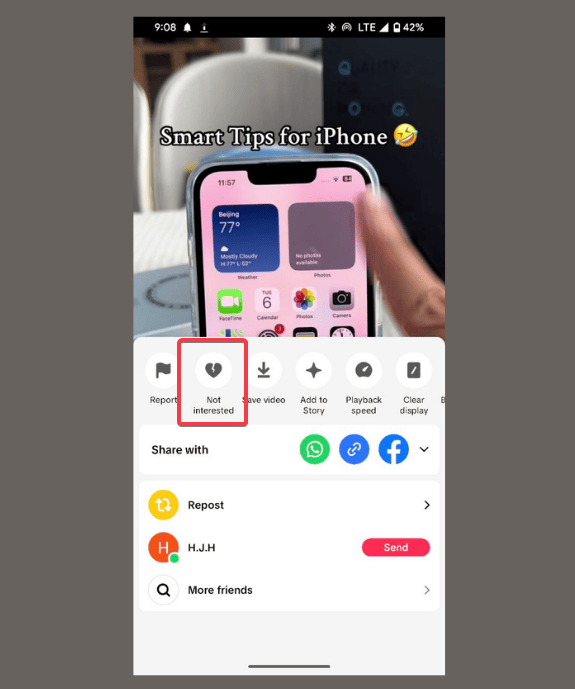
Alternatively, go to Settings -> Content Preferences -> Filter keywords -> Add keyword.
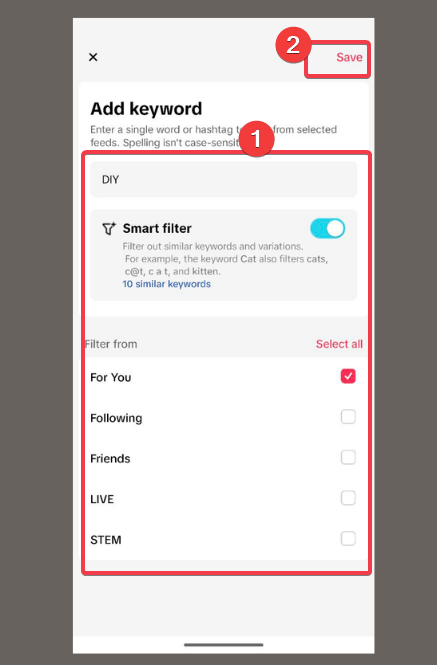
Add specific keywords or hashtags to block, enable Smart filter, and select For You. For example, DIY tutorials if you’re tired of home project content. Click Save and TikTok’s AI will remove all similar content.
While this is amazing, make sure to combine it with Manage Topics on the TikTok For You page.
Extra: You can get creative with TikTok AI Alive for photo-to-video effects if you’re also a creator.
Tweak Your Video Feeds with Smart Engagement
Beyond using Manage Topics on the TikTok For You page, you can try tweaking the algorithm with your engagement:
- Like, comment, or share videos you enjoy. You can also repost TikTok videos to show your interests.
- Follow people who post content you’re into. Then, unfollow TikTok creators you don’t vibe with to declutter your feed.
- Long-press a video and use the not interested option to tell the algorithm to remove similar videos.
- Explore hashtags, sounds, or trends via the Search tab for videos you like, automatically telling the algorithm you want more of them.
The more you actively engage, the faster your video feeds show things you love.
Customizing your TikTok For You page is super easy with manage topics, smart engagement, and AI keyword filtering. You can start tweaking your video feeds right now to shape them to your interests in no time. If you have any questions or want to share your results, drop them in the comments!








