

Have you ever clicked a link and wondered if someone is tracking you? For the past 20 years, Chrome visited links privacy issues have been a problem. Websites could track which links you visited by peeking at your browser history. Thanks to Chrome’s new update, you can now prevent it. So, let’s explore what the privacy flaw is, the new feature, and how you can enable it earlier in Chrome to ensure safe browsing.
What is the Visited Links Privacy Issue?
You’ve probably noticed that links turn purple after you click them on websites and search results. That’s your browser marking them as visited links. Although harmless, sneaky websites take advantage by using tricks to see your online footprints through the purple links.
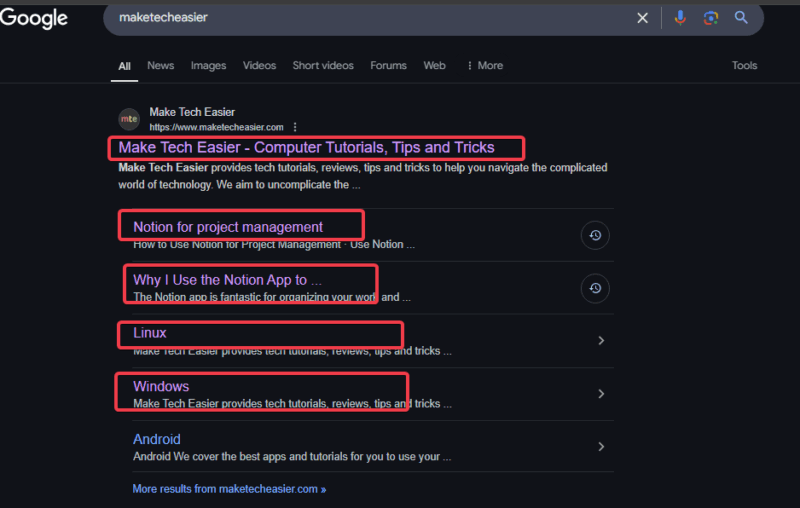
Hence, they can piece together what you do online and mine that data to sell. It’s like someone peeking at your diary to find your secrets.
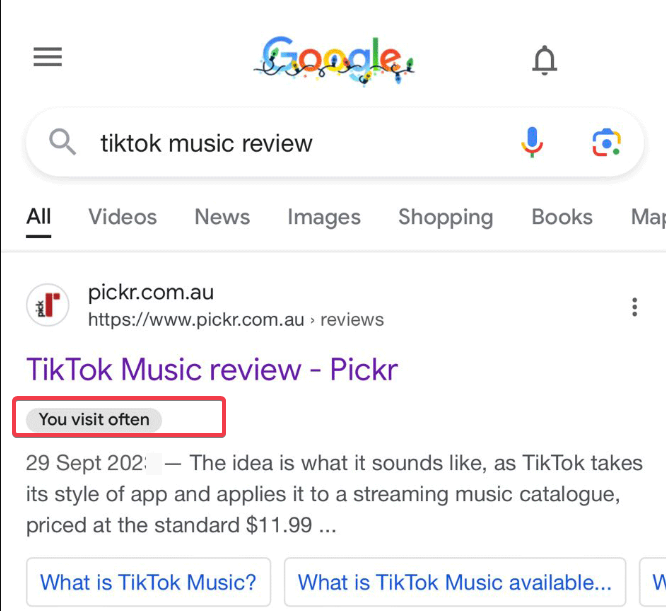
Meanwhile, this isn’t just a Chrome problem, the issue affects all browsers. While browsers like Firefox and Safari have tried some fixes like limiting how websites could use this info but they couldn’t curb it.
This issue is continuous because it is baked into how browsers work. They exploit the core cog in the wheel of browsers. However, you can check out some tips to protect your privacy in Google Chrome and stay safe online.
How Chrome’s Update Enhances Your Privacy
This new update changes the game for Chrome’s visited links privacy. Here’s the deal: it now locks your visited links to the website you’re on. For example, if you click a link on a tech site like Make Tech Easier, only the site can see the visited mark (purple link). Hence, stopping other sneaky websites from cross-site tracking.
While this fix will be officially available with Chrome version 136 (out in April 2025), you can test it now in version 132 by tweaking a special setting.
This is a huge step towards safe browsing and helps Chrome assert dominance over other browsers. In addition, you can add more protection using the best Chrome security extensions.
Enable the Privacy Feature in Chrome
If you’re using version 132 or later, you can enable the fix yourself and enhance your Chrome visited links privacy without waiting for the official rollout.
Open Chrome and type the following into the address bar: chrome://flags/#partition-visited-link-database-with-self-links
From the menu prompt, locate the Partition the Visited Link Database, including ‘self-links’ settings, and choose Enabled.
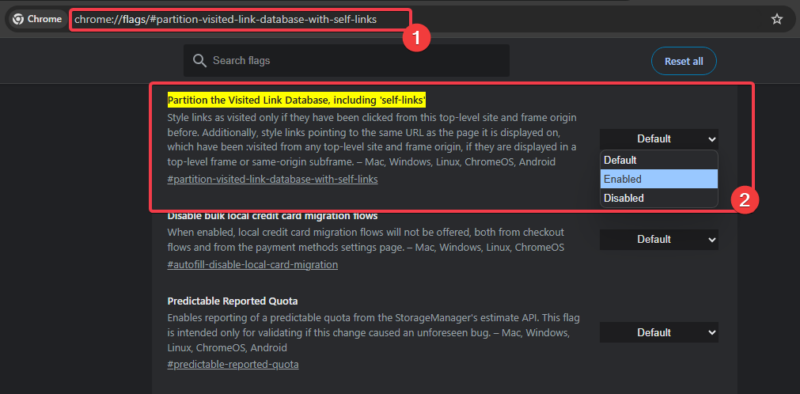
Then click on Relaunch to restart Chrome and activate the changes.
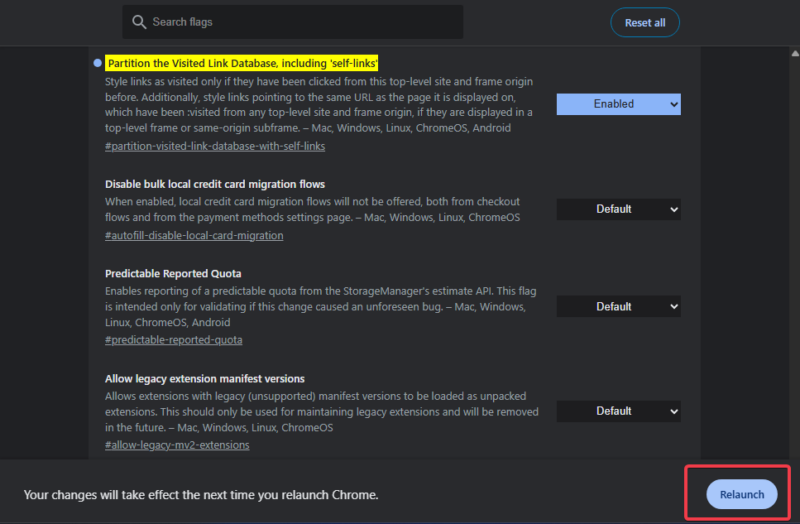
This setting protects your Chrome visited links privacy until version 136 rolls out. Want to browse even smarter? Learn how to preview links in Good Chrome to avoid visiting shady websites.
This new update is a game-changer for Chrome’s visited links privacy protection. It fixes a 20-year-old flaw in browsers that allows websites to track your clicks. Update your browser once version 136 rolls out, and you’re taking a big step to protect your browsing experience. For now, you can use Disconnect for Chrome to block trackers or enable privacy features to lock things down. If you’ve got any observations or questions, leave a comment below!