


We live in a time period where books are still a thing. And most casual Internet users tend to view websites as very long books. But the truth is, websites are constantly evolving, interactive portals that can change size and shape according to your convenience. Take font size, for instance, which is the size of the text that appears on your screen every time you open a website.
While websites are displayed on Google Chrome in a preset standard size, you can change that size, increasing the dimensions of the text if you are having difficulty reading it or decreasing the size if you wish to see more information on a page at a time.
Also read: How to Mute an Entire Website in Chrome
Changing Font Size
Go to Google Chrome and open any website you wish to explore whose font size you wish to change.
At the top of the page is the address bar containing the name of the website, and to the left of the bar is a padlock icon. This icon signifies that the website you are currently surfing is safe to surf.
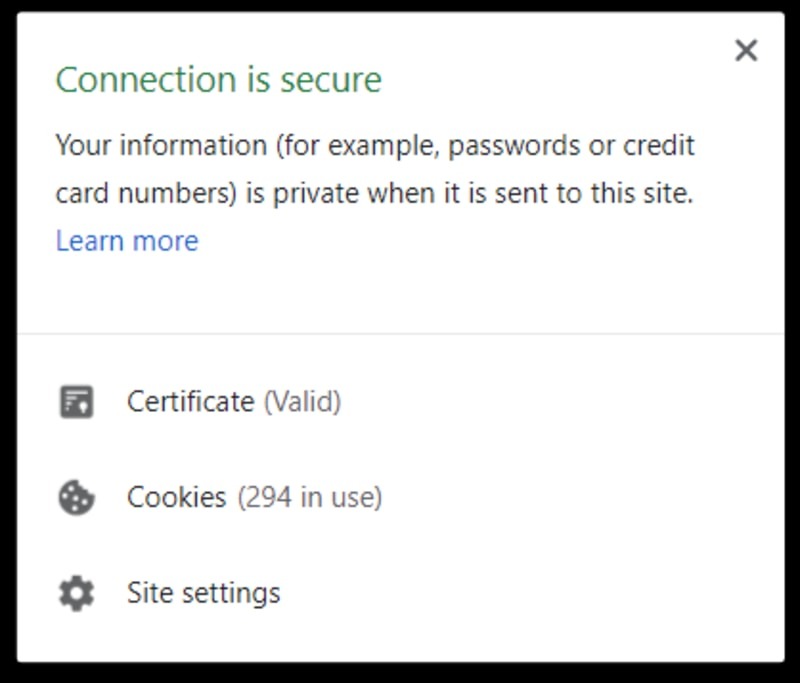
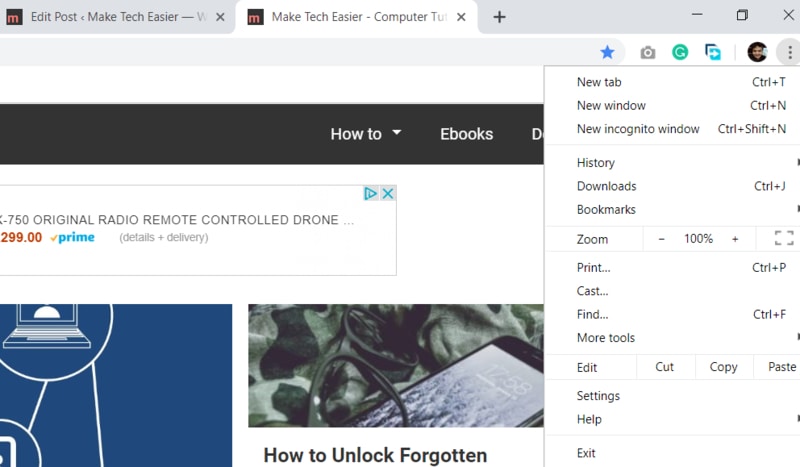
Click on the padlock, and you will see a list of options appear in a drop-down menu. Click on the Site Settings option at the bottom of the list next to a gear icon. Alternatively, you can click on the three dots at the top-right corner of Chrome and select the Settings option from the drop-down menu.
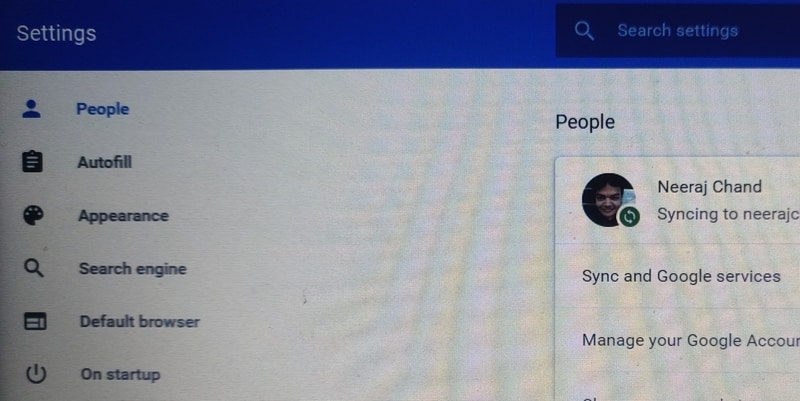
Now you will be taken to a page that carries a list of options relating to the way the Chrome Browser interacts with websites on your device. You can change a variety of options relating to site appearance, security and much more using this page. For now, however, go to the section in the left corner of the page titled “Appearance.”
The page will display a list of options relating to the display of websites. Next to the Font Size option are a list of options you can choose from. Font Size is set as Medium by default, but you can change it to Very Small, Small, Large, or Very Large.
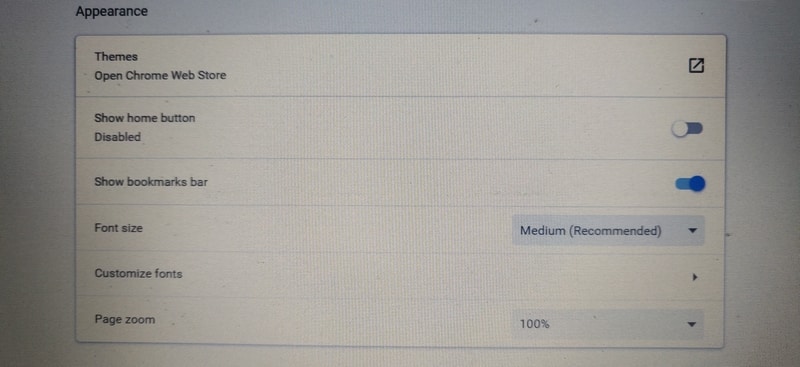
Whichever option you choose will be saved automatically as your new font size setting. When you go back to the website you were originally surfing, you will find that the layout has been automatically changed by Chrome to accommodate the new Font Size.
Effect on the Website
Keep in mind that changing the font size might have a drastic effect on the appearance of the site you were surfing, especially if it contains a host of embedded videos and picture links. Note that changing the font dimensions is a different tactic from zooming into a portion of the Web page. In the case of the latter, the size of the lettering remains the same, but you can view a closeup of parts of a page by scrolling back and forth.
Conclusion
People from all walks of life, with all kinds of visual issues, use the Internet, and domain owners usually design their sites to cater to the majority. If you happen to belong to the minority for whom the font size of a site is causing issues, you can use Chrome’s multiple font size options feature to improve your browsing experience.