
Ever tried to screenshot Snapchat without a notification, only to be stopped by its tightened security? I have, hoping to save a snap streak discreetly without alerting the sender. Not to mention, Snapchat’s improved security updates make this trickier and closed all the previously known loopholes. Hence, we will explore new ways to bypass this notification hurdle with workarounds that still work without hassles.
Why Snapchat Screenshot Notifications Are a Big Deal
Snapchat’s screenshot alerts are a key privacy feature, letting senders know when their snap is being captured or saved. This builds trust, ensuring snaps vanish as intended. You can learn more about Snapchat privacy here.
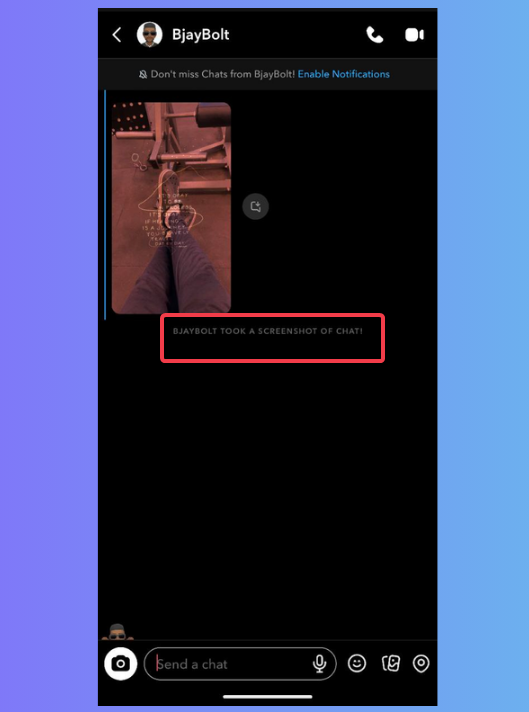
Personally, I’ve felt the frustration of wanting to save a friend’s hilarious moment, only to hesitate because of the notification.
Besides, Snapchat’s security updates have blocked older tricks for screenshotting Snapchat without alerts, putting the sender’s control first.
While this protects senders, it frustrates those of us who wish to keep shared memories quietly, creating a clash between privacy and personal choice.
Use Second Device to Capture Screenshots
To use this method, you need another phone or camera to grab the snap.
Open the snap on the main phone, take a photo of the screen with a secondary phone, save the image to your gallery, or transfer it.
I tried this with my old Android to save a friend’s snap, and it worked without alerting them. You can also try this method to bypass Android screenshot restrictions.
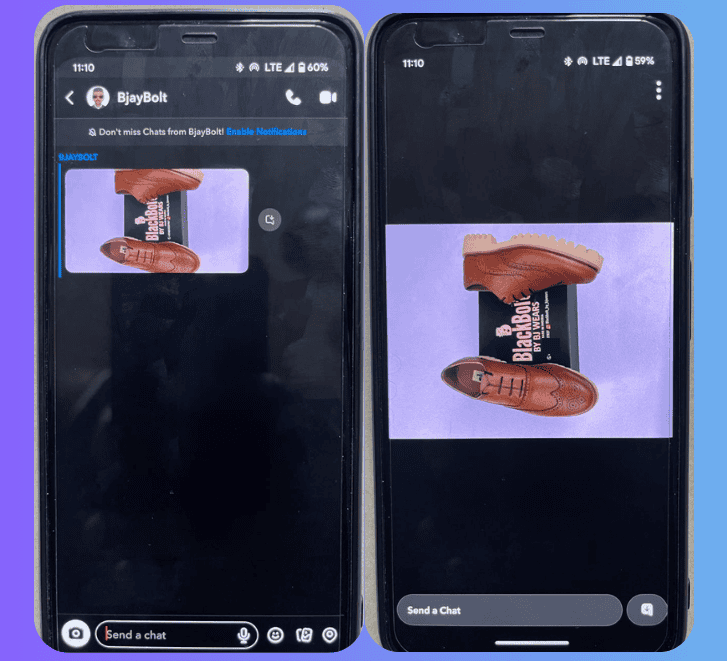
The catch: Pictures can be blurry, especially with low-light screens. Besides, you need an extra device, which isn’t always handy.
Screen Mirroring Your Phone to a Computer
Mirror your phone to a PC and capture the snap there. I tried this with ApowerMirror on my laptop and got a crisp snap.
Install ApowerMirror on your computer and Android or iOS device. Ensure both your phone and your computer are on the same Wi-Fi network. Now, mirror your phone to the computer, launch Snapchat, and open the snap.
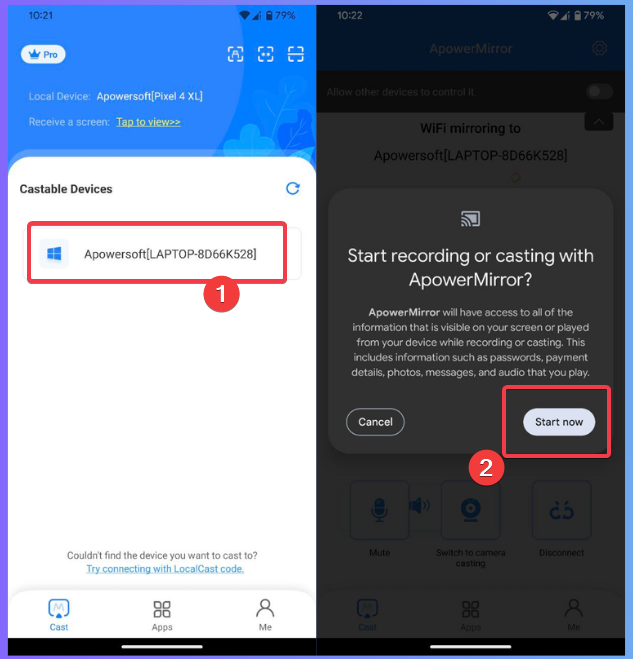
Then, screenshot or record the snap from your computer.
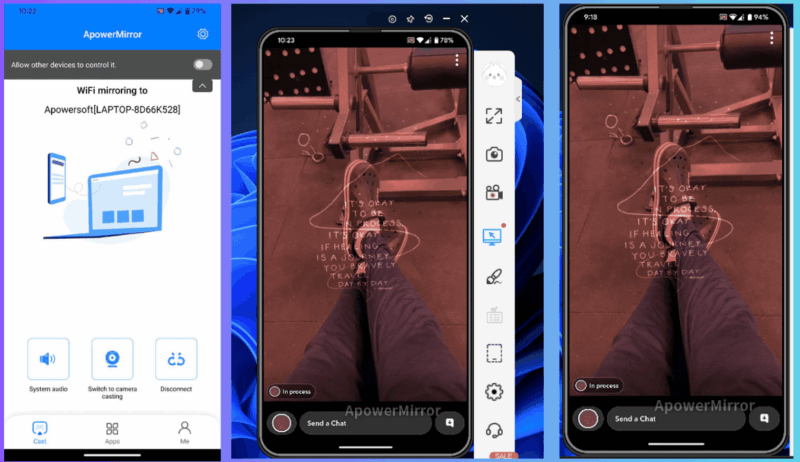
One of the benefits of this method is that you get clean, crisp, and high-quality screenshots without the usual alerts.
However, the setup takes time, and you may not always have all the devices needed available. Also, Snapchat may flag mirroring in future updates.
Use Snapchat Web Recording
Although Snapchat has previously flagged this method, there’s a workaround now with the Brave browser. My test results are inconsistent on other browsers except Brave.
Log in to Snapchat Web and open the snap. Then open a new tab. Start a screen recording with a tool like ShareX on the new tab and navigate to the Snapchat Web tab to grab the screen.
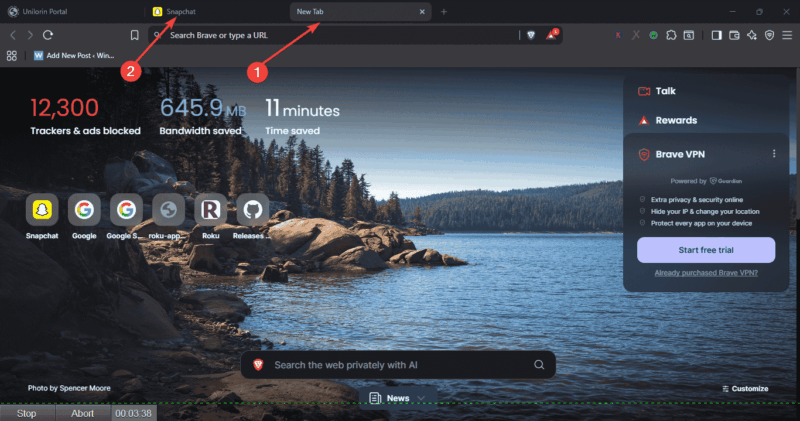
Once done, return to the new tab and save the recording. Then extract the snap by cropping it out.
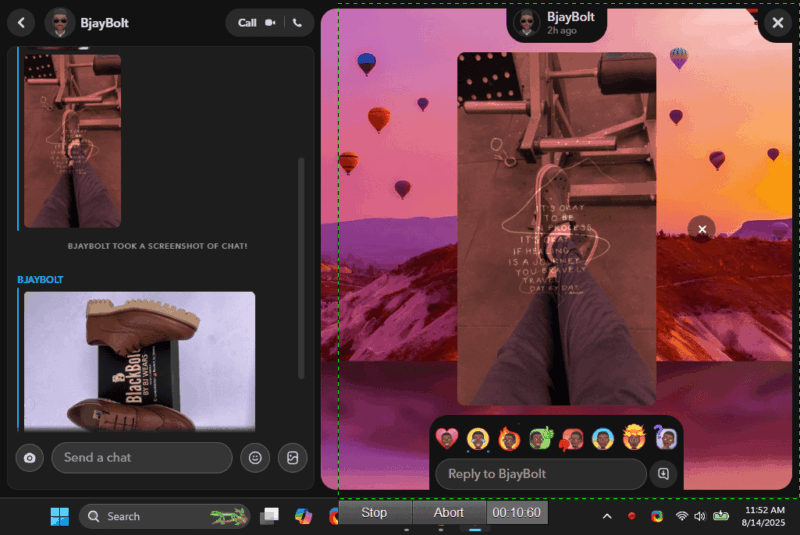
By not starting or ending the screen recording on the Snapchat Web tab, you can safely bypass the screenshot notification.
Note: These methods pale in comparison to Snapchat’s Memories feature, dedicated to saving snaps officially.
Is It Risky or Even Ethical?
Trying to screenshot Snapchat without a notification carries risks. Snapchat’s terms are stringent, and I got a warning for trying old tricks that’ve been flagged; a reminder of potential bans.
Ethically, it’s murky. Saving a snap without permission feels wrong. I once kept a snap to share later for a laugh, only to upset the sender when they found out.
In some places, privacy laws may even impose legal risks. See more on social messaging screenshot notifications for context. The question remains: Are you just saving a memory or betraying trust?
What This Means for Snapchat Users
Snapchat’s privacy push protects sender control but may frustrate some of us seeking flexibility. These workarounds may work for now, but account bans or future patches could end them.
It’s like securing your social media account – you want control, but rules are tight. Hence, if Snapchat keeps clamping down, some might switch to less strict apps.
Attempting to screenshot Snapchat without notification is possible but risky and ethically murky. So try asking for permission or using Snapchat’s Memories instead. For more hacks, see how to manage notifications on Android.








