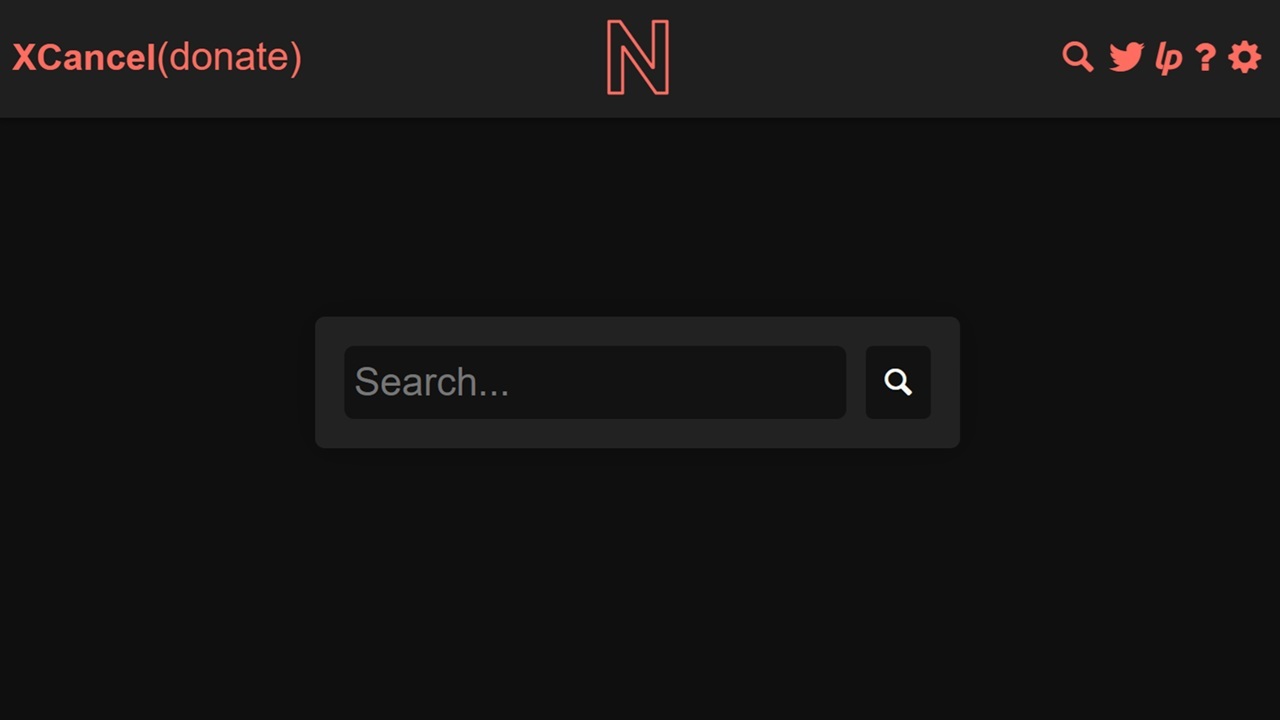
One of the many changes Elon Musk made in transitioning Twitter to X is making it far more difficult to browse X anonymously. While you can check out some posts without logging in, most require you to log in, especially to read comments. Now, a free web tool can bypass this requirement.
Why Browse X Anonymously
It’s easy enough to create an account on X, formerly Twitter. But, maybe you aren’t interested in using X and just want to check out the comments on an embedded post or tweet you found online. Or, perhaps you want to browse without X tracking every interaction.
One reason I’ve found to use this free tool is not having to log in when using devices I don’t own. No need to input a password or worry later if I logged out or not. Plus, on public Wi-Fi, hackers aren’t able to see any login details either.
All You Need is XCancel
XCancel is completely free to use, though donations are welcome to keep the project going. As the name implies, it cancels out the login requirements and trackers to help you use X anonymously. It also gets rid of pesky ads. Though, there are other ways to remove excessive ads on both X and Instagram.
What I love most is there’s nothing to download and it’s cross-platform. As long as you have a browser, you can use XCancel, including on mobile devices.
It doesn’t require JavaScript like X, making it somewhat safer, since many vulnerabilities take advantage of JavaScript. So, if you already have it disabled, you can still use X with no issues.
XCancel is based off Nitter, which is a Twitter front-end. If you’re on a slower connection or older device, Nitter tends to be around two to four times faster than Twitter or X.
Another benefit is it serves as a workaround in regions that have blocked X/Twitter. Please note that some of these regions have also blocked XCancel.
How to Use XCancel
There are several ways to use XCancel to browse Twitter anonymously. The most straightforward is to visit XCancel.com and enter a search term. This can be any words or phrases, a hashtag, or a user.
Then, filter the results by Tweets or Users.
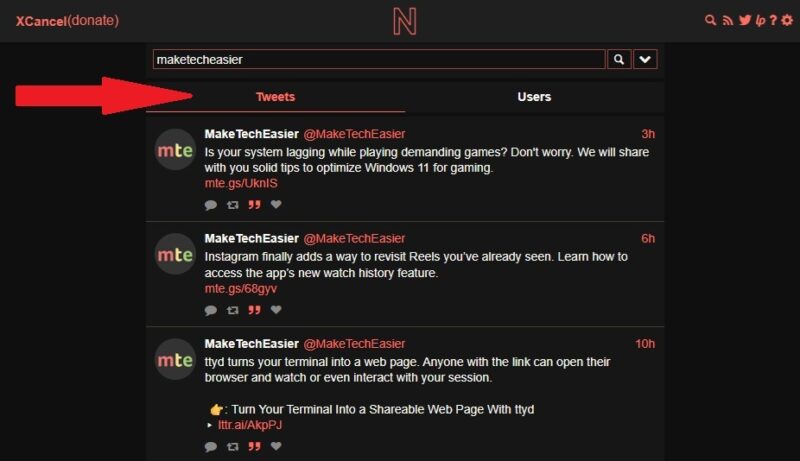
Clicking any tweet or username opens the tweet or profile just like on X. But, everything is cleaner and easier to read.

If you want to view a specific post, but X tells you have to log in first, copy the URL for the post/tweet. This also works well if it’s a post that’s embedded on another site and you want to check out the comments.
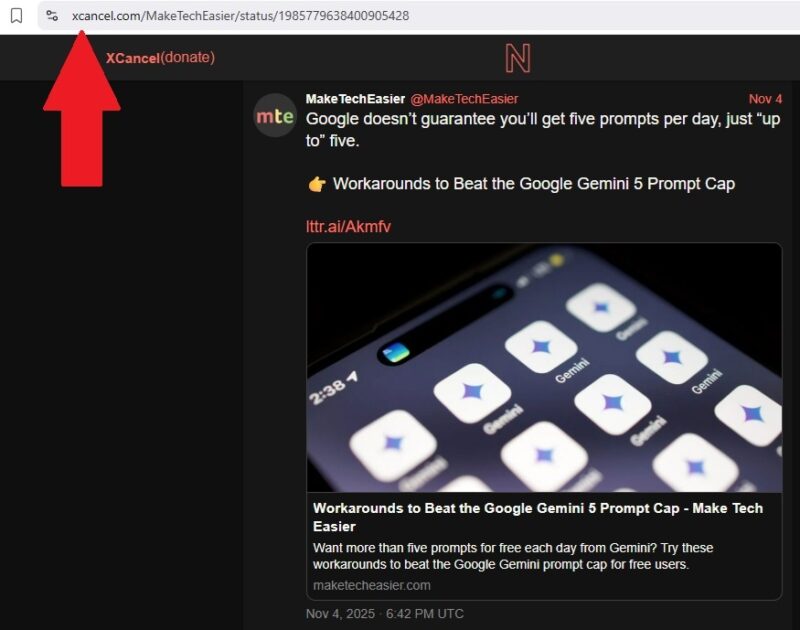
Now, simply change x.com in the original URL to xcancel.com. Leave the rest the same. This lets the post open in XCancel versus X.
For instance, to view this tweet from MakeTechEasier on XCancel, I’d change the URL from https://x.com/MakeTechEasier/status/1985779638400905428 to https://xcancel.com/MakeTechEasier/status/1985779638400905428.
If you want to view a specific user, do the same process. Just replace x.com with xcancel.com in the user profile URL. For example, https://x.com/MakeTechEasier becomes https://xcancel.com/MakeTechEasier.
The Downsides of Using XCancel
Browsing X anonymously isn’t without its pitfalls. As you might notice, there isn’t any way to login or view your usual feed. There are plans to add a generic login to create a saved feed, but for now, you’re stuck viewing posts from searching or visiting user profiles directly.
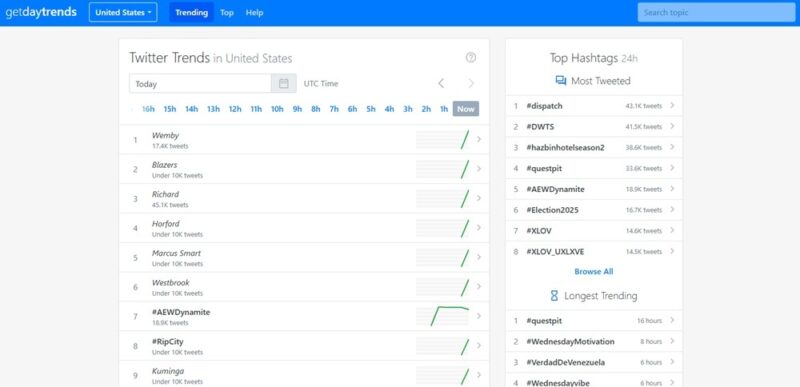
Another issue is you’re not going to find suggested users or posts, trending content, or trending hashtags. I suggest using a Twitter/X trending site to get insights into what’s trending and then search for it on XCancel. GetDayTrends works well for this and you can filter by country if you want.
You also can’t comment, like, or otherwise interact with any posts/tweets. You’re limited to reading and viewing only. Interacting requires an account which defeats the purpose of being anonymous.
If you have specific accounts you want to check out regularly and still stay anonymous, consider bookmarking the XCancel URLs for each one. They’re just one click away. I personally love using Raindrop for my bookmarks so they sync on all devices, no matter what browser I use.
Changing XCancel Settings
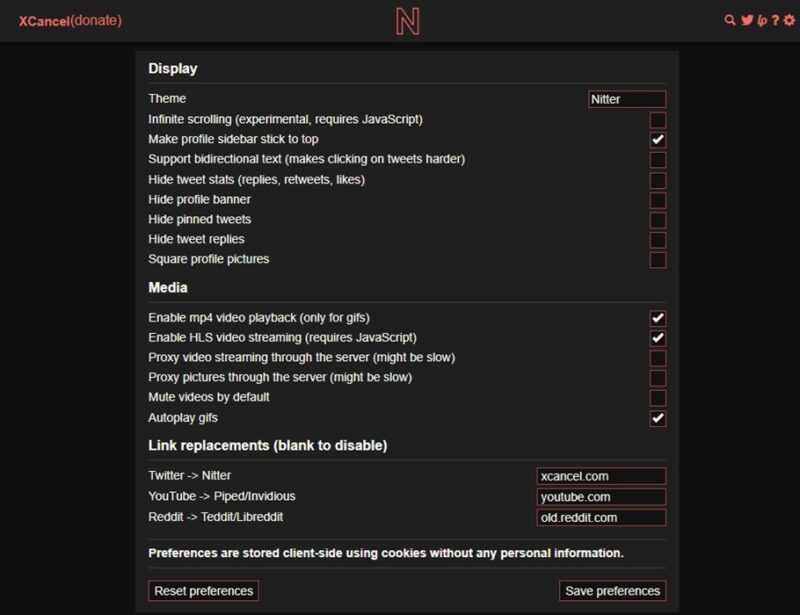
All XCancel settings are stored locally. If you delete your browsing history and cookies, your preferences disappear. But, there’s not that much to change anyway.
Click the Settings cog at the top right to change the theme, hide certain elements like profile banners, and choose what media to play or not play. Click Save preferences to save your settings.
Browse YouTube and Reddit Anonymously Too
XCancel automatically opens Reddit and YouTube links in open-source front-ends that work similar to XCancel. So, it’s not just a way to browse X anonymously.
Reddit links open in old.reddit.com for a more classic Reddit experience without all the clutter and ads. It uses Teddit and Libreddit (rebranded to Redlib) to provide a more private experience.
For YouTube, links open via Piped/Invidious. This is another privacy-focused front-end that eliminates Google trackers while you view YouTube videos. Check out publicly hosted instances of Invidious to use YouTube anonymously outside of XCancel.
If you’re searching for ways to view Instagram stories anonymously, try these methods.








